



Skip to content

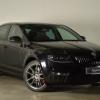
This is why I love my Fabia
Featured Replies

MOT pass today


Just one advisory - one of rubber console bushes was fitted a bit on the **** apparently ( I think the well known independant I have used in the past complained they prefer to use poly bushes by default when I had the work done lol )

How many miles has yours done? I was impressed when mine passed its MOT last month without any advisories. Not bad for a car with 116k on. The previous year it only failed because of some lamps I hadn't replaced.


If you bought yours used it can be interesting to see how many MOTs it's passed or failed before you had it:


https://www.check-mot.service.gov.uk/ 

Edited by Dazza95

How many miles has yours done? I was impressed when mine passed its MOT last month without any advisories. Not bad for a car with 116k on. The previous year it only failed because of some lamps I hadn't replaced.


If you bought yours used it can be interesting to see how many MOTs it's passed or failed before you had it:


https://www.check-mot.service.gov.uk/ 

Christ, I wish I had known about this before I bought my fab in September 2014!!!! Nearly every MOT failed since 2009. Endless bald tyres/ suspension bushes/cv gaiters fails/ play in various suspension parts..... Obviously not well looked after. It has passed 2 MOT's in my ownership with no advisories how however! :-/

  • Author

Dazza, lol at the fact I know exactly how many MOTs it failed before I bought it. None ;) Bought it brand spanking from new hehe. Number of MOT fails? 0.

But the miles are going up and age, and its nice for the car to still do the MOT passes without any headaches, hence my celebration.


Now on 126K (still going up, as I'd rather put the miles on this rather than my new petrol octy mk3 which is nice,

but already has some miles on it so I'm balancing it out by still using this a lot of the time).


Useful link for others though, don't think I'll be looking at any more cars in a hurry already a 3 car (and 1 bike) household lol

Create an account or sign in to comment

Recently Browsing 0

  • No registered users viewing this page.

Important Information

Welcome to BRISKODA. Please note the following important links Terms of Use. We have a comprehensive Privacy Policy. We have placed cookies on your device to help make this website better. You can adjust your cookie settings, otherwise we'll assume you're okay to continue.

Account

Navigation

Configure browser push notifications

Chrome (Android)
  1. Tap the lock icon next to the address bar.
  2. Tap Permissions → Notifications.
  3. Adjust your preference.
Chrome (Desktop)
  1. Click the padlock icon in the address bar.
  2. Select Site settings.
  3. Find Notifications and adjust your preference.
