



Skip to content

Calling Expert's!

Featured Replies

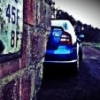
I've noticed when i'm taking picture's later on viewing on big screen i have a patch of detail,and slightly different colour.

Can you tell from these?

Is my camera broken,or user error,how can i lose it and get more detail instead of blur.noise.


006editbest_zpseiln2ygx.jpg


009edit_zpstdpwopco.jpg


002edit_zpsbszib91n.jpg


013edit_zpskde4qkjg.jpg


008edit_zpsaswpm1hd.jpg

I think this is more to do with depth of field, your aperture must be wide open and the part that looks a different colour is the part that is in focus because of depth of field.


 Also I notice the images are quite noisey which I think is masking the true colour of the paint beneath the water droplets.


 Post up the EXIF data, it will probably show aperture wide open and a high ISO which may be causing the colour difference.

Edited by James I

  • Author
Make

FUJIFILM

Model

FinePix S2960

Aperture

4.2

Exposure Time

1/85 (0.0117647058824 sec)

Focal Length

12.3 mm

Flash

Off, Did not fire

File Size

1719 kB

File Type

JPEG

MIME Type

image/jpeg

Image Width

3072

Image Height

1728

Encoding Process

Baseline DCT, Huffman coding

Bits Per Sample

8

Color Components

3

X Resolution

72

Y Resolution

72

Software

Digital Camera FinePix S2960 Ver1.01

YCbCr Sub Sampling

YCbCr4:2:2 (2 1)

YCbCr Positioning

Co-sited

Exposure Program

Program AE

Date and Time (Original)

2016:02:12 18:43:03

Max Aperture Value

3.1

Metering Mode

Multi-segment

Light Source

Unknown

Color Space

sRGB

Sensing Method

One-chip color area

Custom Rendered

Normal

Exposure Mode

Auto

White Balance

Auto

Scene Capture Type

Standard

Sharpness

Normal

Subject Distance Range

Unknown

Quality

FINE

Sequence Number

N/A

F Number

4.2

Exposure Compensation

N/A

Focus Mode

Auto

ISO

800

Compression

JPEG (old-style)

Orientation

Horizontal (normal)

Edited by vrsRo55

As James I mentioned above, you have a large aperture (4.5) which is causing a narrow depth of field. Have a look here for more info. :thumbup:

  • Author

Its a point and shoot camera can this be adjusted? i think i have a custom/manual mode.its an old camera.

Looks like it can be adjusted. The manual is available here.

  • Author

Thanks,just having a play now at the dining table with a socket i found on the road,should be interesting.

You will find as the aperture number gets bigger the aperture gets smaller, in turn your shutter speed will get slower because less light can get in, to overcome this your ISO will have to increase which could introduce more noise.


 A bit of flash may help, turn the power down if you can and use as FILL flash.

Create an account or sign in to comment

Recently Browsing 0

  • No registered users viewing this page.

Important Information

Welcome to BRISKODA. Please note the following important links Terms of Use. We have a comprehensive Privacy Policy. We have placed cookies on your device to help make this website better. You can adjust your cookie settings, otherwise we'll assume you're okay to continue.

Account

Navigation

Configure browser push notifications

Chrome (Android)
  1. Tap the lock icon next to the address bar.
  2. Tap Permissions → Notifications.
  3. Adjust your preference.
Chrome (Desktop)
  1. Click the padlock icon in the address bar.
  2. Select Site settings.
  3. Find Notifications and adjust your preference.
