



Skip to content

Monte Carlo DRL's

Featured Replies

Hi guys, 1st post for a while, so be gentle...

We've just got a 2013 Monty and DRL's work fine.. I bought some led bulbs with the can bus module in built and they don't work.. They are both bayonet fit, however my mate is an electrician with a circuit tester and he's found the polarity of the bulbs are different.. On the bulb holder and standard bulb the + is the outer ring with the - in the centre.. On the led's the + / - are ther other way round as he tested it with 12v power and both LEDs work, off the car..

Apologies in advance if I'm being a total numpty...

Any ideas ?

post-11152-0-10642600-1457873959_thumb.jpeg

Cheers in advance..

Edited by skomansteve

Have you tried turning the bulbs round in the holder?

Cheap bulbs are generally crap, get something better like Cree

  • Author

Yes I tried that, but with a bayonet connector it shouldn't make any difference...thanks..

What does the base look like? Have you looked at the new and old bulbs from the base? I thought the S25 bulb was a double contact at the bottom, which is different to the required single centre contact, I may be wrong though

Sent from my iPad using Tapatalk

I have a 2011 and had the same problem, what i did was cut the two wires for the bulb holder and swapped them round, then worked fine , there is a thread on here somewhere showing exactly what to do.

Edited by DIZZY3

  • Author

I have a 2011 and had the same problem, what i did was cut the two wires for the bulb holder and swapped them round, then worked fine , there is a thread on here somewhere showing exactly what to do.

I was thinking along the same lines... Looks like that'll be the answer...

In answer to Jonro's post, there's only a single central terminal on the base of the bulb..

I still think that the answer lies somewhere in the S25 listing.

My 2013 monte has had several different DRL bulbs as I was never happy with them until I got the 80w CREE bulbs, none of them where S25 and all of them worked straight out the pack.

Good luck getting it sorted.

Sent from my iPad using Tapatalk

  • Author

I still think that the answer lies somewhere in the S25 listing.

My 2013 monte has had several different DRL bulbs as I was never happy with them until I got the 80w CREE bulbs, none of them where S25 and all of them worked straight out the pack.

Good luck getting it sorted.

Sent from my iPad using Tapatalk

Hi Jonro, the bulbs are P21W like this post-11152-0-95947900-1457996761_thumb.jpeg

What I don't get is why the polarity is opposite to what I think it should be, I.e the centre contact should be + and the outer bulb casing should be the earth.. Am I missing something? I know yours worked, but I don't want to to the expense of buying Cree's only to end up with the same problem...

Cheers.

Steve.

Edited by skomansteve

It's a strange one. I think that the S25 in the description is something to do with it, it just glares out as being something unfamiliar. I'm convinced it pertains to it being reversed polarity although I can't find anything to support this.

Have you tried contacting Ultra HIDS throw go their eBay shop and asking, perhaps it's just a faulty bulb?

I know the reverse light is the same fitment as the DRLs so only other thing I can suggest is to try the bulb in the reverse light and try the reverse bulb in DRL see what if anything you can draw from that.

Sent from my iPad using Tapatalk

There are definitely other posts about this. It seems it's not unusual to have to swap the wires.

  • Author

There are definitely other posts about this. It seems it's not unusual to have to swap the wires.

Yup, finally sorted it with a tool to remove the wiring connectors - swapped the wires around and hey presto the led's work fine...

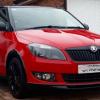
Apologies for the crap photo, but here's one to show they work..

post-11152-0-26264000-1458949325_thumb.jpeg

Are there bulbs lit in the headlight cluster too or is that the flash from the camera?

Sent from my iPad using Tapatalk

Create an account or sign in to comment

Recently Browsing 0

  • No registered users viewing this page.

Important Information

Welcome to BRISKODA. Please note the following important links Terms of Use. We have a comprehensive Privacy Policy. We have placed cookies on your device to help make this website better. You can adjust your cookie settings, otherwise we'll assume you're okay to continue.

Account

Navigation

Configure browser push notifications

Chrome (Android)
  1. Tap the lock icon next to the address bar.
  2. Tap Permissions → Notifications.
  3. Adjust your preference.
Chrome (Desktop)
  1. Click the padlock icon in the address bar.
  2. Select Site settings.
  3. Find Notifications and adjust your preference.
