



Skip to content

Hi

Featured Replies

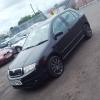
Hello, my name is Jamie and I just bought my first Skoda. I live in the UK and passed my driving test at 17 a year and couple months ago, drove a VW Lupo (excellent car) for my first year for the usual reasons, then decided to get a nicer car once I had a years no claims. So now I'm 18 and just bought a Skoda Fabia VRS Mk1 in black with gun metal alloys and I have to say the car is unbelievable after only a week of driving. Not only is it faster, cooler, more pleasant to drive and reliable, but it's actually better in fuel as well. Anyway, I done my research of cars before buying and I liked the PD130 as it's one of the better engines. So since if had it the only mod I have done is yellow fog lights,but I have a new front bumper there ready to put on and I'm getting it mapped next week. I don't plan to heavily modify it, but I do plan to invest a little in my car. I used this forum for research before buying the car and find it very useful, so it's great to be a member of this forum!

(Not to sure how to post photos, will do asap)

Jamie

Do yourself a favour and keep it as stock as you can, they are appreciating in value and messing about with them too much will only devalue them if you come to sell it later on. 


Oh and welcome :)

Edited by bigjim73

  • Author

Hi Jim,


I honestly had no idea about that, that's really good advice I will be keeping as much stock as I can. I plan to keep the car as long as it will last and I suppose messing around with it will not make it last as long as well.


Thank you!

Create an account or sign in to comment

Recently Browsing 0

  • No registered users viewing this page.

Important Information

Welcome to BRISKODA. Please note the following important links Terms of Use. We have a comprehensive Privacy Policy. We have placed cookies on your device to help make this website better. You can adjust your cookie settings, otherwise we'll assume you're okay to continue.

Account

Navigation

Configure browser push notifications

Chrome (Android)
  1. Tap the lock icon next to the address bar.
  2. Tap Permissions → Notifications.
  3. Adjust your preference.
Chrome (Desktop)
  1. Click the padlock icon in the address bar.
  2. Select Site settings.
  3. Find Notifications and adjust your preference.
