



Skip to content

Stalled and oil light come on?
Featured Replies

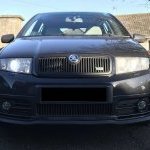
My 06 Fabia 1.2 seems to have started to stall really easily at low revs when manoeuvring etc, it did this today and then once it had stalled it started beeping and the oil light came on? Took a few attempts to start again and it ran a bit lumpy before settling down again.

I checked the oil immediately and it was low but not below the min mark.


Any ideas?

Well, if the engine has stopped or been allowed to drop below normal idle speed, it will bring on the low oil pressure light, what you need to is to get the reason for it wanting to stall sorted and the oil pressure warnings should disappear.

Er, if the engine's just stalled out, of course the low oil pressure light comes on!


To start with, on a cold engine, check the oil level and top up if needed.


Now try to establish why the car stalls so easily. I'd suspect either a low idle speed or a failed idle stabilisation, but that's guessing based on "most common causes of stalling that aren't the driver".

  • Sponsor

Does your engine have an EGR valve? (example photo in this listing, location: front of engine, battery box side)?


If it does (depends on manufacture date, later ones of your engine code don't), then one cause of stalling and pulling-away issues can be the valve sticking open when it should be shut.  Will store a fault code after it happens regularly.


Anyone in easy reach of you with VCDS?

Edited by Wino

  • Author

if i deliberately stall the car the oil light doesn't come on and no warning beeps either.

It only stalls easily sometimes but when it does that seems to be when the light comes on. 

Most of the time its a very difficult car to stall even if your violent off the clutch it usually keeps going!

Create an account or sign in to comment

Recently Browsing 0

  • No registered users viewing this page.

Important Information

Welcome to BRISKODA. Please note the following important links Terms of Use. We have a comprehensive Privacy Policy. We have placed cookies on your device to help make this website better. You can adjust your cookie settings, otherwise we'll assume you're okay to continue.

Account

Navigation

Configure browser push notifications

Chrome (Android)
  1. Tap the lock icon next to the address bar.
  2. Tap Permissions → Notifications.
  3. Adjust your preference.
Chrome (Desktop)
  1. Click the padlock icon in the address bar.
  2. Select Site settings.
  3. Find Notifications and adjust your preference.
