



Skip to content

Park Assist (PLA 2.0) retrofit?!
Featured Replies

I have planned to extend my car option list with PLA 2.0. There is a lot of discussion in internet, on how to do it and what parts are needed. Still it seems very difficult, when there is huge number of different modules with different serial number. Also I have seen PLA topics in Russian and French forums, but still things are unclear to me.


My car:

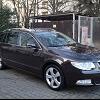
2012 Superb 2 Estate (1.6TDI CAYC) with 8 parking sensors.


ABS Module:

Address 03: ABS Brakes (J104)       Labels: 1K0-907-379-60EC1F.clb

   Part No SW: 1K0 907 379 BJ    HW: 1K0 907 379 BJ

   Component: ESP MK60EC1   H31 0121 

   Revision: 00H31001   

   Coding: 843D6016092800FD211206EC90220051340000

   Shop #: WSC 33361 790 00999

   VCID: 7B103AE3FAEAF0CA90EC1A-802E


Parking module:

Address 10: Park/Steer Assist (J446)       Labels: 1Z0-919-475-V2.clb

   Part No SW: 1Z0 919 475 E    HW: 7N0 919 475

   Component: PARKHILFE 8K  H06 0005 

   Revision: --H06---    Serial number: 28261206802881

   Coding: 108008

   Shop #: WSC 33361 790 00999

   ASAM Dataset: EV_EPHVA18SKxxx0000 001001

   ROD: EV_EPHVA18SKxxx0000.rod

   VCID: 43608203C29A400A989CB2-8016


Instrument cluster:

 Address 17: Instruments (J285)       Labels: 5K0-920-xxx-17.clb

   Part No SW: 3T1 920 841 K    HW: 3T1 920 841 K

   Component: KOMBI         H05 0607 

   Serial number: 00000000000000

   Coding: 111F01

   Shop #: WSC 33361 790 00078

   ASAM Dataset: EV_Kombi_UDS_VDD_RM09 A04114

   VCID: 3B90FAE3BA6A38CAD06CDA-806E


Questions:

1) Is it possible to retrofit PLA 2.0 to my car with my ABS module and Instrument cluster?

2) Which parking module I need to get for PLA 2.0 (is it 3AAA919475 S)?


Thank you in advance!


Lutz


Create an account or sign in to comment

Recently Browsing 0

  • No registered users viewing this page.

Important Information

Welcome to BRISKODA. Please note the following important links Terms of Use. We have a comprehensive Privacy Policy. We have placed cookies on your device to help make this website better. You can adjust your cookie settings, otherwise we'll assume you're okay to continue.

Account

Navigation

Configure browser push notifications

Chrome (Android)
  1. Tap the lock icon next to the address bar.
  2. Tap Permissions → Notifications.
  3. Adjust your preference.
Chrome (Desktop)
  1. Click the padlock icon in the address bar.
  2. Select Site settings.
  3. Find Notifications and adjust your preference.
