



Skip to content

Rolling road test

Featured Replies

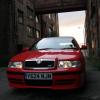
Ive got a rolling road test tomorrow booked in for the old bus.  My pal has a 'performance issue' with a revo remap on his A6 3.0 TDI so thought I'd take mine along.


Should be interesting to see how it does & will post up some info tomorrow, engine is running really well and is standard bar a stage 1 map applied about 8 years ago!


Its done 103k, ran on 99 fuel - hopefully over 200bhp is achievable!

Edited by Liverpool-Lad

I will guess 208 bhp! let us know :)

Not being a pessimist, but if your car has just a stage one remap, I'd be saying those figures are overly inflated.

230 / 280 wouldn't really be achievable without a decent intake, TIP, exhaust system including sports cat or decat and FMIC.

If I'm wrong, then great figures! But I'd take them with a large pinch of salt!

  • Author

Yeah its an interesting one.  Since taking it the car does feel a bit pokier as the first run was 259lb/ft and a load of black clag came out of the back but a similar bhp figure, he did mention it was down on torque on that run


I had my Capri turbo there a couple of years ago and that came out at 208bhp with a slightly raised boost from a supposed stock of 200.


Either way, good to know the engine is particularly healthy :)

  • Author

One thing to add it has had a cat replacement (not performance as such, but it is a lot smaller than original, plus the smic vent.  The RR place did have a humungous fan too, not the average small ones on wheels.

Create an account or sign in to comment

Recently Browsing 0

  • No registered users viewing this page.

Important Information

Welcome to BRISKODA. Please note the following important links Terms of Use. We have a comprehensive Privacy Policy. We have placed cookies on your device to help make this website better. You can adjust your cookie settings, otherwise we'll assume you're okay to continue.

Account

Navigation

Configure browser push notifications

Chrome (Android)
  1. Tap the lock icon next to the address bar.
  2. Tap Permissions → Notifications.
  3. Adjust your preference.
Chrome (Desktop)
  1. Click the padlock icon in the address bar.
  2. Select Site settings.
  3. Find Notifications and adjust your preference.
