



Skip to content

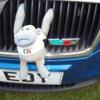
My new 3800hp Superb
Featured Replies

Very nice, better than the Spam tins I used to drive.  Any photos of the cab Ed ?

Those front parking sensors aren't exactly discreet but at least they've expanded the colour options to something other than grey.  

  • Author
15 minutes ago, Auric Goldfinger said:

Very nice, better than the Spam tins I used to drive.  Any photos of the cab Ed ?

Very spacious compared to the class 185’s. 


Also sat high and central in these. 


FBB3F079-622A-4429-9DF1-B02223FA40D2.jpeg

Edited by EddGee

Oooooh what does the big red button do?  Is it a the on/off for the wet leaf blower? 

  • Author
16 minutes ago, penguin17 said:

Oooooh what does the big red button do?  Is it a the on/off for the wet leaf blower? 

Ejector seat mate 😀

I assume the DVT end is the same cab layout as the loco and gets it power from the Loco ?


Thanks for the Video..............

  • Author
37 minutes ago, Auric Goldfinger said:

I assume the DVT end is the same cab layout as the loco and gets it power from the Loco ?


Thanks for the Video..............

Yes virtually identical except there’s no direct brake handle (the handle the furthest left in the pic) and the addition of CCTV monitors in the DT end. 

Edited by EddGee

I notice that as the power car is entering the tunnel,  you can see lots of diesel fumes coming out.


Do they not have a DPF fitted ?

In the Picture of the Cab there looks to be 2 screens on the right hand side, Do these have your Diagram/stops/Timings etc etc displayed ?

Edd this is the important question will it do 283kph like my Skoda? If not then they need to change its name to CITIGO-SLOW.:tongueout:

  • Author
47 minutes ago, Auric Goldfinger said:

In the Picture of the Cab there looks to be 2 screens on the right hand side, Do these have your Diagram/stops/Timings etc etc displayed ?


The screens you can see on the right are the Driver display unit and the Train control monitoring system.


One gives you all the information on the engine/loco and the other provides information on the whole train as a set with the coaches attached. 


We still have the paper diagrams on us. 


Drivers release doors on these sets and the guard closes them. 


Edited by EddGee

1 hour ago, EddGee said:


Drivers release doors on these sets and the guard closes them. 


Hence the Button covers on the Close Buttons, Once all stations are CCTV, Monitors/mirrors and cameras on the outside of every car, TV screen in the cab for the driver to monitor the platform the button covers will be removed.  Must be worth an extra £30 a week.....................

Edited by Auric Goldfinger

7 hours ago, EddGee said:

They make a rather good noise too. 


Me leaving Huddersfield yesterday. 

My home town(ish)


Currently live in  Heckmondwike....lots of found memories of the Head of Steam pub at Huddersfield Station when I was at New College up New Hey Road ....

Edited by Zenbasses
Updation

11 hours ago, EddGee said:

I’m pretty lucky being allowed to drive such a powerful beasts across the country. 


Crew are currently undergoing traction training on them. 


And what about that for a name?.....😀


C9D5A66A-D9AE-43F9-8338-B26238086D22.jpeg

B6A5424B-965E-4E1D-BA14-21EA15CE455B.jpeg


Good idea the roof bars now on the side of this Estate version ! Much easier to access the roofside box...

On 24/09/2019 at 11:16, penguin17 said:

Oooooh what does the big red button do?  Is it a the on/off for the wet leaf blower? 


An old work colleague had a nose that looked like that... We used to call him estop. 

Create an account or sign in to comment

Recently Browsing 0

  • No registered users viewing this page.

Important Information

Welcome to BRISKODA. Please note the following important links Terms of Use. We have a comprehensive Privacy Policy. We have placed cookies on your device to help make this website better. You can adjust your cookie settings, otherwise we'll assume you're okay to continue.

Account

Navigation

Configure browser push notifications

Chrome (Android)
  1. Tap the lock icon next to the address bar.
  2. Tap Permissions → Notifications.
  3. Adjust your preference.
Chrome (Desktop)
  1. Click the padlock icon in the address bar.
  2. Select Site settings.
  3. Find Notifications and adjust your preference.
