



Skip to content

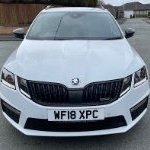
Creaking/clunk from front end - ‘18 vRS Tdi
Featured Replies

Hi all


I’ve noticed a creaking/clunking noise coming from the front suspension when driving over speed cushions etc. It seems lower in pitch than a drop link but of course it could be. I’m thinking perhaps an ARB bush - are these a common problem? Car has 57k and dynamic damping.


TIA!

You need to probably pry bar it all when in the air. But drop links are a common first go to at that sort of mileage. 

  • Author

I’m half tempted to just grab a decent pair of drop links and ARB bushes and just change them.

  • Author

BTW anyone know the size of the front ARB on a vRS Tdi?

Drop links is more like a dull rattle in my experience. My 2014 VRS TDI is onto it's third set after 86k miles. I experienced creaking from the front suspension over ramps and found this to be the bushings on the front control arm. I got mine from PSBushings and they've been fantastic. All noises gone!

I got  defined clunk when moving off or reversing on mine. Changed to meyle HD items. Gone. So much so the previous owner clearly thought it was the rack as had cut the retainers for the boots of the rack... 

  • 3 years later...

Thought I'd revive this thread, I also need to change my drop links, but there seems to be 2 types;

A pressed steel type which I currently have fitted

s-l1200 (3).webp

Or a solid steel rod type

s-l1200 (2).webp

Both are 335 mm long, but surely the solid ones are stronger.

What do you think, change like for like, or use the solid type?

Car is a 1.2l, 13 plate, hatch.

Is it the same part number?

I would always do like for like.

Create an account or sign in to comment

Recently Browsing 0

  • No registered users viewing this page.

Important Information

Welcome to BRISKODA. Please note the following important links Terms of Use. We have a comprehensive Privacy Policy. We have placed cookies on your device to help make this website better. You can adjust your cookie settings, otherwise we'll assume you're okay to continue.

Account

Navigation

Configure browser push notifications

Chrome (Android)
  1. Tap the lock icon next to the address bar.
  2. Tap Permissions → Notifications.
  3. Adjust your preference.
Chrome (Desktop)
  1. Click the padlock icon in the address bar.
  2. Select Site settings.
  3. Find Notifications and adjust your preference.
