



Skip to content

Cannot become primary user / firmware update on infotainment needed?
Featured Replies

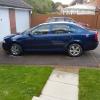
Hello all, recently picked up my 2020 Superb iV. Happy overall with it, barring a few niggles. One them is the inability to register the car - I constantly get 'there is no primary user, do you want to become primary user' message. Tried everything obvious - factory reset, new user account, different devices, using WiFi (or not), you name it. One thought I had is, could it be because the infotainment is so out of date? Running out of options here, cannot update the infotainment either - just getting the spinning circle of wait. Thanks for any suggestions!

20250521_190422.jpg

i have exactly the same issue mate following hope for some advice like you. i think this is going to be a main dealer fix.

  • Author

I think you're right. I contacted Skoda tech support on the phone (00800 80 247 247) who talked it through with me. Tried all the usual resets, different Skoda account etc, but nothing seemed to help. Now I can't sign into my car at all, but previously I could. I even tried to sign in on a loaner brand new Fabia which didn't work. I was told it could be partly down to a lack of subscription on my account, but there's no obvious way to take one out. Something's up with my account and also the car I think.

In the end, I emailed Skoda support a few screenshots of the problem, and they advised booking it in at the main dealer and gave me a support case ID to pass to the dealer. I think that the infotainment needs upgrading from the very old version it's on (0156) but from reading up on it, that's a bit of a procedure with multiple steps. The car is new to me and under warranty/service plan, so they can take of it. If anybody bricks my car stereo it may as well be them, and there may be more to it them a simple upgrade. I'm hopeful the existing case might avoid the dealer tech just resetting the infotainment and calling it fixed.

It's something I really want working, I had it before and the remote (un)locking is great, and I'd like to be able to remotely cool/heat the car now I've got an iV. The other features are not massively valuable tbh, the mileage/fuel check, service and car locater are OK though.

Edited by quoteunquotesir

  • 2 weeks later...

Me too -seems like a common problem with no easy fix.

  • Author

In my case the issue was, according to Skoda: 'The car's OCU software is 088, and MIB is 156. To bring both up-to-date and to rectify the issue you are having, we would require to update both the MIB unit to 330 and the OCU to 143 which is 3 updates in total, the cost of this would be £288in VAT (labour charges, capped at 2 hours). As mentioned, this wouldn't be covered by the warranty as it's software and not a mechanical failure of the components.'

Since I had only taken delivery of the car a few weeks back, I argued successfully that the supplying dealer ought to pick up the labour charge. They initially wanted me to do a lot of running around and bring the car into them so they could fix it, but once their service department heard what was required, quickly changed their minds and paid the Skoda dealer the car was with. According to the dealer who fixed it, it's a common problem and easy enough to fix, should be well-known to any Skoda specialist/dealer service department. It's mostly starting the manual updates off in the right order and waiting for it to complete. Anyway, now it's done, my systems are almost all firing correctly, online stuff works fine etc. The only thing not working still is the ability to save electric driver's seat/mirror positions, a minor embuggrance overall.

Edited by quoteunquotesir

Create an account or sign in to comment

Recently Browsing 0

  • No registered users viewing this page.

Important Information

Welcome to BRISKODA. Please note the following important links Terms of Use. We have a comprehensive Privacy Policy. We have placed cookies on your device to help make this website better. You can adjust your cookie settings, otherwise we'll assume you're okay to continue.

Account

Navigation

Configure browser push notifications

Chrome (Android)
  1. Tap the lock icon next to the address bar.
  2. Tap Permissions → Notifications.
  3. Adjust your preference.
Chrome (Desktop)
  1. Click the padlock icon in the address bar.
  2. Select Site settings.
  3. Find Notifications and adjust your preference.
