



Skip to content

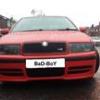
OctaviA 1.9 TDi GLX by BaD-BoY
Featured Replies

Damn that car is very clean! and I like the rear lights - do they do a set for the estate?

One thing that stands out to me is the rear drums - I would be painting them black ;)

Then all you need to do is lower it..

Lose the vRS badge.

Agreed here though - maybe it can go back on when you have the performance to match :P

Otherwise nice one mate, like it!

i dont like the rear lights, too chavvy for my liking.

dont like the vrs badge either - its not a vrs.

otherwise it looks ok.

  • Author
Damn that car is very clean! and I like the rear lights - do they do a set for the estate?

One thing that stands out to me is the rear drums - I would be painting them black ;)

Then all you need to do is lower it..

Agreed here though - maybe it can go back on when you have the performance to match :P

Otherwise nice one mate, like it!

Thanks ;) - eeeee vRS badges :) they will be ok, after mods which i want make :) in near future :)

And lights for octy estate u can find here Skoda Octavia Combi clear tail lights - JDM BLACK V2 : Skoda Tuning = superskoda.com

or on ebay .

Unless the mods you want to make include vRS lump, suspension, interior and bumpers along with trannny and brakes, they should still be binned.

  • Author
Unless the mods you want to make include vRS lump, suspension, interior and bumpers along with trannny and brakes, they should still be binned.

Exactly !

Exactly !

If you're going to make those mods to your car, then why not just actaully buy a vRS?

If you're going to make those mods to your car, then why not just actaully buy a vRS?

:iagree:

Create an account or sign in to comment

Recently Browsing 0

  • No registered users viewing this page.

Important Information

Welcome to BRISKODA. Please note the following important links Terms of Use. We have a comprehensive Privacy Policy. We have placed cookies on your device to help make this website better. You can adjust your cookie settings, otherwise we'll assume you're okay to continue.

Account

Navigation

Configure browser push notifications

Chrome (Android)
  1. Tap the lock icon next to the address bar.
  2. Tap Permissions → Notifications.
  3. Adjust your preference.
Chrome (Desktop)
  1. Click the padlock icon in the address bar.
  2. Select Site settings.
  3. Find Notifications and adjust your preference.
