Dave77
FREEDOM
-
Joined
-
Last visited
Everything posted by Dave77
-
I've used AAWireless since its initial release, works perfectly. I tried the Motorola one and it didn't work for me, the setup is a nightmare!
-
Re the above. I will try to downgrade back to the old version if possible. Does anyone have a copy of MHI2_ER_SKG11_K3330 please, mibsolution.one only seems to have the latest versions
-
I've just done an update on my unit which has previously had component protection removed. The update seems to have re-enabled component protection, has anyone had that issue before?
-
I've posted separately so I'm not stealing your thread
-
Hi all, I've just updated my MIB2 Columbus from MHI2_ER_SKG11_K3330 to MHI2_ER_SKG11_K3343. The installation completed okay and shows the new version installed but it seems to have enabled component protection. Now the unit has had component protection disabled and SmartLink (AA) enabled before, my car is a 2014 Octavia so originally had a MIB1 in it. Would a firmware update have reset those?
-
MHI2_ER_SKG11_K3330 to K3343
-
Hi all, just updated mine following the instructions above and I get a 'component protection enabled' error after installation. Has anyone any idea how to resolve that? The current value of 'confirmation installation changed' shows 0000
-
What temp does it reach when overheating?
-
I went for The Wheel Specialist in the end in Garforth, other side of Leeds to me but they had great reviews. The online quote was £380 with 10% off if you booked within 3 days so was about £340. They did a great job, one of the vrs alloys was badly pitted but came up well. 24hr job, drop off at 4pm, pick up next day at 4pm! I went for Charcoal/Anthracite, lost the diamond cut but looks great 👍
-
Looks good but with the diameter at 7cm it may be a squeeze I ended up with this one, it goes about 3/4 in the centre cup holder https://smile.amazon.co.uk/gp/product/B09PL6T4FF
-
In case any comes across this thread in the future, I bought the eBay item, fits perfectly! It just clips in, no need to remove anything, 10 second job
-
Does anyone have any new recommendations for a good travel mug that goes in the ~7cm centre cup holders? I have a 'Contigo Byron Snapseal' but that's too big. Costco have 2 'Contigo Autoseal' on offer at the moment but the dimensions state 7.6cm which is probably the widest point in the middle, they may just fit as they're narrower at the bottom. This one looks good, and at 6.4cm should fit ok in the centre https://smile.amazon.co.uk/dp/B0735JT5DR?th=1
-
Hi all, my Gemini's are in dire need a refurb. The tyre fitted yesterday said 1 was so badly pitted it may be beyond repair 😞 Will try anyway! There's so many refurb companies in Leeds, is there any that anyone can recommend please? Also, still undecided on colour 🤔 It's for a white estate so was thinking maybe satin black or gunmetal grey
-
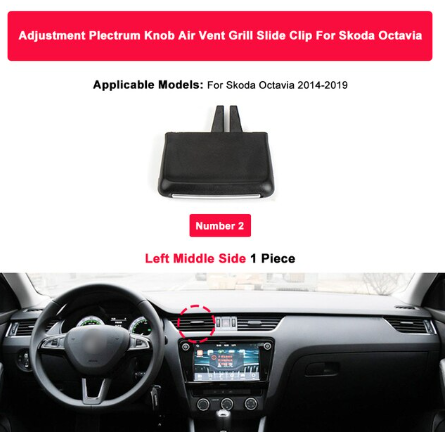
Hey, managed to snap off one of my centre heater vents clips yesterday whilst hoovering dust around them 😒 I've found that you can get replacements on AliExpress, has anyone ever got one of these? https://www.aliexpress.com/item/1005004452086101.html Same one on eBay too https://www.ebay.co.uk/itm/125302117740
-
You might find this useful to see if your phone works with it https://cpeb.freshdesk.com/support/home
-
It depends on what phone you have. It doesn't work well with Huawei phones. I've just got a Pixel 6 Pro and it works perfectly now.
-
Mine's a P30 Pro, pre the Trump ban, so has full Google stuff. They say it should work perfectly on my phone, it does, but only 50% of the time! I'd get one ordered asap if you want one this year, they're struggling with part supplies at the moment.
-
I have issues with mine Sometimes I get a black screen when entering AA on the HU, with just bottom menu showing (logged with them but they said my phone is the issue) Sometimes I get no mobile data when connected to AAWireless (logged with them but they said my phone is the issue) Sometimes it works perfectly! I think most issues are down to what phone you use, they've recently said that they would recommend Android 11 and would not support Android 10 or lower on Xiaomi phones. My current phone is a Huawei P30 Pro with Android 10, I doubt it will be getting Android 11. I'm back to using the cable, actually the one that came with AAWireless as it seems to be better than my previous ones!
-
I got mine today, setup in less than a minute! All looks good so far, I had to enable Wifi+ on my P30 Pro so that my phone could use 4G whilst connected over wifi to AAWireless. No I need to find a place to hide the little dongle
-
Looks like March for UK delivery, i'm surprised there's only 106 sales in the UK.
-
The cable won't have anything to do with GPS issues, if AA stays on then the cable is fine. All the processing for AA is done on the phone and basically just mirrored on the Octavia screen. Are you sure you have location services turned on, on the phone? Have you tried just using maps on the phone itself to see if that works? What phone is it?
-
Are you sure you don't just need to recenter the map?
-
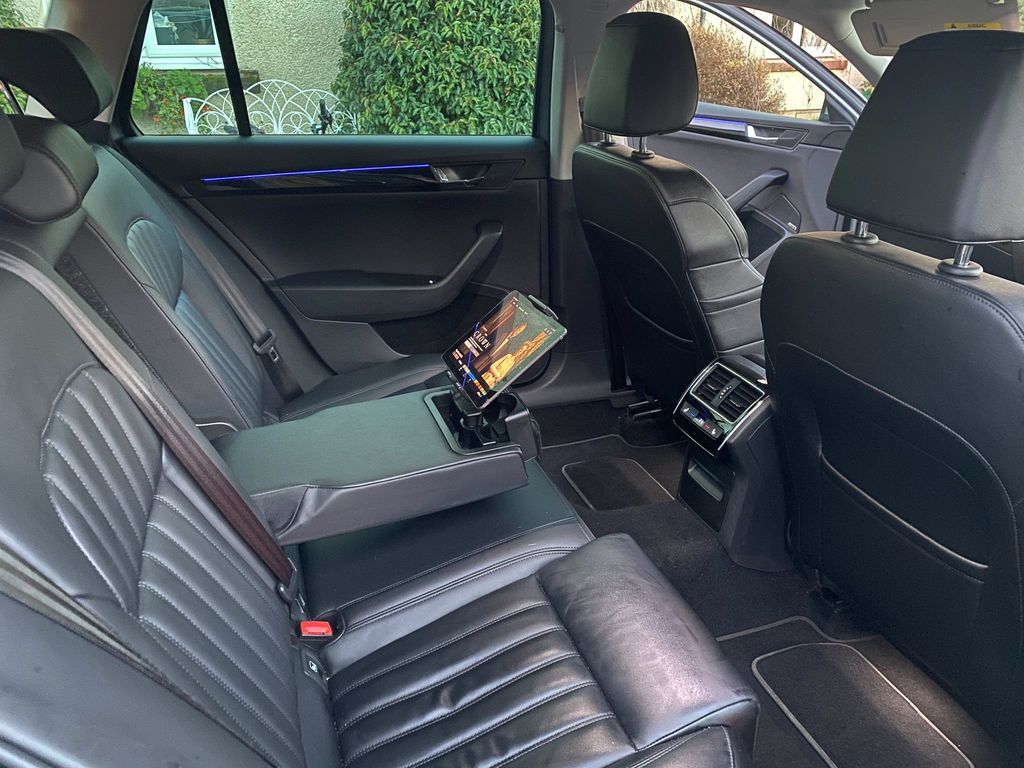
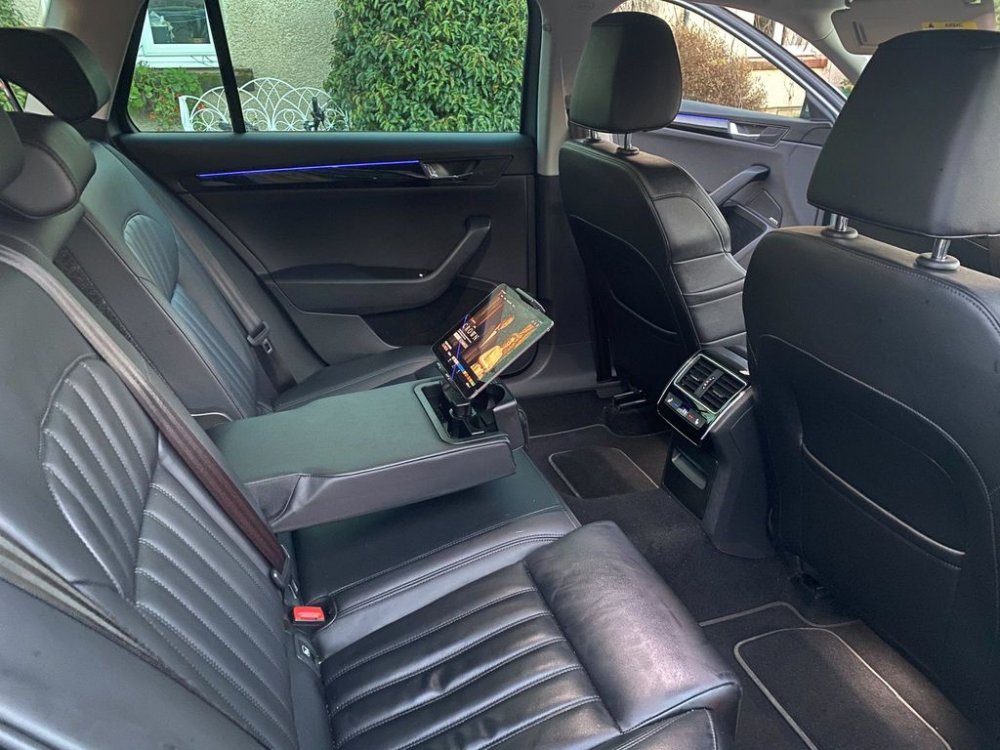
Thanks, is it removable? I'm wondering whether it will also fit the Octavia too so I can get one now, might be a while before I find a decent Superb!
-
Hi, I'm on the look out for a used Superb and found this in an L&K. Does anyone know if this tablet holder is standard/optional or just a non OEM add on?
-
I've just spotted this, sound a bit dodgy!!!! The project team has not yet produced a working demo for their concept. Their ability to successfully produce a prototype may be affected by product development or financial challenges. https://www.indiegogo.com/projects/cardroid-car-pc-android-auto-usb-computer-dongle