Dave77
FREEDOM
-
Joined
-
Last visited
Everything posted by Dave77
-
Click the bottom option, 'reboot to normal mode' then confirm on the next page
-
Nothing there for me
-
Still no OTA update for me, I wonder if I'm being punished due to previous manual update I have done myself #FOMO
-
You can't add them manually on the MIB3. Not got my 334 update yet. I have 332 at the moment with random issues connecting to Android Auto so hopefully when it arrives it should fix those
-
No luck, they're not fitting any towbars at the moment
-
£1300 here, I will give them a call https://eastyorkshireretrofits.co.uk/products/skoda-kodiaq-mk1-genuine-powerfolding-towbar-retrofit?_pos=2&_sid=e77212872&_ss=r
-
In case anyone finds this thread at a later date, I got quoted £1718 for the OEM retractable towbar fitted at my local main dealer, DM Keith.
-
They look good. I had the boot and rear quarter windows tinted earlier this week, on top of the existing factory tint. I would have have considered those but not heard of them before.
-
https://www.facebook.com/share/v/1JV3CRBkLr/
-
Haha, I might do. Where is this hiding spot where it's stored?, I think I read that it's neatly tucked away somewhere. Is this it? https://www.skoda-parts.com/spare-part/6u0084509a-travel-blanket-2-in-1-skoda-52407.html
-
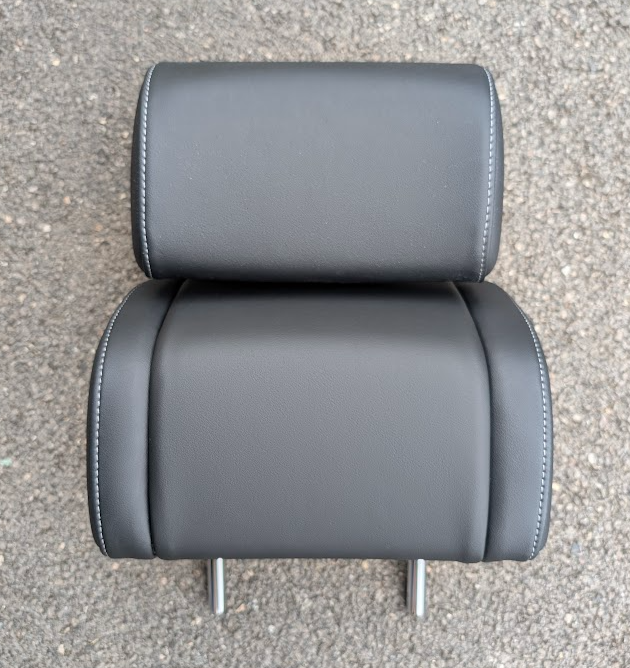
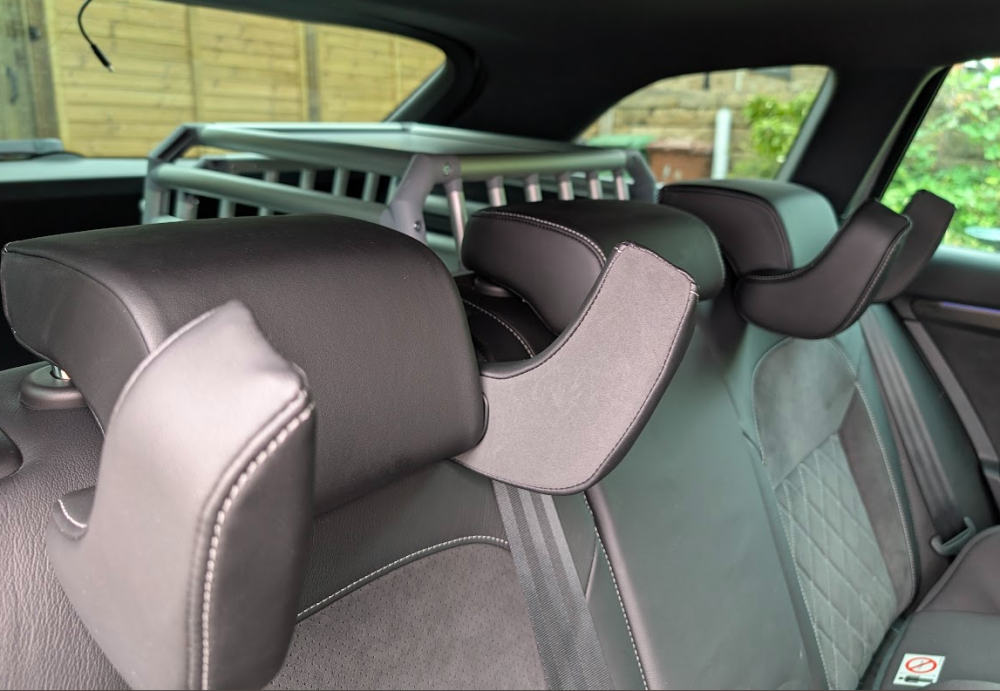
I bought a pair from Skoda Parts as I've used them before, took less than a week to arrive. They're slightly wider than the normal ones......
-
It's manually retractable as far as I can see, like the OEM towbar, not electric.
-
I've just spotted this on eBay, has anyone fitted one of these Vapos retractable towbars? https://www.ebay.co.uk/itm/257584097212 A video showing it in use https://www.youtube.com/watch?v=2qE2QlGz11g
-
Yeah you can strap them down, there are mounting points on both sides of the boot I've not looked at MIMSafe before, is it am American brand? The website doesn't seem to have the full range as it goes from XS to L in single crates.
-
The Allax L Compact is the biggest that will fit and allow the door to open, the L would be too long. I still have a 4Pets Pro 2 for now which are also good crates.
-
Hi @LeGrumpy, did you get an OEM towbar installed? I'm looking into it myself and wondering what the costs would be in comparison to a removable san neck at ~£750.
-
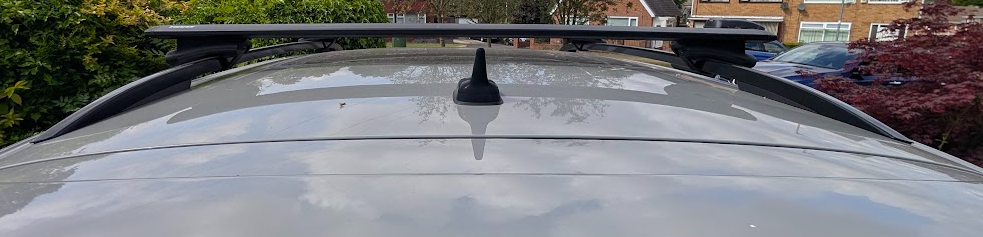
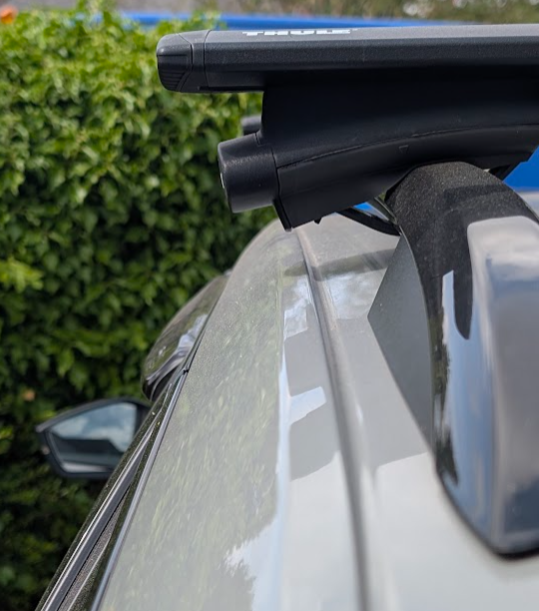
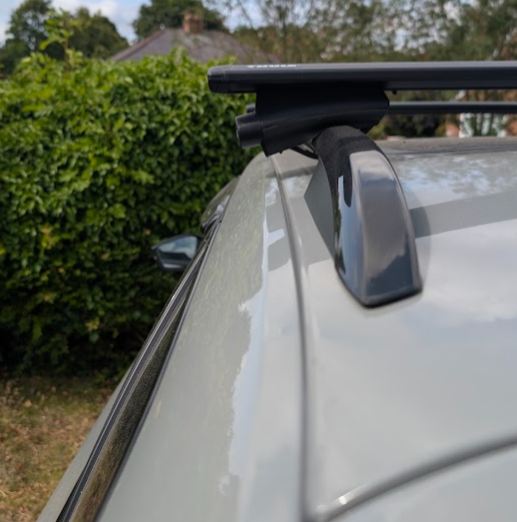
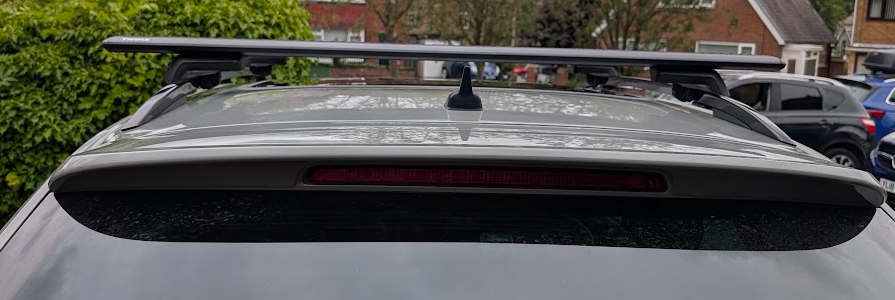
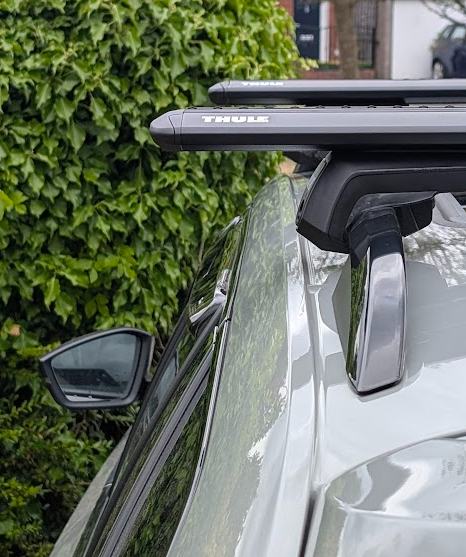
127 cm fitted, no chance of 135 cm fitting as there's less than 2 cm adjustment on each side at the rear. The new 7104 feet are much easier to fit/remove than the old 775's Before with 118 cm bars After with 127 cm bars
-
Do they come down further than shown in the simply clever picture above?
-
I bought the 127cm bar today and splashed out on the new 7104 feet. Just tried them up to the car on each side at the back. The distance between the 2 mounting points is just short of 84cm, so based on the image above the 135cm bar won't fit.
-
Thanks I'll do that. Do you have any pictures of them folded down, it would be good to see how far they go
-
I've been looking at these again for the other rear seat and found the sleep package version, not cheap! https://www.skoda-parts.com/spare-part/3v0885901fbgs-headrest-skoda-51563.html https://www.oemvwshop.com/3v0885901f-bgs-head-restraint-skoda-superb-with-sleep-package-function-satin-black-tellur-grey-p2528256/?sti=14056767
-
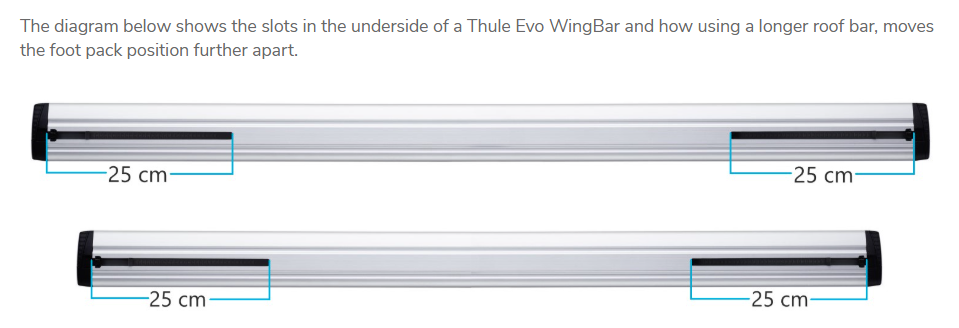
The recommended width for the hatchback is 135cm so should look fine, it's only 8.5cm wider each side than the 118cm. https://www.roofbox.co.uk/scripts/rbvehsel4_tab.php?emulate=roofbar&query=8320&vptype=645079&brand=Thule%20WingBar%20black The restriction for the estate will be down to how Thule make the bar, eg you can only mount the feet up to 25cm from the end of the bar. We mount on the rail which is further in than where the mounts will be on a hatchback so the width is restricted
-
Thanks, 127 it is then, a pair just popped up locally cheap too so will go for them.
-
Hi, what is the max roof bar width people are using for the estate? I have 118cm Thule Wingbars that I also had on my Octavia but I swap and change the cycle mounts and roofbox regularly so want to get the newer Wingbar Evos with the intergrated rubber to save faffing about. I'm sure 127cm would be fine, has anyone got 135cm bars?
-
Hi, I'm looking at the Thule Allax threshold compatible L compact dog crate for my estate. Does anyone on here actually have one in their estate? I was wondering what the fit was like. https://www.travellingwithpets.co.uk/products/tu770014