Tin82
Members
-
Joined
-
Last visited
Everything posted by Tin82
-
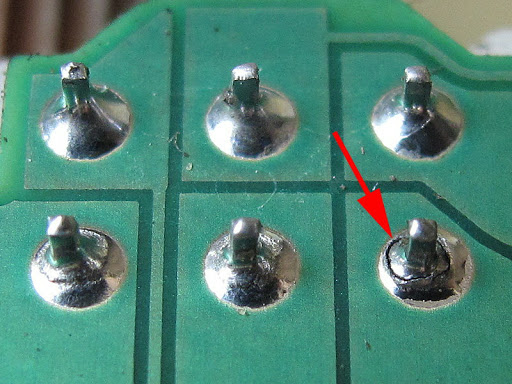
If you go and have a look: Look for cracked solder joints.
-
I could not drive a superb without DCC. It's way too bouncy with the standard suspension over speed bumps. And we have a lot of speed bumps in my country. With DCC in sport it takes the speed bumps much much better. I have heard of people adding extra springs to the rear suspension to cope with the bouncyness without having DCC.
-
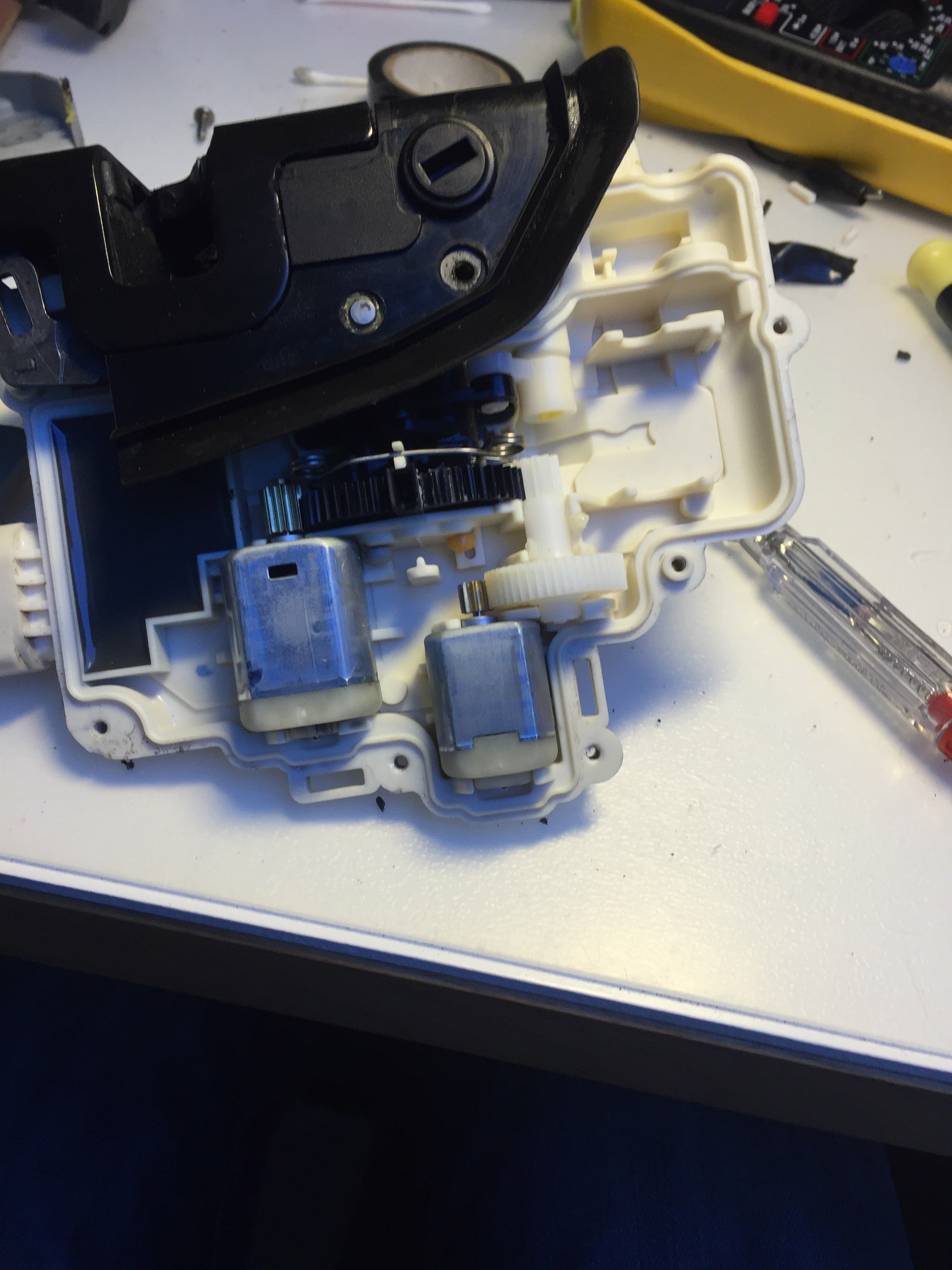
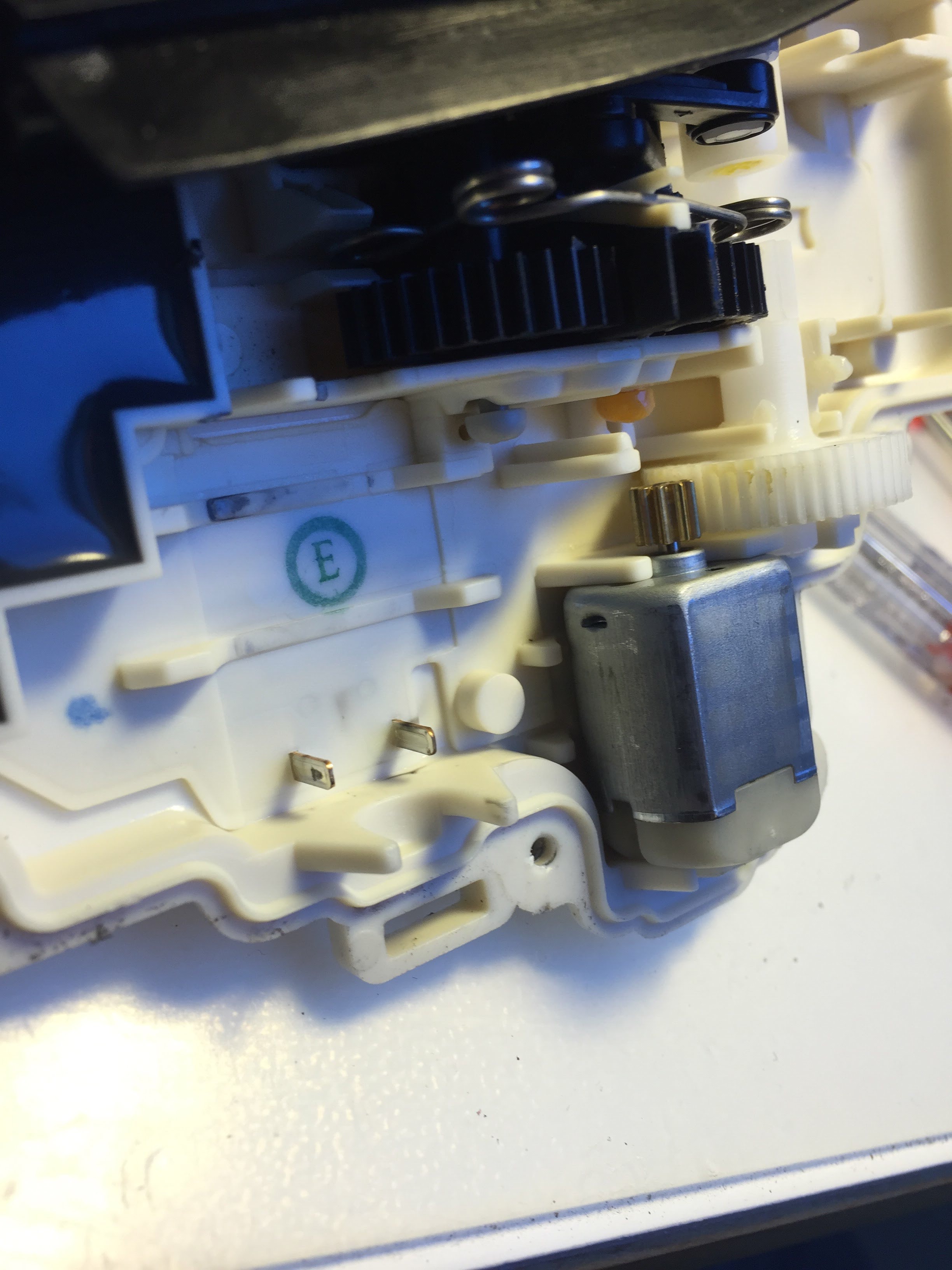
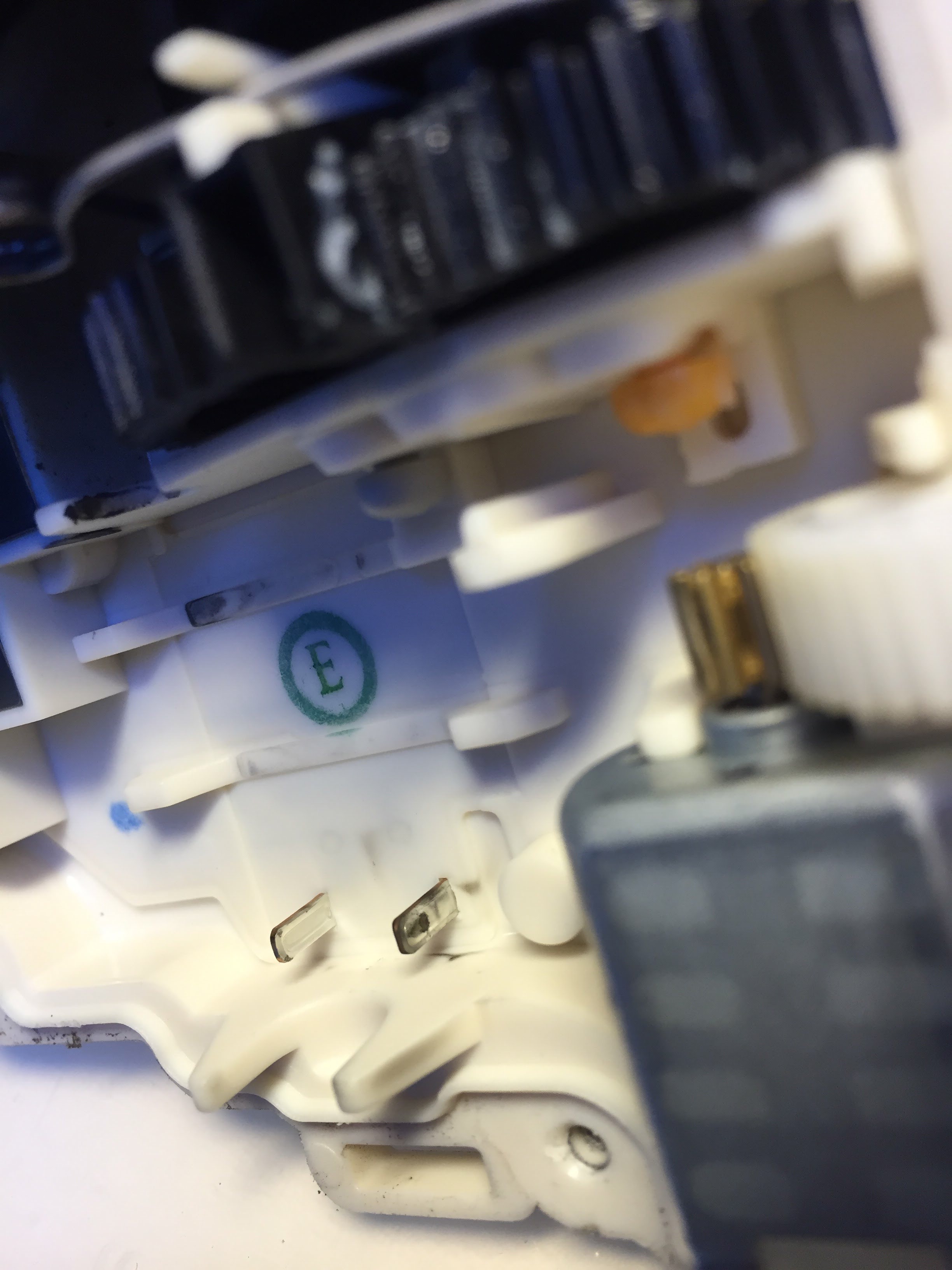
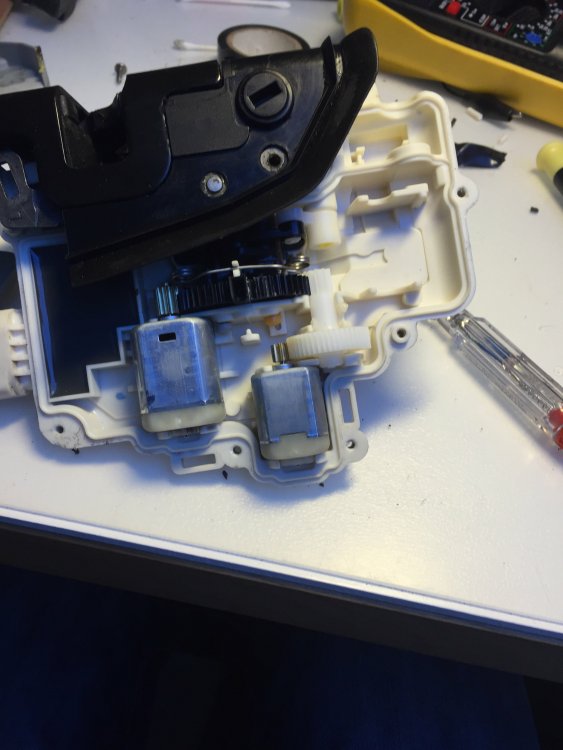
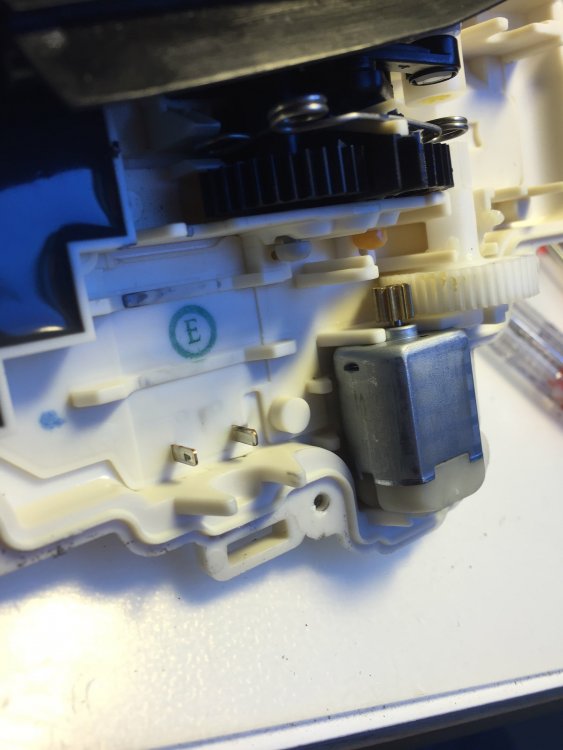
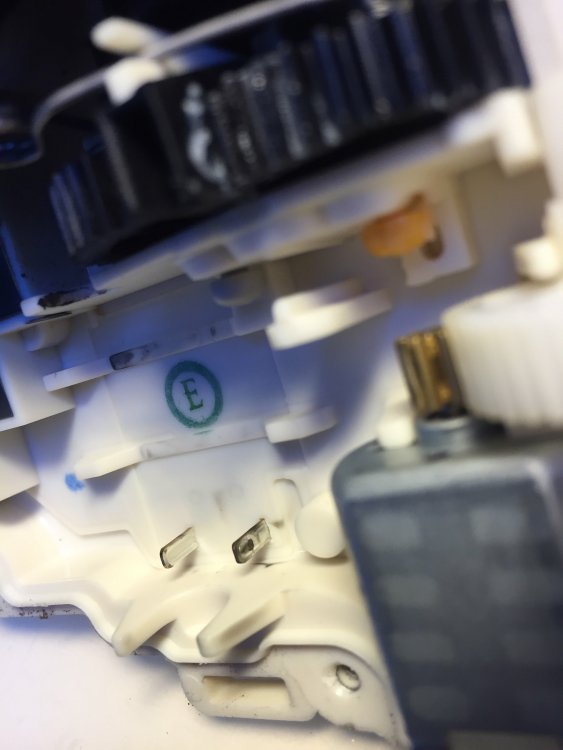
This sounds a lot like a doorlock issue we had on my girlfriends audi a3. All 4 went bust over a 2 year period. The solutions the dealer uses is to replace the lock. I repaired them. There were 2 electric motors inside. The problem was poor contact on the electrical connections on the motors. You could see black residue from arcing. there are several YouTube videos available if you want to try to repair them. Just find the one matching your lock. Take your time and always test the lock while you have the door open.
-
It does not fit. It is an entirely different unit.
-
Just a thought, is it possible to split the most a 2nd time? With VC and Canton it is already split once.
-
For question 1: Look in here:
-
In adaptation of 17 instruments, do a search for "staging". I think you can set it to active. I don't know if it will actually do a needle sweep. Please let us know.
-
I think @Camarao69 might know this.
-
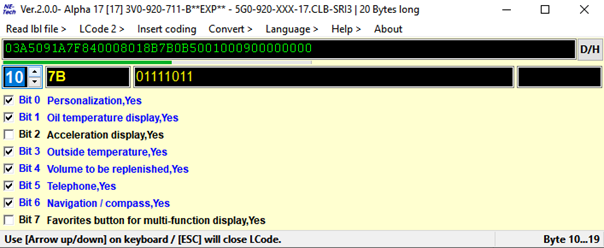
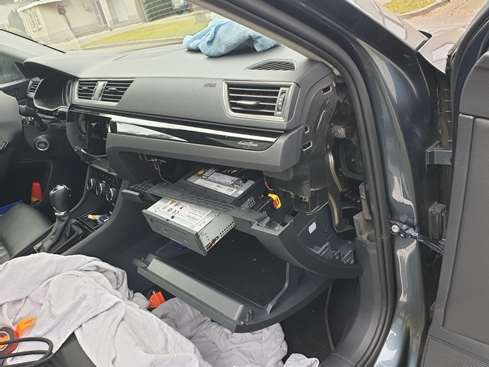
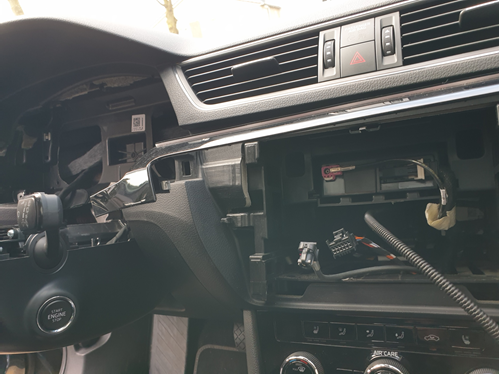
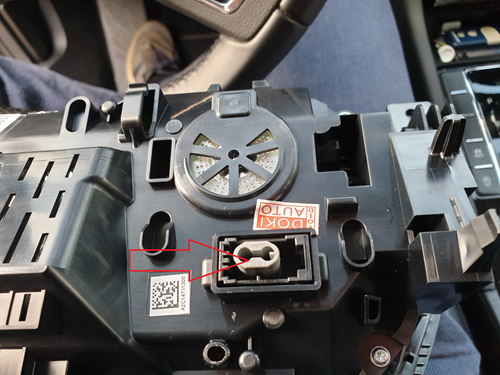
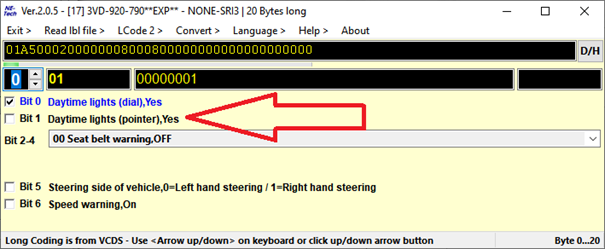
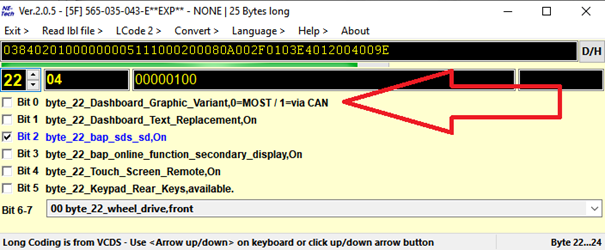
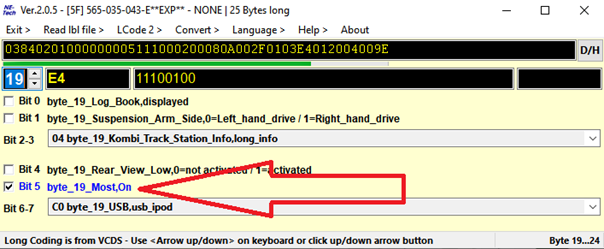
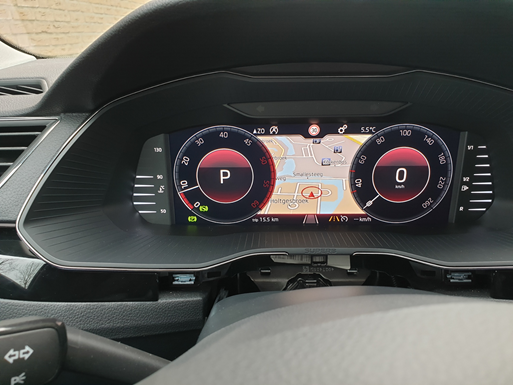
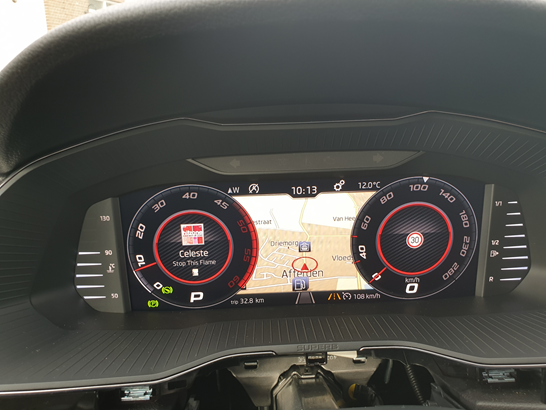
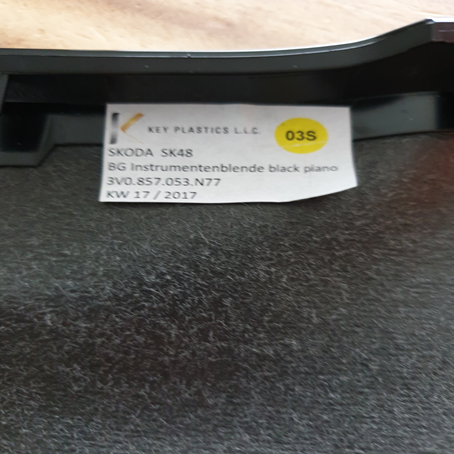
Last week I retrofitted a VC to my Superb 2.0 tdi MY18. Because the info on this subject is scattered all over this and other forums I decided to bundle it into a how-to. First of all a big thank you to RomanB, langers2k, Richie2019 and Camarao69 for the help with coding and with finding the correct parts. Before you start, make sure your car is able to do the retrofit. As I understand it, you will need a Mib 2.5 and also the correct gateway to be able to have a map display in the VC. If the part number of your gateway starts with 3Q0 it should work. Maybe also with other part numbers, but you will have to check. You can check the part number of your gateway with VCDS. What about Amundsen? I have read that with certain types of Amundsen it should also be able to show maps on VC. But coding is a bit different. And, as I don’t have Amundsen, I can’t really tell. I ordered the VC on ali: https://nl.aliexpress.com/item/1005001320853346.html?spm=a2g0s.9042311.0.0.27424c4dWnYaQ3 This VC comes with the optical MOST cable you will need for display of maps on the VC. Before you order, send the seller a message and ask for a discount. Also ask for him to declare a lower value (+/- 100 dollar) to customs. I paid around 60 euro import tax based on this value. If you have the CANTON sound system, you will need a Most splitter. https://nl.aliexpress.com/item/1005001590588805.html?spm=a2g0s.9042311.0.0.27424c4dWnYaQ3 Or https://nl.aliexpress.com/item/33003652246.html?spm=a2g0s.9042311.0.0.27424c4dysj90l (about the MOST splitters: I ordered both, but you will only need one of them. The first link looked like the better quality item, but it had 2 male connectors and 1 female. What you need is 1 male and 2 female connectors. The VC came with a spare female connector, so I used this spare connector to convert the splitter into 1 male and 2 female. It’s easy, just mind the arrows on the connector. They depict the data stream direction. The item from the second link is ready to be installed and does not need to changed. However just eyeballing it, it did not look as good as the one in the first link.) Vag audio removal tools: You need 4 pieces. https://nl.aliexpress.com/item/1005001502327510.html?spm=a2g0o.productlist.0.0.61f03aa8VhZ892&algo_pvid=87f048ac-c0af-469f-a3a5-aa59929ac254&algo_expid=87f048ac-c0af-469f-a3a5-aa59929ac254-0&btsid=0bb0624716157231348261767efc60&ws_ab_test=searchweb0_0,searchweb201602_,searchweb201603_ Trim removal tools: https://nl.aliexpress.com/item/32963954415.html?spm=a2g0o.productlist.0.0.477d61553u3Dn4&algo_pvid=40621dfe-6b26-4916-954e-3a1a0de8cdfc&algo_expid=40621dfe-6b26-4916-954e-3a1a0de8cdfc-0&btsid=0bb0623d16157232258103800e5d6b&ws_ab_test=searchweb0_0,searchweb201602_,searchweb201603_ And a Vas5054a for pairing the keys to the cluster via remote coding. Links to a Vas5054a come and go. They don’t work for long. Look on ali and read the reviews. Disregard complaints about the software as you will not need to install it. Often there are choices in quality. Choose the best one available. Bluetooth is not necessary, I just used a usb cable. And you will also need a windows laptop. I also ordered a screen protector for the mib 2.5 and for the VC. Just to protect them while do the installation: https://nl.aliexpress.com/item/32931529165.html?spm=a2g0s.9042311.0.0.27424c4dtJsu3p and https://nl.aliexpress.com/item/1005001805982326.html?spm=a2g0s.9042311.0.0.27424c4dtJsu3p And of course you will also need a VCDS-cable or a similar device. Wait until the parts arrive and, in the meantime, find an online coding service for pairing the keys to new cluster, remove component protection and to set the odometer to the correct setting. I used: Vag retrofit and Coding. Telegram: https://t.me/vagretrofit Facebook: https://www.facebook.com/vagretrofitcoding/ Cost: 75 euro for 2 keys and 100 euro for 3 keys. Maybe there are cheaper/better alternatives, but this worked for me. The VAS 5054a comes with software. You do not have to install this software for use with a online coding service. You will only need to install TeamViewer. Before you start tinkering: Make an autoscan with VCDS and save the log to your computer. This saved my ass, because after the online coding of the VC, my sunroof lost it’s coding. With the autoscan available it was easy to fix. I also made screenshots from every byte of my old cluster, using the long coding helper (example, of just one byte, below) With this, it’s easier to setup the VC. See the service manual how to unclip the various trim parts. There is a certain sequence in releasing the clips. Before I used the online coding service, I installed the MOST cable. It was a pain. The wires behind the Mib unit in the glovebox were too short. So I needed to dismount the entire glovebox to get access.I connected the MOST splitter to the existing MOST cable and the new MOST cable. Removed the Mib headunit and old cluster to pull the new MOST cable in place. If you don’t have CANTON there may be a protective cover over the MOST connector on the Mib. After you have pulled the MOST cable into position, reconnect your Mib headunit. It needs to be connected while the online coding is being done. This it to remove component protection. Also reconnect your old cluster. You will need it connected at the start of online coding. I also tested my audio, just to be sure it was working after the MOST splitter install. A video which gives an idea how to remove the cluster: (the screws are behind the left and right trim parts. Not under the center one) A picture from pulling the cable: After all this you can start with the online coding process. Have all you keys readily available. It took 2 full hours in my case. When you install the VC, make sure to remove the grey protector in the MOST connector on the VC: After the online coding you can start your car, but your dash will light up with faults because of the lack of coding. Coding the cluster: I now took all my screenshots of the long coding from my old cluster to code the VC. Just one note: Leave Byte 0 bit 1 unchecked. It will give an ‘’entry out of range” error message if you try to code it. After you coded everything in, the error messages will disappear. Just take caution with your fuel gauge and make sure it is accurate so you don’t run out of fuel. My fuel gauge tends to read fuller than with the old cluster so I don’t trust it yet and may change the coding on it. Coding 5F (mib): Long coding: Uncheck byte 22 bit 0: Make sure MOST is on (for non CANTON cars) Byte 19 bit 5 Adaptation (5F): For imaging through MOST: - ENG122230-ENG142097-Dashboard_Display_Configuration-ability_switch_nav_maps,OFF - ENG122230-ENG122343-Dashboard_Display_Configuration-call_picture,On - ENG122230-ENG122341-Dashboard_Display_Configuration-coverart,On - ENG122230-ENG122340-Dashboard_Display_Configuration-crossroad_detail_map_compression_mode,H264 - ENG122230-ENG122344-Dashboard_Display_Configuration-crossroad_detail_map_resolution,resolution_3 - ENG122230-ENG127006-Dashboard_Display_Configuration-crossroad_detail_map_transmission_mode,MOST_streaming - ENG122230-ENG142153-Dashboard_Display_Configuration-dynamic_icon,0 - ENG122230-ENG127501-Dashboard_Display_Configuration-fastlist_most,On - ENG122230-ENG122338-Dashboard_Display_Configuration-navigation_map_compression_mode,H264 - ENG122230-ENG122339-Dashboard_Display_Configuration-navigation_map_resolution,resolution_3 - ENG122230-ENG127005-Dashboard_Display_Configuration-navigation_map_transmission_mode,MOST_streaming - ENG122230-ENG122342-Dashboard_Display_Configuration-stationart,On For the Virtual Cockpit menu on the MIB: - IDE11524-ENG137043-Vehicle function list bap 2nd generation: expansion-display_configuration_0x45, Activated - IDE11524-ENG137044-Vehicle function list bap 2nd generation: expansion-display_configuration_0x45_msg_bus, Comfort data bus - ENG122227-ENG142087-Car_Function_Adaptations_Gen2-menu_display_Display_Configuration, Activated - ENG122227-ENG142088-Car_Function_Adaptations_Gen2-menu_display_Display_Configuration_clamp_15_off, Not Activated - ENG122227-ENG142089-Car_Function_Adaptations_Gen2-menu_display_Display_Configuration_over_threshold_high, Activated - ENG122227-ENG142090-Car_Function_Adaptations_Gen2-menu_display_Display_Configuration_standstill, Not Activated - ENG122227-ENG142091-Car_Function_Adaptations_Gen2-menu_display_Display_Configuration_after_disclaimer, Not Activated Now restart the MIB. (hold power button until it reboots) You now have the normal dial VC: If you want to have the carbon look: 17 – instrument, adaptation: - IDE12467-Tubes illustration, Variant 3 - IDE02489-Display depiction, Variant 1 or 3 (can’t remember which one) If you want to change the end value of your speedometer because of reasons: 17 – instrument, adaptation: IDE13094-Tachometer end value. I used setting Variant 1 for 280kmph. Might be different for MPH. Trim Piece I needed I new trim piece which is now on order. As I understood the partnumber you need can be easily obtained. Note the partnumber on the white label of your old trim piece. In my case 3V0 857 053 N77. N77 is the colour code for my trim piece. To obtain the part nr for the new trim piece just add an ‘A’ after 053. So in my case: 3V0 857 053A N77 is the part nr for the new trim piece. There is also the possibility to fit new MFSW buttons with a VIEW button. - 3V0 919 719 E (manual) - 3V0 919 719 F (DSG) - 3V0 919 719 G (manual + heated) - 3V0 919 719 H (DSG + heated) I've been told that DSG versions work in manual cars and that heated versions work without heated wheels. I did not fit these buttons yet so I do not know if these part numbers are fully correct. If there are any omissions or errors please do tell. Also feel free to add more adaptations.
-
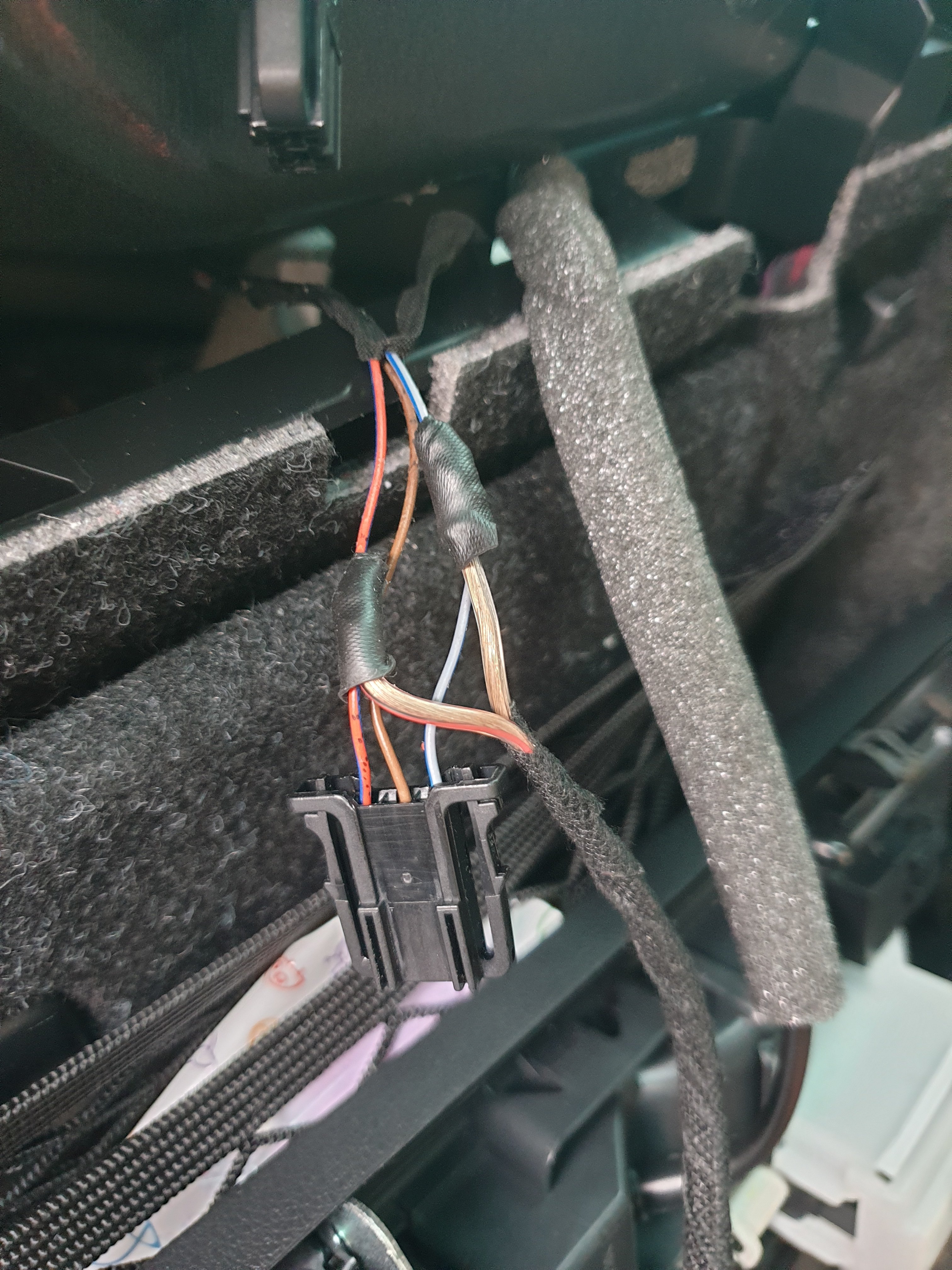
You can change over your spare female most connector i see in you last picture with a male connector on your splitter. I had to do this also. There are arrow on the connectors for the data stream. Make sure you put the correct fibre in the correct position.
-
for heated seat memory: 08-Auto HVAC. Adaptation. IDE01067-Retention of driver’s seat heater level From Active for 10 minutes to Active En 08-Auto HVAC. Adaptation. IDE07948-Retention of frt.pass. seat heater level. From not active to active for 10 minutes or Active
-
I have recieved the following info from a fellow forum member: As for MFSW buttons, I believe there are four types: - 3V0 919 719 E (manual) - 3V0 919 719 F (DSG) - 3V0 919 719 G (manual + heated) - 3V0 919 719 H (DSG + heated) I've been told that DSG versions work in manual cars and that heated versions work without heated wheels. I've never confirmed this so try it at your own risk. Maybe you can check your part number.
-
Thanks for this info! I was now able to order the part. Really? Maybe if you look at the colour code of the old part it is available now. I now ordered Part nr. 3V0857053A N77 . N77 is the color code for piano black. You correct color code should be printed on the white label on the back of your old cluster trim piece.
-
I'm still working on the trim piece. I need a different one. I was told I needed the same part nr but than for a facelift model. But my dealer can't find it in etka. So still researching it.
-
I found the issue. 5F → coding→ byte 22 → Bit 0
-
Hello everyone, Today i tried to retrofit a virtual cockpit. After coding 17-Instruments everything seems to work. So after that i went for the above coding.(thank you romanB). After resetting the mib and leaving the car powered off i still don’t get any display of a map or coverart. Am i missing something? I have the canton so I installed the MOST splitter. Audio is working fine and i saw the red lights coming from the fiber when I connected it to the cluster. If you have any idea, please tell....
-
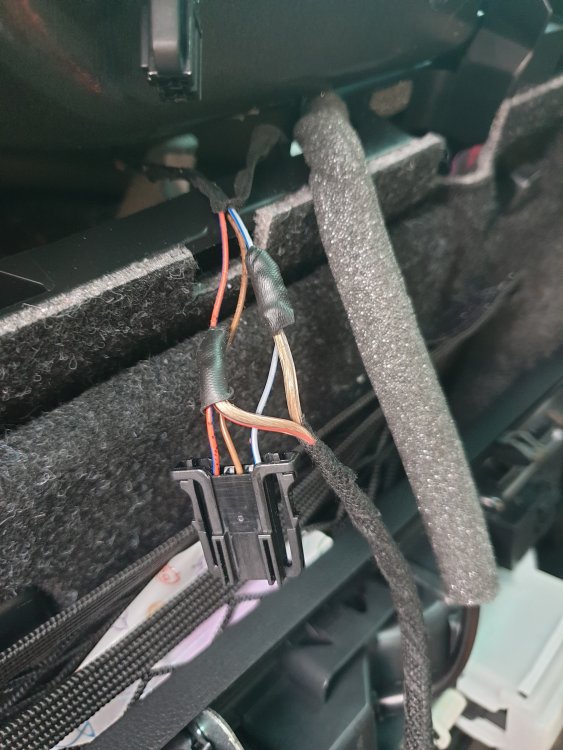
It was a bad idea to take the power for the extra boot lights from these wire’s. Got all sorts of weird faults: parking sensors fault, boot not opening etc. So i used these wires to switch a relay and got the power supply from the boot cigarette lighter. This way it works.
-
In the double walled version there is a holder for the bag in between the walls. But my bag freed itself from the holder and ended up near the overflow connection.
-
I installed a new tank because I had the double walled version.
-
That's what I understood also. The M revision is the latest. A tell tale sign was that my dealer had the tank on stock. And they don't have a lot of parts on stock. Fitting was really easy. Emptied the tank with a brake bleeder. And swapped it over. No mess. After refill I checked the reservoir regularly, but no second refill was needed due to air bubbles.
-
Found an interesting read in the Octavia forum: made me change the reservoir in my Superb 2.0 diesel. Part nr: 5Q0121407M is a perfect fit and does not contain the bag.
-
Tapped into the wiring from the flashlight. The red one is the switched 12+. The blue one is ground.
-
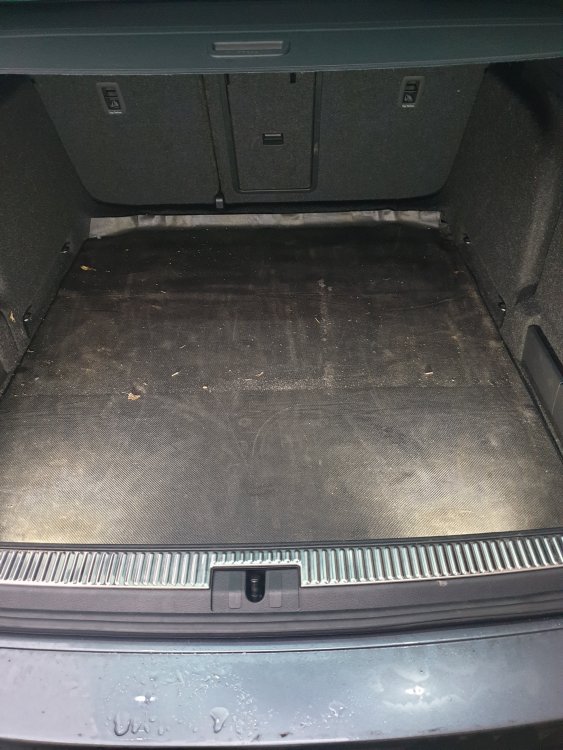
Finished the boot lights.
-
Would you mind sharing the info of the guy who coded your car. I’m interested in his services.
-
i really want to go ahead with this, but my dealer is unwilling to do the needed coding via odis. How was your VC coded? Was it done remotely? What were the cost?