Lutz_91
Members
-
Joined
-
Last visited
Everything posted by Lutz_91
-
I have the conversion here too. I'll do it this week. I've had the parts for a while now. The coding and data set were already done in advance. But I did it with a P&P cable set. So I just have to swap the plugs. The exterior mirrors will then both get LEDs from the front-view mirrors: the side ones like the FL Superb and the ones in the glass.
-
Why shouldn't this work if the PIN is in the inner light? It's actually wired that way originally, if you check the wiring diagram. The small LED strip is attached to the outer light. It's the same with the FL lights with the trim strip. In some cases, it was possible to code it, but in others, the cable had to be removed.
-
Does anyone know how to convert from the 5Q0 radar to the 2Q0? You have to swap the PINs and pull a cable, I know that. But does anyone have the exact occupancy? Superb 3V Combi
-
Yes, I know the wiring. But on the original Facelift Superb the LEDs are 5V and not 12V like on the vFL. You have LEDs from the Passat and the adapted mirror cap.
-
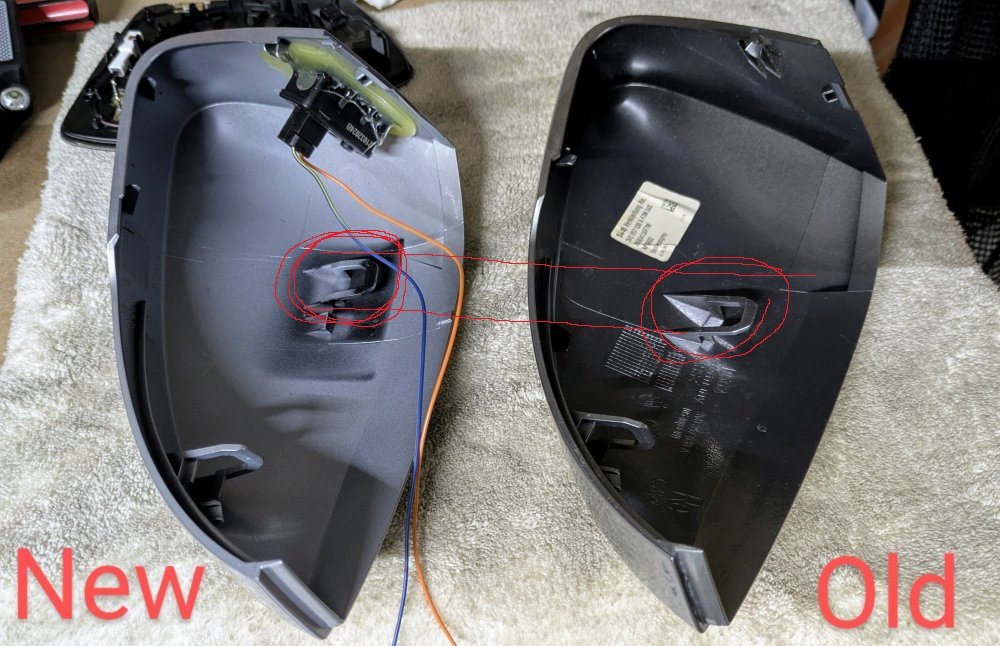
Did the retaining lugs fit like they originally did? The caps from China are not exactly the same.
-
I've had this project open for a long time, and I've connected it the same way before, but I always get an error. But I took the original Facelift BlindSpot LEDs, they only have 5V and not 12V. So you have other LEDs for the mirror caps. But it's nice when it works. Then maybe I'll have to try this set too.
-
via Modul
-
No, it doesn't work anymore because the sensor no longer supports it
-
Sounds like pACC, which can brake independently if the camera recognizes signs or the navigation system recognizes curves or roundabouts from the route data.
-
EC has only been around since the facelift. Cannot be found in a 2015 model. My 2017 or a 2018 doesn't have that in it either. Therefore it needs to be rebuilt.
-
Okay, so only with an exchange. I have BCM lying here. Thanks
-
Which BCM did you install? Since the animation works when you lock it too. The cable diagram is known.
-
My L&K already had the insulation from the factory and even had foam tape stuck on when the wheel arch liner was out.
-
But it's not perfect and OEM. But you have to at least look for a newer bar than yours. For me it was always the FL threshold. If you have other information, that's even better.
-
You have to take the facelift and find the right color. Then it works again.
-
This is only possible with an additional box that reads the values. Search for Polar FIS
-
I still miss that too. I already have it.
-
For me (MY17) only when opening the vehicle, not when closing it. The BCM is too old for that. I still have to exchange it.
-
Only one cable goes from the BCM to the rear and is then slid to all four lights
-
Then you wrap it with clear film so that you have the protection you want. And that without the splash flaps. If you drive track plates the danger is even higher. Everyone who does this knows this in advance.
-
It only works for coming home or leaving home anyway. So not active while driving. So that's a bit of stupid nonsense on your part. Mudflap is for old people and has nothing to do with tuning or gimmicks, it's just ugly. I already have the chassis, 20", headlights, downpipe, carbon intake and other carbon parts, so my L&K is already a little wolf in sheep's clothing. There is envy from others everywhere anyway, no matter what it ultimately comes down to.
-
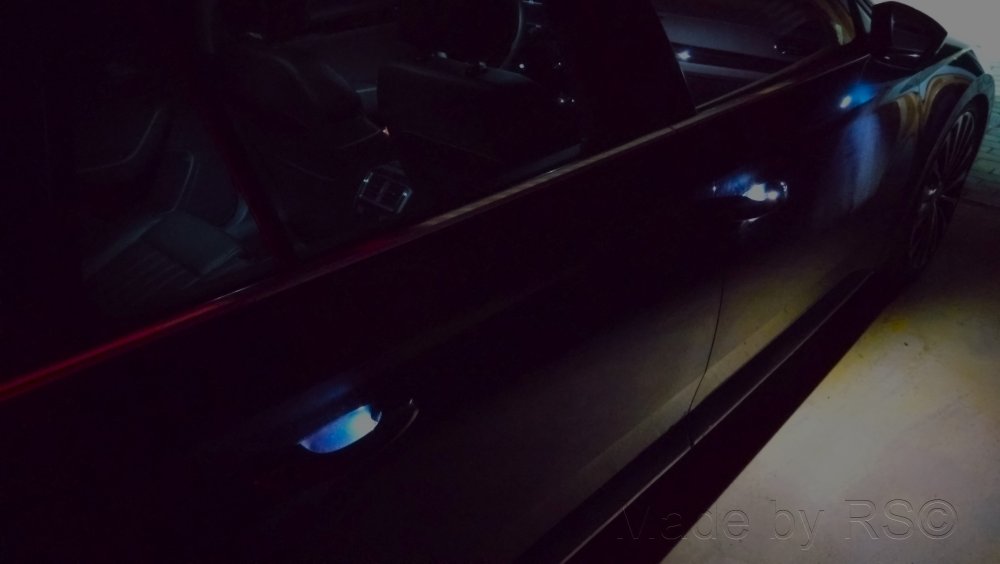
Illuminated handles on the outside are now also available. Can now also be found in the dark. 🤩
-
If there is no indicator light for this in the AID, then you can't code anything there.
-
You can save yourself the effort with a facelift!
-
Yes that works. STG17 -> Adaptation -> Ignition active message -> change to no display (OEM driver's door)