Lutz_91
Members
-
Joined
-
Last visited
Everything posted by Lutz_91
-
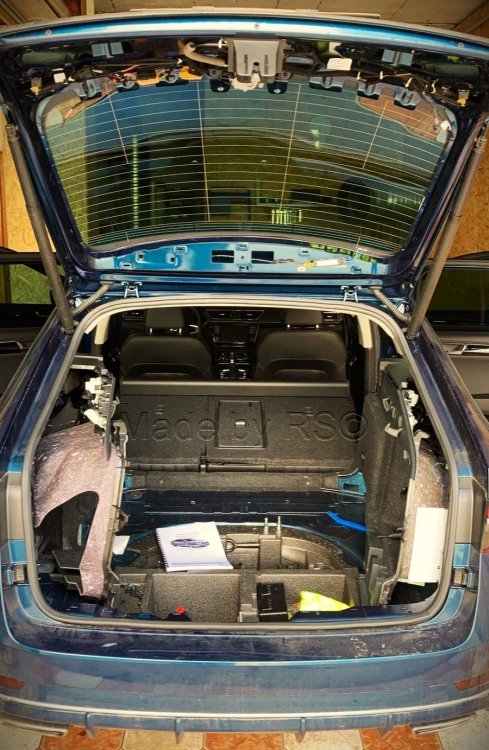
Loosen both sides and then thread the cable from the light using a wire or pull-through aid to the rubber grommet. It's a bit of fiddling but it works. And then pull the cables from the rubber grommet in the tailgate to the inner lights. The path actually comes about itself. There is also enough space in the tailgate.
-
I know I also have someone who does it remotely. But with BCM you also have to expand the old one and so on. It takes a while before you get it figured out. And the coding takes time too. But yes, I already know that. You also have to find the time.
-
My new BCM is here. Just have to find time to convert it and have the coding done - unfortunately it's only possible online.
-
Yes is female No, I mean it's a 000979025E What are you planning to do now? Because your BCM is not suitable for 100% functionality. It will probably only work when you open it.
-
What do you mean by connection? On the BCM it is connector C pin6
-
With the 2105 Superb, only 3 colors are possible. But I don't know if you need other strips. You would have to see if they are the same. Otherwise replace BCM. But that has nothing to do with the taillights and is a completely different topic. Therefore I won't say any more about it here. It does not work anymore. Skoda has changed. A used BCM can only be trained using a Skoda code. You can also learn a new one this way. Has changed.
-
Why, changing a BCM is nothing new. The rest of the animation is all known. Yes, you can see how it is connected if you look at the circuit diagram. How it is connected doesn't really matter. The signal from the BCM is PWM and this is regulated in the lights themselves.
-
Replacing the BCM is only important for the animation, the rest of the car stays as it is. A newer BCM certainly has advantages, but that has nothing to do with the lights. I already have my BCM here, everything just needs to be installed.
-
Replacing the BCM is not difficult in itself, but coding and adapting it to the vehicle is complex and can only be done online. And it has to be a new BCM.
-
Depends on your BCM, I have "CG" in it, the animation only works when the car is opened. Closing doesn't work. It's only when you replace it that you can close it. But that's all already written earlier. You just have to read it.
-
The connection to the BCM is only necessary for the animation at Coming/Leaving Home. So opening/locking the car. This has nothing to do with the dynamic turn signal. This is all regulated in the light itself. All you have to do is code the turn signal after the conversion.
-
That's correct, but it doesn't necessarily have to go from the outer to the inner light through the tailgate. You can also pull the four cables directly inwards from the flap, on one side. But you don't have to do that if you don't want the animation. A BCM replacement is also necessary for this.
-
You have to pull two wires on each side. One is for the connection to the turn signal and the other for the reversing light. Unless you already grab the reversing light on the inside at the coupling point, then you don't need to pull a second one from the outside. Actually logical if you had a plan, if you knew what you wanted to do. You make two wires if you build an adapter, for example. Then you pick up the reversing light there.
-
You can tell from the part number that you have "N" and user MartiniB has "Q". Then it may be that “N” cannot or does not support this encoding.
-
First show your data for the B7 so that you can compare. Or is it exactly the same as MartiniB?
-
Then the coding is wrong. Or your Kessy STG has the wrong SW version. Someone who gets it would have to show their SW version of the Kessy STG. @MartiniB Show the software version of your Kessy STG or part number
-
Lock the car and wait 30 minutes -> bus rest. As an idea
-
Do you even have Kessy then? The B7 should appear in the installation list.
-
In D only the Scout had it, it was higher and had these plastic panels on it.
-
Just because I have a vFL, I still have some idea about an FL model. You have a PM
-
I didn't watch the video because there are other instructions in text form. There's no need for a video.
-
2Q0 There are instructions for that and it will work. Then you either didn't code everything or did something wrong.
-
Control unit A5 under Info. But if you don't know that, I wouldn't code anything.
-
What part number does your big camera have?
-
If you don't have to change everything, you can do without it. The turn signal is important and the reversing light because it was previously a light bulb. You can change all of this under Adjustment in 09 in the individual lights.