Binx1310
FREEDOMLite
-
Joined
-
Last visited
-
Currently
Viewing Topic: Bixenon Headlights auto-adjustment problem
Everything posted by Binx1310
-
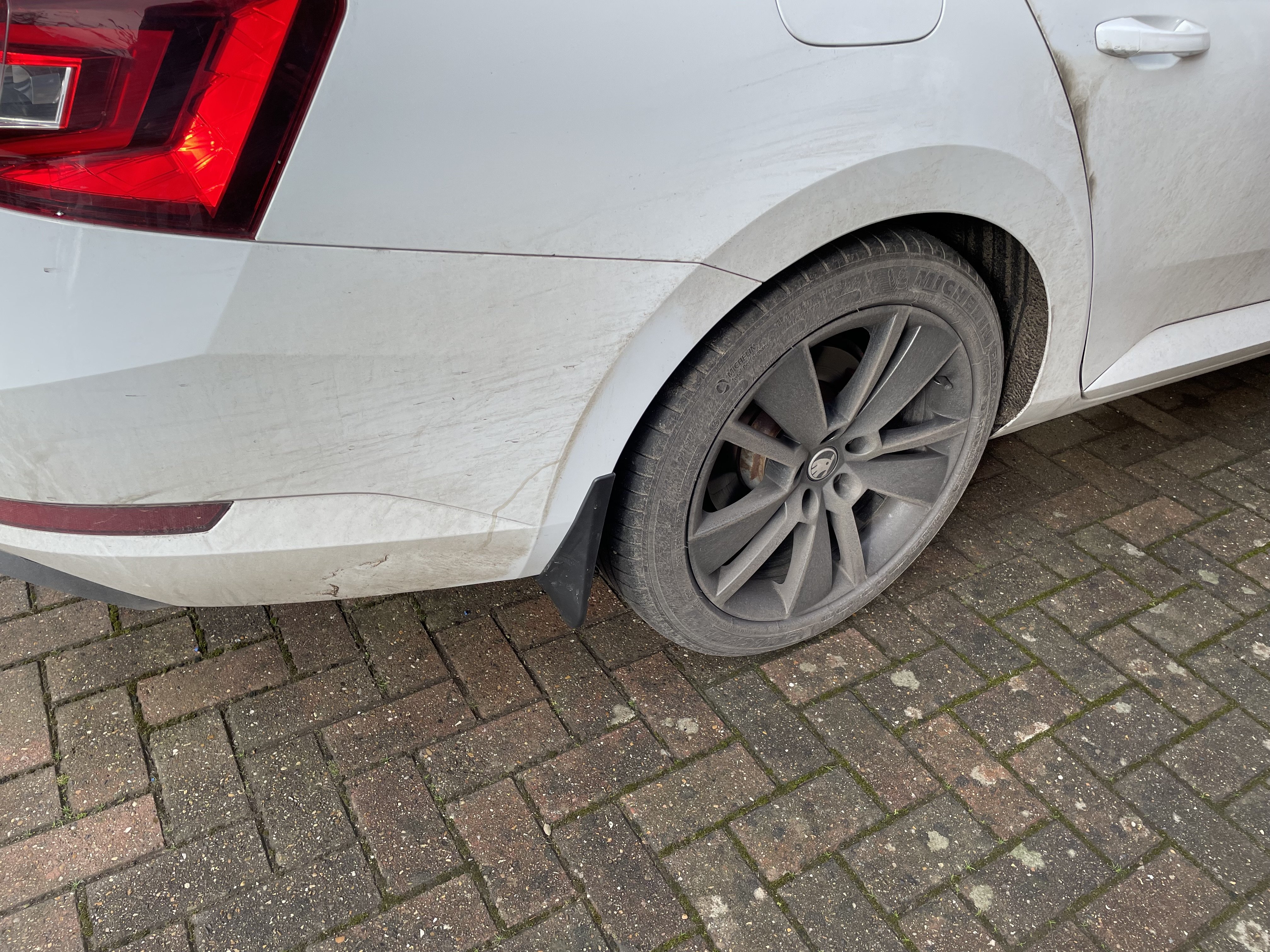
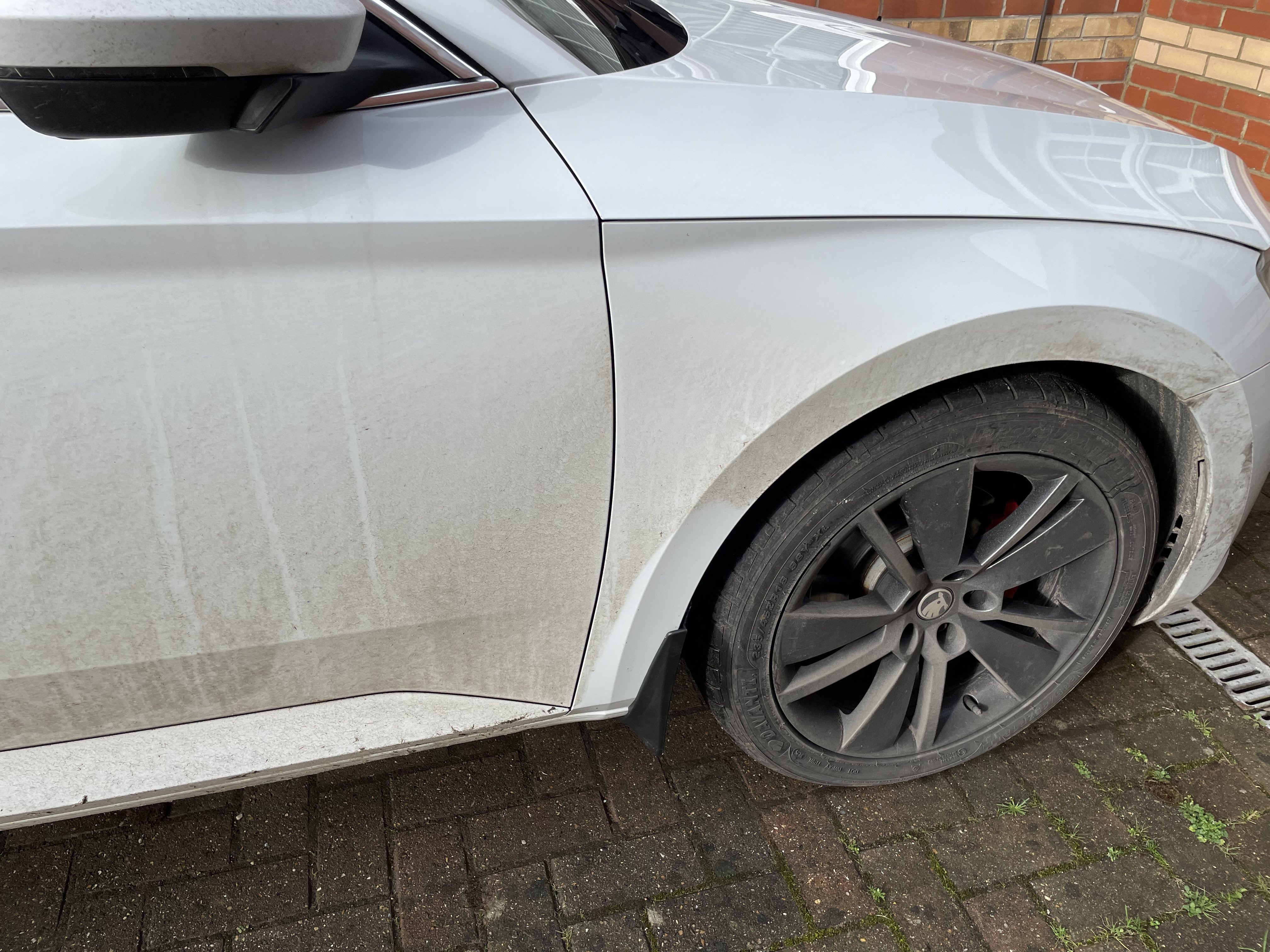
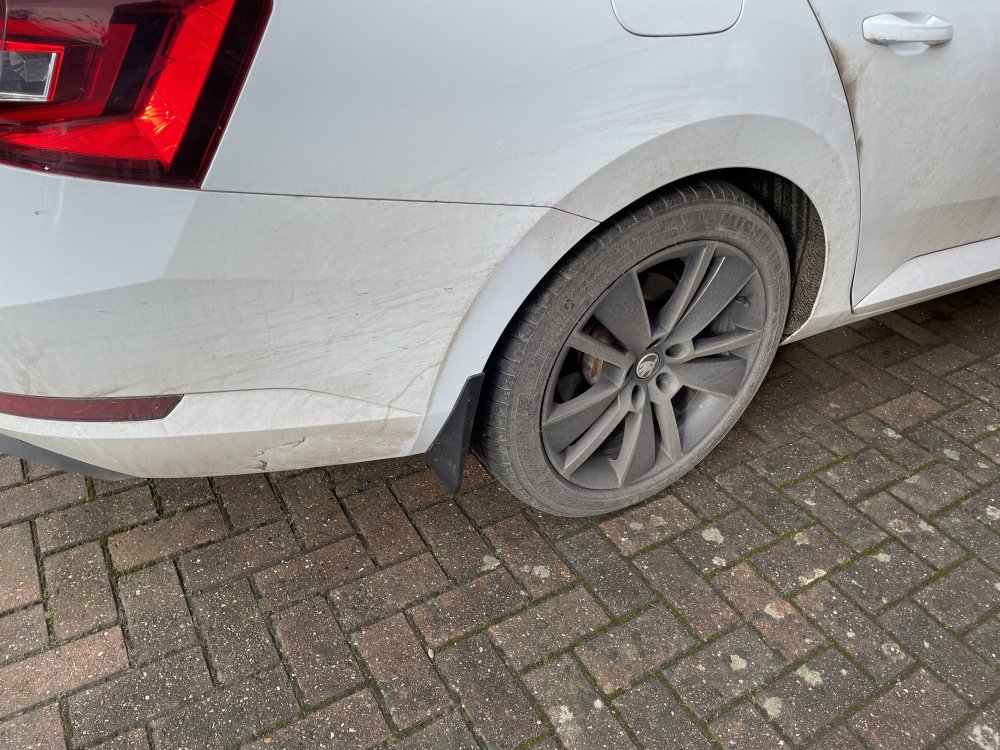
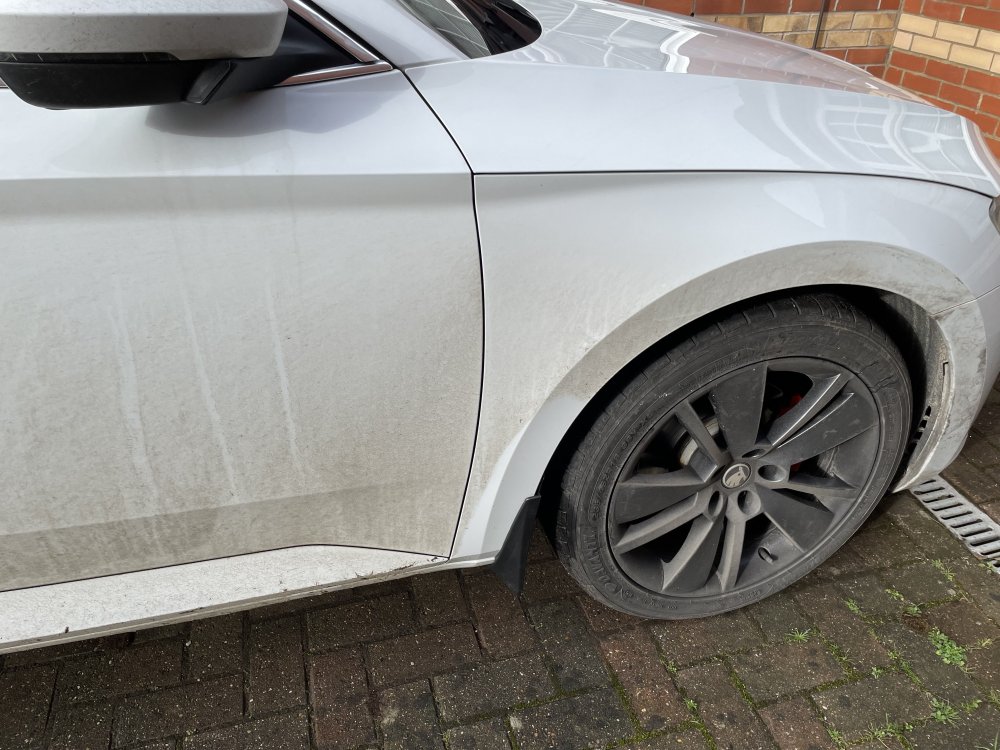
Fitted some AliExpress special Mud flaps today. Fitted on with original screws. Just had to add a small Bolt passenger side rear as there isn’t an under tray exhaust side. Fitment on the rears is very good. Fronts have a little gap. Will look to drill and add another screw to pull it in a bit to close the gap hopefully. Apologies on the state of the vehicle. I e done over 1000 miles this week in typical British weather. I did clean where the flaps mount though so I wasn’t trapping any dirt against the body.
-
That looks really neat. I would do something similar but don’t have the blank in the armrest to install it. Will stick with what I’ve got for now.
-
Yes that looks to be equivalent to my untrained eye!
-
I think that will be 12v thats on that red lead, and the USB socket adaptor itself steps it down to the 5v for the sockets. For the OEM USB sockets they are fed with 5v from the hub from what I can make out. I think you will need something like this: https://www.amazon.co.uk/Q-BAIHE-Quallity-Vehicle-Converter-Plastic/dp/B07Z1CXK82 between the 12v feed and the USB socket you have.
-
Where are you connecting the red +ve to? Bear in mind it looks from this like the power is already stepped down to 5v, so dont connect it directly to a 12v supply otherwise you will blow up anything USB you plug into it....
-
Looks like black is ground, red is +ve, blue is data +ve and green data -ve. So just red ad black needed for power.

-
I’ll see if I can find the wiring diagram.
-
Perfect thanks. Looks like this is the one then: https://www.eurocarparts.com/p/triple-qx-fully-syn-engine-oil-5w-30-vag-504-507-1ltr-521776092
-
Oil is about halfway down the dipstick so wanting to top it up a little. The Manual says VW 507 00. There’s no sticker under the bonnet. Euro carparts lists 5w30 and 0w30 Which one is it? Or for a small top up does it not really Matter?
-
New front tyres today. Was getting a bit sketchy on the damp roads.
-
It might be that if you’ve used it previously as a private owner it won’t let you sign up again. This was the first time I had used it
-
It still let me do it. Just say you’re a garage. It didn’t require any other checks.
-
Pay €8 for access to Erwin. You can get full spec and option codes. And also download all the service and repair manuals. Service history you would need to approach a dealer to get them to download it for you.
-
Hi I’ve posted quite a bit lately but realised I hadn’t posted in this thread. I started with a petrol blue SE L executive 150 1.9tdi manual 2017 plate back in 2019. Traded that in for an 71 plate Fabia alongside getting the Mrs a 71 plate Kodiaq. Having put 60,000 miles on the Fabia and the kids outgrowing it, it was time to return to the best car I’ve ever driven. This time a slight upgrade on before. Slightly older and a lot more miles (125,000) but now the 190 1.9tdi and DSG in moon white. Managed to get it for a straight swap for the fabia as there was a few cosmetic bits and pieces that I’ve now sorted. Previous owner has refurbed the wheels and done adblue delete, cam belt, flywheel, front shocks and a few other major bits. Service history is good other than only having one DSG service so I’m going to get the local VAG specialist to give it a good once over at the next service. I’ve now put 3000 miles on it since getting it in November and it hasn’t missed a beat.


-
Just found this. I wonder if it could be mounted into the back/front/side/bottom inside the armrest and then piggy backed into power supply for cigarette lighter in rear as others have done. https://a.aliexpress.com/_EIcHlS4 Depends on the availability of space/depth outside of the unit.
-
My leather boot round the DSG selector has seen better days. Has anyone replaced it successfully that could give me some tips? I found this on eBay but it says for manual. Are they the same? https://ebay.us/m/RuKeaA Only alternative I’ve found is the complete leather with knob attached for €180 from Škoda parts.
-
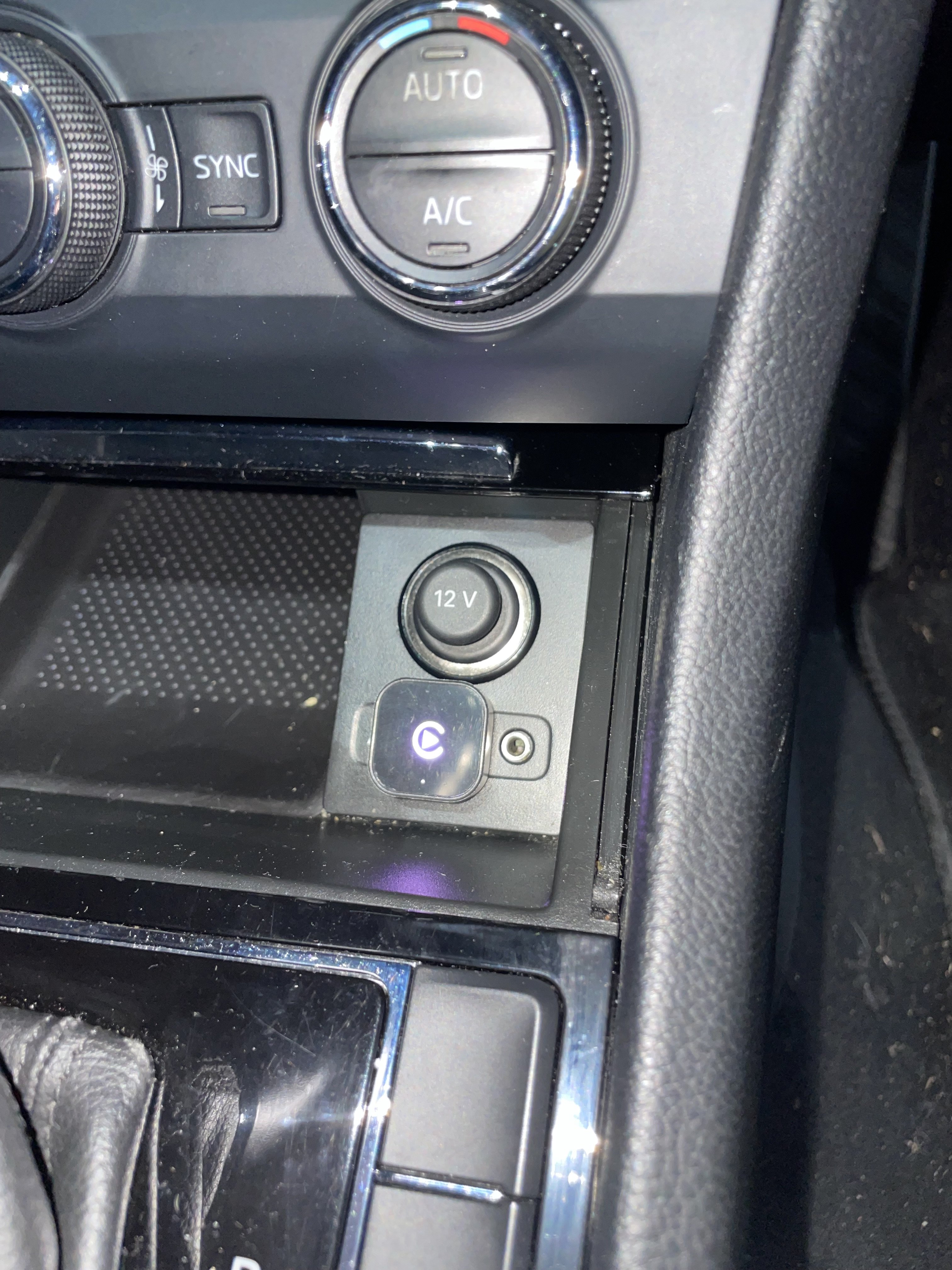
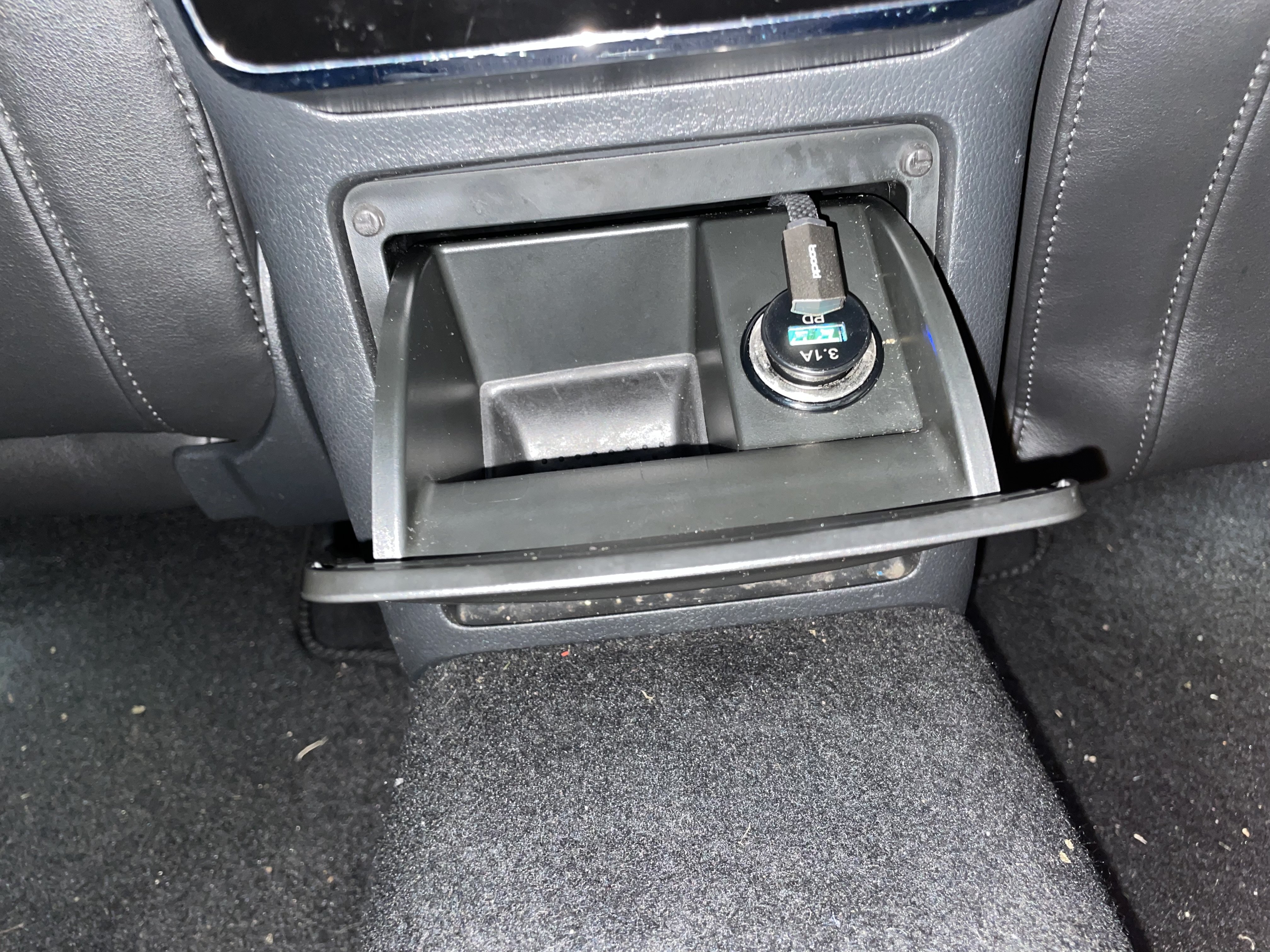
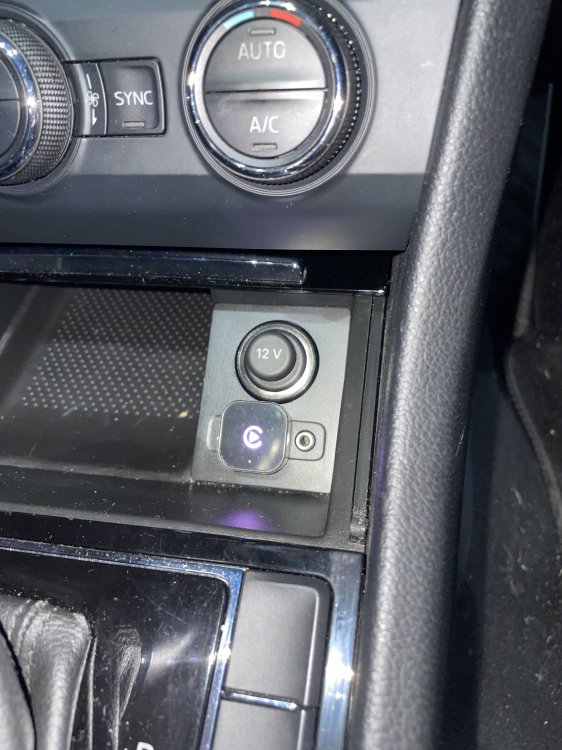
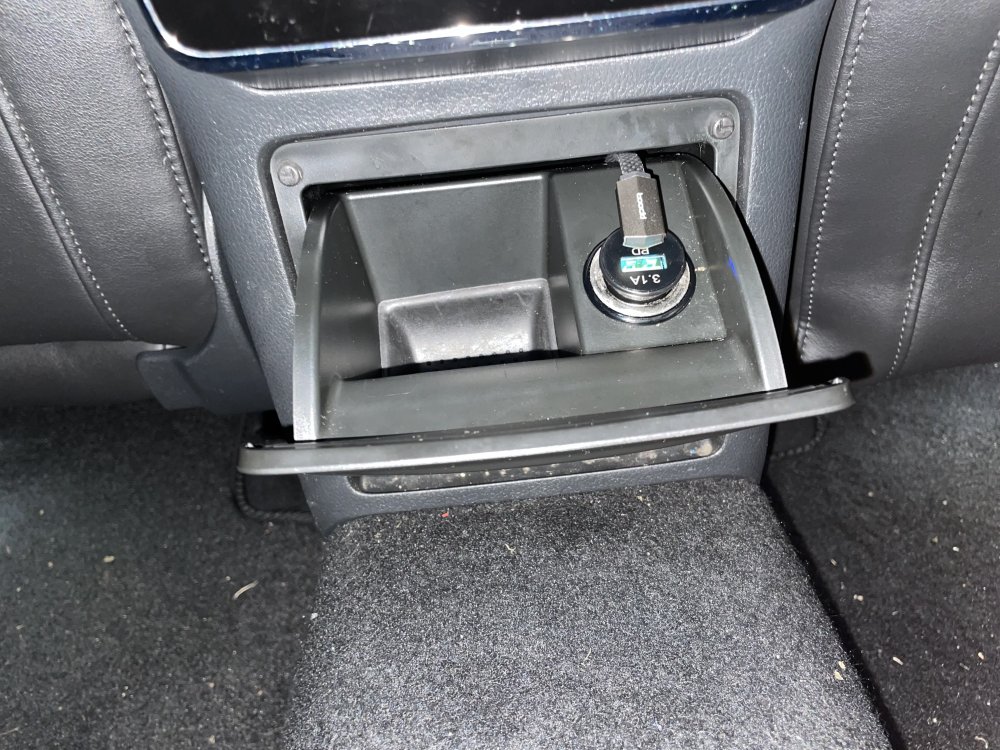
I managed to find a plug in usb charger and cable combo that means you can use the rear cigarette lighter and route cable through without having to hardwire anything based on JR RS’s solution. All from AliExpress Wireless CarPlay adapter: https://a.aliexpress.com/_EIJNn2y USB charger https://a.aliexpress.com/_EJxMn5K USB cable (they do usb c or lightning version) https://a.aliexpress.com/_EI3QUyc https://a.aliexpress.com/_EJh2LN6 The wireless dongle was a bit clunky to set up put works really well considering the price. Touchscreen is smooth and responsive, Slight delay in audio when you make changes but is only noticeable when skipping or changing track. It’s small enough to allow you to have the sliding door closed over the top. And connects automatically within a few seconds each time you get in the car. For the rear charger you can still open and close the ashtray with it all in situ. If you take the ashtray out you can follow the existing cables and there are holes under the felt in the armrest for the cable to come out of. The shape of the cable also allows rear seat passengers to still use the usb A port on the charger too. And you can open and close the ashtray with it all in situ.
-
I have one and it’s brilliant. Similar to what Tom has said above. Be careful running the cable through the rubber gaiter to the tailgate. I managed to stretch a wire for the interior lights and had to require it. See the videos in this link for some help. Also There’s a cable tie that holds the bundle of wires behind the radio unit to the frame. You might need to reach up above the fuse box and snip it to get the radio out. Finding space for all the wires when it goes back in is challenging! But overall it’s brilliant and I’m really pleased with it.
-
I bought a wireless car play /AA mini cube from AliExpress for £4 and it works great. No lag at all on touchscreen but slight lag between image and audio but you only Notice it when skipping audio or changing tracks. Otherwise is great. https://a.aliexpress.com/_Ex1kFWc
-
Sure. These are the ones I bought. https://a.aliexpress.com/_Ev61W5q
-
If you’re still looking, I got mine from AliExpress and they were very easy to fit. Just had to cut a tiny bit of plastic away using a Stanley knife as the aliexpress one are slightly bigger than standard.
-
Great. well done. Yea I had to hard reset too. Thought that after all the effort of installing it that it didn’t work! I’m still in awe of how it works without coding. It’s been great so far. And I’m in the habit now of giving it a little wipe everytime I open the boot so it’s always clean.
-
Just to throw my ht in the ring. This is my moon white estate. Standard 19” wheels but they’ve been repainted in dark grey metallic with the calipers painted red. Just gives it a bit of a different look and I love it.

-
Have a look on AliExpress. The mib plug and play reversing camera work well and don’t need coding. There’s an option for one with a washer but I don’t think that will be the right dimensions for the handle. I’ve fitted the correct one for superb without washer and it is fine. I wipe it now and again when I open the boot and that’s sufficient. This is the one I bought. https://a.aliexpress.com/_EvWUjFO there are some good fitting videos on YouTube. only gotcha is the difficulty of routing the wires through the boot door and rubber grommet. I damaged a wire for the interior lights and had to rewire them too. Also there is a cable tie that holds cables behind the radio unit you have to snip to be able to remove the radio unit.
-
Sorry for the hijack! I love how flush it sits. Looks really good. Where did you get the usb from?