JamesK
Members
-
Joined
-
Last visited
Everything posted by JamesK
-
There's many of us with early cars that are still not getting OTA updates even after installing 1941/1969. Here's a thread on it: Link to forum
-
It might also be worth getting quotes from any Skoda/VAG independent businesses such as @East_Yorkshire_Retrofits . They can update the software for you, and probably be far more clear with you about exactly what modules need to be updated. Instead of the usual loop you go through with Skoda Dealers.... of having the car in so they can send a report to Skoda Technical. Wait for Skoda Technical. Skoda Technical then tell the dealer what updates to install. This whole process can take several days. If the issue isn't resolved, the whole process is repeated.
-
My 2021 Octavia had 1668 installed when I took delivery of it in January 2022. The dealer updated it directly to 1896 in November 2022. There wasn't ever a 17XX firmware deployed to it. From 1896 it was taken up to 1941. 1668 was a really buggy firmware from what I remember. The most annoying bug was it not automatically connecting to a paired phone. You either had to manually connect, or open and close the drivers door quickly after starting the car... then it would connect. It's such a shame Skoda were not more proactive in pushing updated firmware to these early Mk4's, as it's now much more of a pain for owners of these cars with early firmware to get resolved, and potentially expensive if out of warranty. @Axel_OctIV If the infotainment firmware is old you may find you experience other issues such as the SOS system crashing and restarting, etc. These are known issues that can be resolved by firmware updates to other modules in the car.
-
I think this is about as good as it gets. It's the first year that I've been offered a discount on it at my renewal time. If memory serves, there was a deal around Christmas time too, but I can't remember what the discount rate was. I couldn't take advantage because you can only 'top up' your subscription within a set number of months ahead of the renewal date. With regards to High beam assist and traffic sign recognition - I believe they are one-off purchases, and not subscription based.
-
@SiWaiting - How did the factory reset go? Did it ever prompt the system to download an infotainment update OTA?
-
@SiWaiting Let us know how it goes... if it works for you, I'll definitely also try it...
-
@varls - I would get this resolved why you still have warranty with Skoda. Don't let the dealer off the hook with it, or try another dealer.
-
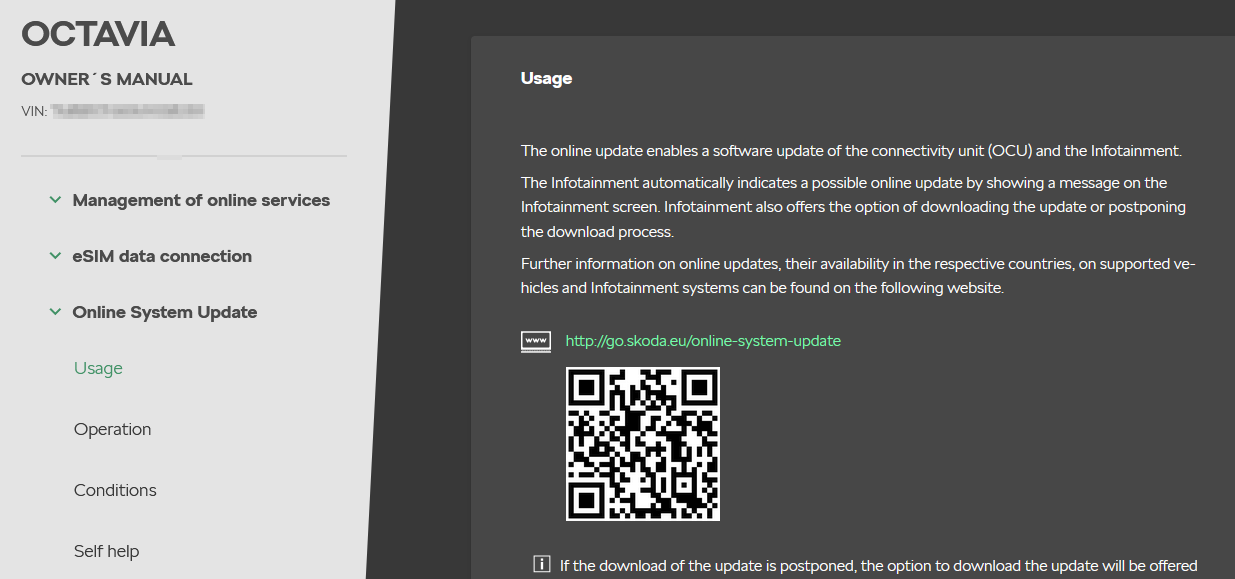
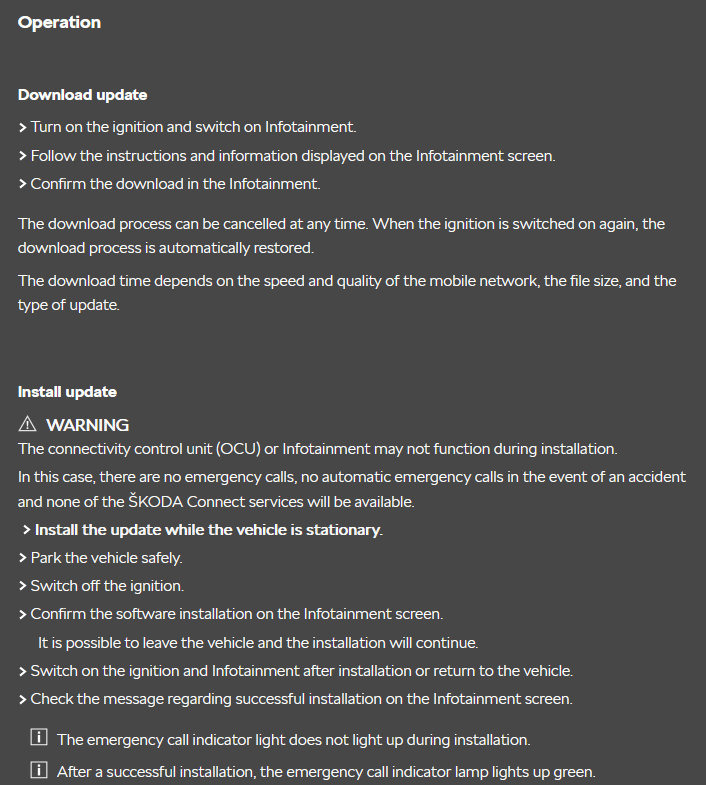
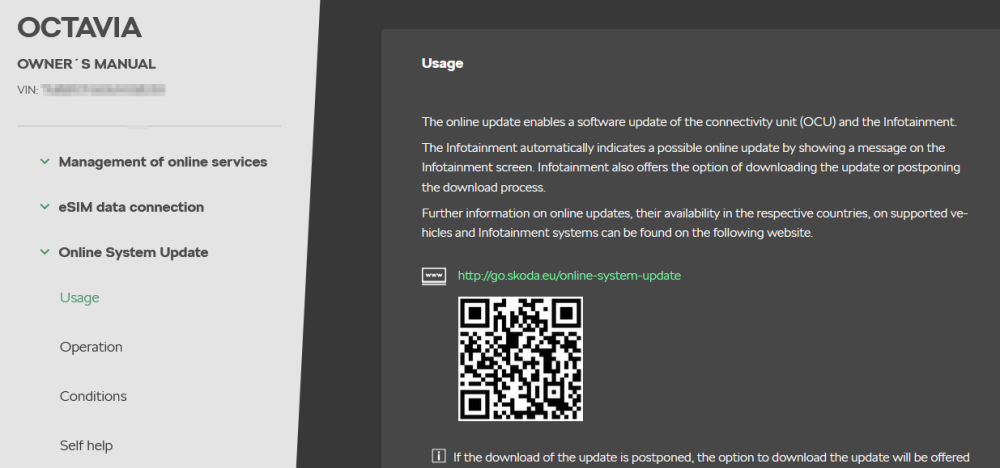
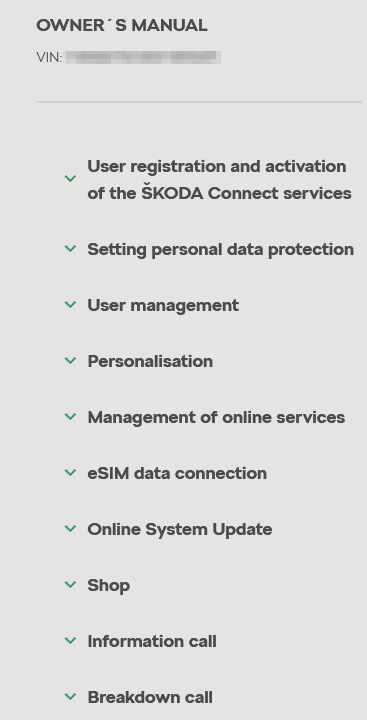
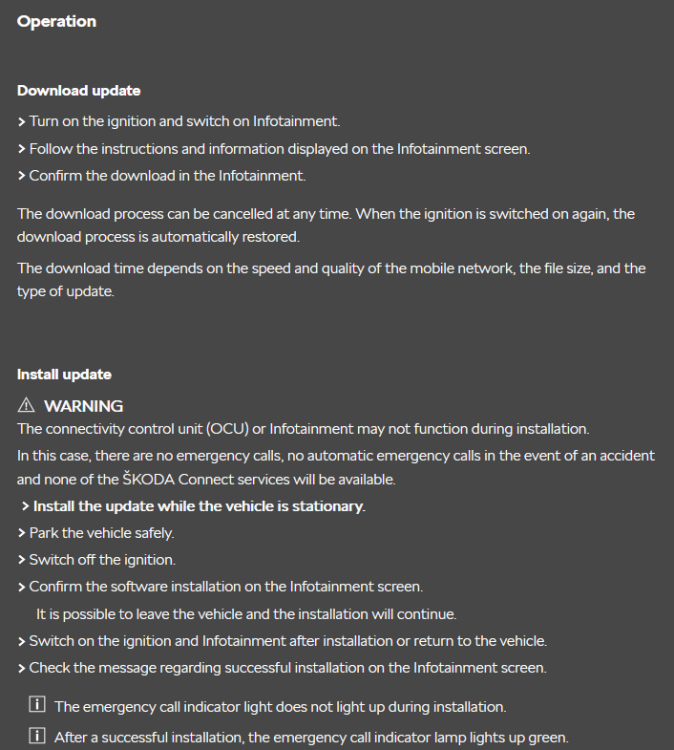
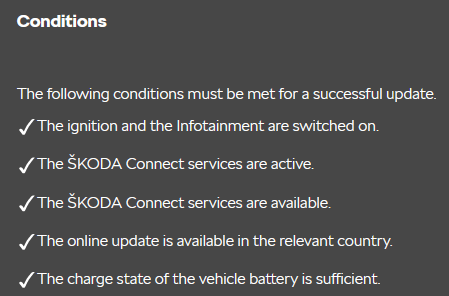
My user manual is dated 07.2020. It does detail the online functions but is fairly sparse on detail:
-
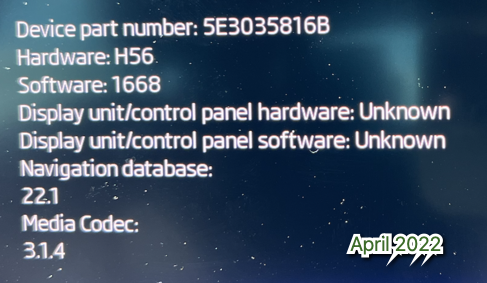
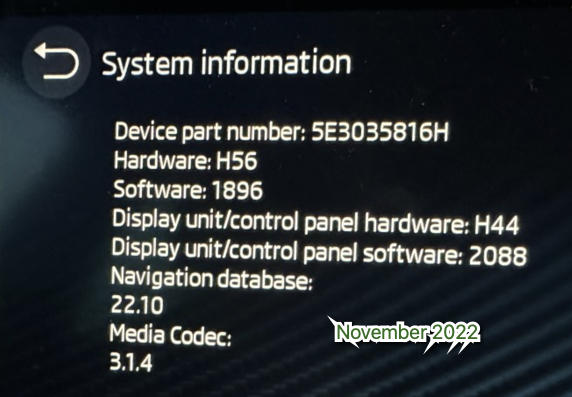
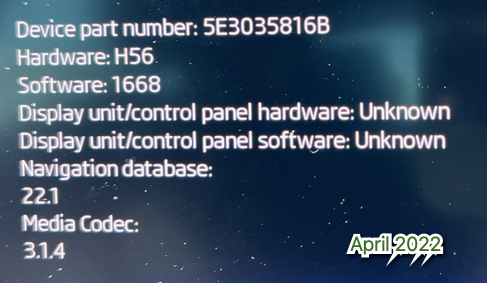
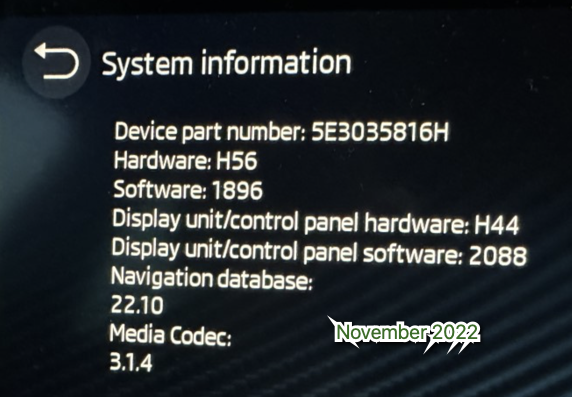
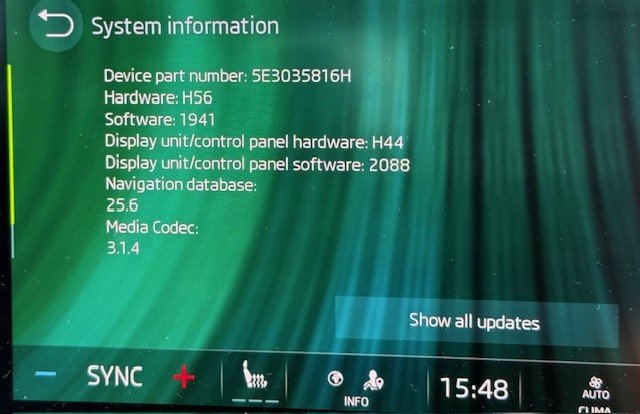
To complicate matters further I've went through some old screenshots of my infotainment. When it was on firmware 1668, the device part number was reported as 5E3035816B. When it was upgraded to firmware 1896 was when the device part number moved to 5E3035816H:
-
@SteveTheElder There's someone on eBay who offers a VIN decoding service. Costs around £2.60. You send him your VIN and he'll send you back a PDF containing everything about your car.... including the build date, and all the options present on the car. It had been posted on this forum a while ago.I did it just because I was interested to know more details on my car. Link to eBay
-
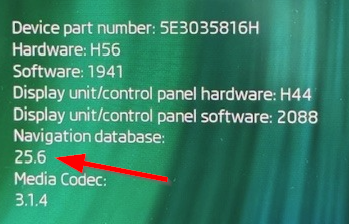
There were two updates to the maps in quick succession. The maps stayed on 25.1 until end of May, and then I noticed it had upgraded to 25.5, and then a few weeks later updated again to 25.6:
-
Not sure why the navigation would stop working after a windscreen replacement. I was told a couple of years ago that the forward facing camera would need to be re calibrated if the windscreen was replaced. So potentially that could explain why the traffic sign recognition is no longer working?
-
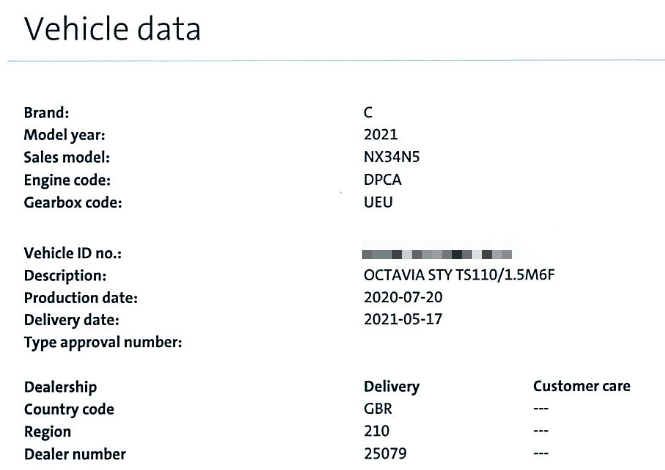
@SiWaiting I have Columbus in my car. It's the SE L First Edition model, so it was standard for that model. @inspectorman Build date for my car was 20/7/2020... which, based on the information you found puts it at the start of the period where they were fitting parts that were not suitable for OTA updates. Back then was the Covid/lockdown times, so they may argue there was a shortage of suitable parts...?
-
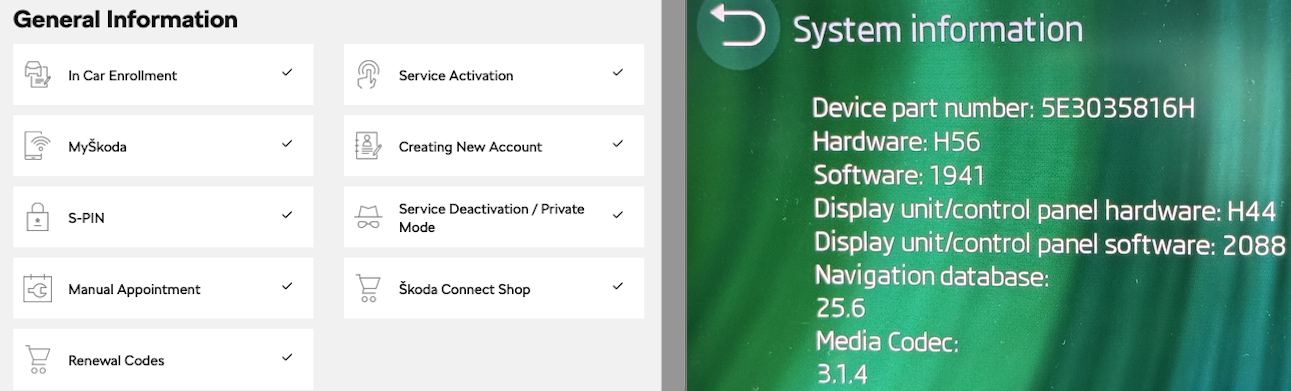
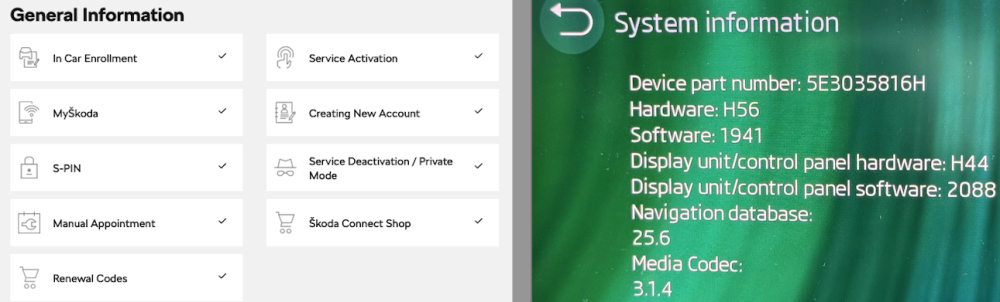
@SiWaiting It would be interesting to collate details of early cars. I think we will probably find those of us with the H device part number are not receiving infotainment updates. Trying to find out why we're not receiving them could be far more difficult. My details are as follows: Online Manual Instructions Followed for Enabling OTA:Yes OTA Update shown on Skoda-auto / General Information Page: No Hardware Version: H56 Device part number: 5E3035816H Current Infotainment version: 1941 OTA Updates currently being received for: Infotainment: No Maps: Yes Apps: Yes Here's the relevant screenshot from skoda-auto and Infotainment system information:
-
The dealers are also bothered about liability regarding software updates. When 1941 came out the dealer told me they knew it would fix many issues on my car. However, they could and would not apply it until specfically told to by Skoda Technical. They said if they proactively applied the update, and it went wrong and bricked the infotainment system then they would be liable for all costs involved in making it right. If, it had been authorised by Skoda Technical - then Skoda would cover it. In the case of 1985 it has introduced a bug with CarPlay music on the Virtual Cockpit. So in the case of an OTA "push" of 1985, I'm wondering where customers stand with regards to reporting it, and Skoda making right a bug that was not present in 1941/1969.
-
I could try that... but historically my experience of them has not been great. They were no help when I received the e-mail last year saying my car had a 2G antenna and would no longer receive Skoda Connect services! I tried telling them that the car had 4G LTE - but they had no clue what I was talking about, and really didn't seem to care. 🤷♂️
-
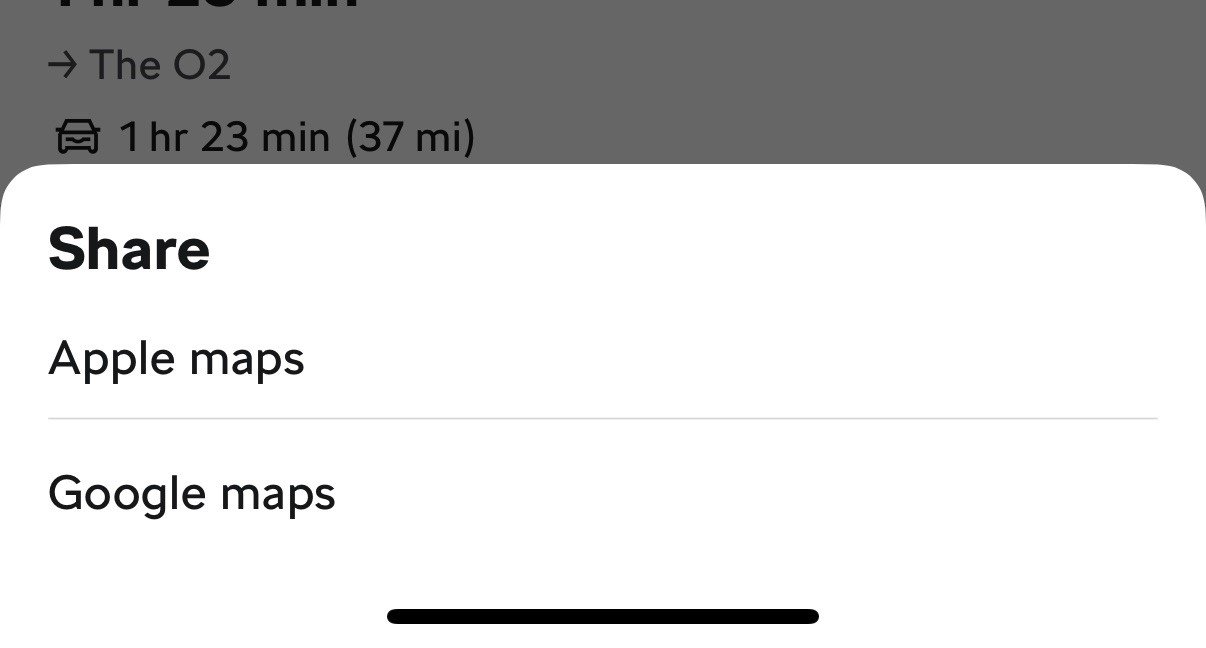
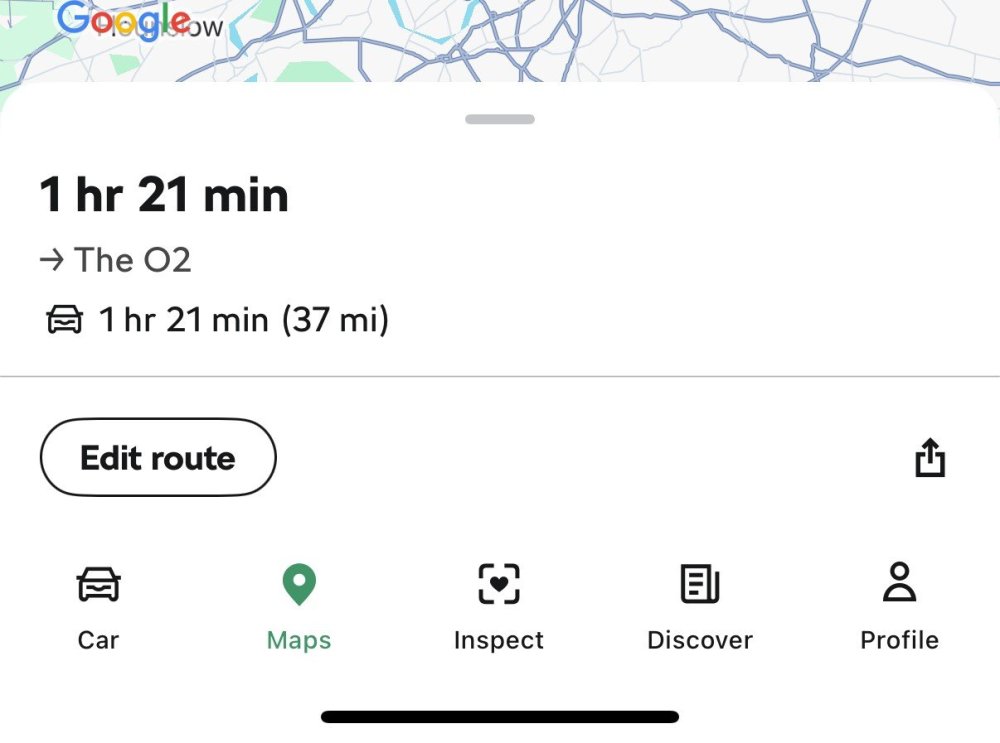
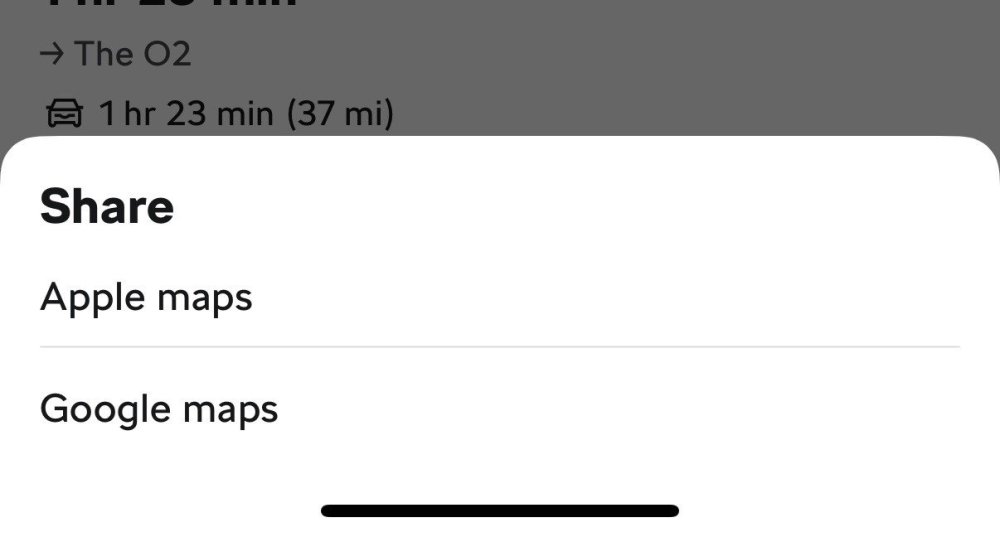
@Lowepepsi2004 It just does as @SteveTheElder mentioned... you only get the usual Apple "send to" button showing: Tapping it just gets you this... ... which is completely useless functionality as I could just use Google/Apple Maps in the first place! 😄 I've sent my local dealer an e-mail. I got to know the tech leader there quite well when I had all my issues 2 years ago. I've asked if they'd be willing to send my questions to Skoda technical to see if there's something different with the "H" part number compared to "D" that either makes the functionality unavailable for a specific reason, or potentially an oversight on their part. I did receive an e-mail last year telling me Skoda Connect would be deactivated because my car lacked the relevant hardware, for it to then be revoked - so they have made mistakes in the past.
-
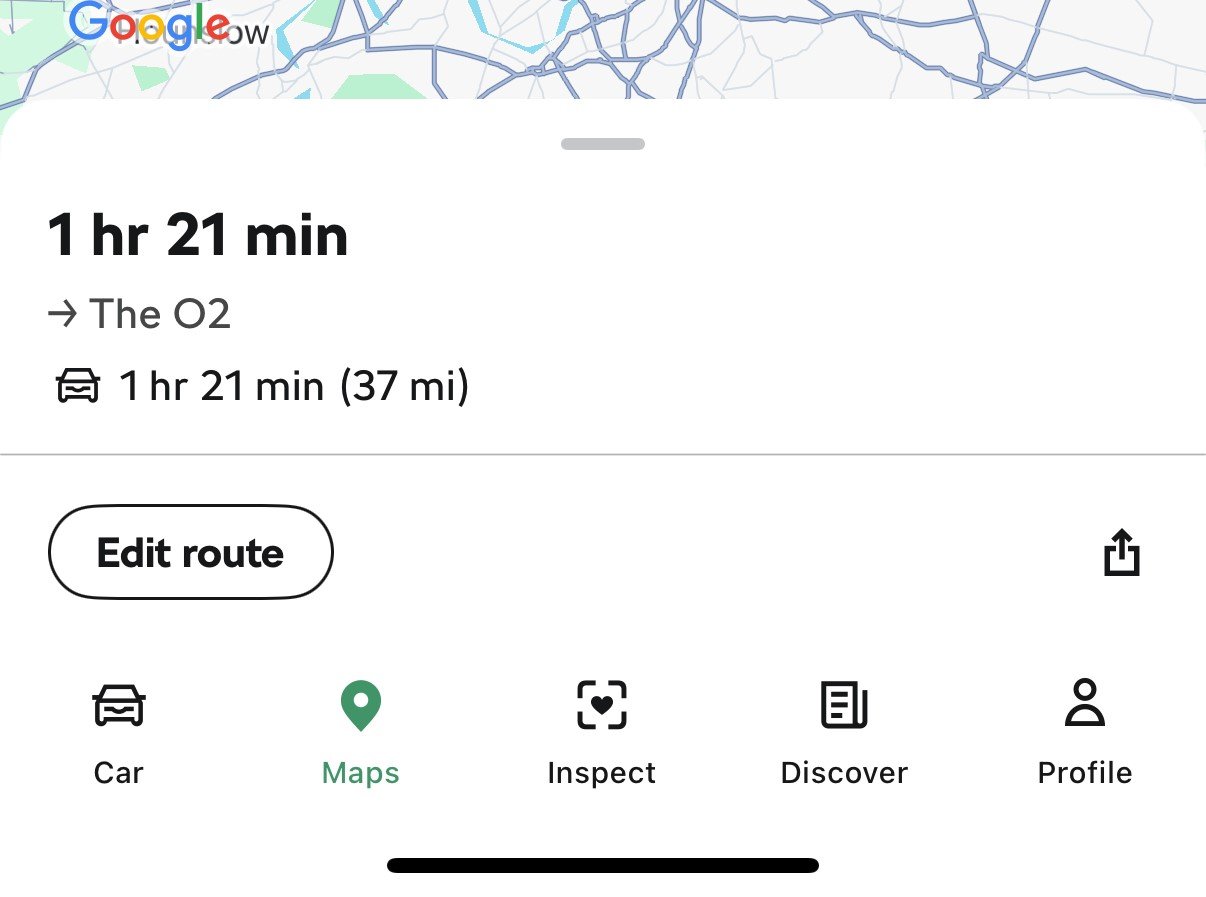
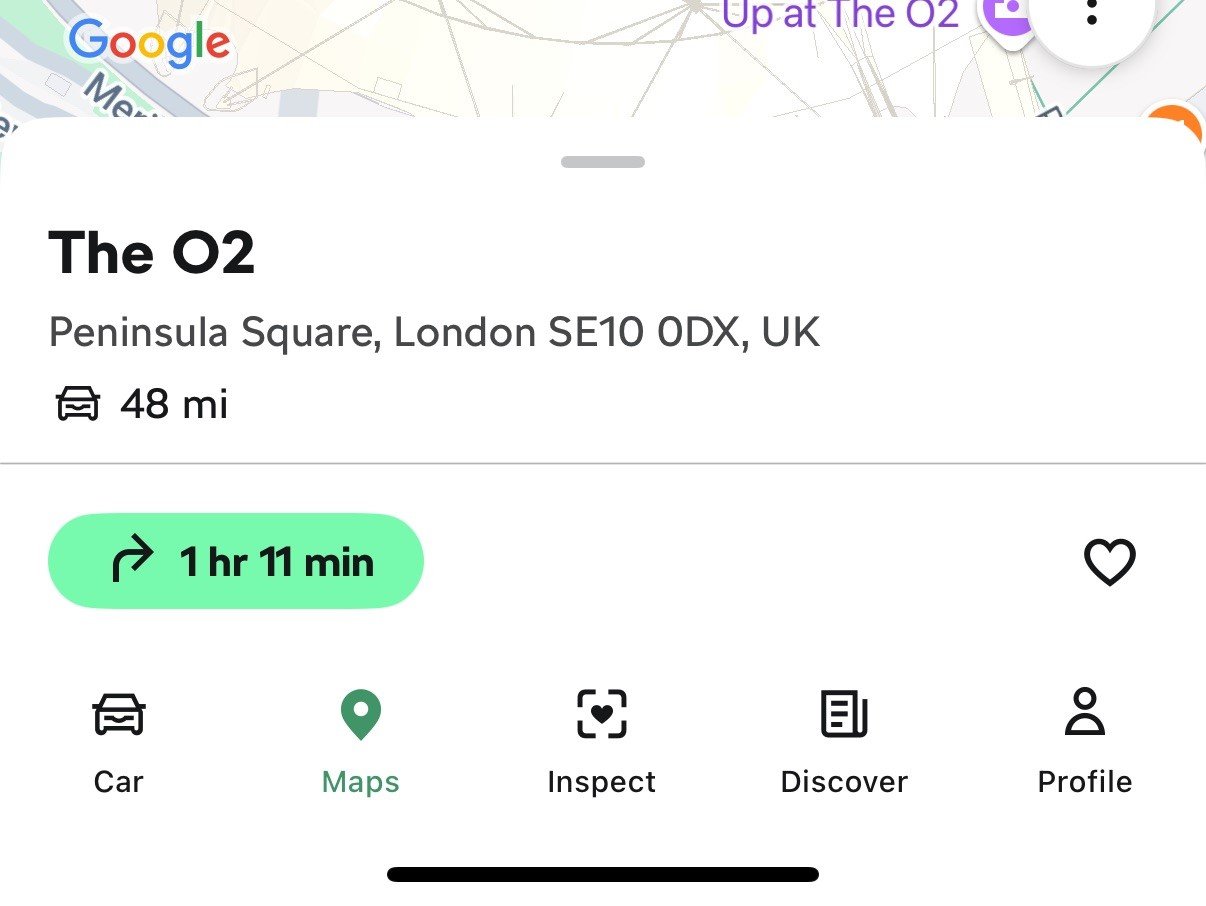
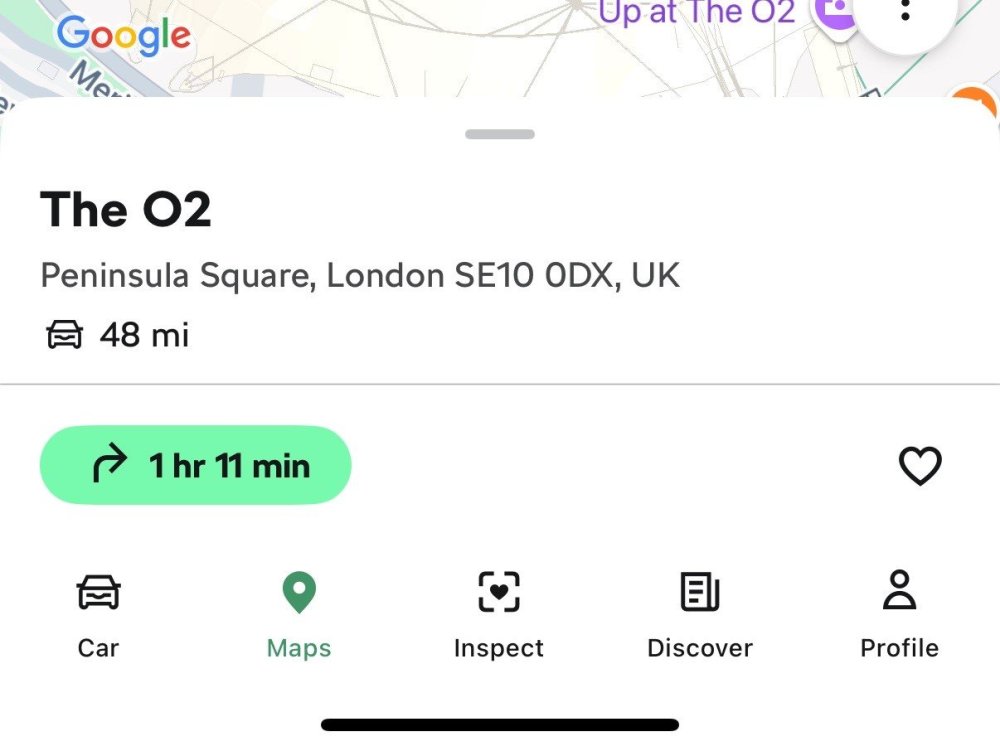
@SteveTheElder @Lowepepsi2004 Here's the view I get in the MySkoda app after selecting a destination. As you can see there's no option to send the destination to the vehicle: My Device number is also the "H" part number and I haven't got the OTA update: Maybe it is just a case that Skoda haven't enabled larger OTA updates for this specific device part number, or it could also be, for whatever reason, the H version cannot cope with the OTA update. I'm really not sure where I would take this if I wanted to ask the question of Skoda, especially now out of warranty. I'm not sure I would get very far with the dealer, and customer service always say they don't have any direct communication with the technical department.
-
What would be more useful to me is if the feature of being able to send a destination from the MySkoda app to cars navigation system worked. I believe that was a feature that was promised in the original sales brochure. However, it's not something I've seen as being available in the app. So apart from the honk/flash function, the entire 'maps' tab of the app is fairly useless to me.
-
I'm in a similar position. The dealer told me that after applying 1941 the car would then be able to receive and automatically update to the later infotainment versions, so 1969 and 1985. However, it hasn't happened for me. Online map updates and minor application updates are downloading and applying. Most recently the 25.5 map update downloaded. So, my assumption is that earlier infotainment systems don't have enough local storage to download, extract and apply a large infotainment update. Or that something on the Skoda side is not allowing it for my vehicle. Mine is an early 2021 First Edition model, and I think most of us on this forum with similar age vehicles have not received OTA updates for infotainment system after getting 1941 applied by the dealer (or at home via other means). I think there may be a couple of forum members on here with early cars that have received the update OTA. But I'm not sure if those owners had hardware replaced previously. When the software issues cropping Skoda replaced parts on quite a few cars before getting on top of the software, and applying updates instead of replacing components. Personally I'm not too bothered as 1941 has been solid and there's no bugs I'm experiencing with it. I do know there's issues in 1985 with regards to music track details not updating in the virtual cockpit when you change track.
-
I think when you are dealing with 3rd party warranty companies things are not as "straightforward" as dealing with a Skoda dealer, with the Skoda warranty. I suspect if they replace the screen, they will have to pay the same amount that I've seen others quoted on the forum. If I recall wasn't it over £1,000 for a screen replacement? I'm sure the warranty company would not be happy at paying that. So the screen can probably be repaired for far less money, if the fault is easily diagnosed and the parts inexpensive. You would've hoped they would fit a temporary screen in the interim - but for a warranty company that would mean them holding stock of those items, which is additional cost to them. Have they given you a timeline for how long the screen will be away? You would expect that they would at least give you an estimate and expedite getting it repaired. A friend of mine had a 3rd party warranty on his Audi RS4, and he had so many issues dealing with them, justifying claims, etc, etc.
-
I had a Mk2 FL vRS from new that was supplied with Continental SportContact 2 tyres. They had good performance, and I kept with the brand for several tyre changes. I never really noticed that they were noisy. Then as a result of needing all 4 tyres changed I got a deal from CostCo and they didn't have those tyres. So I went with the Michelin Pilot Sport 5. The difference in noise was night and day, they were so quiet in comparison to the Continentals. On my Mk4 I've got Goodyear Eagle F1's and I've been happy with those so far.
-
@DanH123 I suspect the Executive Office are saying this because this is what the dealer has reported back to them. They have no internal line of communication with the Skoda UK technical department to validate what the dealer is reporting. Similar thing with regards to the liability - they are repeating what the dealer is telling them. As @spcdust said you may have multiple modules that need to be updated in order to get the car 100% correct. Mine had infotainment, telematics, climate control, virtual cockpit. But it was a battle getting there. I was without the car for over 4 weeks as Skoda wanted it back to properly understand the issues with early vehicles. It's clear whatever they learned has not been proactively applied to other early cars. My infotainment is still on 1941 and has never downloaded any OTA updates, and I suspect it never will. However, for me 1941 is bug free (for my use) and I'm not inclined to push it with the dealer, or apply it myself! If the Skoda "system" is now showing the updates for your car then there should be no issue around liability. My understanding of the liability concerns is if a Skoda dealer applied an update not mandated by the system or Skoda Technical, and it went wrong, it would be down to the dealer to sort out, and pay for. I really would be inclined to try another dealer and hope they are more competent. I've had good experience with Marshall Letchworth and many of the Citygate dealers. A competent service department should've seen these issues many times and now how to resolve them.
-
Customer Services and the "Executive Office" really don't do much. All they seem to do is call the dealer and hassle them for updates. So, if the dealer is being economical with the truth, they won't know that, as they don't have any deep understanding of the issues. There's no internal discussion at Skoda UK. The only benefit I, and the my dealer found through dealing with the Executive Office is that it got the dealer priority access to Skoda Technical. I really don't understand why this is such an issue as I think most people on this forum were updated by their dealers to 1941 without all this hassle. Have you got another dealer you can try? Citygate Skoda are my next closest dealer and they were pretty good too.
-
@DanH123 That is a complete cop-out on their part. I'm really not sure why Skoda and Marshall are trying to push the liability for bricking the infotainment onto you personally. The update to 1941/1969/1985 is absolutely required to fix many software issues in the infotainment system. The 50/50 comment is madness. It will 100% have an effect on the infotainment system as it will be upgrading the software and eliminating software faults. I'd recommend giving Marshall Letchworth a call, and ask for their lead technician Mick to look at it. He was the person that sorted all of the issues with infotainment, climate control sync, SOS popping, etc etc on my car. The only thing they may have a concern about is the liability issue. I'm not sure why Skoda would be arguing over this. I know Marshall have told me in the past that they cannot perform software upgrades unless authorised to do so by Skoda Technical. Apparently if they did an "unauthorised" update, and it failed, liability to fix/replace would be down to them. If the Skoda system is now showing an update as being available for your car, then the liability if it goes wrong will be with Skoda.