superb5335
Finding my way
-
Joined
-
Last visited
Everything posted by superb5335
-
-
-
How did you solve rack issue.
-
Hi, I own a skoda superb mk3 2016, which was pre-owned. The steering rack has a play when moving on rough roads or in stationary moving led and right. All tie rod ends etc where replaced, but didn't solve the problem. The rack part number on mine 3Q2 423 051H. But skoda showroom is telling it's not the correct part number of my model. They are saying it is 5Q2 423 055 L. Please help me find the correct part number. Looking to buy a used rack from a dismantled car. Car is RHD. Is 3Q2 or 5Q2 CORRECT part number. engine is CRGA 2.0 TDI 130kw
-
Same issue here even though units in settings is psi, the TPMS is showing in bar, any way to fix it.
-
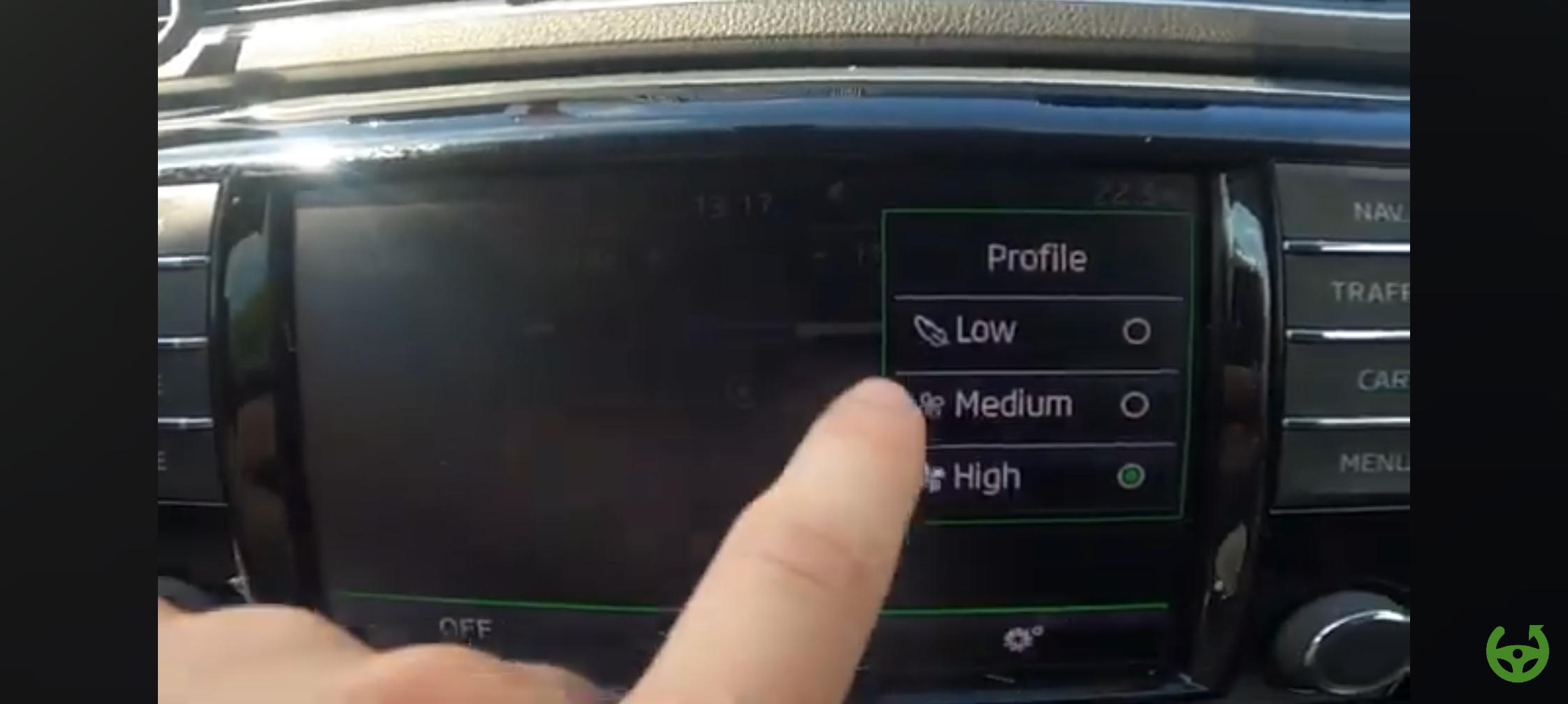
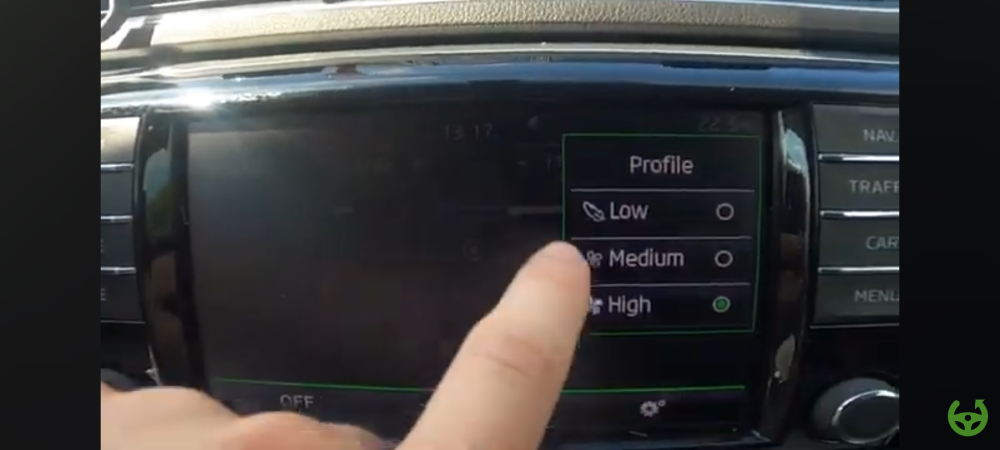
Any way to fix the AC PROFILE settings lost after MIB 2.5 upgrade with 9.2 screen and VC. AC PROFILE MENU under climate control menu had 3 settings low medium high. This option is gone after this retrofit.
-
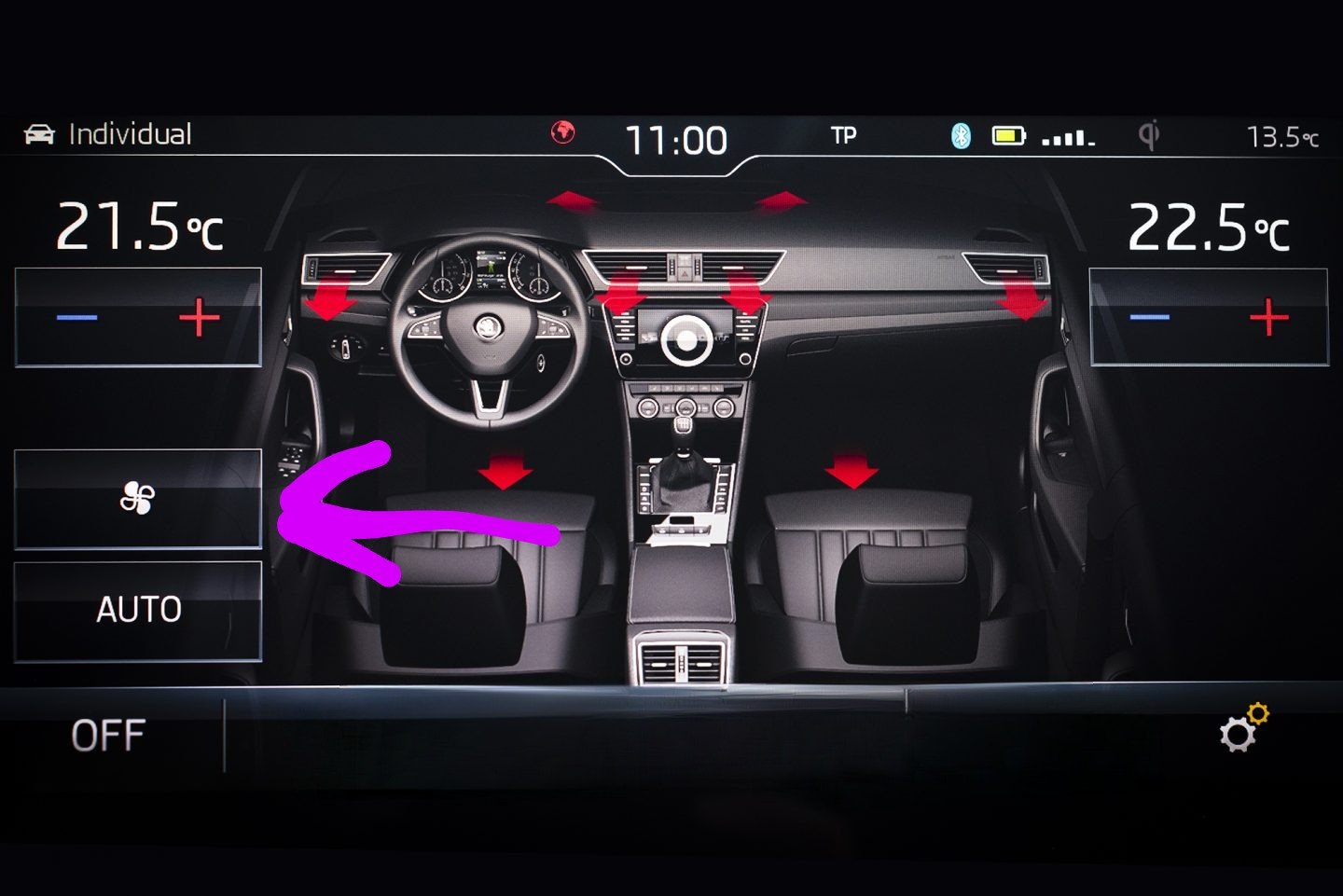
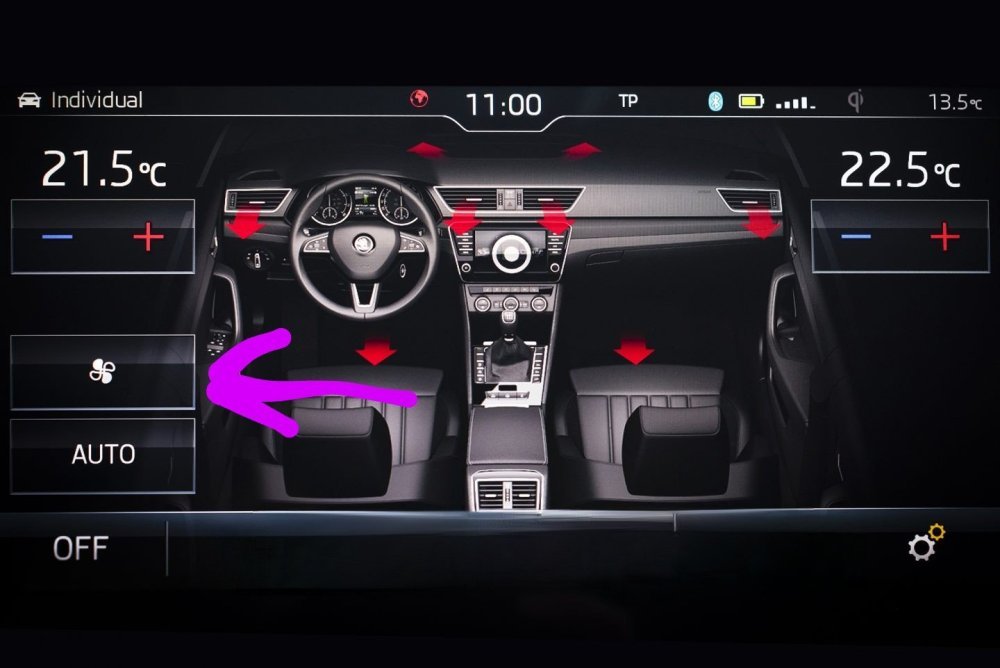
Hi did you check if the AC profile option to adjust the intensity of air flow, low mid high still present after mib and VC retrofit. When we press the menu button on the climate control module there is a fan button that appears on the mib, which has sub menus low mid high!
-
-
-
-
Did anyone succeed installation of memory seats on passenger side. Also any possibility to enable massage function for driver seat. Skoda superb mk3.
-
After upgrading to MIB 2.5 and virtual cockpit, I lost the AC profile option ( Low , medium,high). When pressing AC menu, that option is missing. Also reverse camera multiple views. Also ambient light and VC color change according to drive mode change doesn't work. BCM and gateway was upgraded to the below. BCM:- 5Q0 937 084 DD GATEWAY:- 3Q0 907 530 L Please anyone help me to fix it.
-
Does anyone have the seat cooling fan characteristic curve value, i mean the stock fan settings for skoda superb 2018. Like 25%. 50% 80% etc
-
I have columbus mib 2.5 upgrade from Bolero.
-
Can't find Asia/india maps on the link provided.
-
How to download latest Asia map without VIN, because I had retrofitted Mib 2.5, so my vin shows Bolero.
-
-
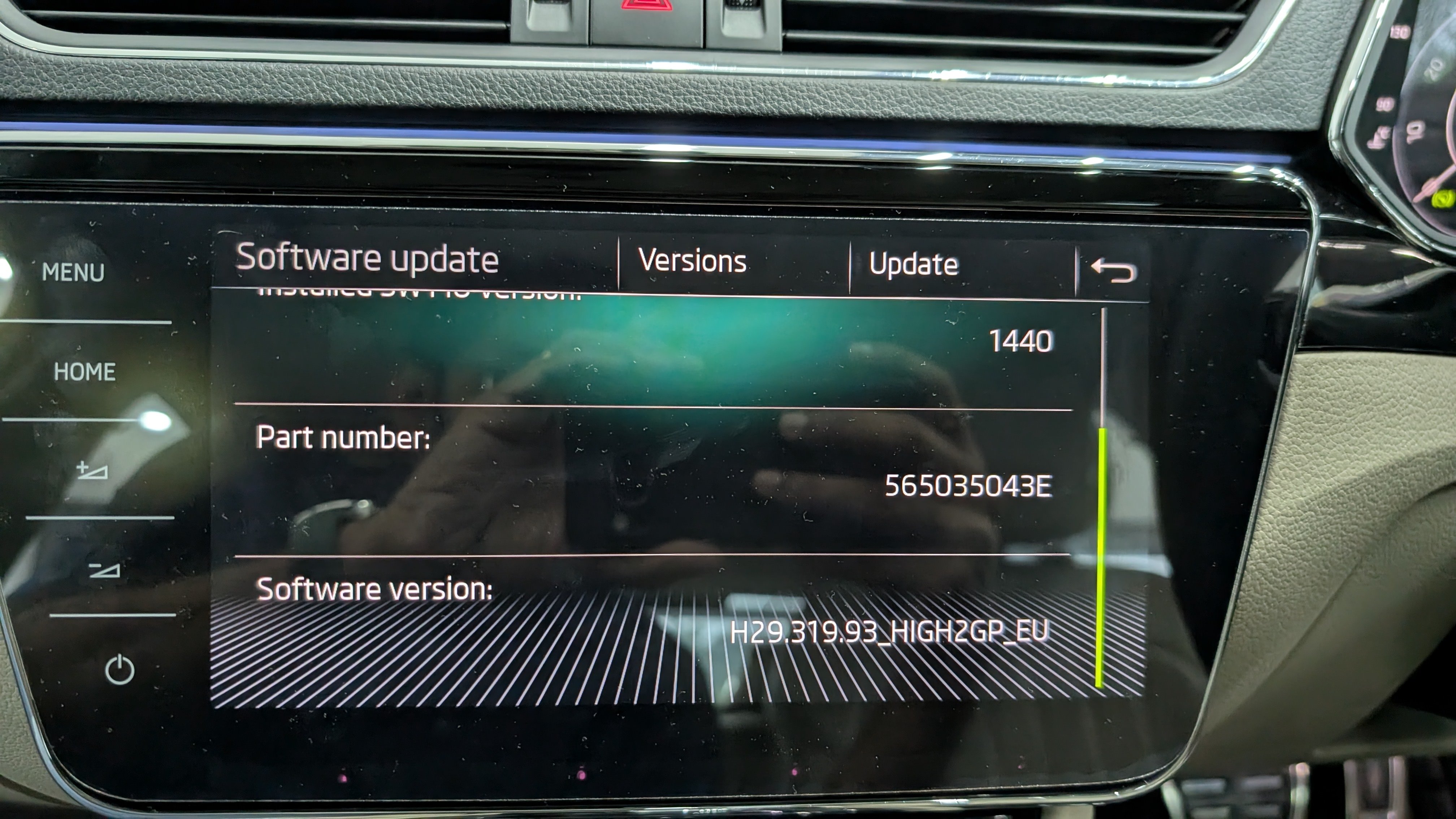
Is this the latest software.
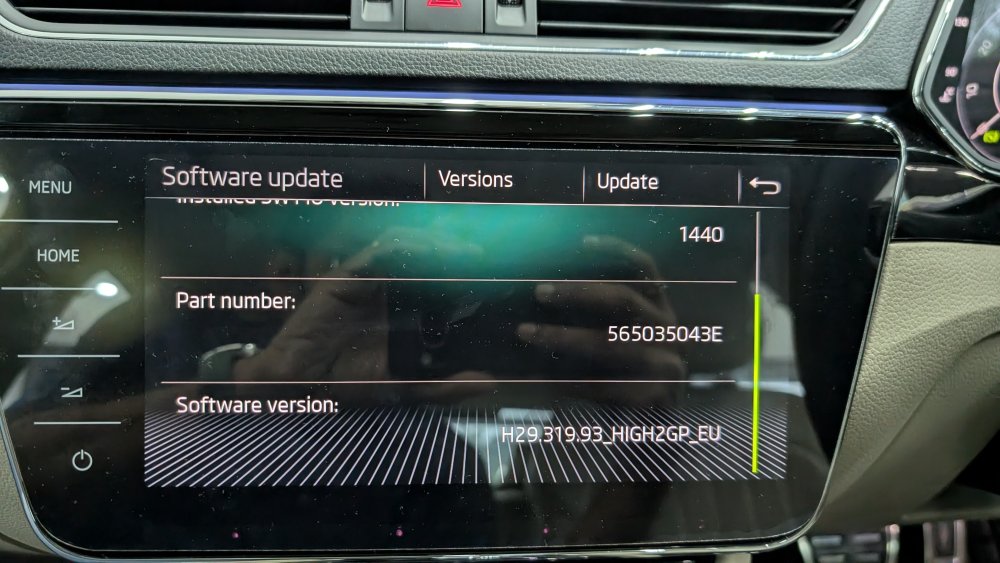
-
Did you update the software.
-
Due to play in the steering rack, had changed tie rod ends and bushes , which didn't solve it.
-
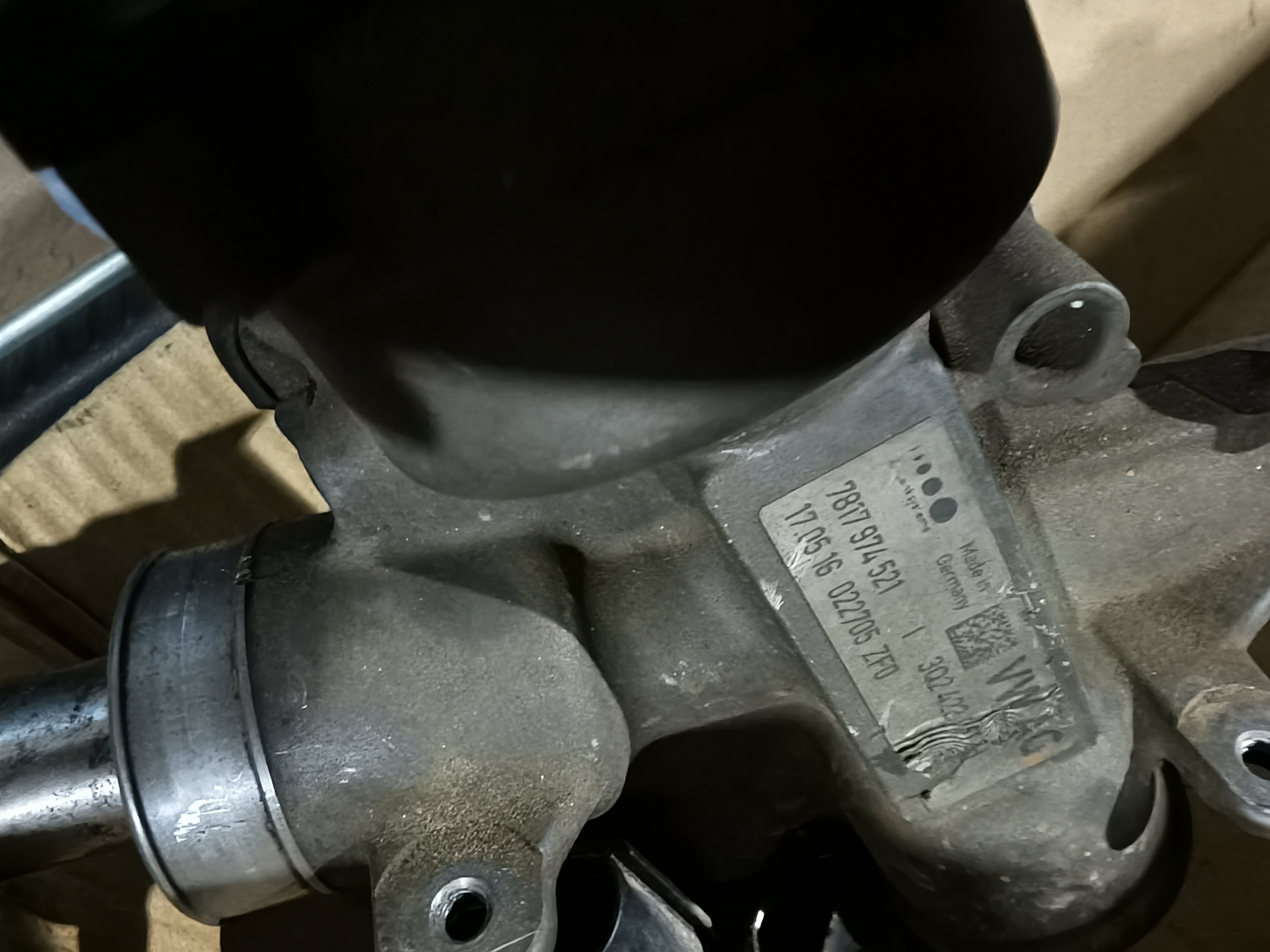
The mechanic replaced the steering rack with a used one. The part no is different. Original one:- 3Q2 423 051 H Replacement - 5Q2 423 051 AB There are no errors, but it's not as comfortable as the original one. I mean it's not light at slow speeds as the stock one. Is there anything like dataset or adaptations that need to be changed, to make it work like the stock one.
-
Hi Can anyone support to get the menu back in climate control menu.
-
I lost my AC profile option now fan symbol is missing (low, medium,high) after MIB 2.5 and VC upgrade. Any way to fix this.
-
Does anyone have the settings for 0044 power steering settings of skoda superb 2.0 tdi. Driver profile selection:- active/not active Characteristic curve of steering assistance. 1.driving profile selection button 2.comfort 3.Dynamic 4.Automatic 5.default Which one is the correct settings by default on stock skoda superb 2017.
-
Does anyone have the settings for 0044 power steering settings of skoda superb 2.0 tdi. Driver profile selection:- active/not active Characteristic curve of steering assistance. 1.driving profile selection button 2.comfort 3.Dynamic 4.Automatic 5.default Which one is the correct settings by default on stock skoda superb 2017.