Benja77
Members
-
Joined
-
Last visited
Everything posted by Benja77
-
Hello Everybody! I have a questionfor those of You who have REAR heated seats and Varioflex System: from where do the harness on the side seats and connector linked, thanks to the harness, to the switch? Explaining better: I’m going to retrofit rear heated seats (after the front ones) and I noticed that, having the Varioflex, these can be folded and, if needed, removed but I have the doubt about where the harness come out from seats (on front ones near the rear part of the sitting and if the harness which I plug the harness remains a bit slack or if there’s a more suitable/comfortable position in case of removal/fold to avoid to pull it if not rip it! Pictures are more than welcome!
-
Good
-
Hi there! As many of You know, after the latest retrofits, some of the adas are not working; new mechanic restored all of them except the front assist: I assume the problem is the order of the wires in the new connector after I replaced the heated sterring wheel: can anybody please telling me which is the right order of them basing on the color/pin on the plug? the old mechanic doesn't remember them! Thanks! in advance!
-
Great news, thank You!
-
Thank You! I’ll try to make this coding on mine; but do I have to swap the steering column stalk too?
-
Hi doing this coding allows You to have all of the 3 options selectable? Actually on my Karoq I have only ACC and Limiter (even if I have travel+lane assist package Does this coding work also on other cars, meaning can I do also on mine?
-
-
I know but I don’t have it right now! I’ll post it tomorrow
-
Hi, some updates after the latest retrofits: Direct TPMS, heated steering wheel and front seats work; blind spot after checking harness and putting back with index B does Not! Furthermore: - front assist - lane assist - rear camera and 360º area view Don’t work too! I dunno what to think: I’m afraid I’ll have to ask to reset the whole BCM and start coding from beginning! Any idea/suggestion?
-
@JR RS and everyone else who did the retrofit: have a question for You: I (or better the mechanic) did the retrofit and it works perfectly, I can see the values only on the infotainment screen BUT I cannot on the virtual cockpit except when the pressure in the tires is it too low or or too high: is there a way to visualize on the virtual cockpit even when pressure is right?
-
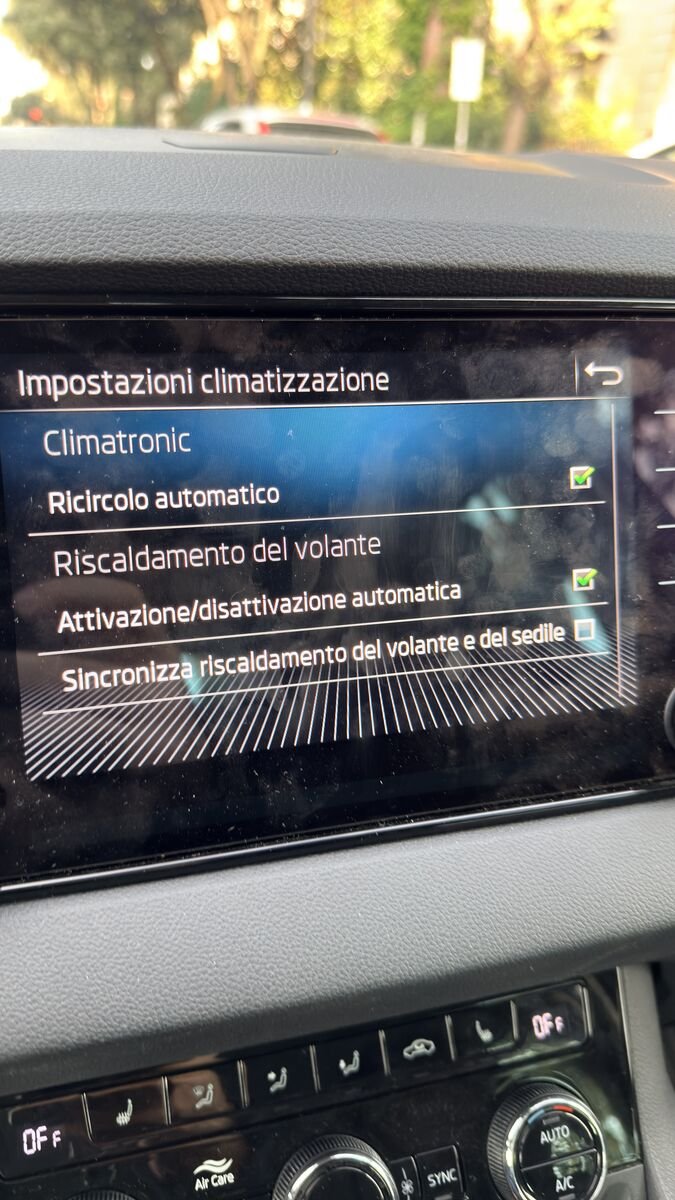
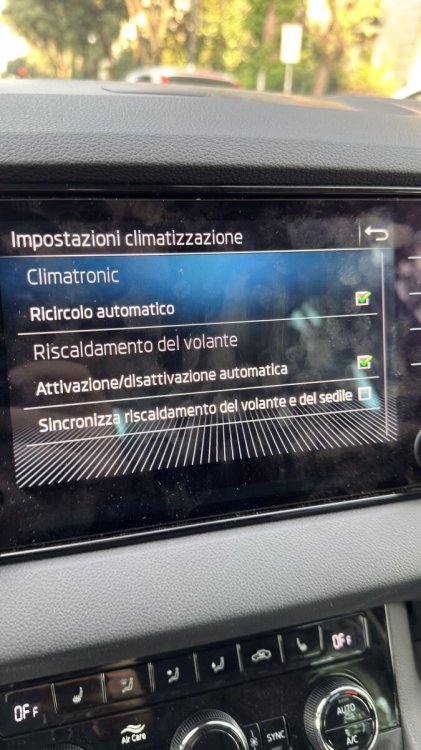
Hi there! As You know I retrofit the heated seats on my Karoq but I have a question: when turning them ON pressing MENU on the Climatronic Panel, then SETUP on the infotainment screen, do You see the image as the one I attach (apart the language, which is in my case Italian)? If answer is YES: good, You can skip this post; If answer is NO: can You please post Your screen? And maybe tell me where I made a mistake in coding (or even more than one)? Of course question is valid for all of You who has heated seats factory installed (when they ordered the car) or even in case of retrofit ones
-
-
Hi there! While I'm accomplishing the latest retrofits, I'm planng the new one, like the heated nozzles; I found a very convenient kit with OEM one, but I have some questions. In details I need to know: which pin do I need to connect in BCM? is there any specific command to turn them on via infotainment? can I just replace those I already have? or do I need a separate circuit for water? the negative can be screwed to a bolt in the hood? do I need to have the heated front windscreen too?
-
Found them! 😄
-
-
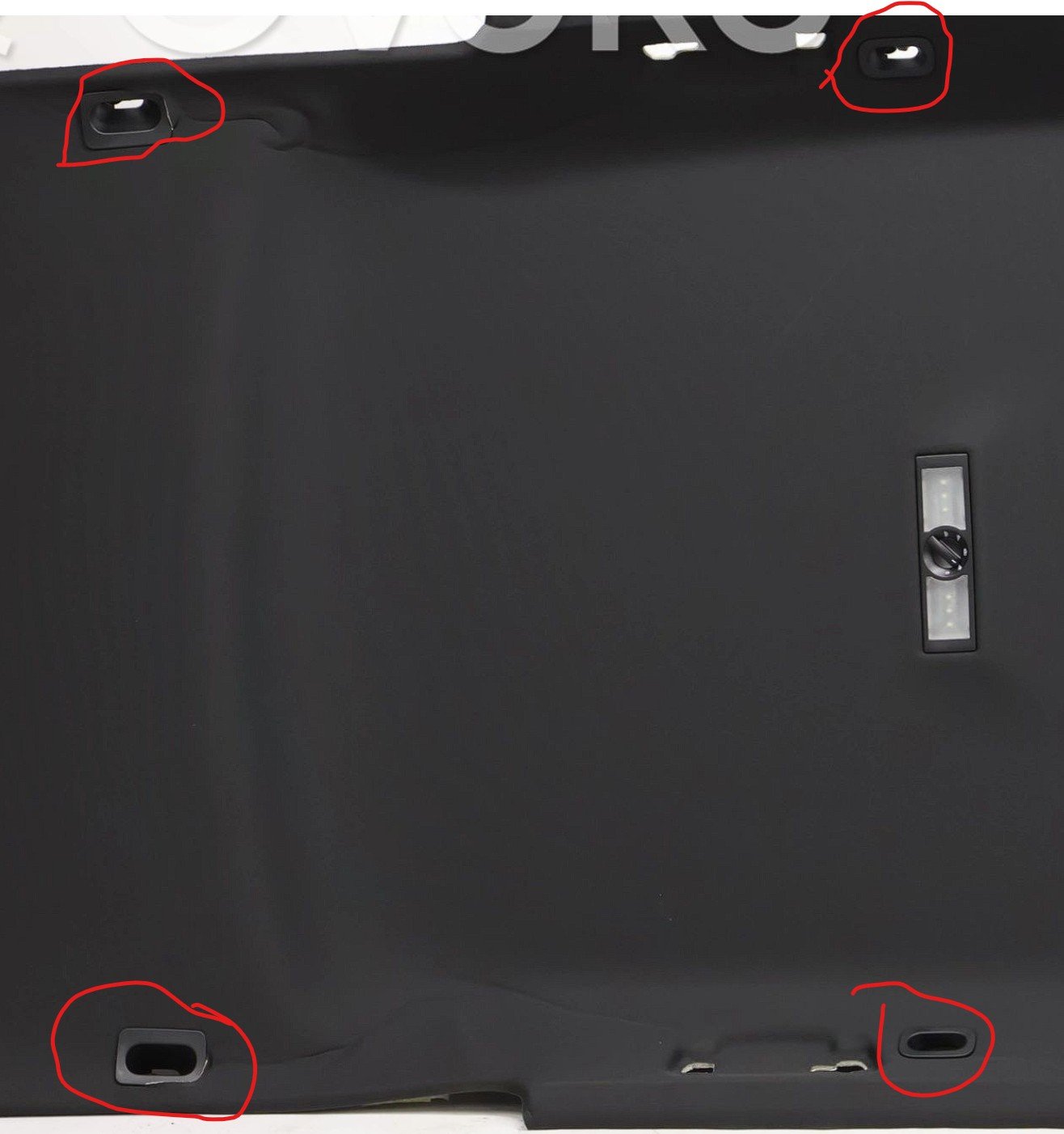
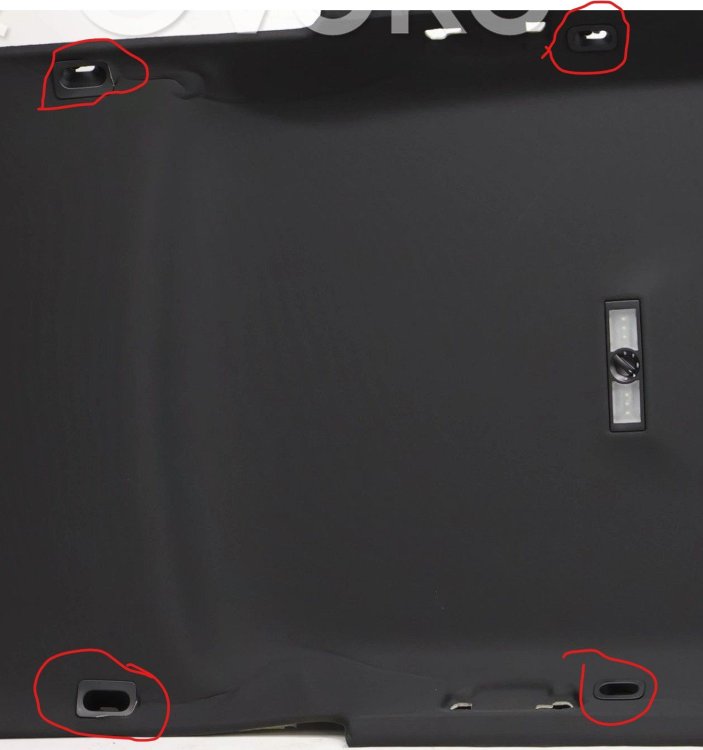
Hi there, I'm retrofitting another thing, the rear soft divider BUT my car has no the hooks supports, see attached red circled image: does anybody know the code?
-
-
-
-
Update from mechanic: Units with H at the end have been fitted and once dataset (I'm still looking for it) has been flashed according to him, they should work, even if many of You tolf me the one with final B are better BUT I do have a question, among the several retrofit, I also did the Park Assist: initially I used a 5Q0 control unit (PLA vers. 2.0) and it worked fine, then I realized I needed to 5QA (PLA vers. 3.0), specific for my car: I replaced and it works even better now! Can it happen the same with H units?
-
I went to the mechanic to check how the work is going: he told me connected and coded the seats and steering wheel and: Sterring wheel when turned on send a pop up on virtual cockpit He told me both of steering wheel and seats are visible and tunrable on from infotainment but couldn't check personally as car was inside workshjop and could't turn it on if not for 1 minute maybe less I noticed also the seats: as I try to turn them on the first time the 3 leds enlight, then pressing again 2, presing once more 1 and pressing last one the LED turn off, it seems to me they have memory from last status, is it normal?
-
-
-
-