Skip to content

Benja77

Members
  • Joined

  • Last visited

Everything posted by Benja77

  1. Just one question: does the control unit has to be put horizontal or vertical works the same? I ask You as it seems impossible to fit horizontal, without risking, in case of rain, that the wires near the plug can get water! Can You help me?
  2. Did anyone fit those from Omac (sold by Kopacek) V2 in Black on Karoq? I'm having trouble and need some help please!
  3. You mean the small tooth? And are the inner wires in the correct order? Did You get my DM about the datasets?
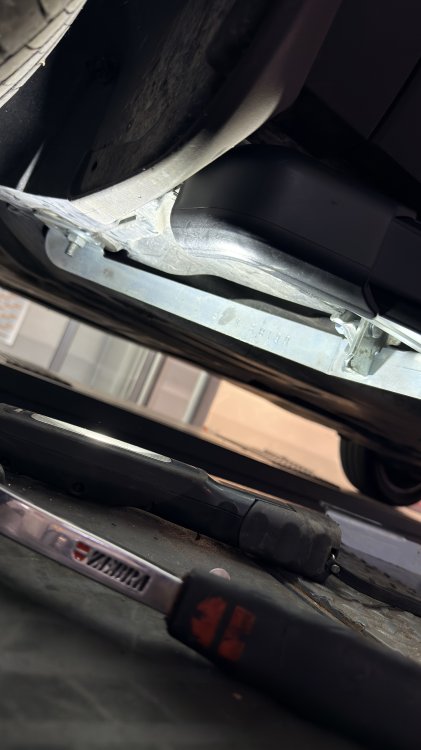
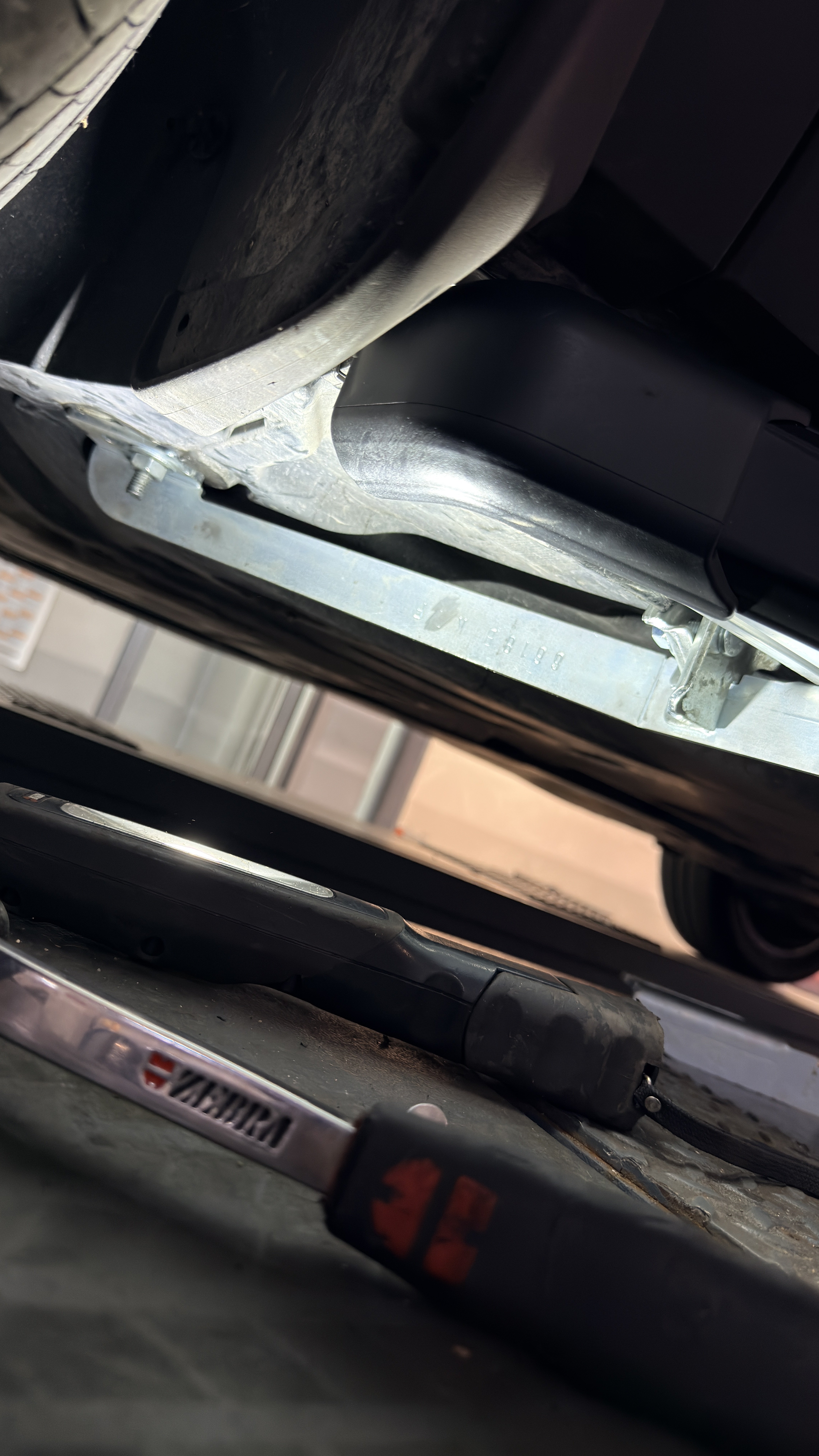
  4. As above: did anybody fit them? I’m having trouble while fitting the lower supports: can someone help me, better if taking pics from below! I do have a 22 FL
  5. Hi there! As many of You know, among the several retrofits I’m doing on my Karoq, there’s the screen update, from Amundsen (8 inches) to Columbus (9,2). While the rectangular connector fits perfectly (audio works and buttons turn on), the screen remains black due (according to mechanic) to the different Fakra connectors, blue on Amundsen and Black on Columbus) as they have a small tooth in a different position (top on one, bottom on the other). According to You/Your experience, replacing the cable can solve the problem?
  6. Can You show me/us how the seat look like from the inside, meaning with the door open, front 3/4? Are they power seats too for regulations?
  7. Still available? fits on a 2022 FL?
  8. How much just for the wheels shipped to Italy? Do they fit on Karoq?
  9. Ok from mobile they're visible; however it's sad to read the retrofit era is almost finished! Which year is it Your car? from 2024 it looks like the BCM are blocked
  10. About the coding for the seats, is there any particular procedure? About instead the steering wheel, installation and coding, instructions were provided with harness
  11. Of course if the upholterer, installed the driver side on the passenger side and viceversa, the connections must be inverted, apart the brown/white, isnt' it?
  12. 2 Brown/White: where? 2 Brown (Mass): it doesn't matter where?
  13. An update, This morning I went to the upholsterer in order to make pass the resistences for the heated seats: while connections between back and seat these two and main harness Were pretty hease as the connectores matched perfectly, once the job will be done, I'll have to connect the main harness to the ac control unit which I propoerly bought, replacing mine with another one with the heated seats buttons. The main harness thas the following wires 2 brown with eyelet which I suppose are the mass (1 for each seat) 1 red and white for one seat + 1 red and yellow for the the other seat, each with big terminals 1 blue and white for one seat + 1 dark blue (almost black), each with small terminals 2 brown and white which join at the end in a unique small terminal Where do I attach this wires? Attached You can see the photos
  14. Cannot see any of the pics; can You please link them again? I'm doing the same on my Karoq and would be helpful
  15. I have the opposite problem, after retro fitting the area view 360° and Park Assist: I wanna see it but I cannot: can anybody help me?
  16. Benja77 replied to stuupnorth's topic in Skoda Karoq
    That frame that surrounds both of the torch and the 12v is NOT available as spare part or at least is why my dealer told me!
  17. @wellaflex @mr25 : luckily I ordered the right one: https://ebay.us/m/YI1uTT
  18. Travel assist came as standard on mine and I love to use it, except when I got mistake of "temporary unavailability" but I know it's and old issue by Skoda and service will fix it!
  19. Is it mandatory replace the combination switch if my car has all of the other features?
  20. I did it on my on my Karoq: once everything is installed You need to parametrize ADAS from beginning, otherwise side mirrors will show a distorted view

Important Information

Welcome to BRISKODA. Please note the following important links Terms of Use. We have a comprehensive Privacy Policy. We have placed cookies on your device to help make this website better. You can adjust your cookie settings, otherwise we'll assume you're okay to continue.

Account

Navigation

Configure browser push notifications

Chrome (Android)
  1. Tap the lock icon next to the address bar.
  2. Tap Permissions → Notifications.
  3. Adjust your preference.
Chrome (Desktop)
  1. Click the padlock icon in the address bar.
  2. Select Site settings.
  3. Find Notifications and adjust your preference.