




simion_levi
FREEDOM
-
Joined
-
Last visited
Everything posted by simion_levi
-
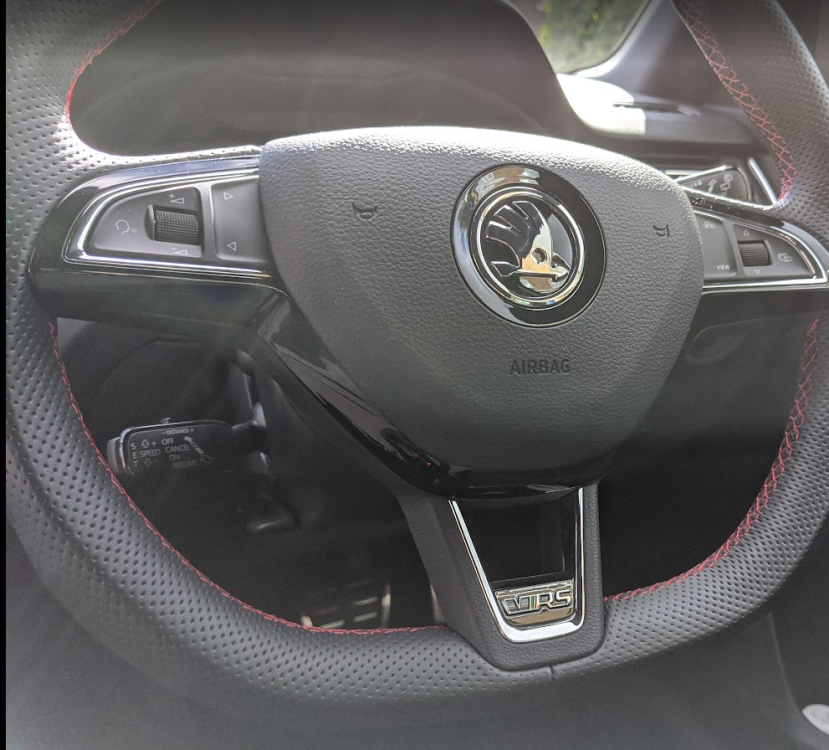
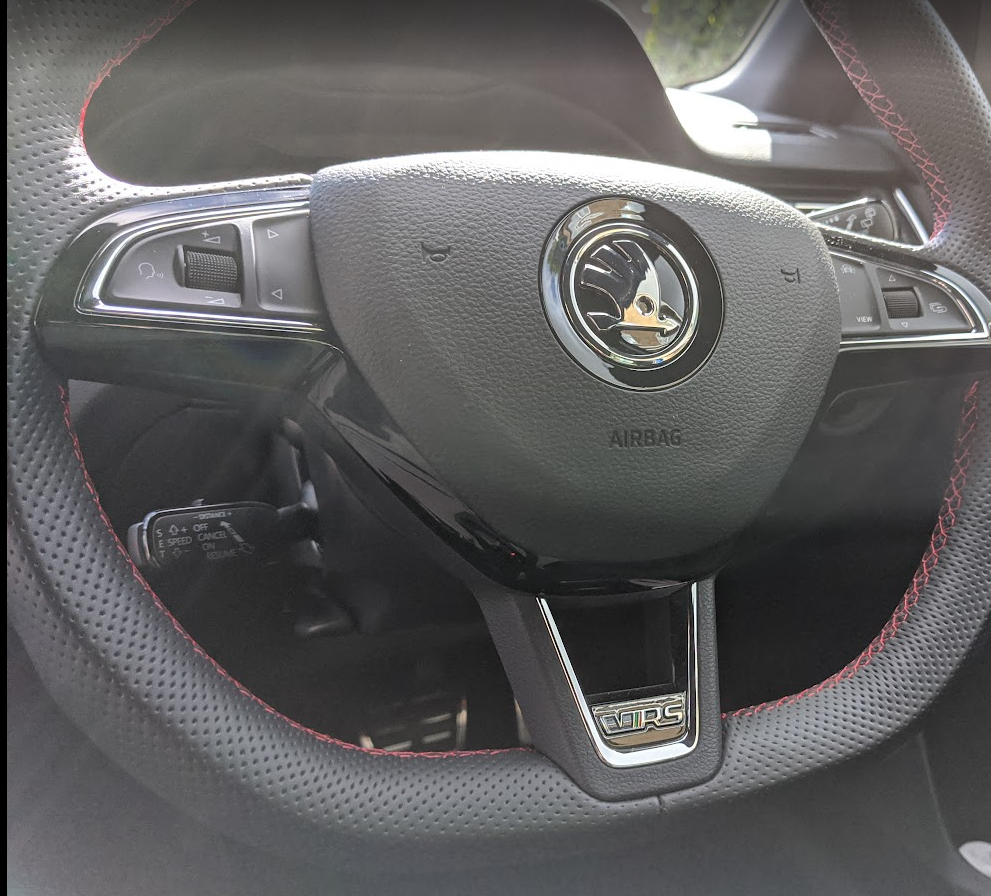
I have a second stalk for ACC. This is MY20 vRS Challenge, DSG
-
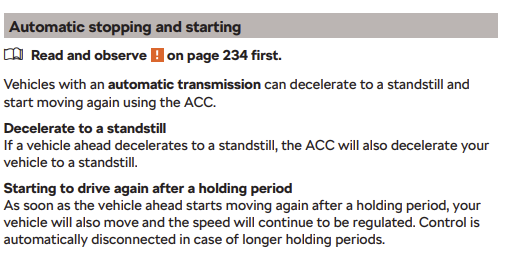
I can't help with coding, but agree ACC will bring my 2019 VRS to a complete stop and then requires you to take over with the brake pedal as it holds stationary for only a few seconds. You can reactivate immediately when you start moving again, but it is obviously missing the electronic handbrake that other MQB models have for longer holds. The Golf experience sounds odd to me, is that actual observed behaviour and is it a manual transmission? For an automatic, I'd anticipate that you might not be able to set a target speed below 20km/h, but ACC would still slow the car below 20km/h and maintain crawling speed if traffic necessitates it, as that would match the Octavia.
-
I've changed these a few times. They are just a contact switch, the immobiliser is in the lock. Don't buy the cheapest no name ones, they can fail again quickly. Meyle or original skoda have both been good. Main steps are: Remove steering wheel airbag https://workshop-manuals.com/skoda/fabia-mk2/body/body_work/passenger_protection/airbag/removing_and_installing_driver_airbag_unit/ Remove steering wheel - undo centre nut, pull..! Remove upper and lower steering shrouds, unplug the cable harness from left hand side, see item 1 https://workshop-manuals.com/skoda/fabia-mk2/chassis/steering/removing_and_installing_steering_lock/ There's then a grub screw to remove and the ignition switch comes out to the left and can be replaced. No need to touch the ignition lock barrel or shear screws
-
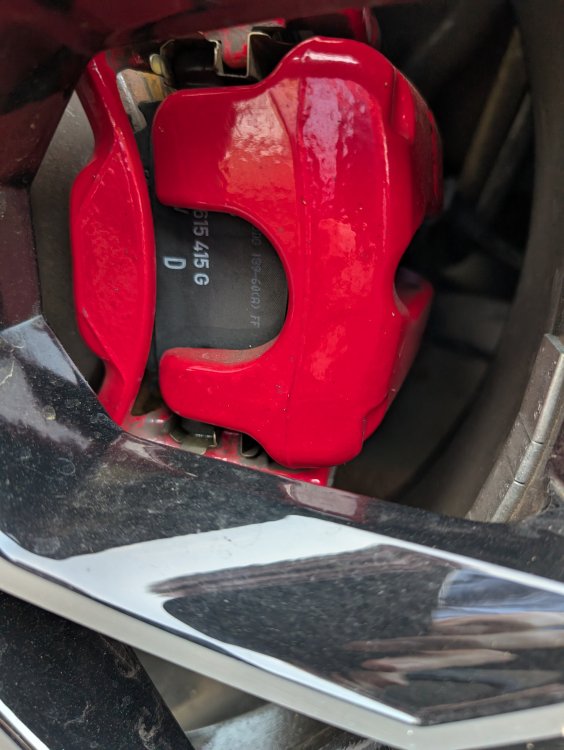
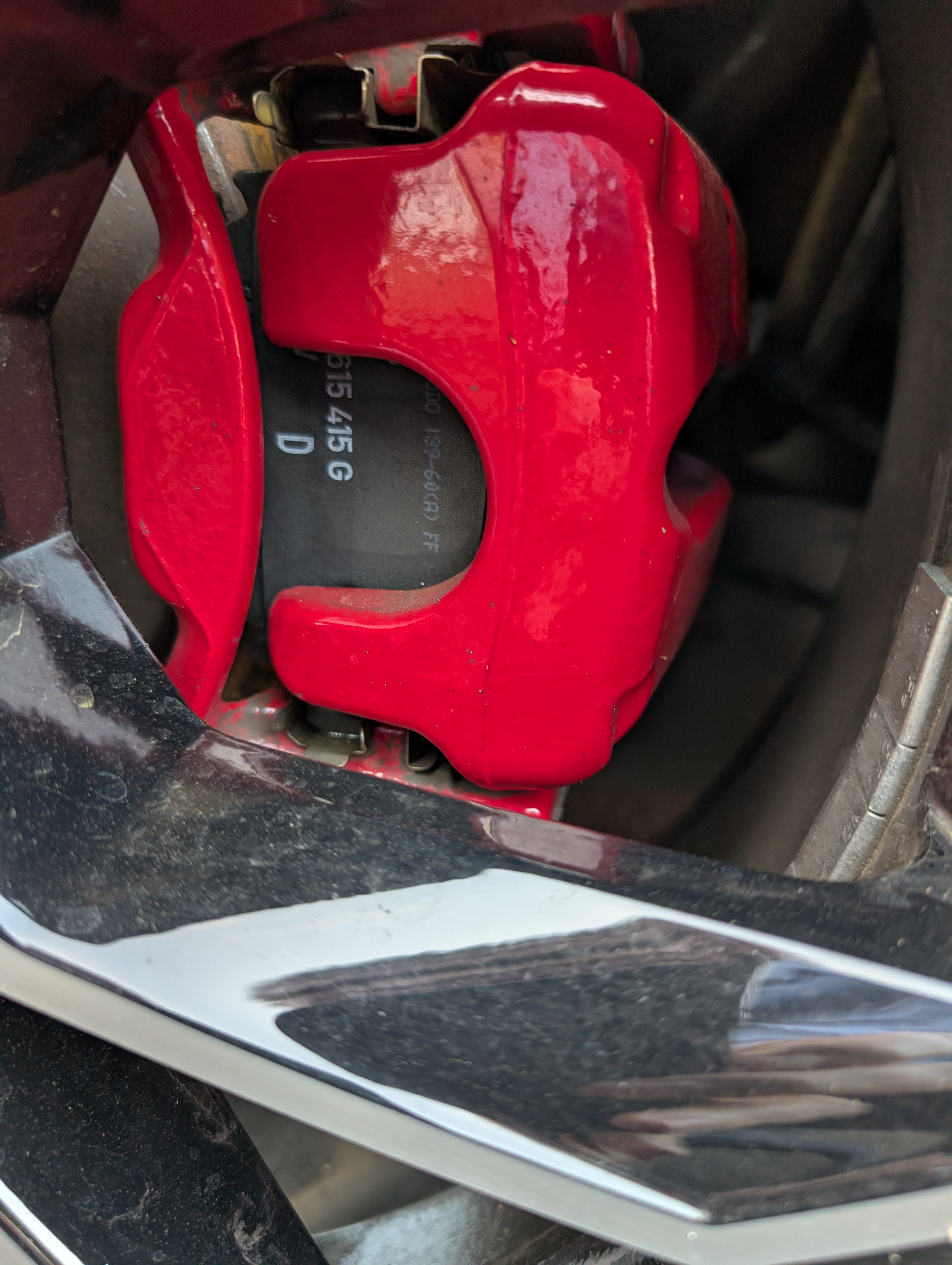
The colour is the same and new caliper matches 5 year old carrier just fine. Here's a photo, not the best lighting but should give you an idea at least.
-
See my response in your other thread - after accounting for the core return, I'll have paid about £120 each for the official remanufactured calipers by TRW, in the correct colour. The only difference from the Skoda supplied part is the VW logo being ground off!
-
Assuming you are talking about 310mm diameter rears, have a look at TRW BHS1701E or BHS1702E from Autodoc, depending on which side you need. They are the remanufactured part numbers for the original TRW calipers, painted in the correct shade of red for the vRS. One of my rear calipers refused to rewind so I was already looking at disassembly & overhaul, but as both were flaking paint I decided to swap them as the simplest cure. The paint on the carriers was fine though, so some added expense if yours need attention. I paid about £300 for the pair and am due £60 odd back, if/when I return the originals.
-
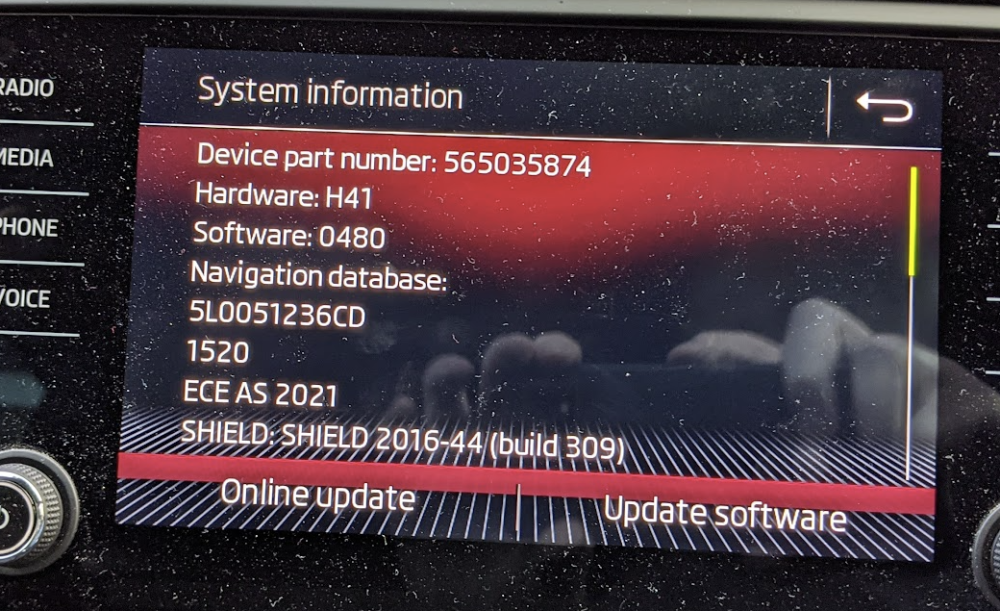
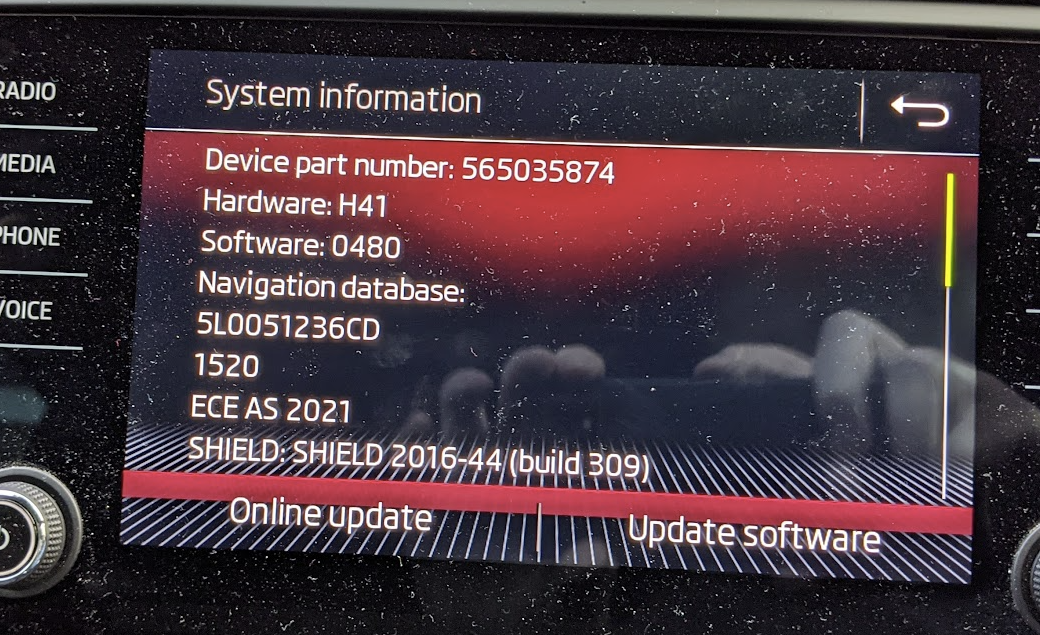
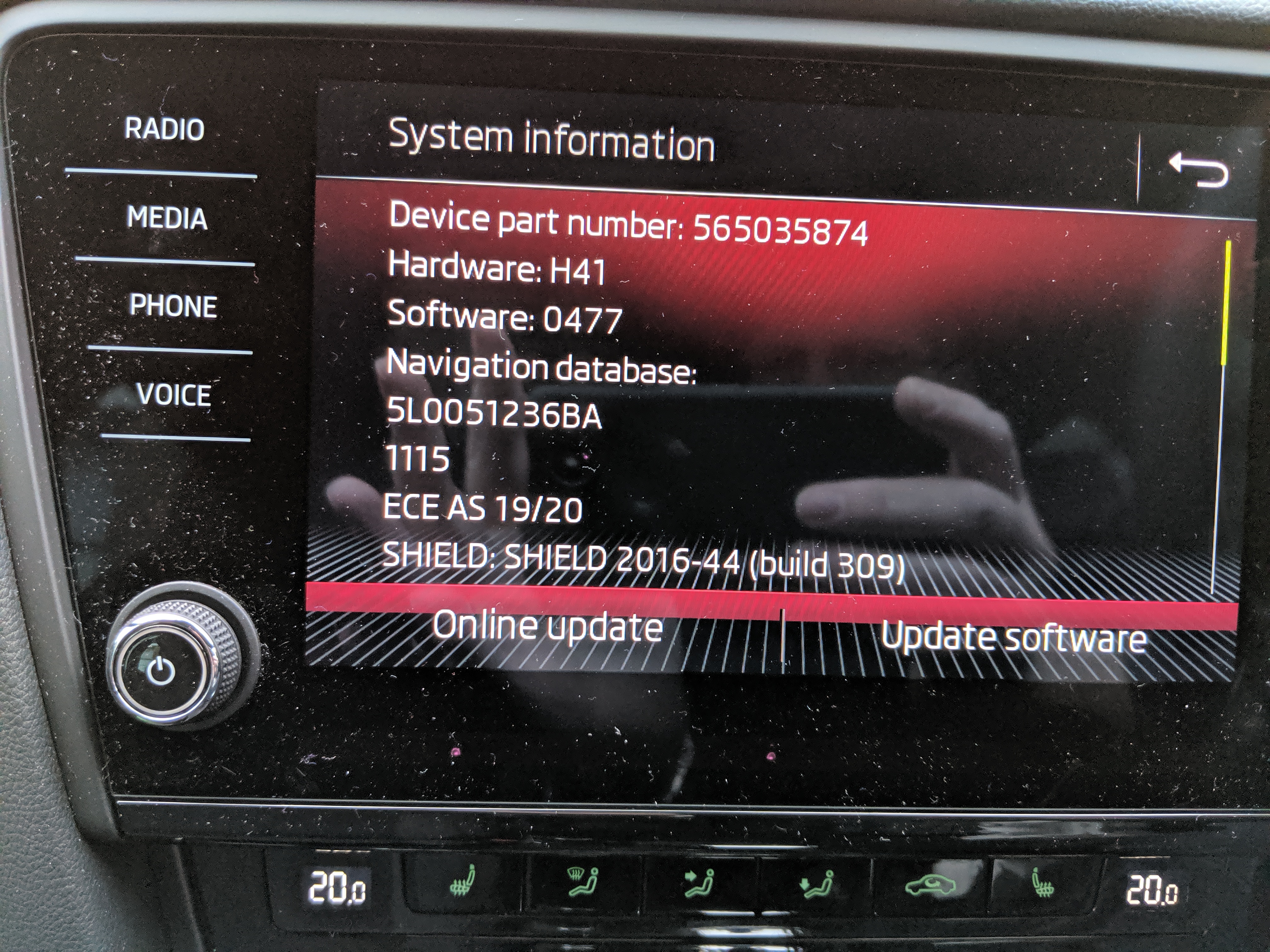
There does seem to be an issue with faulty oil pumps in (some?) DQ381 boxes - VW have TCU updates labelled 23x4 and more recently 34x1 that apparently try to diagnose and flag problematic units with a fault code. https://www.vwroc.com/forums/topic/41966-dsg-re-call/ It's a topic I keep at the back of my mind, as I'd expect Skoda could be similarly affected. I haven't seen any reports, but wonder if that is just because Skoda haven't rolled out equivalent TCU updates yet? Not sure if this is what you've had, but I have seen some of the 23x4 reports mention poor driveability after the update - sluggish behaviour, sport feeling like drive, drive like eco etc.Not sure about Carplay, but Android Auto certainly seems to have issues more recently, at least with certain phones. I have fairly regular app crashes and restarts when using Waze with my Pixel 4XL that never used to happen until this year - same phone and car, just both have received firmware updates and one has obviously introduced this instability. Many discussions on the web about it, e.g. https://support.google.com/androidauto/thread/136985712/pixel-6-keeps-disconnecting-with-android-auto-is-there-a-fix?hl=enDoes 0480 remains the latest version, please? I've had a few issues with Android Auto/Waze dropping (MIB2 screen black or drops to the 'App' home screen) only to reconnect seconds later and I don't recall experiencing it on 0478 or older versions. Of course it could be cable wear issues (though I've tried a few) or phone firmware updates that have added some instability, so curious to know if anyone else has seen the same?
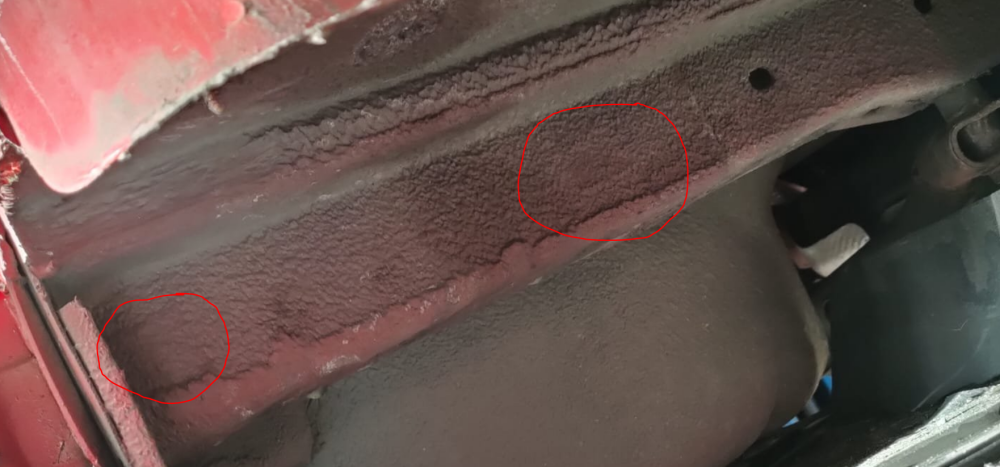
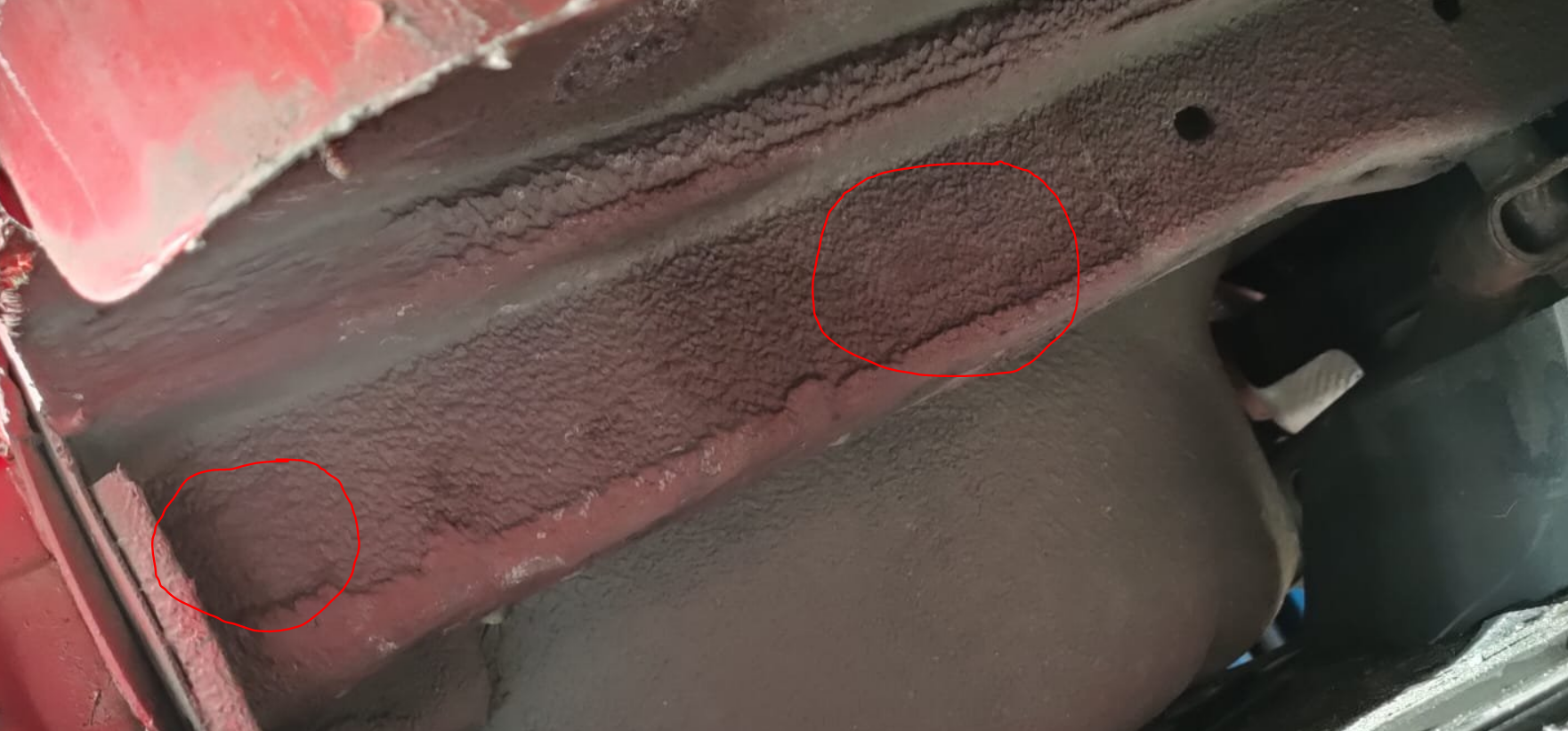
 Thanks for that screenshot - it prompted me to check my access again to verify that I absolutely do not have the option, as I remember looking before - I was right, completely missing the option. Changed my registration from individual to company though and it is now present.They are hidden by square stickers and covered with the underseal, there are some promising looking patches on your photo. I know they are well hidden, I fitted the OEM bar to my vrs last year.
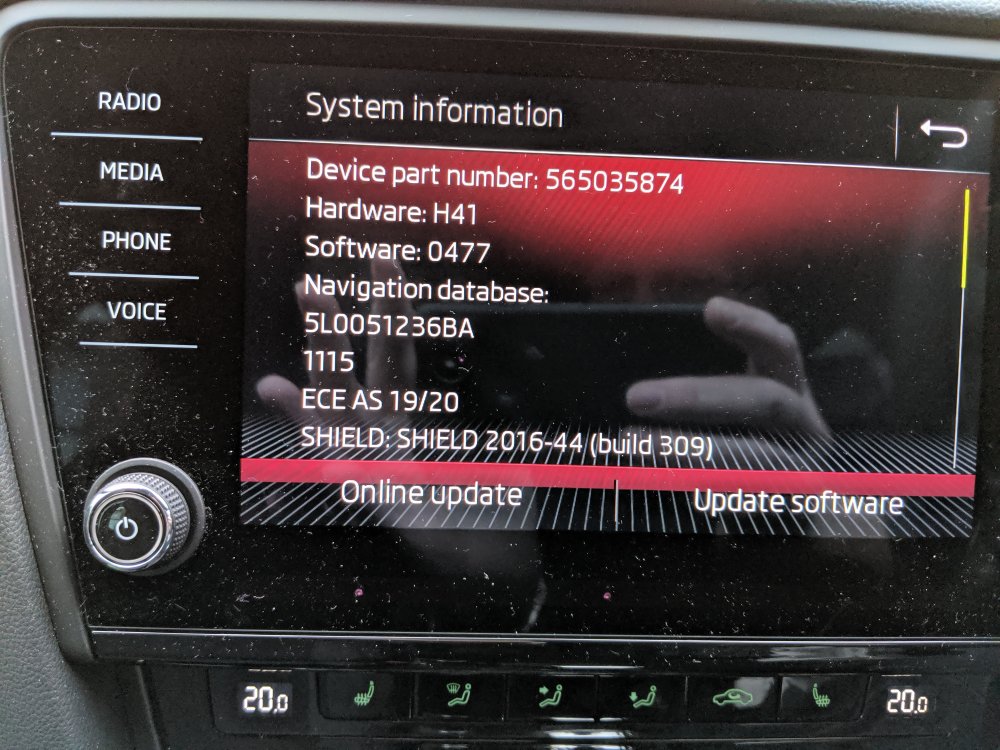
 Hi @pab567, very grateful if you can share a link to the 480 firmware:
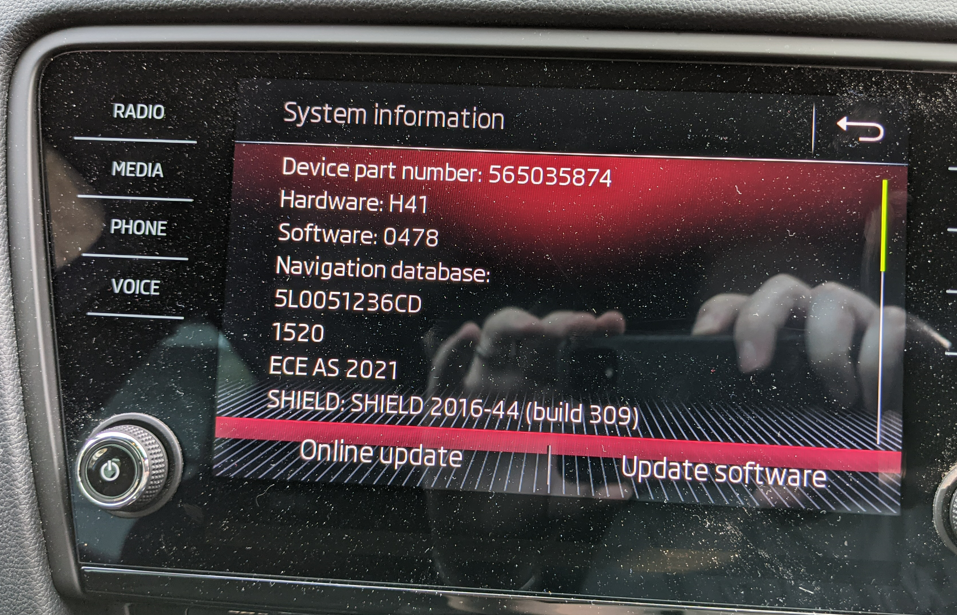 Hello @pab567, I'd be very grateful if you can share the latest firmware for my Amundsen (478?) I've had a couple of occasions where the clock jumps around, I'd like to see if this will fix it.
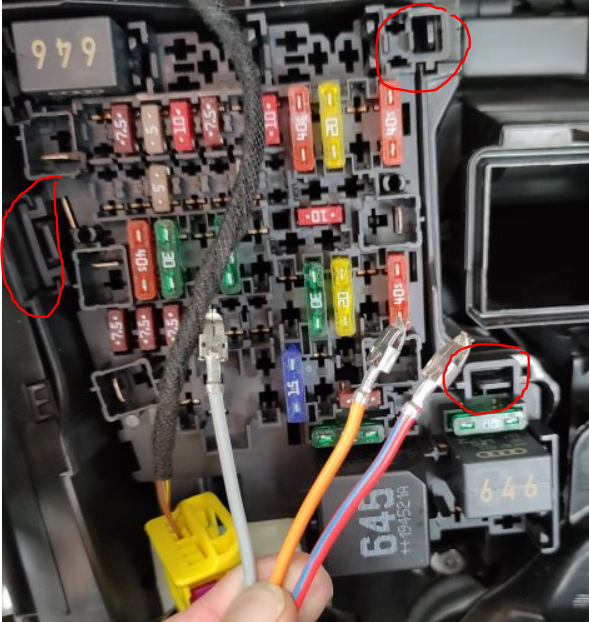
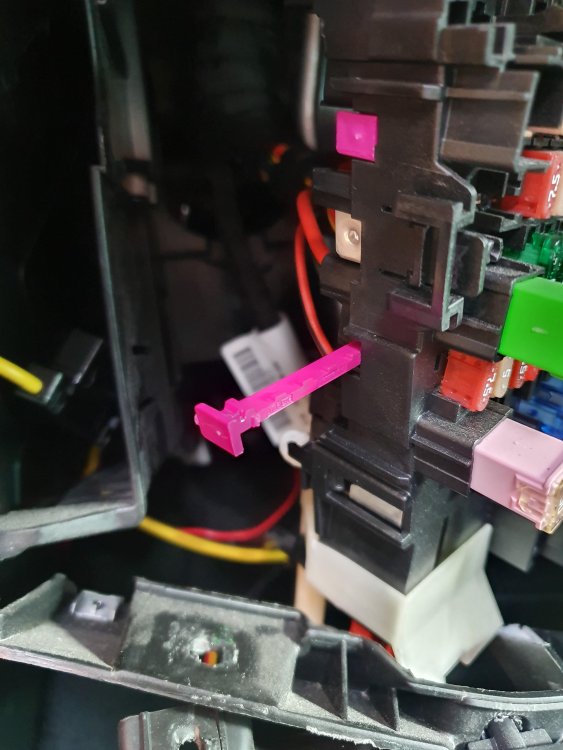
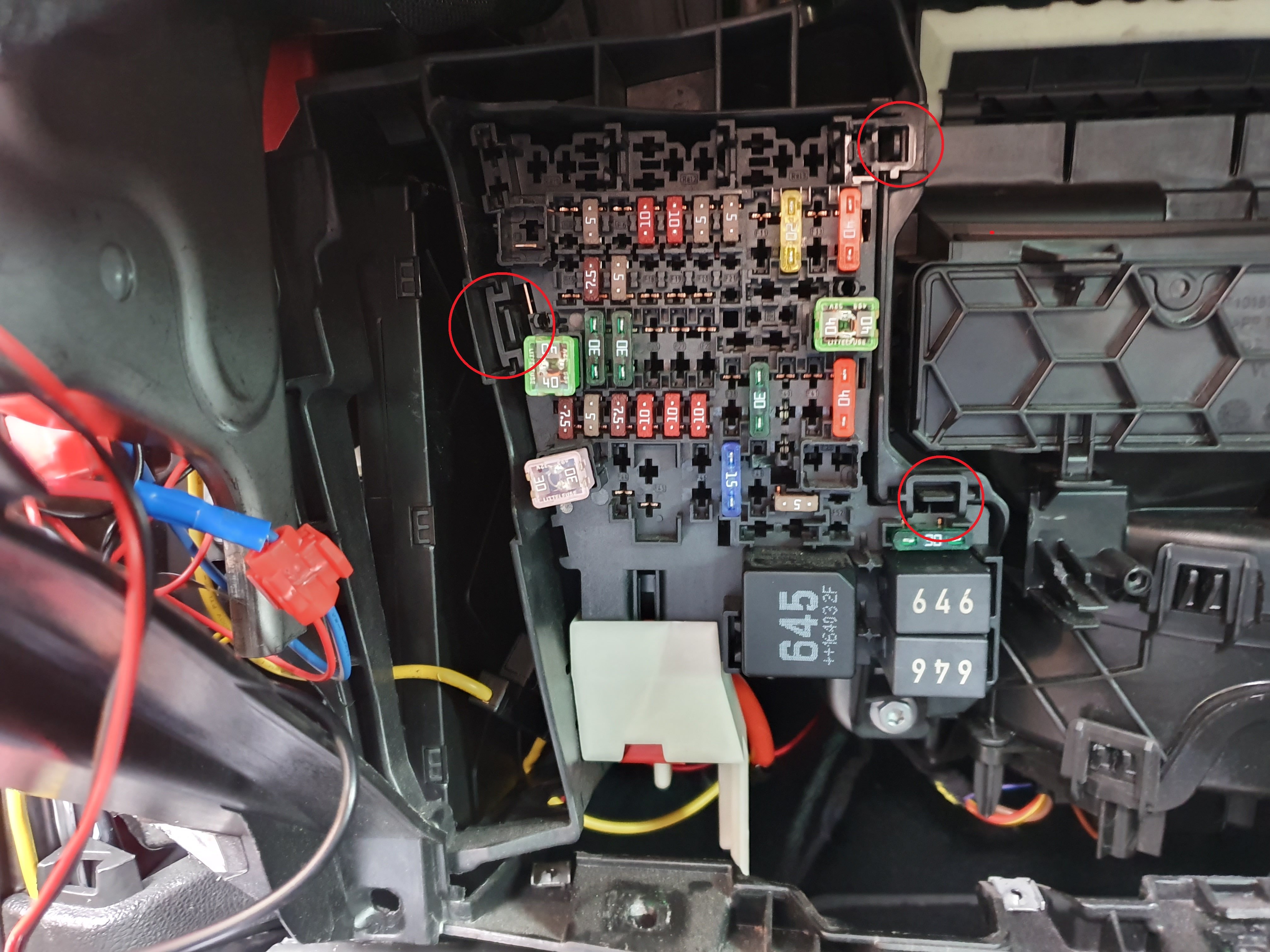
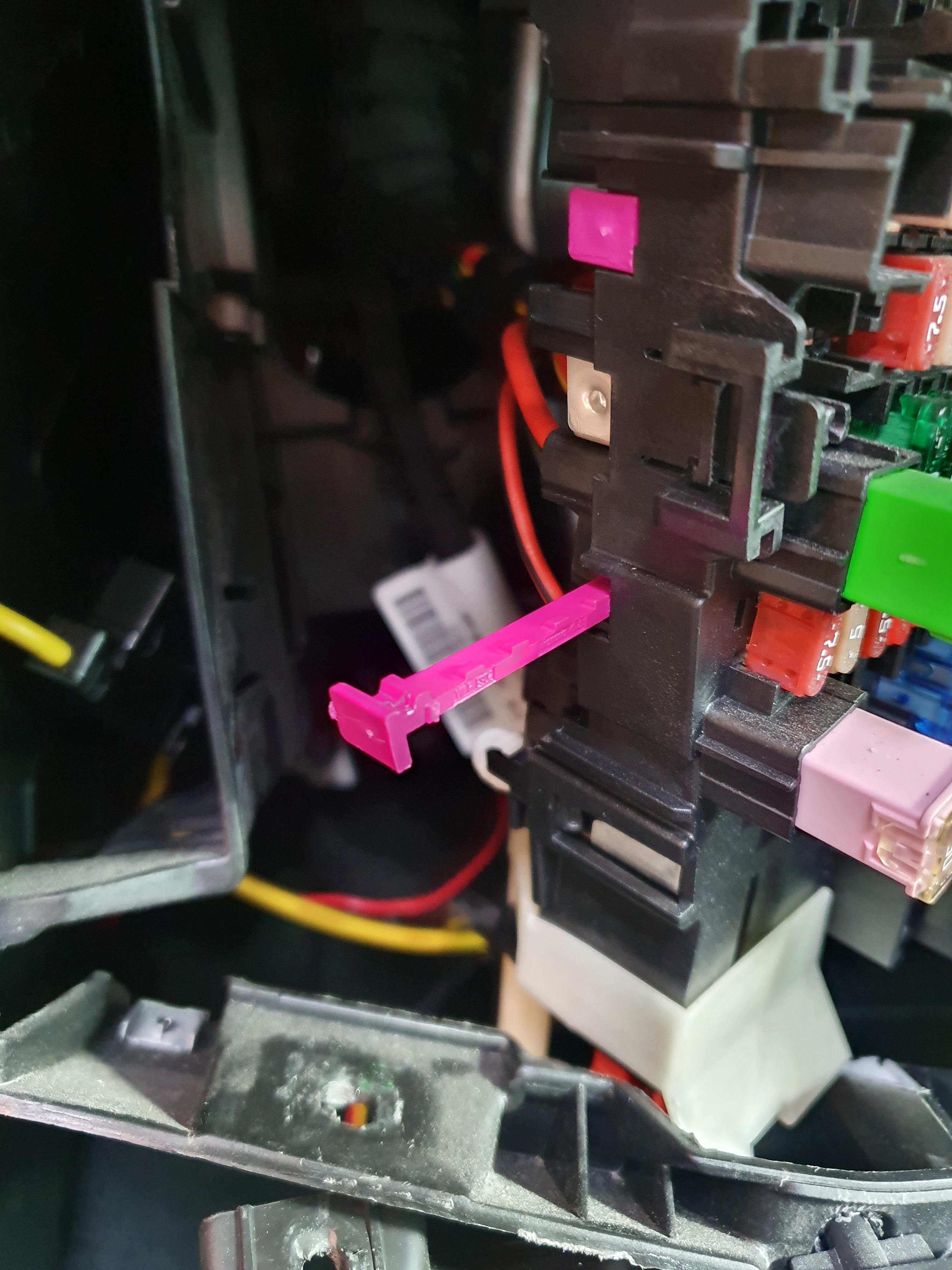
 There are several latching clips, circled on your picture. I can't recall if it's 3 or 4 in total. You need to release them all and pull the fusebox forwards. It'll probably be fairly stiff and movement will still be restricted by wires, but lots of gentle wiggling should get it out enough to get a hand behind. Next, remove the purple locking strip from the row you want to add the cables - it pulls out to the left of the fusebox. Finally, easiest method to get a new cable lined up is to put the flat end of a plastic cable tie or similar through from the front, clip the cable over the end of it (just as it grips a fuse blade), then pull the cable tie back through.
 Irritating, isn't it? Assuming it's the same as a 2019 VRS, get the Skoda part below from a dealer, TPS or Skoda parts websites. https://www.skoda-parts.com/spare-part/5e9955425a-rear-wiper-combi-skoda-21136.htmlI'm pretty sure my DSG ACC hands back control if it comes to a complete stop in traffic - it warns you to apply brake manually, then switches off after a couple of seconds. This is meant to be because of the manual hand brake in the Octavia, whereas models with EPB will apply it and then release & resume ACC after a complete stop of any duration. I wouldn't be surprised to learn that TJA will therefore require EPB.That seems to be the suggestion on various forums. I have engine code DKTB in my September 19 registered Challenge and cannot definitively say that is the case from ETKA as the intake manifold options refer to PR codes rather than engine codes, but there are certainly two diagrams available - one showing port injectors, one without. I'll try to remember to have a look under the bonnet to confirm. However, on the Superb 272 forum, there is indication that Gen3 EA888 is not so badly affected as the Gen2, potentially because EGR is no longer used. EDIT: I did clean my 2010 Gen2 EA888 valves myself when doing a waterpump change at around 50,000 miles. it was a bit of a faff but not too bad. If the problem is reduced in Gen3, I'm not too concerned - at worst it's likely to be a one off service requirement, if I keep the car for more than 6 years.
- 12 replies
-
-

- 1
-
-
- 245
- 245 vrs
- advice
- advice needed
-
Tagged with:
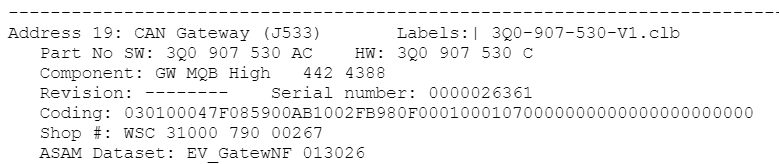
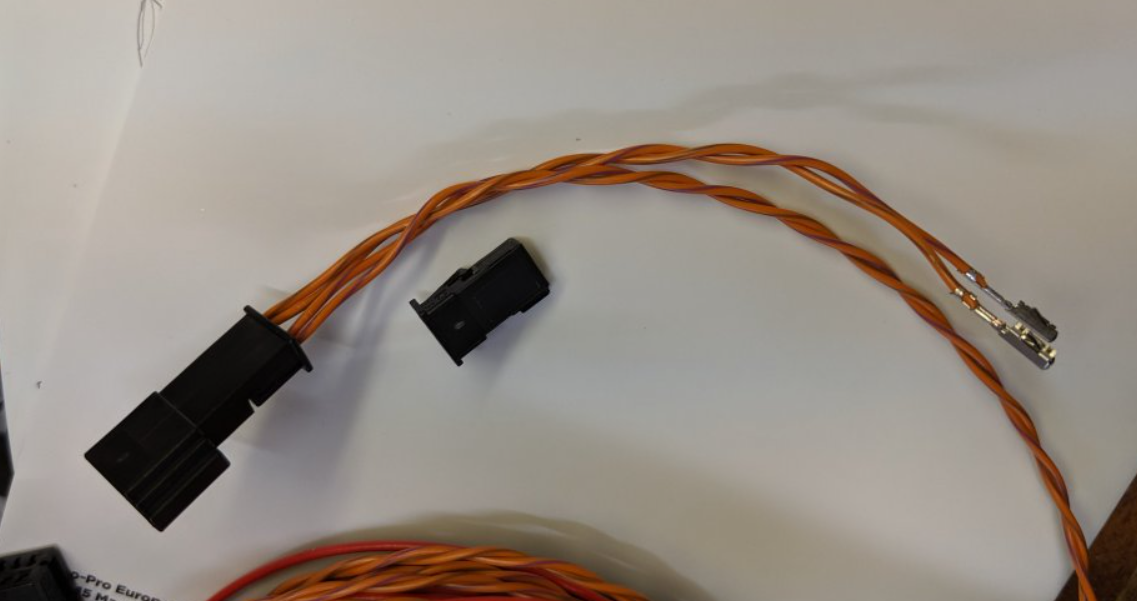
Neither video nor power. Grey connector position 6+12 are CAN high and low, for data communication. With the cameras, this is needed for the superimposed moving lines showing your steering angle. You will have cables already in the positions you need to connect in the camera loom, hence either you would need to splice in the new ones - or you use the provided piggyback connection. This just saves cutting/soldering cables. You take the existing cables out of the grey connector 6+12 position, latch into the piggyback shown below and connect the leads from the loom into the grey connector instead.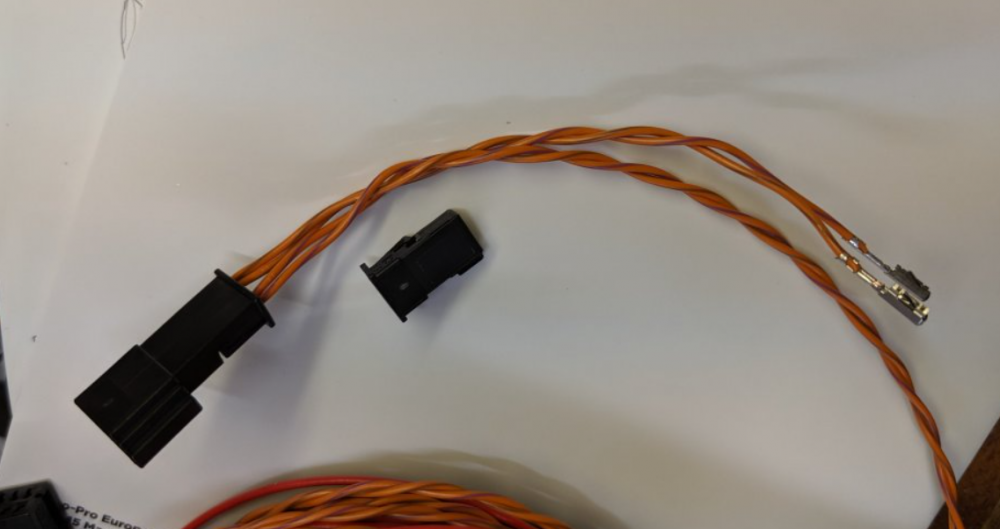 This is my MY20 245 Challenge, appears to be HW442 4388 and guessing AC from the sw string too. Drive mode is automatically reset
 Has anyone successfully added a circuit to the Octavia 3 fusebox without disassembling the whole dashboard? That is to say, pushing cables with JT/JPT connectors in to the back of the fusebox, not using the add-a-circuit fuse taps. I've wired in my OEM reverse camera recently, it's the correct loom with a JPT connector for 12V so I'd like to connect up to fuse position #18, as it should. I've had a bit of a poke around, but I couldn't see a way to get the fusebox forward enough to release the purple locking strip, Some success stories would help give me motivation to return to it another day, rather than leaving a temporary bodge in place! I've shamelessly borrowed a couple of photos to demonstrate from our Cupra friends at: https://www.seatcupra.net/forums/threads/retrofit-heated-seats-a-complete-how-to.457156/ The Octavia has a crossmember passing straight over the large white shield/connector near the bottom of the box, but this looked to be integral to large parts of the dash.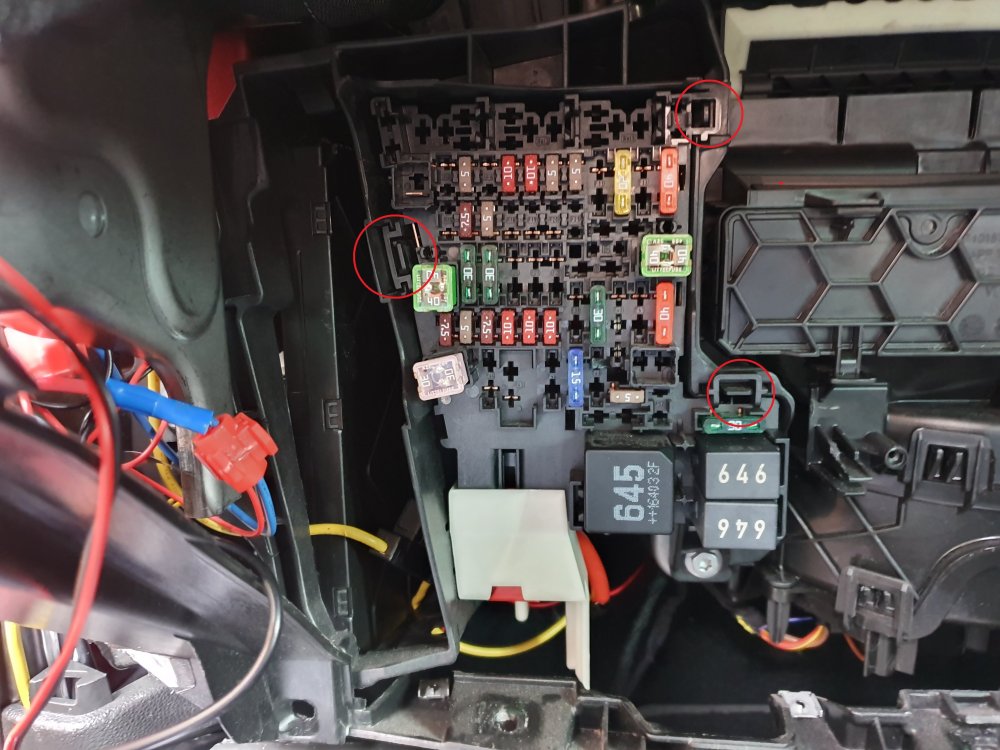


Important Information
Welcome to BRISKODA. Please note the following important links Terms of Use. We have a comprehensive Privacy Policy. We have placed cookies on your device to help make this website better. You can adjust your cookie settings, otherwise we'll assume you're okay to continue.