Morph
Members
-
Joined
-
Last visited
Everything posted by Morph
-
Hi Looking to replace a couple of coolant hoses that go into the bulkhead, believe they are 31mm and have pre moulded bends in them. If they are no longer available to buy what are the options for replacing?
-
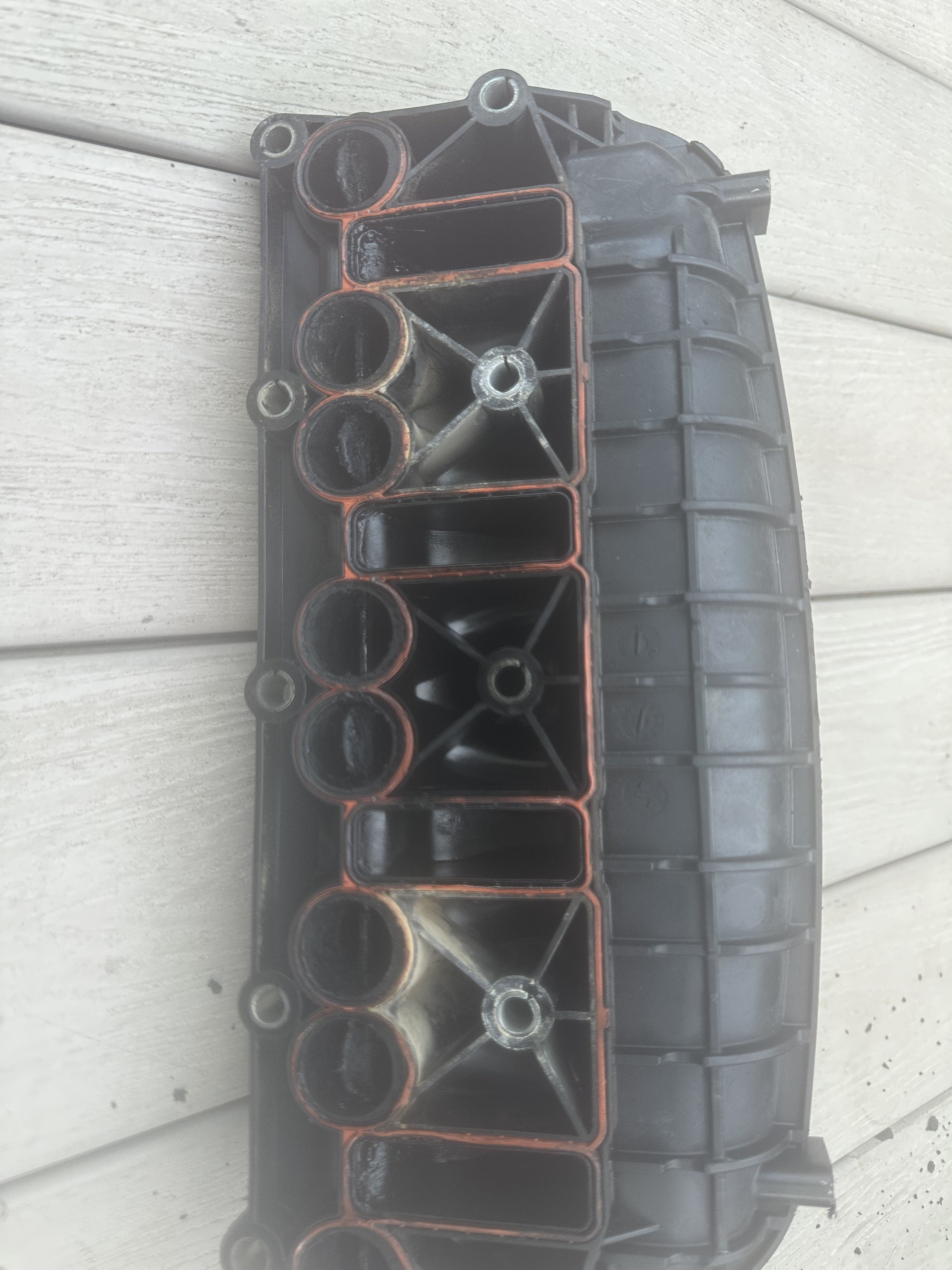
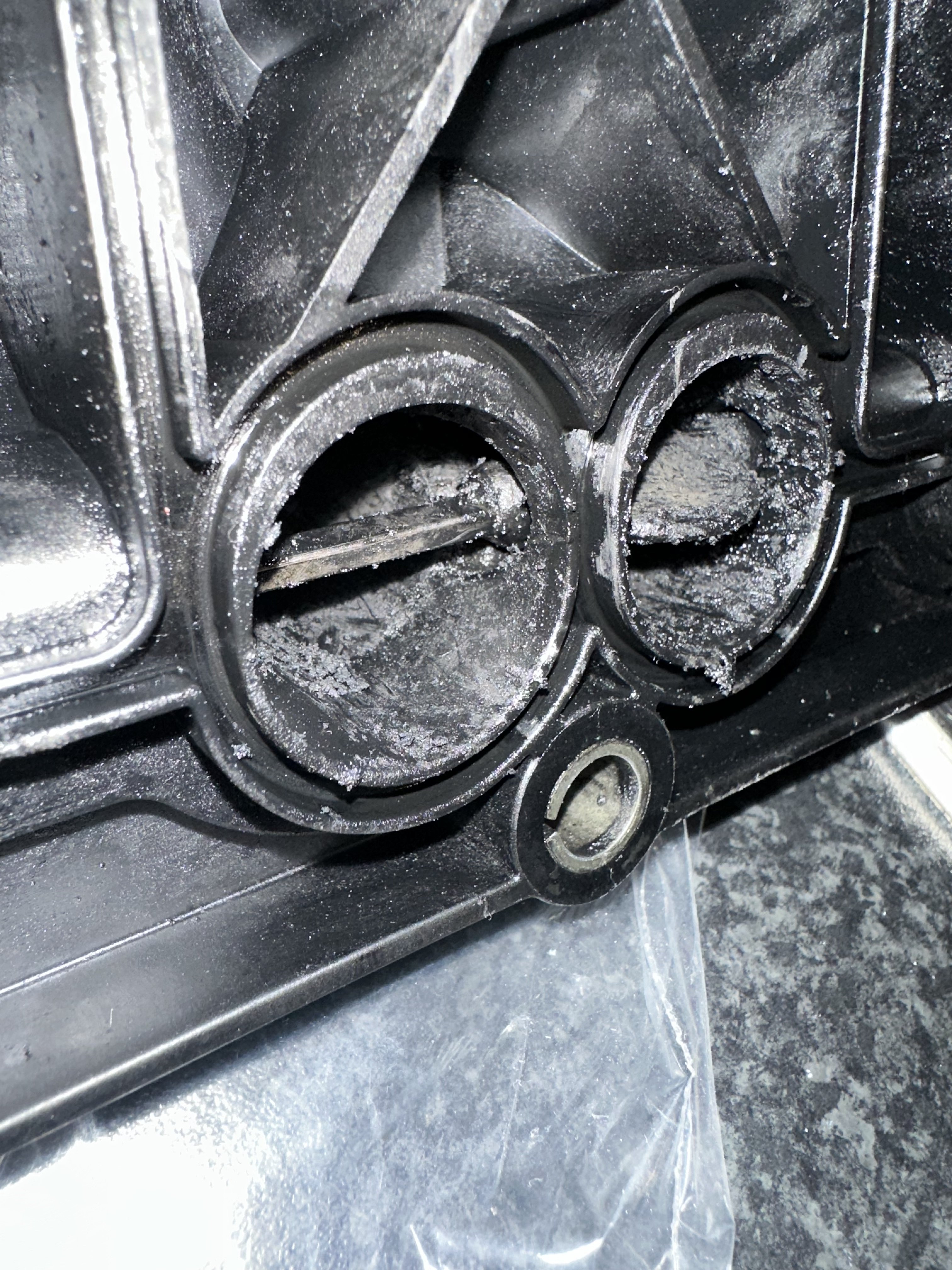
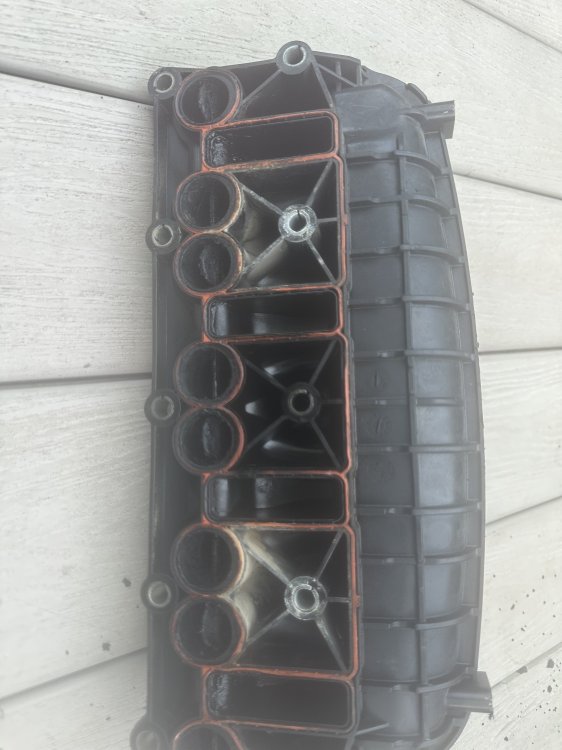
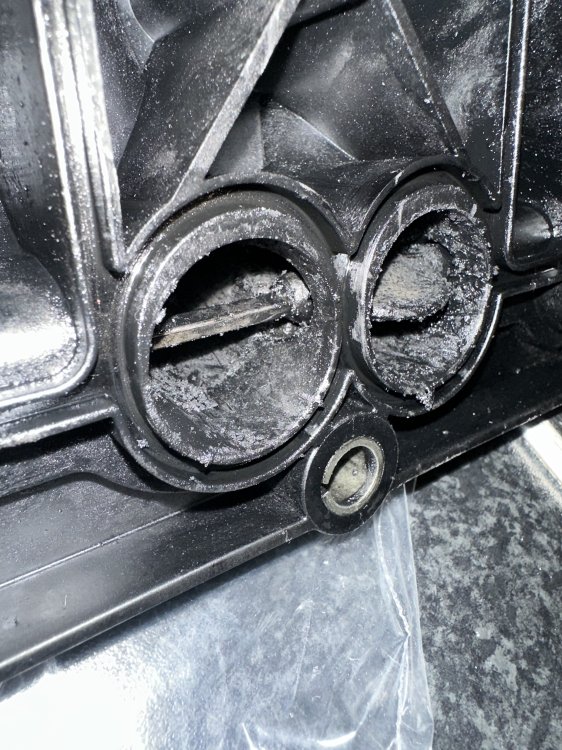
Solved it. A piece of plastic on the structure itself had snapped right in between the two ports where it holds the metal rod. Bloody lucky it didn’t end up in the engine or good night Vienna.
-
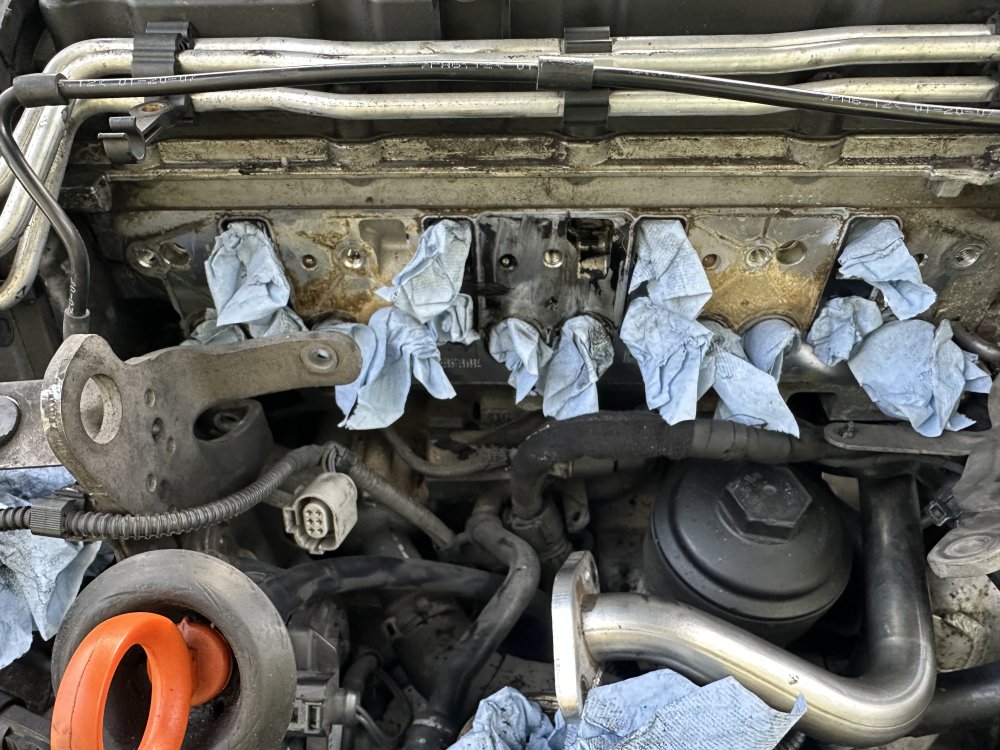
anyone tell me why I have oil behind the centre area of the intake manifold?
-
I’ve coded for both left and right fog lights on. Might be possible to switch sides but I’m not sure from memory - could also be related to the country the car was made for.
-
Could be a gearbox linkage problem but definitely worth changing out the oil either way.
-
Sure mine sounded like this when the alternator freewheel clutch had given up. You can take the aux belt off to test to see if the noise goes and or test the clutch itself.
-
I’m not sure on the whole left and right hand drive stuff but I think in both cars they are located on the left had side as you look at the car from the rear.
-
Could they be aftermarket?
-
Don’t want to send you down a hole but I have heard of new ones being faulty. Unlikely if it’s good quality but not unknown.
-
Was it a good quality crankshaft position sensor?
-
cover unclips and then there is a screw in behind the handle.
-
Sorry I replied but misread your issue
-
Normally attached to the rear facing side of the wheel arch in the boot
-
I got mine from here https://www.heritagepartscentre.com/uk/
-
Ok. After a long time believing my window problem was caused by a new regulator (a comfort one as it was called). It turns out it was either the motor or the control unit. Turning the motor around made the issue do the opposite. Currently without any odb reader/computer connection so had to do things the old fashioned way. Bought an identical motor and control unit with all the numbers matching exactly, put it in and it works perfectly - was in reverse so turned the motor around again and all is good. Still don’t know if it was the controller/coding issue or motor. So in summary I changed the drivers side window regulator and at the same time something happened with the controller/coding/motor meaning my auto windows kept resetting.
-
-
Have a look under the scuttle panel as the air intake area could be dirty (leaves mainly). Just a thought.
-
Trying to repair one window (see topic below and you’ll get the idea) and managed to break another. Broken window motor with part number 1K0959704J SK2 - HW 006 SW1201. Many secondhand ones available but none that match up correctly, how do I know what ones I can use? Ie. there is one available but the part number is the same but ends SK3 with HW006 SW1301, would this be ok?
-
Thinking motor swap with another door???
-
My saga continues. The above worked for around a day but probably just a coincidence. So I tried something out which was to reverse the actual physical motor and now the auto windows reset when at the top as opposed to the bottom confirming that it is either the motor itself or the control unit. Any idea's how to now work out which one is at fault moving forward?
-
https://www.autodoc.co.uk/febi-bilstein/20844181?utm_medium=cpc&utm_source=google&tb_prm=21793047529&gshp=1&gad_source=1&gad_campaignid=21782702145&gbraid=0AAAAAoWFwrel1HG3W3uphUXiTARS_IVk1&gclid=Cj0KCQjw8p7GBhCjARIsAEhghZ2iLJsYOebgNapFEeQVCIw_qM8hjpgK5st3fk7XWQSJBy5rRwBbN30aArx1EALw_wcB
-
There’s a sensor or sensors connected to the wishbones. (front/rear) The arms move under load. These will need to be disconnected anyway if you are doing suspension work so you’ll get the idea. I tend to undo the bolts instead of prizing the plastic knuckle off as they can break. These tell the controller what to do which in turn tells the lights what to do.
-
Try to disconnect and reconnect the controller which is probably in behind the hvac controls.
-
Not sure with aftermarket sensors but the oem unit is in behind the passenger side, side boot lining and are bolted on to the wheel arch next to the cd changer if you have one.
-
when reversing and putting full right hand lock on I get a knock at the point of reaching the maximum lock point. And possibly when I’m moving along straight and I put my foot down. Seems to come from right hand side/middle of engine area. Changed drive shafts, arb, suspension, drop links and ball joints to name a few parts which has resulted in no change at all. Any ideas?