




Morph
Members
-
Joined
-
Last visited
Everything posted by Morph
-
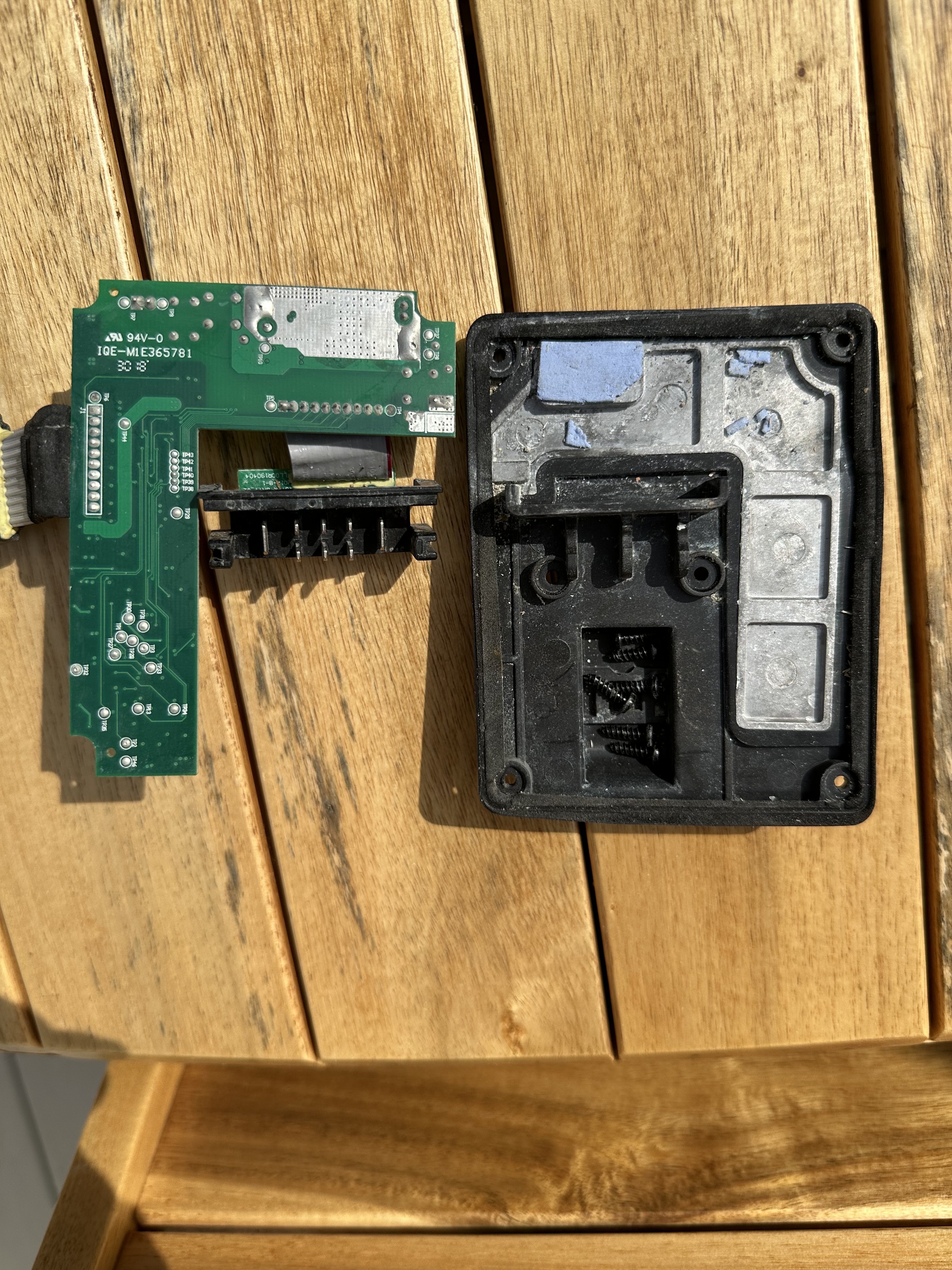
Think I’ve managed to answer my own question and found out that it’s thermal pads.
-
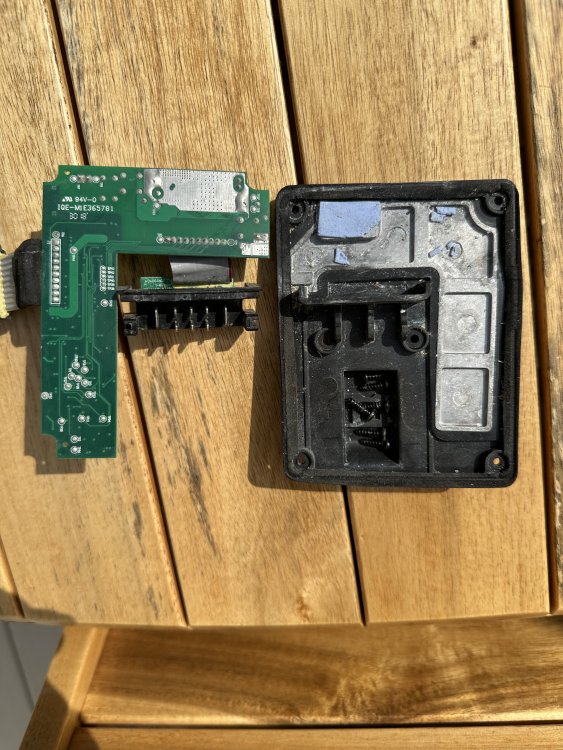
Hi. I’m repairing a radio that has had water ingress. I’ve cleaned everything off of the circuit board but I have come across something I would class as something similar to heat sink paste, it feels more like a spongy type substance but this could’ve been down to the water ingress. Pic below shows one larger area of the blue paste and you can see some which has fallen away from a little rectangle raised tab that is below and to the left of the bigger bit. Anyone know what this is please?
-
Calm down mate only asking a question.
-
Around 13 years ago I purchased a nearly 2 year old Octavia (9000 miles) from a main dealer. When I purchased the car there was a few things that concerned me but it's one of them where I could've been overthinking things. There was and is a permanent liquid stain down the back of the passenger seat and a broken rear air vent amongst other things. I asked the dealer what the provinence of the car was and I was assured it was all above board and came from Skoda to them directly (previous named owner on paperwork) and had all relevant checks for mileage etc. 12 years later I decide to take the rear bumper off to have it resprayed and notice that in the rear quarter there has been some crash repair, noticeable by a seem where the sealant is totally different from factory and that the bump stops are quite a way from sitting where they should do, again with some other things. Would the dealer have known about this and do i have any recourse.
-
If I recall correctly mine looked great and tested well, changed the battery with a brand new one and it still didn’t work. Put in a second hand one and it’s worked perfectly ever since. Ok it might not last that long but part of it for me in the first instance was to check it was the alarm unit and nothing else. If it goes again in my ownership then I’ll just buy and brand new one, think they were about £150.
-
I had everything off and out, cleaned connectors, sensors and dried everything out over night but still the same. Gave the sensors a T cut and they have worked for about the last year with no problems and I had the same or very similar issues - just saying as I know sometimes we can get into holes looking for things, just like I did.
-
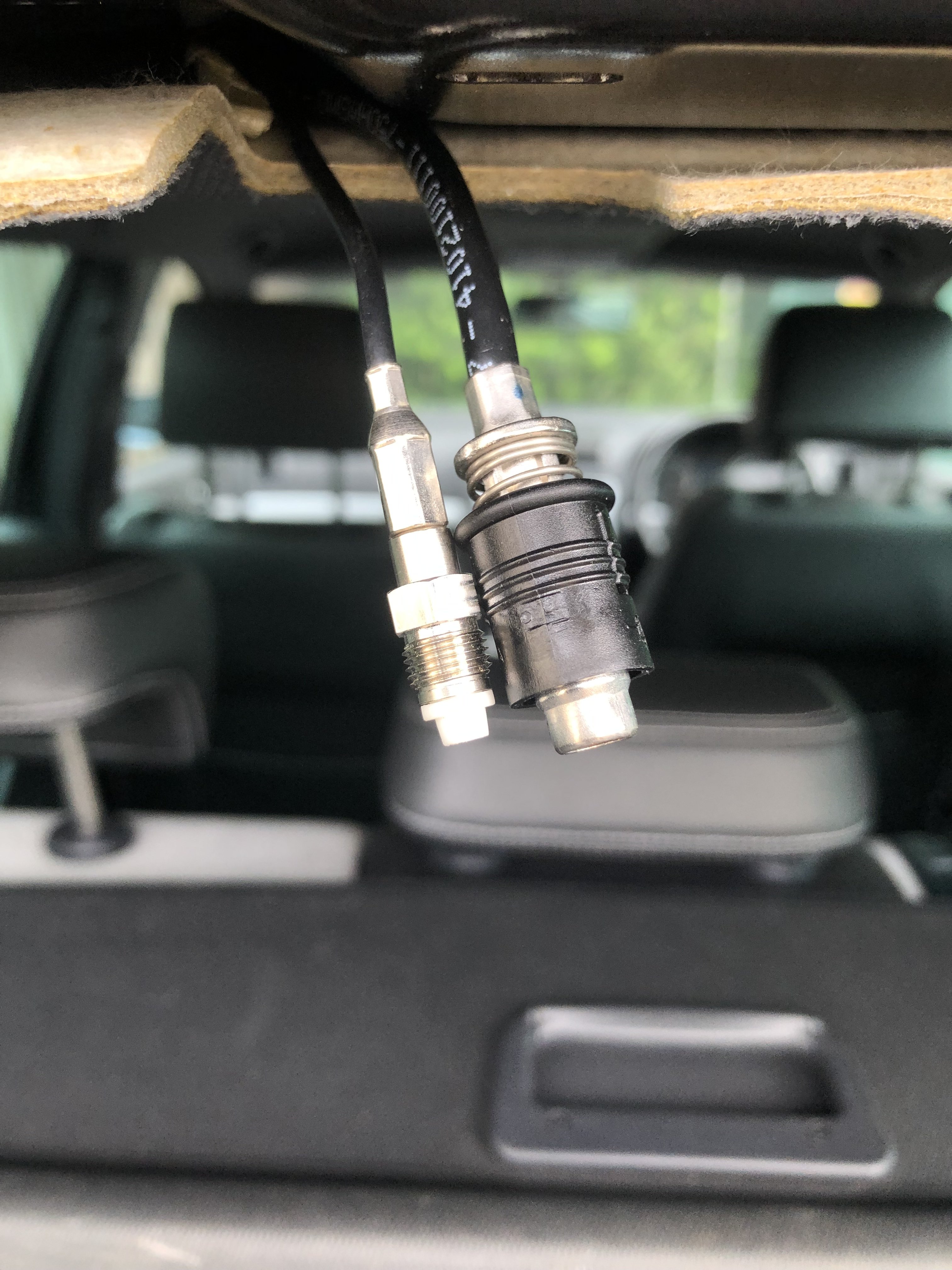
Turn the ignition on the first click (no engine running) and turn the wipers on, this will mean the wipers stop in the up position. If open close bonnet, lift wiper blades/arms off the glass as if you were changing them, this will make the arms sit better on the spindle enabling you to use the puller. If they don't pull off keep the puller under tension and give the arms a knock at the base with the spindle with a hammer. Nut can be left on but as is in picture or removed.This nut holds the alarm into the metal protective box, you can undo the other nut and bend it all downwards giving you some room to hopefully get some purchase on it.Try giving them a bloody good clean, I had very light overspray on mine which caused a problem.I had problems when I turned on the passenger side rear fog via the OBD. It worked initially then stopped and it threw up an error. No matter what I did I couldn’t resolve it so just switched it off again. Now just drivers side works but no problems.Mine is 15 years old and I had one go after about year 3 and then again at say like year 10. Easy to change but be careful as the clips can break the plastic which could mean a new trim, with the main piece being about £50.Starter motor gave me very similar problems.I had this problem and ended up having to source an after market one from Europe (pre brexit so wasn’t an issue).Great I’ll crack on and get one. ThanksYeah thanks for that just managed to find out that the names of the connectors (RAKU2 and SMA) this evening so I could search and I think I found adapters. The other question is will the gps from a newer antenna work with an older Columbus unit?Hi I have aerial/gps that has these connections and I am wondering if I can change these to the newer Fakra connectors to then add a newer antenna with Fakra connections already on?
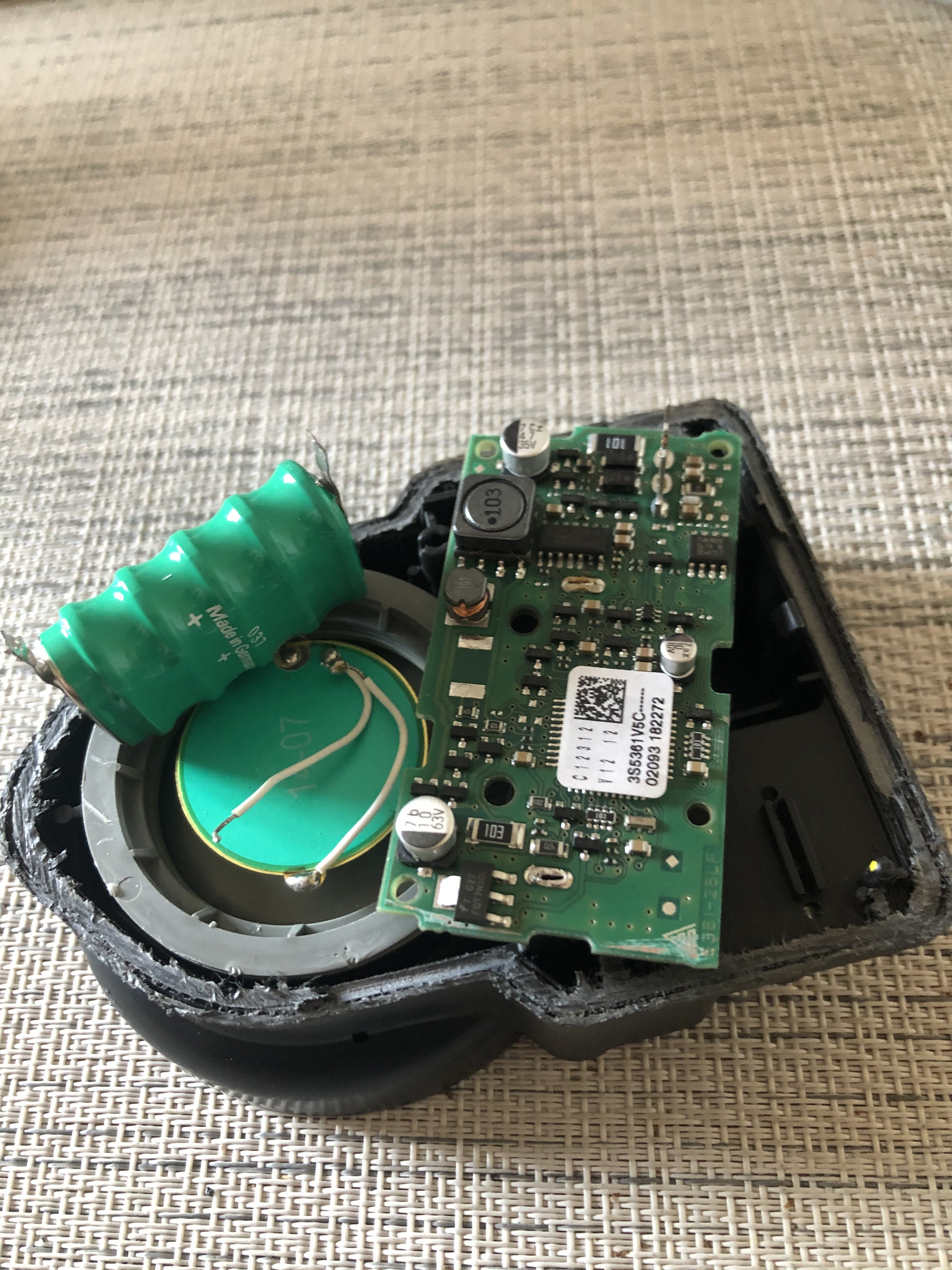
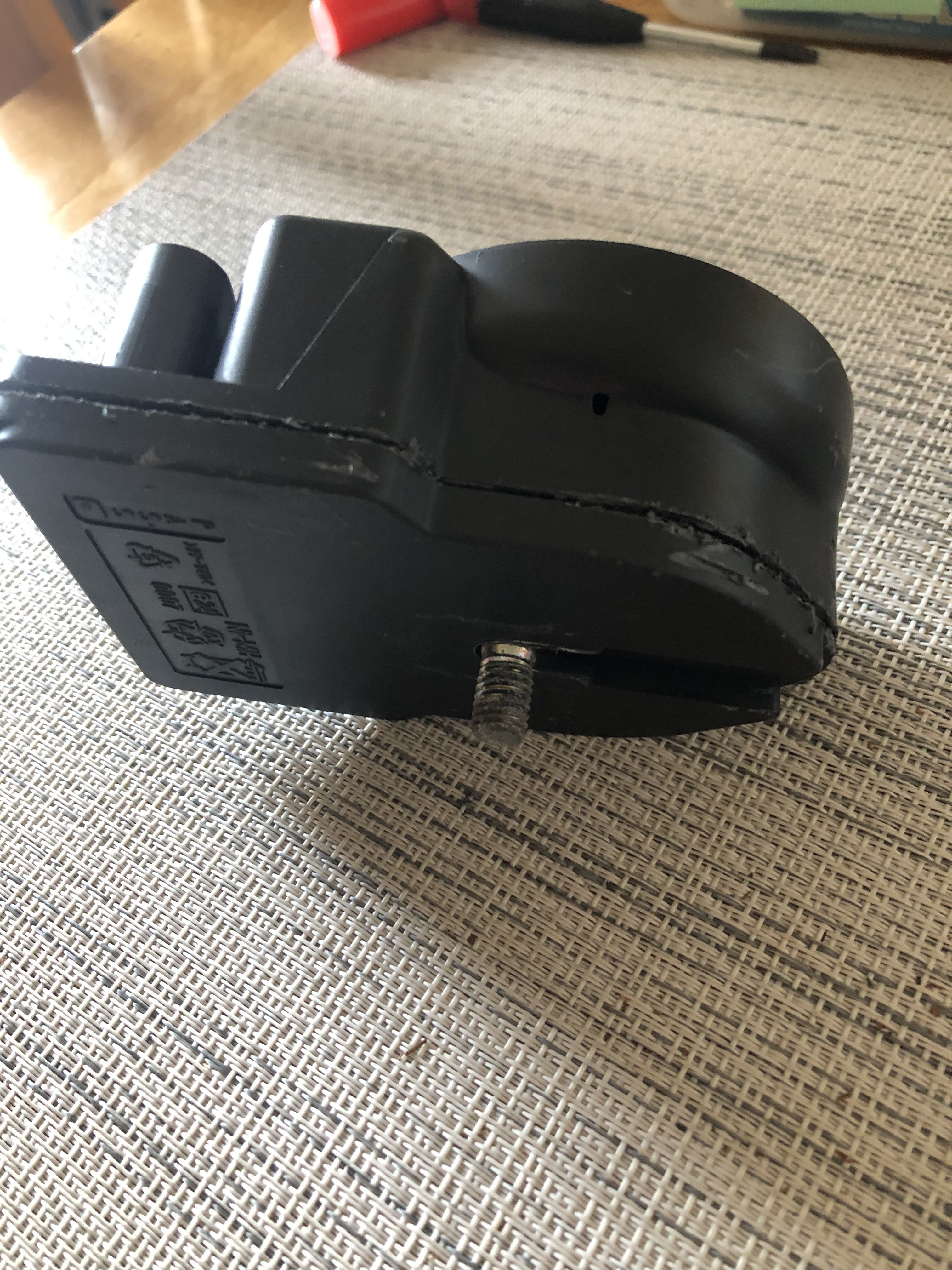
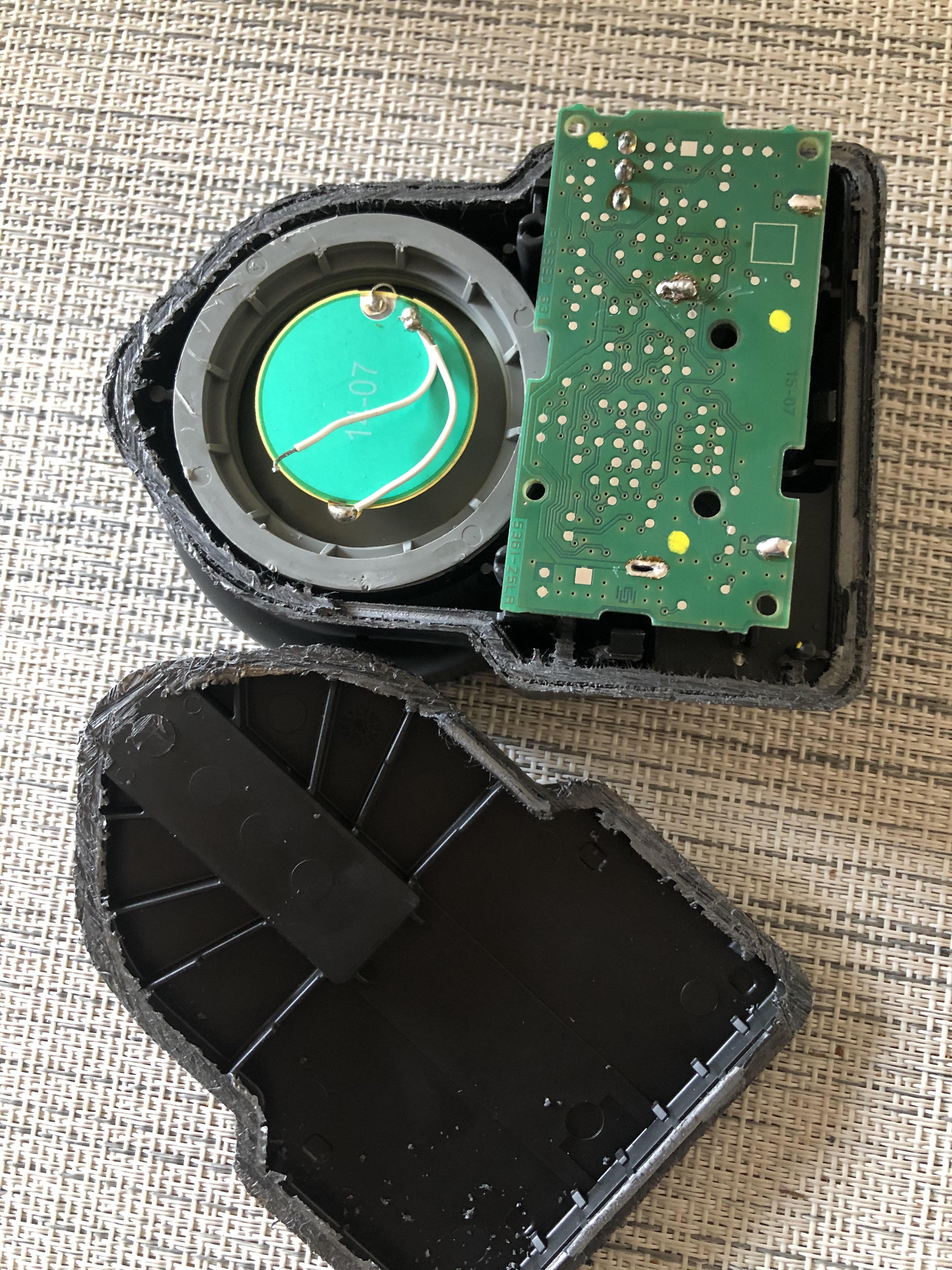
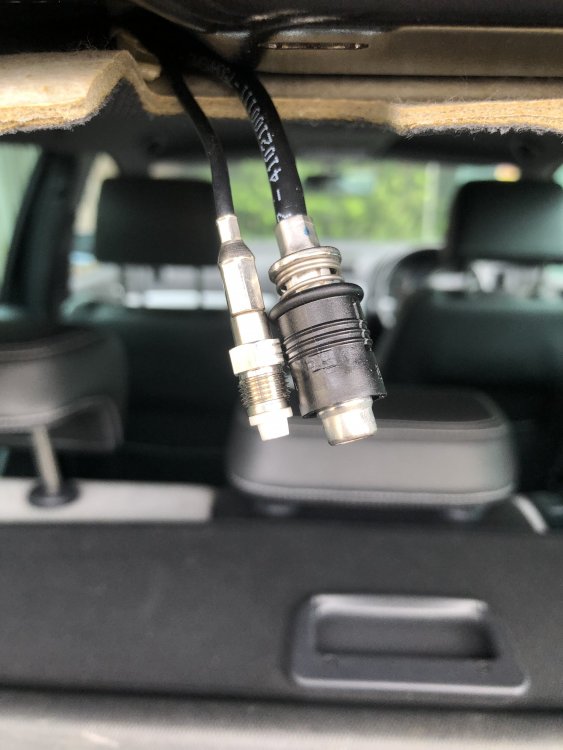 When I say no need to cut it I mean the metal box it sits inside as it just bends away but you could carefully cut the alarm open as said and shown aboveYou can cut the alarm open and do a battery replacement if it just that or buy a new or second hand one
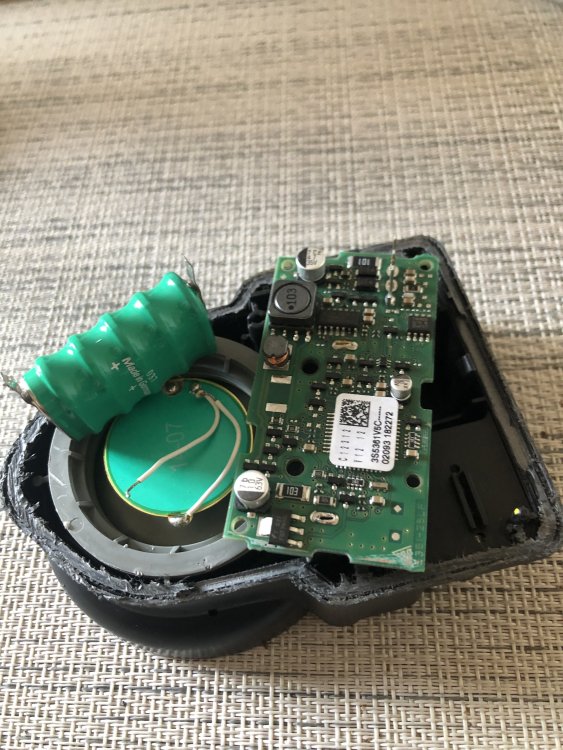 Yeah at the end of the dash. I would now be looking at the alarm itself. It’s under the lining, rear end of the n/s wheel in a metal box, The Easiest way is to remove wheel and lining, remove bolts to alarm box and bend the box down, no need to cut it.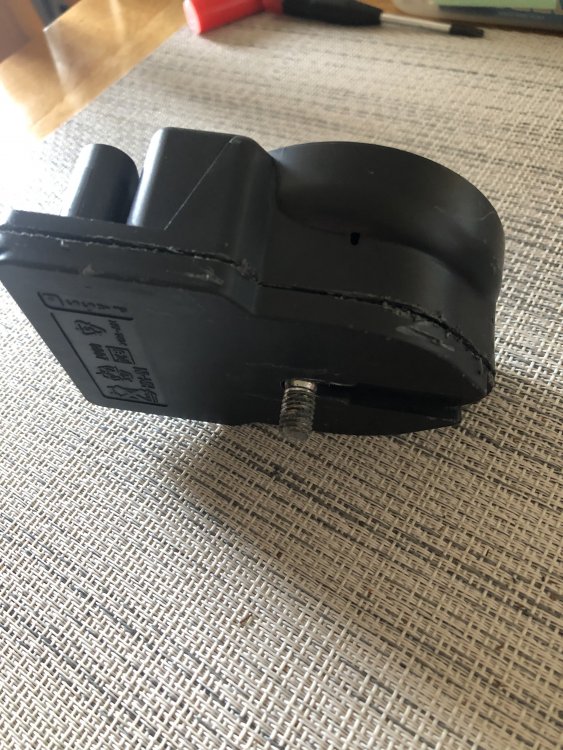
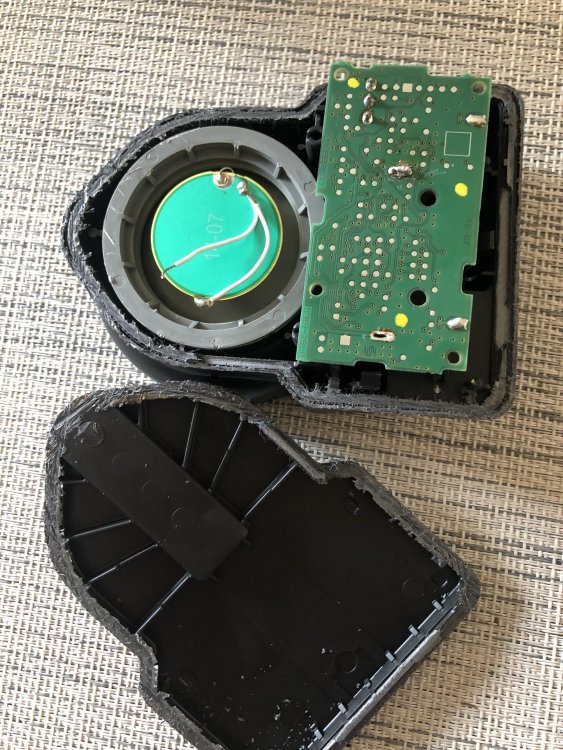 Fuse still needs checking as no sound still doesn’t really tell you anythingFuse number 35Yes. Are you hearing the alarm blips when locking and unlocking the car.First check the fuse (iircc a 5A) and if that hasn’t gone then it could be the alarm box itself. It could be corrosion to the pcb or the battery itself has gone and/or could have caused corrosion.


Important Information
Welcome to BRISKODA. Please note the following important links Terms of Use. We have a comprehensive Privacy Policy. We have placed cookies on your device to help make this website better. You can adjust your cookie settings, otherwise we'll assume you're okay to continue.