varooom
Resident Member
-
Joined
-
Last visited
Everything posted by varooom
-
To be fair if you do spend a bit of time in the car, then having it look nice is good. Door cards do tend to get kicked, even when being careful (tight car parking spaces) Use of an old toothbrush and some microfibre cloths will probably keep it close to looking good, fair wear and tear is accepted. Certainly cannot go wrong with APC, covers inside and out, bit like a Swiss army knife. You can screenshot your order if you like if you want alternative suggestions/check what might be missing.
-
I will first apologise for sending you down the detailing rabbit hole, though I think you probably stuck your head in first. No product will really protect you from scuffs, only clean dirt. Like exterior protection also, only real useful method is to apply a sacrificial layer, ie wrap your car. So for some places you are likely to kick, some clear/colour matched adhesive vinyl, I would guess will be good. You can buy cleaners and/or protection products for plastic. APC - All purpose cleaner, which can be used to clean carpets wipe over surfaces or sprayed on car as pre-wash. But also many other similar type products can be used, I brought some bulk orange zest cleaner that can be diluted for cleaning and have used that on some cleaning tasks. There are some products that have built in UV protection for covering over your plastics, if you are thinking they need it (kind of subjective as you cannot see them doing the protection) I could probably write several hours on the subject, feel free to fire off any other questions you might have.
-
They'll say anything to get a sale IMHO. Armed with the image's/ video they can hardly refuse a refund if it comes to that.
-
Welcome 🤗 Cars are always best when new to you, they become trouble later in life... Like a teenage child.
-
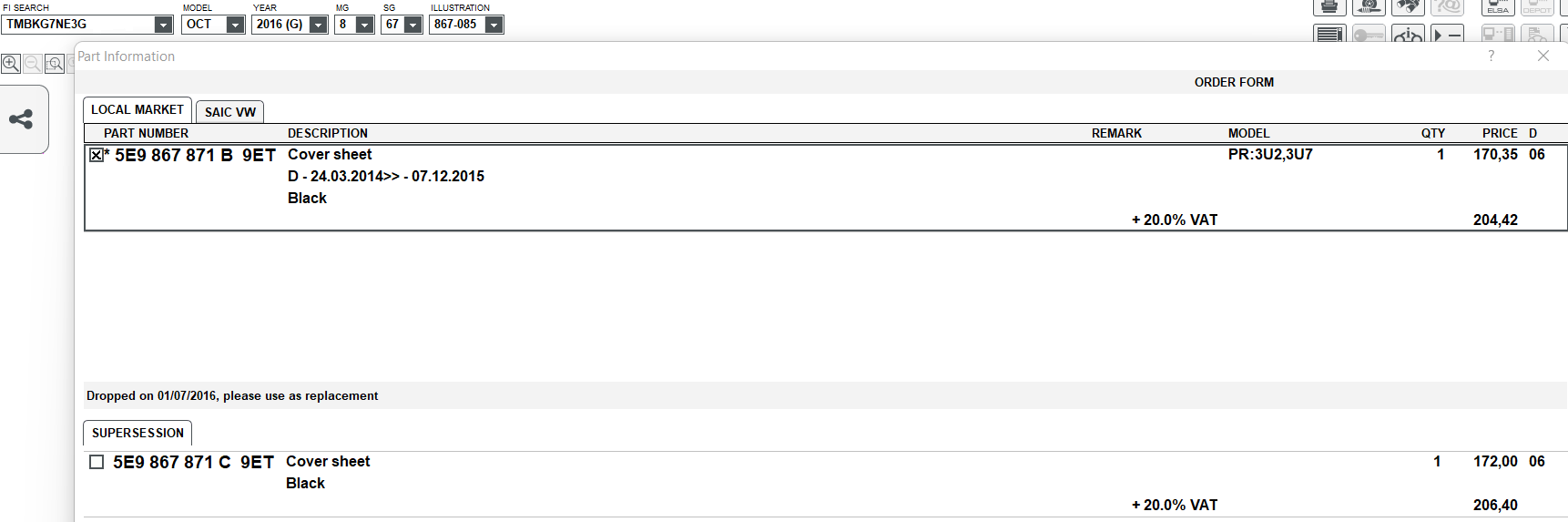
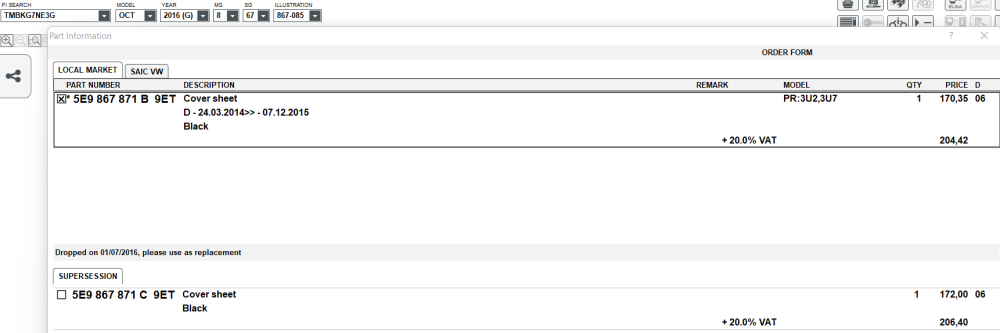
Mine came with B fitted from 24.03.2014 until 07.12.2015 Then is replaced 01.07.2016 with C which also fits yours as a replacement In a sense, we could fit A, B or C from 2013+, each revision will fix something (probably fixes for the winding mechanism)
-
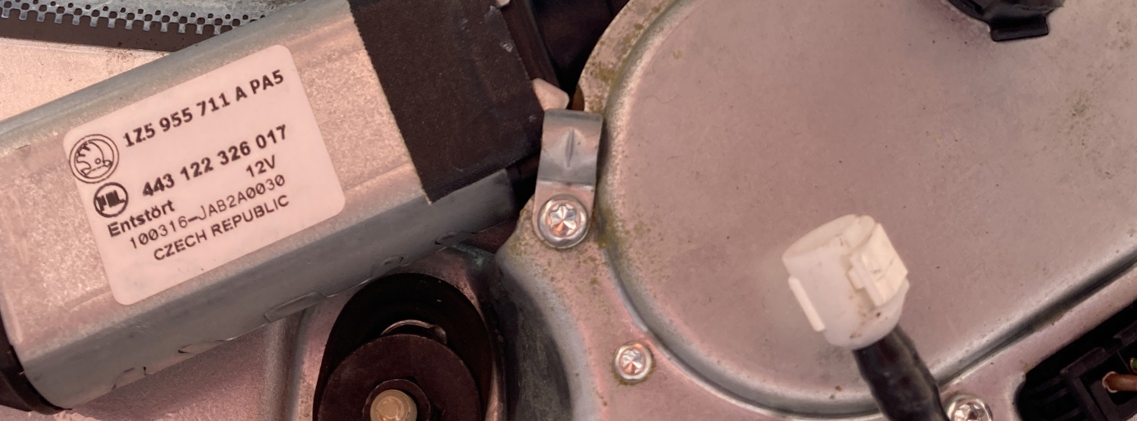
You needed at least A as matching yours, or the replacement C At a guess, the swines removed the label, so you probably have one that's not A or C, which could explain the wide arc it takes
-
-
@TheGeek As the software train has all the same parameters, that will be good to go. MST2_EU_SK_ZR_P0468T <--Current MST2_EU_SK_ZR_P0480T <-- From @pab567 MST2 = MIB2 (afaik), so check EU = Europe, so check SK = Skoda, so check ZR = Additional region (Russia iirc) 0480T = is a 04xx series firmware, and should not be applied to 03xx, 02xx, 01xx Software Trains, and the T on the end is Technisat make
-
You should hold down menu key to enter hidden menu with Software Train, this is the actual information needed (by me at least) you screen with the update button is for maps, won't be able to update firmware in that menu.
-
@Graham Butcher If you can be explicit in detailing the parts you are missing, then gaps can be filled. You could also make account on erWin Skoda, and download the PDF's for your motor, for all of 7 Euro. It will get away from your virtual machine issues and such.
-
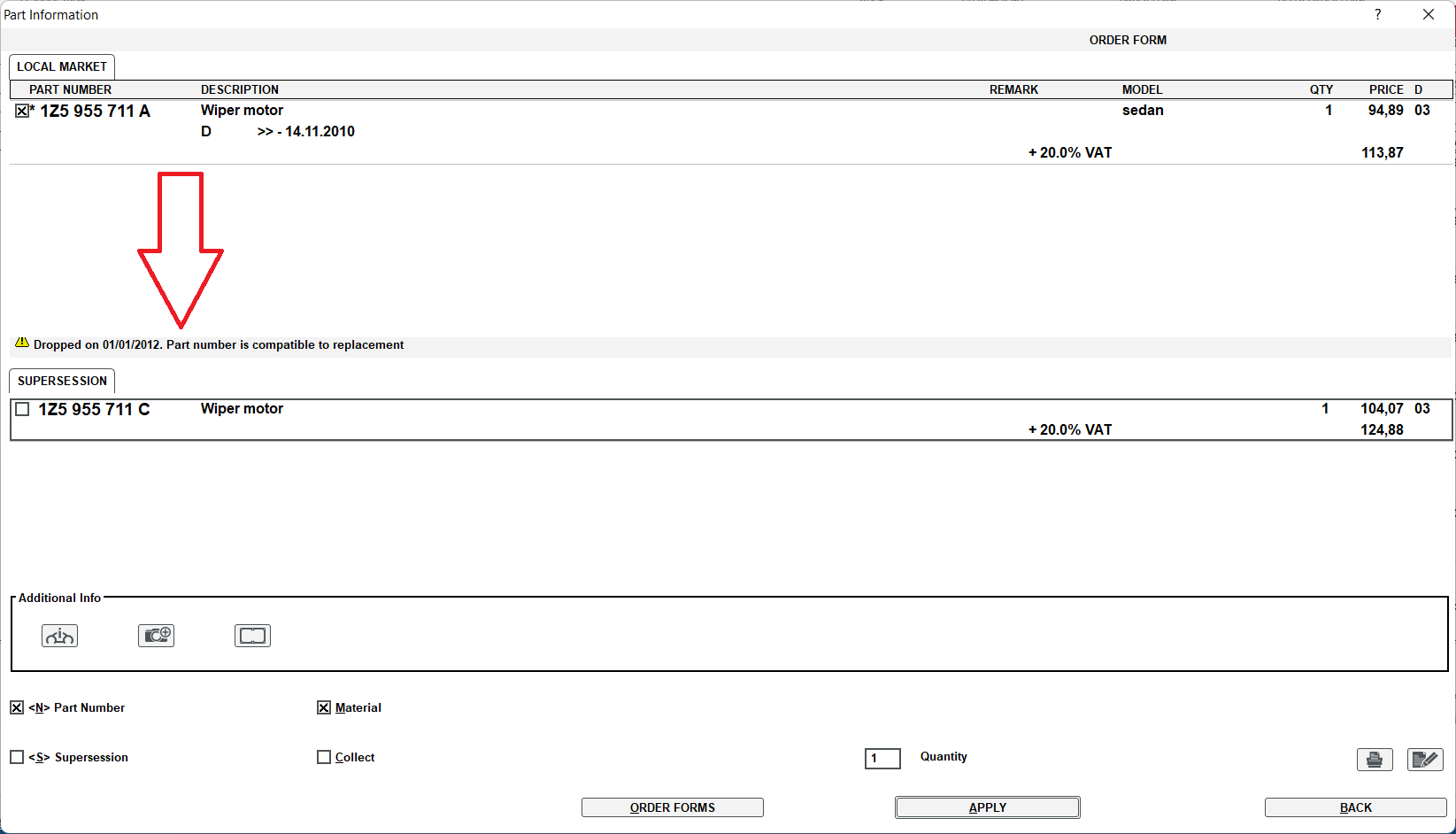
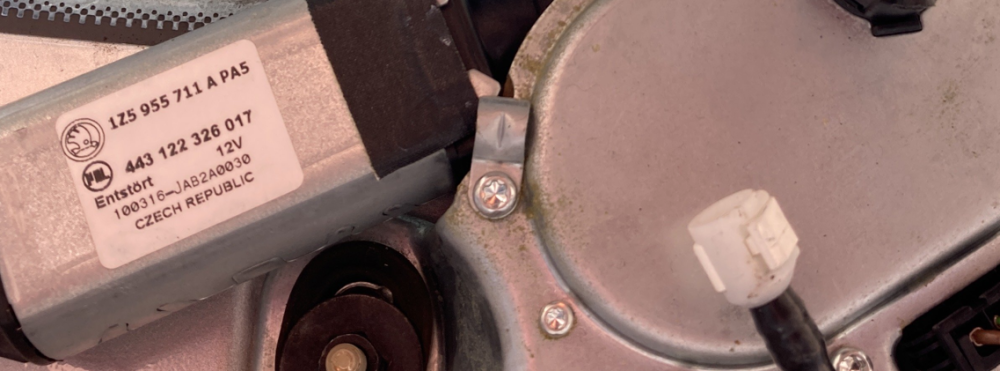
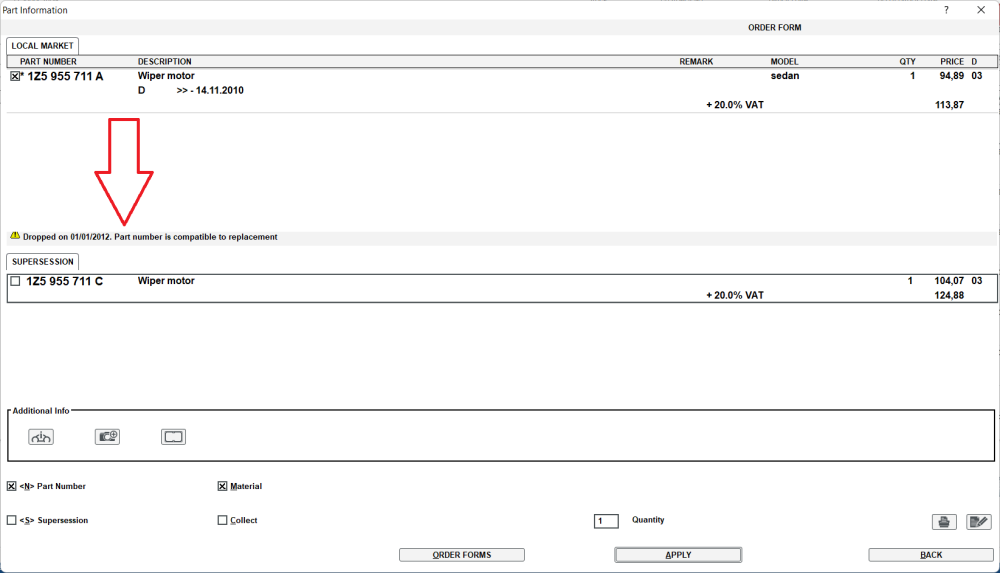
Have you got part numbers off both parts? If not when you do a tear down, grab them if possible. Ok, had a look and rotated your original image 1Z5 955 711 A This has been dropped for replacement 1Z5 955 711 C
-
https://www.leatherrepaircompany.com/pages/saddle-soap-dangers-leather-cleaning It's usually highly alkaline (pH10+) https://www.cleanyourcar.co.uk/gliptone-liquid-leather-cleaner Made for purpose (ph neutral) Saddle soap can clean it, but I wouldn't want to use it myself.
-
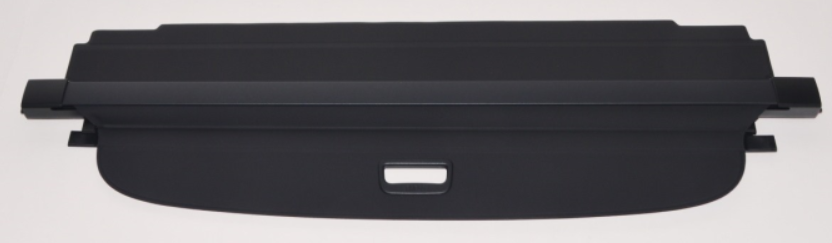
If you have a 5E chassis not a 1Z VIN number, then part should be 5E9 867 871 C 9ET The C part is the superceded part to replace the A & B variants 9ET is colour coding £172+ VAT (less if you shop around) It's called a cover sheet if this is what you are looking for.
-
0480 available via PM system, give me 10 minutes
-
Glypton or autoglym, the former does smell really good (very strong leather smell) Usually 2-part, a cleaning (soap) solution followed by conditioner. Gentle application with a folded microfibre cloth, or MF sponge if you wish. Some soft nail brush if you must get some stubborn dirt off, but needs soft bristles. When dryed, you can then apply conditioner, and it will aborb in. Less = more, as too much and you will end up wiping off and therefore wasting money.
-
It does from your earlier decription and just now seem as if it wants to clean your number plate also. Assuming motor was fitted ok, then should be good (if the part is indeed correct)
-
You may wish to pull the seats apart, get to the belt in question to get the part number off it. Then either fit the replacement one or located another armed with the part number of what was fitted. I do realise money is tight at the moment, but hopefully you will get it sorted out soon with that part or a new replacement part (just avoid dealer prices)
-
MST2_EU_SK_ZR_P0480T is available, I shall send in next 10minutes or less.
-
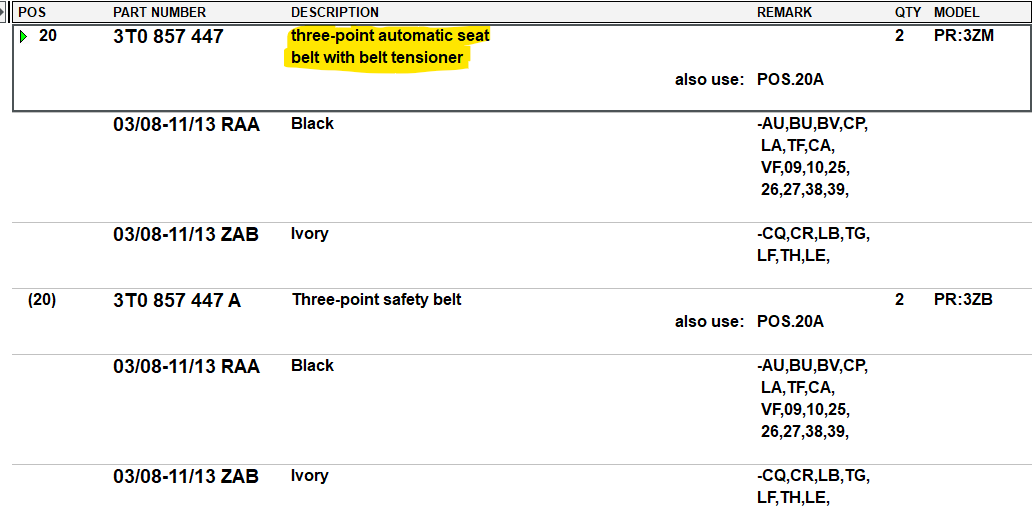
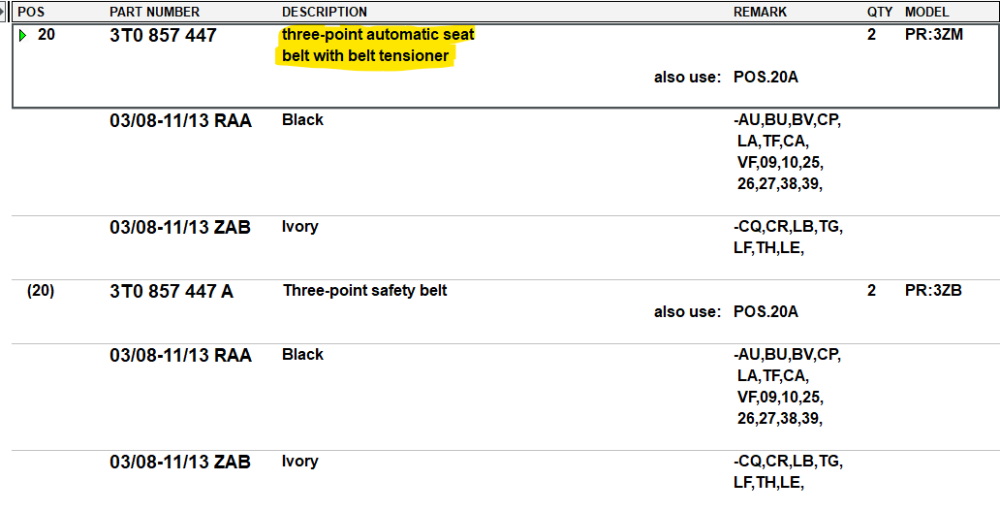
It will depend on your PR Codes for your car, 2013 has the choice if with pre-tensioner and without. Don't use these numbers as gospel, as there are different part numbers for "combi" More to show you that there is with and without pre-tensioner options. Both belts are around £195, but I dare say you could actually purchase new for cheaper than that. I would also not fit 2nd hand, as it's a safety feature myself.
-
Hold down your Menu button for a few seconds, it will enter hidden menu with Software Train and also the correct update button for firmware
-
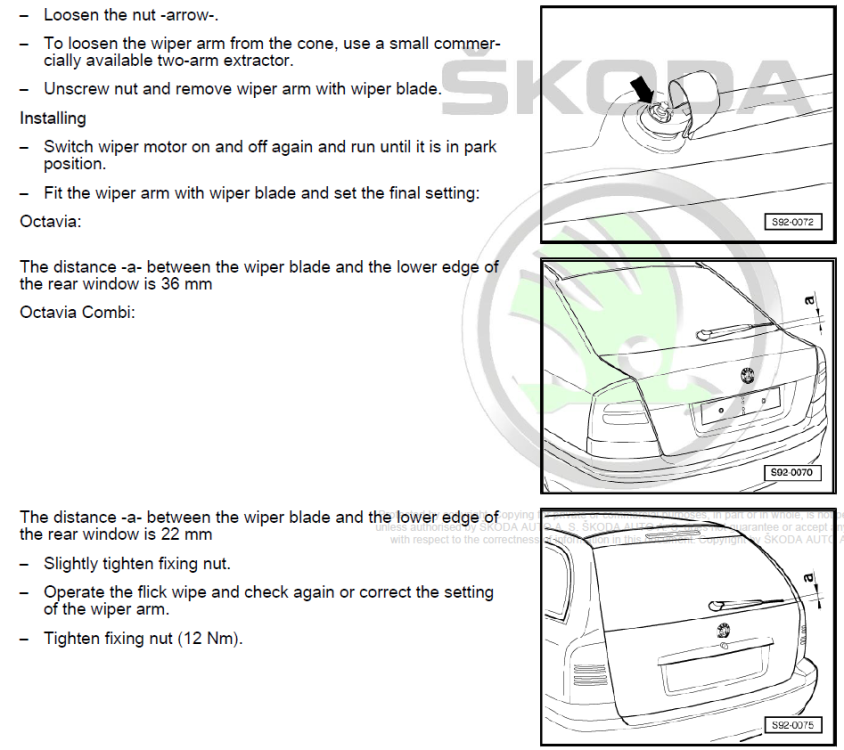
You should only need to "calibrate" the end point. I would take off the wiper arm, and then get someone to do a flick wipe from inside the car, try your best to observe the stop point of maximum clockwise rotation and mark the thread if needed. Repeat the flick wipe, and see if the mark or position you observed stops at 3 o'clock again. Attach wiper arm, and take note of the measurements listed below, tighten up, repeat a single wipe. Again gauge where it stops, and hopefully only a minor adjustment is needed. You should not afaik need to remove the wiper motor, and I believe from reading documents, after 100 operations the motor will seemingly store end stop values.
-
@pcspinheiro It's sad really that Skoda service is going down the pan as we say. I think a lot is to do with Dieselgate scandal, and the VAG group trying to claw back money where possible, I fully expect in a few years time, and internal memo sent out trying to push any warranty claims back. A scandal will emerge and someone will be sacked with a nice golden handshake to boot. I hope I am wrong, but more dealers seem reluctant to do any work (as if they won't be paid)
-
At a quick glance, the part number I think should be 036 109 675 A don't take that as gospel Thanks to the power of google these days and lots more information being posted online it makes finding parts so much easier https://www.autodoc.co.uk/car-parts/oem/036109675a? It's not for me to say which set you should buy, and if you google the part number even more websites will pop up, maybe one will tell you VAG tend to fit XYZ brand at factory.
-
You cannot see really a faulty microswitch, which I am sure is how it sends back to car a boot open signal. It could also be a drop in Voltage upon starting that is showing up as an error, as the control units are sensitive to drop in power. Perhaps you need to replace this part (the lock) or wait for it to become fully permanent and it stays on all the time.
-
The fault does seem to imply electrical error, but could be a failed part causing it. I think it is referring to the fuel pressure sensor. Ideally you should edit your profile to add Model / Year / Engine details to assist any future help.