



Skip to content

Random photo's this morning.....
Featured Replies

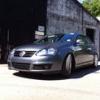
On the way to work this morning the sky was so stunning that I had to stop and take a few pics! And Squeeze a few in of the Skoda!

31012009113.jpg

31012009112.jpg

31012009111.jpg

Car goes in on Tuesday to get Springs, Shocks, RARB & strut brace! While it in the garage I'm hoping to get TT's rubbered up!

Odd, it doesn't look at all foggy :confused:

Nice pics :cool::cool:

On the way to work this morning the sky was so stunning that I had to stop and take a few pics! And Squeeze a few in of the Skoda!

Car goes in on Tuesday to get Springs, Shocks, RARB & strut brace! While it in the garage I'm hoping to get TT's rubbered up!

........................and to get the Fog Lights turned off...............:)

  • Author

Trust me - if you're on that road you need as many lights as possible - a single track road that i've seen people doing over 80mph on! plus plenty of deer and blind corners!

Yeah, and some lights that illuminate 5-8m in front of your car are a major safety benefit at 80mph :rolleyes: Even at 30 your stopping distance would be 14m, so fogs would illuminate something you're definitely gonna hit, not help you see it early and avoid disaster. Change them for driving lights and it's a different story !

Oh yeh and its illegal to have them on when its not foggy as it can dazzle on-coming cars. :thumbdwn:

P.S I still think they look cool though xD :D

  • Author

Its not for me to see anything - its for people to see me! i only use them for this road as its a complete sod! I never use my foglights on anyother section of road - unless its foggy!

You can also use them in heavy spray or falling snow. Or to show off !

Create an account or sign in to comment

Recently Browsing 0

  • No registered users viewing this page.

Important Information

Welcome to BRISKODA. Please note the following important links Terms of Use. We have a comprehensive Privacy Policy. We have placed cookies on your device to help make this website better. You can adjust your cookie settings, otherwise we'll assume you're okay to continue.

Account

Navigation

Configure browser push notifications

Chrome (Android)
  1. Tap the lock icon next to the address bar.
  2. Tap Permissions → Notifications.
  3. Adjust your preference.
Chrome (Desktop)
  1. Click the padlock icon in the address bar.
  2. Select Site settings.
  3. Find Notifications and adjust your preference.
