



Skip to content

im back here again after a small time away lol
Featured Replies

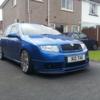
been off site for around 2 months due to stacking my fabia!!! dooh!

before

30020_10150194965320634_787340633_12754243_4216042_n.jpg

30020_10150194965560634_787340633_12754246_1677765_n.jpg

after!!!

31420_10150200662360634_787340633_12946177_275384_n.jpg

31420_10150200700740634_787340633_12947421_4013248_n.jpg

31420_10150200701380634_787340633_12947447_3994094_n.jpg

so erm yeah write off!! insurance payed out so had a civic vti run about for a while but i collected my new limmited edition fabia vrs yesterday, completely standard, 29k, fssh, 07 plate, number 958! no pics yet tho!

tom

Ouch. I'm glad you were okay.

Try not to do the same to the SE! emoticon-0148-yes.gif

31420_10150200662360634_787340633_12946177_275384_n.jpg

31420_10150200700740634_787340633_12947421_4013248_n.jpg

31420_10150200701380634_787340633_12947447_3994094_n.jpg

Must be one the quickest ways to modify a Fabia, but probably not the best wayemoticon-0136-giggle.gif

Glad your ok and back behind the wheel.

whoa - scary stuff.

Glad you're ok.

Woah. Looks like greasy road. What happened, as road looks pretty straight in the pics?

Welcome back to Briskoda, glad you are ok mate.

Create an account or sign in to comment

Recently Browsing 0

  • No registered users viewing this page.

Important Information

Welcome to BRISKODA. Please note the following important links Terms of Use. We have a comprehensive Privacy Policy. We have placed cookies on your device to help make this website better. You can adjust your cookie settings, otherwise we'll assume you're okay to continue.

Account

Navigation

Configure browser push notifications

Chrome (Android)
  1. Tap the lock icon next to the address bar.
  2. Tap Permissions → Notifications.
  3. Adjust your preference.
Chrome (Desktop)
  1. Click the padlock icon in the address bar.
  2. Select Site settings.
  3. Find Notifications and adjust your preference.
