



Skip to content

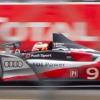
Racing cars at night
Featured Replies

Took my first trip to Le mans last year and had a graet teach in on how to use my camera manually (Nikon D40) and got some great daytime shots, however, i could not manage one decent picture at twilight/night.

I am suspecting that it is an f stop problem (just can't go low enough) as i only have the standard lenses 18 - 55 (f5 to f32) and a 55 - 200 (f4 to f22).

If anyone can help it would be really appreciated. Jerry

http://i1184.photobucket.com/albums/z328/jerryt1/274-1.jpg

274-1.jpg

Nothing wrong with that photo Jerry but doubt you'd get a similar one at night.

Why not shoot with a fully open lens (18mm or 55mm) and also up the ISO to compensate for the lack of light? Crop to suit. :thumbup:

  • Author

Thanks john, that picture was taken after the teach in which result in the focussed car with blurrred wheels and backgroud. If i just left it on auto even using the sport settings did not get anywhere near the result you see here. i will try out your suggestion before i go so again thanks. I suppose i was just hoping that someone would say, here the settings you need and away i go.

I think you already know the answer and it is a faster (lower f stop) lens. You are balancing the amount of available light with the amount of time you have the shutter open. You obviously want a fast shutter speed (as your subject is moving fast) so you need a lens that let's as much light in as possible (lower f stop) whilst the shutter is open.

When looking at settings I have a search on Flickr for the subject I am considering, then check the EXIF info on the image I like, to see what other photographers have used.

So a search for le mans night gave me a set of images, then under the actions menu have a look at the EXIF data

e.g. Road Atlanta 2009 - Petit Le Mans Thursday night practice-12

  • Author
:thumbup: Thanks Heartsandminds and john999boy :thumbup: . Good advice from you both. Hopefully i will make it work. I'll post back in June when i return. Again, thanks for the help

Is your 18-55mm lens the VR one? Assuming you're shooting wide open, you might want to try bumping the ISO to around 1600 and then practicing panning with the car for the duration of the shot. The VR system will try to stabilise the subject in preference to the background, and generally does an OK job. If you're in AV mode and the camera is shooting at over a second, you can push the ISO higher but the quality will suffer.

You can also use something like Noise Ninja to cut down the background noise, and if all else fails processing the shot to black and white can acceptably reduce the impact of chroma noise. Whatever you do, make sure you're shooting in RAW because you'll get slightly more options for rescuing a tricky shot.

Edited by Interphase

I haven't tried it on the D40, but I'd stick the camera into manual mode or aperture priority and set the shutter speed to get your blurred wheels, etc. Then use the Auto ISO feature. If you have aperture priority, it will use the shutter speed defined by the slowest shutter speed in the auto ISO settings. If manual, then your manually set shutter speed overides the min shutter speed in auto ISO.

Create an account or sign in to comment

Recently Browsing 0

  • No registered users viewing this page.

Important Information

Welcome to BRISKODA. Please note the following important links Terms of Use. We have a comprehensive Privacy Policy. We have placed cookies on your device to help make this website better. You can adjust your cookie settings, otherwise we'll assume you're okay to continue.

Account

Navigation

Configure browser push notifications

Chrome (Android)
  1. Tap the lock icon next to the address bar.
  2. Tap Permissions → Notifications.
  3. Adjust your preference.
Chrome (Desktop)
  1. Click the padlock icon in the address bar.
  2. Select Site settings.
  3. Find Notifications and adjust your preference.
