



Skip to content

Grill Painted

Featured Replies

Any photos of these 2012 badges? Mine also needs replaced.

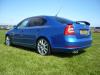
I've been contemplating doing my grill, but the car is Sahara Beige and I'm not sure how it would look, or if black would be safer.

Any photos of these 2012 badges? Mine also needs replaced.

I've been contemplating doing my grill, but the car is Sahara Beige and I'm not sure how it would look, or if black would be safer.

Below is as good as the new badge, apart from the green arrow. :thumbup:

Tbh that's exactly as I would have it on my car though.

post-41023-0-42821600-1309854743_thumb.jpg

Imho I don't think a coded grille would work in Sahara Beige. :no:

White, red, black, grey, silver or race blue! :yes:

Maybe matt black or carbon effect vinyl!

Lol, there's already enough beige on the car without doing any more!

Just not sure if black would work either. I'll see if I can get someone to photoshop it before I start.

Lol, there's already enough beige on the car without doing any more!

Just not sure if black would work either. I'll see if I can get someone to photoshop it before I start.

As you have the Elegance model I think the addition of chrome works it gives it a touch of glass without going OTT, whereas there is absolutely no place for chrome on the vRS which is why it should leave the factory with a colour coded grille.

As you have the Elegance model I think the addition of chrome works it gives it a touch of glass without going OTT, whereas there is absolutely no place for chrome on the vRS which is why it should leave the factory with a colour coded grille.

(Glass) or class even :giggle:

There's no other chrome though, even the window surrounds are black.

(Glass) or class even :giggle:

(cl)ass? :moon:

There's no other chrome though, even the window surrounds are black.

Don't forget the badges, :giggle: maybe you could add chrome trims around the windows? :wonder: It works on Audi A4's.....

And some chrome hubcap spinners too perhaps?!

Forget spinners, go for the complete alloy......

post-41023-0-63227600-1309873816_thumb.jpg

Create an account or sign in to comment

Recently Browsing 0

  • No registered users viewing this page.

Important Information

Welcome to BRISKODA. Please note the following important links Terms of Use. We have a comprehensive Privacy Policy. We have placed cookies on your device to help make this website better. You can adjust your cookie settings, otherwise we'll assume you're okay to continue.

Account

Navigation

Configure browser push notifications

Chrome (Android)
  1. Tap the lock icon next to the address bar.
  2. Tap Permissions → Notifications.
  3. Adjust your preference.
Chrome (Desktop)
  1. Click the padlock icon in the address bar.
  2. Select Site settings.
  3. Find Notifications and adjust your preference.
