



Skip to content

Sneak peak

Featured Replies

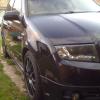
I have provisionally finished my DIY grille, so here are a couple of sneaky pics

Upper:

IMG_0123.jpg

IMG_0125.jpg

Lower:

058.jpg

059.jpg

When the weather gets a little better I will give them a coat of paint to finish them up :-)

I'm really impressed so far :-)

looking nice mate, good effort! :thumbup:

Nice. Where did you get the vRS bonnet badge?

  • Author

looking nice mate, good effort! :thumbup:

Thanks mate

  • Author

Nice. Where did you get the vRS bonnet badge?

Thanks. It's a Pasty Boy special. He's usually doing a group buy on them :-)

I like that... A LOT!!!!

  • Author

I like that... A LOT!!!!

Thanks.

Will get some better pics soon :-)

Looking good there fella :thumbup:

You did it then... Nice work dude, very tidily done. :thumbup:

I also used a thin netting mesh to go behind my top grille to make it less

easy to see I can't afford a FMIC :p It was part of a fly screen curtain.

I have to do my lower grille still but I'll be putting my new head unit in first

I reckon. It arrives tomorrow. Can't wait. B)

  • Author

Oh cool, hope my pic gives you an idea of how to do the lower one :-)

What head unit have you got?

What head unit have you got?

This one, I got a 160gb ipod for xmas and the Sony in the car now doesn't support it. (it's quite old...)

To replace it,

I wanted something that could display in any colour, so I can match it to the green in the car.

I also wanted full control of the ipod and a rear usb entry cord which I can feed into

the glovebox. Additionally you can also control the ipod directly if you want so

my co pilot can play DJ :D

Lastly I wanted a front usb socket as well as I use memory sticks for music as well.

This seemed to fit the bill and I like the idea of a touch bar for list scrolling.

They also do one with bluetooth capability for a phone for about £20 more but I already

have a Parrot kit fitted so I went for the cheaper option.

:thumbup: Looking very nice! Just what I want to do with mine.
  • Author

This one, I got a 160gb ipod for xmas and the Sony in the car now doesn't support it. (it's quite old...)

To replace it,

I wanted something that could display in any colour, so I can match it to the green in the car.

I also wanted full control of the ipod and a rear usb entry cord which I can feed into

the glovebox. Additionally you can also control the ipod directly if you want so

my co pilot can play DJ :D

Lastly I wanted a front usb socket as well as I use memory sticks for music as well.

This seemed to fit the bill and I like the idea of a touch bar for list scrolling.

They also do one with bluetooth capability for a phone for about £20 more but I already

have a Parrot kit fitted so I went for the cheaper option.

Very nice :-)

The Pioneer one I got had the colour changing option. Matches my blue dash perfectly now

Looking Goooood!!!l

Could you give us a head on pic in daylight please soon?

  • Author

Looking Goooood!!!l

Could you give us a head on pic in daylight please soon?

Yep will try to get one this week

Very nice :)

What mesh did you use in the top grille?

Is it an easy job?

  • 2 weeks later...
  • Author

Here's another quick pic I got in the daylight. It's a little dirty tho.

IMG_3122.jpg

Looks good, where's the mesh from?

  • Author

Looks good, where's the mesh from?

Ebay. I'll see if I can find a link

The mesh looks good bud. Much better than the slates.

Looks very niice but you forgot the fog appertures. :)

Could look better with them done too IMO.

Looks very niice but you forgot the fog appertures. :)

Could look better with them done too IMO.

Potential honeycomb mesh overload.

Grille & lower bit looks good though!

Potential honeycomb mesh overload.

Grille & lower bit looks good though!

With the horizontal bars and fogs in front I think it'd work. :)

Create an account or sign in to comment

Recently Browsing 0

  • No registered users viewing this page.

Important Information

Welcome to BRISKODA. Please note the following important links Terms of Use. We have a comprehensive Privacy Policy. We have placed cookies on your device to help make this website better. You can adjust your cookie settings, otherwise we'll assume you're okay to continue.

Account

Navigation

Configure browser push notifications

Chrome (Android)
  1. Tap the lock icon next to the address bar.
  2. Tap Permissions → Notifications.
  3. Adjust your preference.
Chrome (Desktop)
  1. Click the padlock icon in the address bar.
  2. Select Site settings.
  3. Find Notifications and adjust your preference.
