



Skip to content

Milltek's New Exhaust For The Fabia Vrs
Featured Replies

You need stage 2 mapping with any uprated downpipe or you will get an EML flash up saying theres inefficient flow over the CAT.

  • Replies 56
  • Views 6.6k
  • Created
  • Last Reply

Top Posters In This Topic

Most Popular Posts

  • Can i just point out..... If it wasnt for ecomentilists complaining about emmisions we wouldnt have a problem as there would be no cats and the stock exhausts would suffice until ur pushing massssssii

  • Oh God yeah. Just that I didn't realise the full system coupled with GGR CAIS was very boomy at motorway speeds. Please don't be put off by my comments, just like guys to be aware that if at all po

  • I'm from loughton so if anyone is localish i wouldnt mind showing people what its like.

just had one of these fitted it is one lovley system and works and sounds stunning 2nd best mod to car apart from revo map and induction kit all works so well together happy days :rofl:

any chance for a video or soundfile from the Milltek system ?

I'm getting stage 2 Revo tomorrow so will give a nice video tomorrow night :)

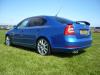
I think it looks great. In the second picture though the wing mirrors look massive....... Lol.

Some little oik nicked the badge so I've just filled it and painted it so similar to milotec one. Just need to get round to ordering the top honeycomb grill to finish it off.

Create an account or sign in to comment

Recently Browsing 0

  • No registered users viewing this page.

Important Information

Welcome to BRISKODA. Please note the following important links Terms of Use. We have a comprehensive Privacy Policy. We have placed cookies on your device to help make this website better. You can adjust your cookie settings, otherwise we'll assume you're okay to continue.

Account

Navigation

Configure browser push notifications

Chrome (Android)
  1. Tap the lock icon next to the address bar.
  2. Tap Permissions → Notifications.
  3. Adjust your preference.
Chrome (Desktop)
  1. Click the padlock icon in the address bar.
  2. Select Site settings.
  3. Find Notifications and adjust your preference.
