



Skip to content

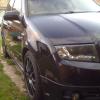
Dark_Hero's Evil Fabia
Featured Replies

  • Author

End of an Era! Bye bye Fabia

739884A9-36F1-44D3-8059-84FD73E13C8D.jpeg

C0A5D894-CB22-4160-9FDE-97D9859ECF8C.jpeg

  • Replies 1.6k
  • Views 166.9k
  • Created
  • Last Reply

Top Posters In This Topic

Most Popular Posts

  • The sun was shining again today so gave my car the first polish and wax of the year Phone camera doesn't do it any justice but I'm happy with how it looks

  • To continue the good fortune of today I got my dodgy front fog light sorted and with my brothers help wired in the second fog lamp And I finally got a pic of my Cree led reverse lights They a

  • Gave the interior a clean And a close up of the new front badge

Posted Images

So what's taking over then? :wondering:

  • Author

For now, a Dacia Sandero Stepway I bought from my brother

15 minutes ago, Dark_Hero said:

For now, a Dacia Sandero Stepway I bought from my brother


They're good, them. My Granda has a 0.9 turbo model. Goes quite nicely. Well bought. :thumbup:

Was sorry to see this on Facey as well, Charlie. 

End of the second era of your Fabia ownership. I still miss my MkI. Certainly more fun than this standar 1.6 CR Rapid Spaceback I have.

There was a great MkI scene on here as well back then. Not saying there isn't still but track days and camping etc was great.

Agreed. I miss those days as it was a very sociable forum back then. 
 

Sad times, but we’re all gonna end up here eventually 😞 Still clinging on to my Fabia with gritted teeth :D

Create an account or sign in to comment

Recently Browsing 0

  • No registered users viewing this page.

Important Information

Welcome to BRISKODA. Please note the following important links Terms of Use. We have a comprehensive Privacy Policy. We have placed cookies on your device to help make this website better. You can adjust your cookie settings, otherwise we'll assume you're okay to continue.

Account

Navigation

Configure browser push notifications

Chrome (Android)
  1. Tap the lock icon next to the address bar.
  2. Tap Permissions → Notifications.
  3. Adjust your preference.
Chrome (Desktop)
  1. Click the padlock icon in the address bar.
  2. Select Site settings.
  3. Find Notifications and adjust your preference.
