



Skip to content

which aftermarket wheels do u have on ur fabia vrs mk1?
Featured Replies

so, I fancy a change from my white 17 octy spiders. anybody got any pics of their cars with aftermarket wheels? tyre sizes? etc etc


Cheers - JN

Have a search for the alloys archive. You need to look from page 2 or so as the thread was started many years ago

Keep the Spiders but go gloss black ;)  Best wheels for these cars and should've come from the factory with them IMO...

Nooooooooo gloss black ruins the spiders.

What's the point in having a nice spoke design, only for it to be made invisible by painting them black.

Definitely need to be a lighter colour, anthracite is the best colour for them in my opinion.

Light colours, otherwise it's pointless having spiders.

Personal taste I guess.... but I absolutely LOVE mine!! ;)

I've got some team dynamics pro race 1.2 on mine currently.

Got some anthracite spiders to fit next week though :)

Nooooooooo gloss black ruins the spiders.

What's the point in having a nice spoke design, only for it to be made invisible by painting them black.

Definitely need to be a lighter colour, anthracite is the best colour for them in my opinion.

Light colours, otherwise it's pointless having spiders.

Kind of agree. No matter what rims you have, as soon as you spray them black you pretty much lose all the definition and characteristics of the alloy anyway. 

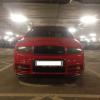
Back on standard wheels while i sort my Split's. Previous wheels was 17x7.5 Audi A8 Winters. 

Create an account or sign in to comment

Recently Browsing 0

  • No registered users viewing this page.

Important Information

Welcome to BRISKODA. Please note the following important links Terms of Use. We have a comprehensive Privacy Policy. We have placed cookies on your device to help make this website better. You can adjust your cookie settings, otherwise we'll assume you're okay to continue.

Account

Navigation

Configure browser push notifications

Chrome (Android)
  1. Tap the lock icon next to the address bar.
  2. Tap Permissions → Notifications.
  3. Adjust your preference.
Chrome (Desktop)
  1. Click the padlock icon in the address bar.
  2. Select Site settings.
  3. Find Notifications and adjust your preference.
