



Skip to content

Mortyy's monte carlo project
Featured Replies

  • Author

Well, i couldnt sleep. So i figuered that since The car was dirty, i should give it a clean :)

nuvu3edy.jpg

taqy2ajy.jpg

A good clean..

ajahyvud.jpg

Looks good!!

2ybunaga.jpg

Still not tired, ill take The interior aswell...

ubarutav.jpg

And, still not tired..

qy3udy8y.jpg

Polish!!

And result:

7eveta5u.jpg

dabarutu.jpg

And just some for fun

epy6yny5.jpg

7enadyde.jpg

Now, home to bed!

4,5hour later!!

Sent from my iPhone using Tapatalk

Time well spent I'd say [emoji106]

  • Author

Time well spent I'd say [emoji106]

thanks!

i didnt mention.. i did it all by hand. no machines.. guess ill get sore tomorrow :P

  • 2 weeks later...
  • Author

Very small update:

uzyhevah.jpg

ure5uraq.jpg

Sent from my iPhone using Tapatalk

  • Author
ehuguter.jpg
  • 6 months later...
  • Author

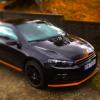
Oh well.. car was sold.. new one is bought and im veeeery happy with it!


VW Scirocco 2.0tdi dsg tuned from 140hp till 191hp, fantastic little thing. always wanted one, but never could afford it... and when i had the chance, i couldn't resist..

IMG_1165_zpsc539d837.jpg

IMG_1228_zpsceb6dfc4.jpg


More than welcome to watch the new project at:

http://www.sciroccocentral.co.uk/forum/viewtopic.php?f=13&t=18509


best regards! 

Will you be posting the topic on here as well (under non skoda projects?) :)

  • Author

I can do that yes :)

I can do that yes :)

Thank you, I find it easier to track projects all in one forum :)

Create an account or sign in to comment

Recently Browsing 0

  • No registered users viewing this page.

Important Information

Welcome to BRISKODA. Please note the following important links Terms of Use. We have a comprehensive Privacy Policy. We have placed cookies on your device to help make this website better. You can adjust your cookie settings, otherwise we'll assume you're okay to continue.

Account

Navigation

Configure browser push notifications

Chrome (Android)
  1. Tap the lock icon next to the address bar.
  2. Tap Permissions → Notifications.
  3. Adjust your preference.
Chrome (Desktop)
  1. Click the padlock icon in the address bar.
  2. Select Site settings.
  3. Find Notifications and adjust your preference.
