



Skip to content

Fabia SE L - First week review + impressions
Featured Replies

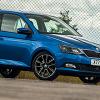
So i've owned my mk3 for just coming up to a week and so far covered around 250 miles, varying from commuting to just having a bit of fun in her.


I feel like the car is an overall improvement over the mk2 Monte Carlo I had before, some really good things, but a few niggles as well.


My spec:-

Fabia SE L 1.2 TSI 110 6spd Manual

Sports Seats

Heated Seats

Sunset Glass

Smartgate

Optional accessory 17" Savio alloy wheels


What I like:-
The overall design of the mk3 is a lot fresher than the mk2, had quite a few compliments and friends saying looking back that the mk2 does now look tired and dated.
Better ride handling, even on same size wheels, crappy roads no longer appear to be that much of an issue.
Traction control and stability control are worthwhile standard additions.
The sports seats are very comfortable and supportive even on longer journeys.

Seating positions are much better, I like the lower seat positions over the mk2
Better front visibility, the front pillars mean you can see more of the road ahead.

Door mirrors are much improved, when it rains and you are going at a reasonable pace you can still see out of the side windows without streams of water, visibility is a lot better too.
Steering actually feels better than the mk2 and is easier to park, it's lighter than the mk2 at lower speeds which can feel artificial but when out on the road I like the feel.

Can adjust the steering wheel better so it doesn't obstruct the display as much when set lower.
Cruise control is better implemented over the mk2, with it explaining what speed it is set to on the maxi dot display.
Dashboard design looks much better than the mk2, even though there is only one glove box on the mk3 it is more usable than the two on the mk2.
Auto lights are great, didn’t have them on the Monte but can see how useful they are on the mk3.
Performance of the 1.2TSI 110 is certainly more than what I was expecting, having the extra gear is good, wish my mk2 had it.
Things like the parcel shelf being able to be lower has been an advantage when transporting breakable or easily damaged items

What I don’t like:-
Mirror link doesn't work with my phone, and neither Samsung or Skoda can give me a definitive answer as to when it will work (Note 4)

- works fine with the likes of Sony Z3 and HTC One M8 which are Android so feel someone needs to do something soon.
No Sat Nav option and mirror link not working meaning I have to return to a standalone product which I feel is a step back.
The USB socket could do with relocating or a cubby hole where I can put my USB hard drive without it being open on display, liked the MDI cubby hole on the mk2.
Heated seats, on the mk2 were a rocker switch which meant you didn’t have to keep selecting them every time you got in the car,

with the mk3 you have to switch them on every time, minor inconvenience.

Arm rest still does a good job, but is smaller and cant do as much with it, but its no longer an optional extra so I can live with that.
Rear view mirror, don’t like the shape of it, poor visibility from it, it's tiny compared to the mk2.
Start/Stop button is in a silly place, but can understand why as probably done to save costs.
Windows don’t open or close when you press and hold the corresponding key fob button.
Doesn’t auto lock over a certain speed and dealer not sure how to code it.
Rear leg room is less than the mk2, used to be able to have a passenger in the front and my son would be behind in his car seat,now he just kicks the back of the seats.


Well that's how I feel after the first week, i've already noticed that some of the things i've said have been echoed by others on the forum, but so far i'm very happy with my new car

Edited by AdamJMK

people were wondering what the option to lower the parcel shelf position was for


but yep can see it now you explain how you used it, makes a certain amount of sense,


I couldn't see point of variable boot floor, but now I have it on my i20 it makes a flat load space with seats folded


have you tried the smartgate? from what I have read it is basically a web page you browse to on your phone after connecting with the car?

  • Author

have you tried the smartgate? from what I have read it is basically a web page you browse to on your phone after connecting with the car?


I have tried it, it's quite good fun, get the same kind of information that you would get from an OBDII reader and Torque for android but over wi-fi, there is a range of apps available, not just a webpage,

performance is good it shows things like max and average for variables over a journey.

Service gives detailed information about the car, along with a digital copy of the manual and an explanation of what things do which can be handy.

Skoda drive is another app that can be downloaded and basically scores you on percentage as to how efficient you are being, educates you to drive better, I know this because I can be a bit right foot heavy at times and been told i'm a late braker too, the app highlights this too, bit like a teacher haha

Well balanced review. I'm due to pick up my Fabia 1.2 TSI 110 SEL Estate in 3-4 weeks and I was wondering what you thought of the performance of the headlights.

  • Author

Well balanced review. I'm due to pick up my Fabia 1.2 TSI 110 SEL Estate in 3-4 weeks and I was wondering what you thought of the performance of the headlights.


Something I glaringly forgot to add to the review. They are much better than the black pack headlamps found in the mk2, don't struggle at all on full beam now, on dipped beam they are really good too.

Something I glaringly forgot to add to the review. They are much better than the black pack headlamps found in the mk2, don't struggle at all on full beam now, on dipped beam they are really good too.

Good to know. It'll be interesting to find out what mpg you are getting after a few weeks. I know Skoda quote 58mpg which is fantasy, however I hope to get at least 42-44.

Used to own a 6 month old Fabia VRS in 2004 which I had for 2 years and regularly got 52mpg. 9 years on, I still regret selling it.

Thanks for the review, Adam. A great read.

I've just searched online but can't find a pic that shows the rear view mirror. I don't remember it being particularly strange on the test drive though so would you mind taking a photo, Adam?

Edited by Prog

  • Author

I'll try and get one when I get a chance :)

Many thanks.

"Doesn’t auto lock over a certain speed and dealer not sure how to code it"


Car should auto-lock over 10mph.. it did on the one I test drove.. case of RTFM if in doubt..

Thanks for the review, most informative.

  • Author

Just took a look at the manual, says it should be possible by selecting car menu then settings, opening and closing.

However for some reason the options stated in the manual aren't listed on the screen so think a trip to dealers in the morning may be an option.

Picked up our SE L 90 on Saturday and very impressed, but we have the same problems with auto lock and Mirrorlink doesn't recognise our Samsung Galaxy phone. Off to the dealer later for a chat

Thank god i have the HTC One M8 then :nerd:


Can i ask how different the sports seats are to the standard and if they have all the same adjustements like height etc also how do you find the headrests,, i understand you can not move them.

Is SE-L the new Elegance spec?


Heated seats operate the same way in my Superb - once the ignition/engine is off, the setting needs to be reselected.

Is SE-L the new Elegance spec?

It is indeed.

Edited by Prog

  • Author

I popped in at the dealers today, wasn't my local as was out of town, I absolutely love their response.


The manual is printed before the car was launched and so all features described in the manual may or may not be there (joys of being an early adopter I guess!!!).

autolock.jpg

The only way they could see if it was supposed to work is by having it for up to an hour at a chargeable rate to see if they can enable what the manual says should already be enabled, unsurprisingly I refused this offer.


I'm going to my local dealer tomorrow, they are probably sick of the sight of me but I think it's a cheek to charge for something that should be enabled according to the manual.


Thank god i have the HTC One M8 then :nerd:


Can i ask how different the sports seats are to the standard and if they have all the same adjustements like height etc also how do you find the headrests,, i understand you can not move them.


My thoughts too. I work with mobiles for a living so managed to borrow an M8 for half hour, was annoyed to see it work straight away with Mirrorlink. Come on Samsung pull your finger out :(


The sports seats are a lot more hugging, the base feels slightly narrower than the standard seats with better bolsters, it is adjustable the same way as the normal seats but can't adjust the headrests, I have no problem with this as I find them incredibly comfy.

Edited by AdamJMK

Thanks for that, i fancy the sports seats but have not seen them yet, by the time i get my Fabia estate the new M9 will be out !

So i've owned my mk3 for just coming up to a week and so far covered around 250 miles, varying from commuting to just having a bit of fun in her.


What I don’t like:-

The USB socket could do with relocating or a cubby hole where I can put my USB hard drive without it being open on display, liked the MDI cubby hole on the mk2.


Start/Stop button is in a silly place, but can understand why as probably done to save costs.


Windows don’t open or close when you press and hold the corresponding key fob button.


USB hard drive???? Get a 64Gb SD card and transfer all your music onto it - the SD card goes into the reader inside the glove box! :)


How are you finding the push button start/stop.. ?  How does the steering lock deactivate ?


Windows on a key fob? I only remember closing open windows if you held the key in the door and kept it turned.  that's a bit difficult on the SEL models, unless you take the cover off to expose the keyfob lock.

  • Author

USB hard drive???? Get a 64Gb SD card and transfer all your music onto it - the SD card goes into the reader inside the glove box! :)


How are you finding the push button start/stop.. ?  How does the steering lock deactivate ?


Windows on a key fob? I only remember closing open windows if you held the key in the door and kept it turned.  that's a bit difficult on the SEL models, unless you take the cover off to expose the keyfob lock.


Firstly I have over 100GB of music so a 64gb SD card would be pointless, plus at the time the price of SD storage vs USB drive made it more cost effective (1TB for £50), I can appreciate the logic behind an SD card slot but it would of been nice if the cubby hole in the centre console was that little bit larger that you could hide the USB drive :)


Push button start/stop is great, the steering lock is disabled when you press the start/stop button with the key in your pocket, and re-enabled when you stop the car and open up the drivers door.


On my mk2 I could press and hold the lock button on the keyfob and the front windows would raise, and the unlock button would let the front windows lower, really good for the summer months to let heat out of car. I just find it slightly frustrating its not integrated on the mk3


Niggles aside, still loving the new car :)

Is gapless playback supported for music via USB?

How does it seem fuel wise in comparison to your Monte? Much difference, I understand it's still early days!

I'm eager to do some economy drives on the car when it arrives.. I'm light-footed on the accelerator pedal and have had 77mpg in my Mk1 1.9TDi.. so if 85.6mpg is being quoted on the new car, then I think I can top 95mpg, maybe even push 100mpg on a trip.

Create an account or sign in to comment

Recently Browsing 0

  • No registered users viewing this page.

Important Information

Welcome to BRISKODA. Please note the following important links Terms of Use. We have a comprehensive Privacy Policy. We have placed cookies on your device to help make this website better. You can adjust your cookie settings, otherwise we'll assume you're okay to continue.

Account

Navigation

Configure browser push notifications

Chrome (Android)
  1. Tap the lock icon next to the address bar.
  2. Tap Permissions → Notifications.
  3. Adjust your preference.
Chrome (Desktop)
  1. Click the padlock icon in the address bar.
  2. Select Site settings.
  3. Find Notifications and adjust your preference.
