



Skip to content

Skoda Superb 2014 with 9.5 x 19"? :D
Featured Replies

Hi.


Im looking for new wheels now. And I have found some from miro that I like:


miro%20111.jpg


But the trouble starts here.. My car is 170 4x4 dsg with bad road (lifted 2 cm)


This is the config I want, and u can also see my oem wheels...


25unvqw.png
2z7pmv9.png

Edited by LasseTheDude

  • Author

Wonder if it will fit.. can a admin move to wheels?

http://gyazo.com/7ce66327e4092921f973908b76a78741


I have 8.5J ET45 Wheels on my Skoda Superb II, the wheels in the front are pretty much flush with the arch, going 2CM even further out would probably go beyond the arch. In the rear they would most likely be fine, but in the front not.

  • Author

Thanks man. But my outdoor has some plastic on wheel arch! :) Maybe that will fix it? Can u show me a picture of ur wheels?

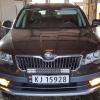
e2ea2764e915bdb02c588ffde4536855


This is currently the only picture I have of the car on my computer. I will take some pictures later on and show you a close-up on the wheels :)

  • Author

Thank u! ;)

Hi LTD - I've posted elsewhere a few thoughts on wheels and fittings. I run 8/8.5x19's on 36 offset and it all works pretty well. Do a search under 'Wile7' and you should see a few threads come up.  Good luck with it.


Dave

frontwheel2

<- Front wheel

frontwheel

 <- Front wheel

rearwheel3

<- Rear wheel

rearwheel

<- Rear wheel

rearwheel2

<- Rear wheel

Car

<- whole car


Sorry for taking so long, I took the pictures in the same day but forgot to add them here :D

Create an account or sign in to comment

Recently Browsing 0

  • No registered users viewing this page.

Important Information

Welcome to BRISKODA. Please note the following important links Terms of Use. We have a comprehensive Privacy Policy. We have placed cookies on your device to help make this website better. You can adjust your cookie settings, otherwise we'll assume you're okay to continue.

Account

Navigation

Configure browser push notifications

Chrome (Android)
  1. Tap the lock icon next to the address bar.
  2. Tap Permissions → Notifications.
  3. Adjust your preference.
Chrome (Desktop)
  1. Click the padlock icon in the address bar.
  2. Select Site settings.
  3. Find Notifications and adjust your preference.
