



Skip to content

Combi 2016 L&K TSI 180 DSG7 ordered
Featured Replies

  • Author

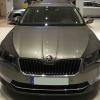
Congratulations and Bravo - the Jungle Green looks phenomenal in the pics :)

Even better irl. Very happy with our choice.

Thanks again.

  • Replies 53
  • Views 9k
  • Created
  • Last Reply

Top Posters In This Topic

Most Popular Posts

  • Time for an update after speaking to the salesman earlier today.   He was very happy that our car had arrived and wanted to know when we would like to pick it up. Subduing the urge to reply today I

  • What a great experience. After waiting 17 weeks we finely drove our new car out of the dealers showroom yesterday. Our appointment was at 4pm but we arrived at about 15 minutes past.   First the for

  • Will do just hope it will be soon

Posted Images

Thanks for the interesting set of photos. That gives me a good insight into what my Superb Laurin & Klement 2.0 TDI 150PS Estate in Jungle Green metallic with brown ventilated leather upholstery will look like. It's scheduled to be built next week!

  • Author

Thanks for the interesting set of photos. That gives me a good insight into what my Superb Laurin & Klement 2.0 TDI 150PS Estate in Jungle Green metallic with brown ventilated leather upholstery will look like. It's scheduled to be built next week!


Your welcome and believe me the wait is truly worth it. The Jungle Green and brown interior is fantastic imho.

  • Author

Wow. OK, it has only been a couple of days but two features have me really liking this new car.


ACC and lane assist.


True I have never driven a car with these features earlier so it could be the trills of something new but I am really impressed. Works as it should as an assistant with me in charge.

Create an account or sign in to comment

Recently Browsing 0

  • No registered users viewing this page.

Important Information

Welcome to BRISKODA. Please note the following important links Terms of Use. We have a comprehensive Privacy Policy. We have placed cookies on your device to help make this website better. You can adjust your cookie settings, otherwise we'll assume you're okay to continue.

Account

Navigation

Configure browser push notifications

Chrome (Android)
  1. Tap the lock icon next to the address bar.
  2. Tap Permissions → Notifications.
  3. Adjust your preference.
Chrome (Desktop)
  1. Click the padlock icon in the address bar.
  2. Select Site settings.
  3. Find Notifications and adjust your preference.
