



Skip to content

Hellos.. from new Skoda Fabia owner
Featured Replies

Hello Skoda owners, I am from Birmingham UK.

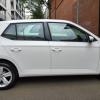
Just bought a new Skoda Fabia and had it delivered couple of days back. Have been driving around town and briefly on the motorway.

First impressions - a nice little comfortable car with clever features. Smartlink (Androi Auto) is a treat. Having used HERE Maps for as long as I can remember, Google Maps are not that intuitive but the live traffic updates are unmatchable. It beats HERE Maps hands down there.


I learnt to drive only 2 years ago and previously owned a 2003 Ford Focus.. had bought that immediately after passing my driving test. The significant change between Focus and Fabia is quite obvious in the Steering Wheel. Whilst Focus is rock solid (firm), Fabia's is almost feather-light. Still getting used to :-)


I will be posting some questions (technical or otherwise) in the Fabia community as I get used to the other features of this amazing car.


Thanks folks,

Shiva

Edited by shivapillai

Hi shiva, thought I'd say hello as I'm a newbie as well and no one has said hello to me, so maybe newbie's should stick together lol, hope you enjoy your Fabia.

A double welcome then to both of you :)  Enjoy the forum!

  • 1 month later...
  • Author

Hi shiva, thought I'd say hello as I'm a newbie as well and no one has said hello to me, so maybe newbie's should stick together lol, hope you enjoy your Fabia.

Hello mate. sorry. for not replying to your post sooner. This is a really awesome forum. One month after I bought the car I lost the keys in Blackpool. posted a query in this forum and received plenty of useful replies.

Ta.

Shiva

Create an account or sign in to comment

Recently Browsing 0

  • No registered users viewing this page.

Important Information

Welcome to BRISKODA. Please note the following important links Terms of Use. We have a comprehensive Privacy Policy. We have placed cookies on your device to help make this website better. You can adjust your cookie settings, otherwise we'll assume you're okay to continue.

Account

Navigation

Configure browser push notifications

Chrome (Android)
  1. Tap the lock icon next to the address bar.
  2. Tap Permissions → Notifications.
  3. Adjust your preference.
Chrome (Desktop)
  1. Click the padlock icon in the address bar.
  2. Select Site settings.
  3. Find Notifications and adjust your preference.
