



Skip to content

Hello everyone.

Featured Replies

Hello everyone,


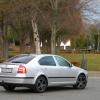
My name is Alex and since I have recently bought a used Octavia mk2, 2.0 TDI - Elegance with a ton of equipment, I decided to join the forum and participate in some of the discussions around here. :)


Looking forward to this.


:hi: Welcome to the forum Alex

Edited by Superb170

  • 2 weeks later...
  • Author

Thank you!


Would you mind pointing me out to where I can enable email notifications for the posts? I have done it from the settings but I don't get anything, not even in my spam :(

Thank you!


Would you mind pointing me out to where I can enable email notifications for the posts? I have done it from the settings but I don't get anything, not even in my spam :(

It should work when you click on your user icon on the top right and then go to settings then notification options (on the left bar).  It appears that you have done that so not sure why it isn't working for you??  It will allow you to have email notifications if somebody likes a post, quotes a post you made, replied to a post etc - there are a lot of options in there.  Have you followed the threads that you would like to receive notifications on?  This button is on the top right of each thread - maybe try that as that will allow you to receive email updates on that particular topic.

Edited by Superb170

  • Author

It seems I did get a notification for this one. Not the other topics I commented to though. :(

That's the thing, I am willing to be notified.

Create an account or sign in to comment

Recently Browsing 0

  • No registered users viewing this page.

Important Information

Welcome to BRISKODA. Please note the following important links Terms of Use. We have a comprehensive Privacy Policy. We have placed cookies on your device to help make this website better. You can adjust your cookie settings, otherwise we'll assume you're okay to continue.

Account

Navigation

Configure browser push notifications

Chrome (Android)
  1. Tap the lock icon next to the address bar.
  2. Tap Permissions → Notifications.
  3. Adjust your preference.
Chrome (Desktop)
  1. Click the padlock icon in the address bar.
  2. Select Site settings.
  3. Find Notifications and adjust your preference.
