



Skip to content

My impressions after the first 500 miles...
Featured Replies

Very, very pleased over all. 


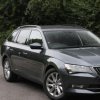
  • SE Technology Estate 150 TDI Manual
  • Standard except for traffic sign assist and colour maxi dot. Came with carpet mats, but have added rubber mats and iPad headrest mount.
  • And now have added VCDS activated lane assist and high beam assist also.


Likes:


  1. Engine stronger than I expected (didn’t test drive). (Only up to 3k RPM for now).
  2. Handling, body control, steering accuracy and turn in better than I expected - does not feel like a big car to me.
  3. Ride comfort is good (but perhaps not quite the magic carpet some reviews have suggested)
  4. Amunsden system is very good and simple to operate / learn overall.
  5. ACC is excellent (even with manual transmission),  but I can see it would certainly be more seamless with an auto).
  6. Traffic sign assist has worked well and combines well with the speed limiter function (new to MY17 cars I think)
  7. iPad headrest mount is solid and doesn’t wobble and good value (so far)
  8. All dials are extremely clear and easy to read at a glance.
  9. I like the look on 17” Stratos wheels - understated and smart.
  10. Really like the Alcantara seat finish - prefer it to leather in looks and functionality as not cold / hot and it grips to clothing.
  11. High beam assist is excellent and works very well - have trust in it straight away (just wish it could kick in at lower speed - seems not possible on MY17 cars though)
  12. Lane assist is also excellent - I like it in adaptive mode (although there should probably be a more noticeable warning / alert when it deactivates after losing sight of lane markings).
  13. Glad I went for colour maxi dot as I think it must make lane assist easier to use than with the monochrome display.
  14. Electric memory seat operation was figured out after 10 mins of head scratching / Googling. Works well - but the owner’s manual is erroneous.
  15. Velcro retaining things for the boot are brilliant.


Minor dislikes / not yet figured out:


  1. Rear washer jet needs adjusting (but, not sure it can be!).
  2. Ride is not quite as cosseting as I expected (but handling is better so…)
  3. Gearshift seems quite notchy (but probably just a case of getting used to a different feel compared to previous car, combined with it being tight still).
  4. Standard sound system is good but need to look into tweaking the tone settings and probably wait for the speakers to bed in.
  5. Would be nice to have a dedicated dimmer for the cockpit / dash lighting - rather than having to go through the settings.
  6. ACC with manual could probably work fine down to 15mph or so (rather than 20) - would then be useable in more situations in crawling traffic.
  7. High beam assist low speed threshold needs to be much lower than 40mph (don't think this can be changed via VCDS on MY17 cars).
  8. Have had some intermittent issues with Android Auto and Car Play disconnecting / refusing to reconnect (might be a cable issue though).
  9. Address entry on Amunsden seems a bit convoluted - only tried 3 / 4 times though as like to use Google Maps to get real time advance warning of congestion and also stationary traffic (mainly to avoid being rear ended).
  10. When reverse parallel parking it is not easy to see the rear wheel in relation to the kerb in the passenger wing mirror - possibly because with the narrower 17” wheels the line of sight is more hindered by the body work. Need to check mirror adjustment and possibly upgrade reverse lights.
  11. Would be handy if you could have the driver assist screen on the maxi dot but still also see a digital speedo - as with ACC you can find yourself gradually going more slowly than you expect / want to as you join a train of slower cars) - of course you can just use the traditional speedo. I guess this is where something like the virtual cockpit systems come into their own.
  12. Seats are good but I have not yet found the ideal position. They are also quite Germanically firm compared to previous car, which probably adds to the sense that the ride is not as soft as expected.
  13. Gradually getting the hang of manoeuvring / parking on a hill using the auto hold and/or parking brake - was a bit nerve wrecking the first time.

Edited by Mon55

1 hour ago, Mon55 said:

Very, very pleased over all. 


  • SE Technology Estate 150 TDI Manual
  • Standard except for traffic sign assist and colour maxi dot. Came with carpet mats, but have added rubber mats and iPad headrest mount.
  • And now have added VCDS activated lane assist and high beam assist also.


Likes:


  1. Engine stronger than I expected (didn’t test drive). (Only up to 3k RPM for now).
  2. Handling, body control, steering accuracy and turn in better than I expected - does not feel like a big car to me.
  3. Ride comfort is good (but perhaps not quite the magic carpet some reviews have suggested)
  4. Amunsden system is very good and simple to operate / learn overall.
  5. ACC is excellent (even with manual transmission),  but I can see it would certainly be more seamless with an auto).
  6. Traffic sign assist has worked well and combines well with the speed limiter function (new to MY17 cars I think)
  7. iPad headrest mount is solid and doesn’t wobble and good value (so far)
  8. All dials are extremely clear and easy to read at a glance.
  9. I like the look on 17” Stratos wheels - understated and smart.
  10. Really like the Alcantara seat finish - prefer it to leather in looks and functionality as not cold / hot and it grips to clothing.
  11. High beam assist is excellent and works very well - have trust in it straight away (just wish it could kick in at lower speed - seems not possible on MY17 cars though)
  12. Lane assist is also excellent - I like it in adaptive mode (although there should probably be a more noticeable warning / alert when it deactivates after losing sight of lane markings).
  13. Glad I went for colour maxi dot as I think it must make lane assist easier to use than with the monochrome display.
  14. Electric memory seat operation was figured out after 10 mins of head scratching / Googling. Works well - but the owner’s manual is erroneous.
  15. Velcro retaining things for the boot are brilliant.


Minor dislikes / not yet figured out:


  1. Rear washer jet needs adjusting (but, not sure it can be!).
  2. Ride is not quite as cosseting as I expected (but handling is better so…)
  3. Gearshift seems quite notchy (but probably just a case of getting used to a different feel compared to previous car, combined with it being tight still).
  4. Standard sound system is good but need to look into tweaking the tone settings and probably wait for the speakers to bed in.
  5. Would be nice to have a dedicated dimmer for the cockpit / dash lighting - rather than having to go through the settings.
  6. ACC with manual could probably work fine down to 15mph or so (rather than 20) - would then be useable in more situations in crawling traffic.
  7. High beam assist low speed threshold needs to be much lower than 40mph (don't think this can be changed via VCDS on MY17 cars).
  8. Have had some intermittent issues with Android Auto and Car Play disconnecting / refusing to reconnect (might be a cable issue though).
  9. Address entry on Amunsden seems a bit convoluted - only tried 3 / 4 times though as like to use Google Maps to get real time advance warning of congestion and also stationary traffic (mainly to avoid being rear ended).
  10. When reverse parallel parking it is not easy to see the rear wheel in relation to the kerb in the passenger wing mirror - possibly because with the narrower 17” wheels the line of sight is more hindered by the body work. Need to check mirror adjustment and possibly upgrade reverse lights.
  11. Would be handy if you could have the driver assist screen on the maxi dot but still also see a digital speedo - as with ACC you can find yourself gradually going more slowly than you expect / want to as you join a train of slower cars) - of course you can just use the traditional speedo. I guess this is where something like the virtual cockpit systems come into their own.
  12. Seats are good but I have not yet found the ideal position. They are also quite Germanically firm compared to previous car, which probably adds to the sense that the ride is not as soft as expected.
  13. Gradually getting the hang of manoeuvring / parking on a hill using the auto hold and/or parking brake - was a bit nerve wrecking the first time.


  1. Rear washer jet needs adjusting (but, not sure it can be!). - No - Poor design if the nozzle is in the highlevel brake light
  2. Ride is not quite as cosseting as I expected (but handling is better so…) - I run my 17's at 37psi all round and think thats the magic number for the roads around me
  3. Gearshift seems quite notchy (but probably just a case of getting used to a different feel compared to previous car, combined with it being tight still). - Give it more miles and it will slacken off
  4. Standard sound system is good but need to look into tweaking the tone settings and probably wait for the speakers to bed in. - It is what is is..
  5. Would be nice to have a dedicated dimmer for the cockpit / dash lighting - rather than having to go through the settings. Run mine on max
  6. ACC with manual could probably work fine down to 15mph or so (rather than 20) - would then be useable in more situations in crawling traffic. - Yes, but you will find if you dip the clutch but keep it in gear it will work to a slower speed before it auto disables
  7. High beam assist low speed threshold needs to be much lower than 40mph (don't think this can be changed via VCDS on MY17 cars). -
  8. Have had some intermittent issues with Android Auto and Car Play disconnecting / refusing to reconnect (might be a cable issue though). - Get a short lead with a 90" bend.
  9. Address entry on Amunsden seems a bit convoluted - only tried 3 / 4 times - You will get used to it..
  10. When reverse parallel parking it is not easy to see the rear wheel in relation to the kerb in the passenger wing mirror - possibly because with the narrower 17” wheels the line of sight is more hindered by the body work. Need to check mirror adjustment and possibly upgrade reverse lights. - Rememver to put mirror adjuster onto the left mirror for auto dip /lowering when reversing.
  11. Would be handy if you could have the driver assist screen on the maxi dot but still also see a digital speedo - as with ACC you can find yourself gradually going more slowly than you expect / want to as you join a train of slower cars) - of course you can just use the traditional speedo. I guess this is where something like the virtual cockpit systems come into their own. -would be nice - i tend to set the ACC around 20mph faster than i would be wanting to travel...
  12. Seats are good but I have not yet found the ideal position. They are also quite Germanically firm compared to previous car, which probably adds to the sense that the ride is not as soft as expected. - They soften a bit - remember to save that seat position !!
  13. Gradually getting the hang of manoeuvring / parking on a hill using the auto hold and/or parking brake - was a bit nerve wrecking the first time. - time - it worst then driving another car without and forgetting
  • Author

Cheers - some good tips there. 


5. Come to think of it, I wonder if the dash lighting level is dimmed automatically at all - akin to how a phone screen brightness varies with changes in ambient light.


6. I'll give that a go, thanks, although I mainly had in mind when setting off in traffic from a standstill and wanting to activate ACC in 2nd gear but having to wait until the speed is 20mph. 15mph would be nicer and doable - but perhaps they added some leeway to allow for slight inclines so that the least powerful / torquey engines are less likely to be labouring.


8. Yes they are on the list - although annoyingly it seems almost impossible to find a short cable with a 90° on each end where both ends have the required orientation. (Could just put phone upside down I suppose).


10. Auto mirror dip is set up and working but it's more to do with the fact that from my driving position there doesn't seem to be a line of sight from passenger mirror to rear wheel - all I can really see is bodywork as the wheels are quite inset. That and no street lighting make avoiding kerbing a bit tricky.


11. Not sure setting the ACC max speed higher would help though as with something slower in front it will just follow suit regardless of set speed. What I'm meant was it'd be nice to have the ACC set speed displayed, as it is (eg 76), and then next or near to it have your actual current speed (eg 67) - so you can very quickly see that you are being restricted due to ACC in operation and overtake. As it is, the ACC is so smooth and gradual that you can sometimes not realise straight away that your speed has been dialled back. Whereas with normal cruise, you can very clearly tell when you start gaining on a car ahead. Perhaps the facelift, if it gets a virtual cockpit option, will have something like this.


It's a lovely car though - looking forward to another decent 3 hour journey in it tomorrow!


8 - Which phone andriod or apple ?


I have the below - this allows the tray to close with the phone in place - LG G3


20170223_220723_zpsptngcxkt.jpg


11.. i guess you could go into driving data > and select the speed display option, then you will have this displayed and then at the bottom left the ACC set speed.

Edited by RickTT

19 minutes ago, Mon55 said:

8. Yes they are on the list - although annoyingly it seems almost impossible to find a short cable with a 90° on each end where both ends have the required orientation. (Could just put phone upside down I suppose).


You don't need 90º as there's plenty of room for a straight USB even with the cover closed. Go for a 6" or 8" lead, but no more than that or you have too much loose cable to tuck away. A 4" lead is too fiddly for connecting and disconnecting a phone if you want to leave the lead permanently connected in the USB socket.

1 hour ago, BillyJim said:


You don't need 90º as there's plenty of room for a straight USB even with the cover closed. Go for a 6" or 8" lead, but no more than that or you have too much loose cable to tuck away. A 4" lead is too fiddly for connecting and disconnecting a phone if you want to leave the lead permanently connected in the USB socket.


I've yet to find a standard straight USB cable with a short enough housing to allow the cover to close with it plugged in.


Not a great problem for me since I discovered how deeply unexciting Carplay is! Not Skoda's fault of course, but a dull interface and limited usefulness means I'm not that motivated to plug and unplug every time I drive the car. So much for Apple's interface design skills eh!


  • Author
8 hours ago, RickTT said:


11.. i guess you could go into driving data > and select the speed display option, then you will have this displayed and then at the bottom left the ACC set speed.

Yes I have briefly tried that option but the sadly you then can't see the lane assist screen and only have the green/orange lane assist warning light to go by. It's just a case of me wanting it all really! If I could I'd also have realtime mpg displayed at he same time too, and audio details, and sat nav directions - oh hang on, it's sounding a lot like the virtual cockpit systems now!! Maybe one day!

  • Author
7 hours ago, CheshireBumpkin said:


I've yet to find a standard straight USB cable with a short enough housing to allow the cover to close with it plugged in.


Not a great problem for me since I discovered how deeply unexciting Carplay is! Not Skoda's fault of course, but a dull interface and limited usefulness means I'm not that motivated to plug and unplug every time I drive the car. So much for Apple's interface design skills eh!


Same here - the cables I've got catch the lid of the cover, if not when closing then when trying to open it again. So a 90° at the car USB end would fix that. And at the phone end I think 90° would allow my phone to sit flatter, put less pressure on the micro USB socket, and just generally be a bit neater.


I think I'll just get what is available with 90° on each end and then the phone will have to sit face down due to the orientation of the sockets.


If you are not keen on Car Play you could do what I've done and pick up a Moto G Play for £80 and then hotspot it to your iPhone so you can have android auto instead. And download offline Google maps. You can also get a free data sim from Three to put in the Moto which gives you 200mb free data a month (enough for searching google maps etc).

40 minutes ago, Mon55 said:

Same here - the cables I've got catch the lid of the cover, if not when closing then when trying to open it again. So a 90° at the car USB end would fix that. And at the phone end I think 90° would allow my phone to sit flatter, put less pressure on the micro USB socket, and just generally be a bit neater.


I think I'll just get what is available with 90° on each end and then the phone will have to sit face down due to the orientation of the sockets.


If you are not keen on Car Play you could do what I've done and pick up a Moto G Play for £80 and then hotspot it to your iPhone so you can have android auto instead. And download offline Google maps. You can also get a free data sim from Three to put in the Moto which gives you 200mb free data a month (enough for searching google maps etc).


What about this?


http://www.ebay.ie/itm/Mini-USB-Cable-Rerii-20cm-Length-90-Degree-Left-Angled-Mini-USB-cable-Sync-/332043341767?hash=item4d4f534fc7:g:-DcAAOSw5cNYN76U


Too long?

Edited by CTRob

Regarding #11 - High beam assist: I believe the lower speed threshold can be altered via VCDS.  I can't search for it at the moment but believe I seen it on the VCDS thread on the Octavia forum.  


To clarify, on 2017 cars the TSR and upper speed warning can be linked?  So if you set the upper speed warning to what TSR detects then the car will bong at 70MPH when it detects the national speed limit sign on a dual carriageway/motorway (in the UK) ? 


Edit (page 2 shows the VCDS coding required):


Edited by penguin17
Added URL for reference

  • Author
41 minutes ago, CTRob said:

Thanks - that looks as close to ideal as it will get I think. I saw something similar but thought the USB plug was the wrong direction but I guess it wouldn't hurt if the cable just had half a turn in it.

Anker 8" USB/Lightning lead from Amazon which has been in use over a year (& iPhone 6S in leather case)...


IMG_0308.jpgIMG_0309.jpg


and I had to stick my finger in to stop it fully auto-closing because it isn't fouling...


IMG_0310.jpg


It would be an issue for larger phones but the problem would be at the phone end. Just saying!!!

  • Author
44 minutes ago, penguin17 said:

Regarding #11 - High beam assist: I believe the lower speed threshold can be altered via VCDS.  I can't search for it at the moment but believe I seen it on the VCDS thread on the Octavia forum.  


To clarify, on 2017 cars the TSR and upper speed warning can be linked?  So if you set the upper speed warning to what TSR detects then the car will bong at 70MPH when it detects the national speed limit sign on a dual carriageway/motorway (in the UK) ? 


Edit (page 2 shows the VCDS coding required):


Thanks for that but unfortunately the adaptations and coding seems to.be quite different on MY17 cars so those options don't appear to exist now (or at least not in the same location). I might do some more searching for it, but I've read in a few places now (in various languages via google translate) that it can't be done (yet) on MY17 cars.


Re. TSR and speed limiter I need to double check later today as for the last few days I was trying out ACC in urban environments, but I don't think it actually limits your speed - I think it just automatically changes the speed at which the speed limit warning sounds.


So on MY17 cars it seems there are essentially 3 different things to do with "speed limits".


1. Is the system in the maxi dot menu where you can choose a set speed and it will bong when that is exceeded. (I haven't touched this as it seemed to work automatically for me).


2. Is the physical speed limiter on the cruise control stalk where you can choose a specific speed and it will restrict you from exceedig that speed (will speed up down hill though unlike  ACC for some reason).


3. The TSR system signifies currently applicable speed limits and seems to automatically adjust the system in number 1 above so that the bong sounds when the identified speed limit is exceeded. Menu settings allow a leeway of 3mph or 6mph to be chosen. Ie if TSR recognises 30mph limit, the bong will sound if you exceed 33mph if you set it on the 3mph setting. This is great, bit I would prefer it to have a more granualar setting, and ideally a percentage setting.


Now, it may be that all cars with sat nav do this and it isn't specific to TSR equipped cars - bit I was pleasantly surprised that even a car with TSR does it.

Edited by Mon55

  • Author
22 minutes ago, BillyJim said:

Anker 8" USB/Lightning lead from Amazon which has been in use over a year (& iPhone 6S in leather case)...


IMG_0308.jpgIMG_0309.jpg


and I had to stick my finger in to stop it fully auto-closing because it isn't fouling...


IMG_0310.jpg


It would be an issue for larger phones but the problem would be at the phone end. Just saying!!!

Looks good, thanks. Must just depend on the specific cable and how much bend protection there is before the plug. The one I've currenty got almost got the sliding cover stuck open but luckily I could get a finger in there to move the cable just enough.

Edited by Mon55
Stuck closed I mean...

4 minutes ago, Mon55 said:

Looks good, thanks. Must just depend on the specific cable and how much bend protection there is before the plug. The one I've currenty got almost got the sliding cover stuck open but luckily I could get a finger in there to move the cable just enough.


So judging by the photos above (I haven't received my car yet) you can get away not having a right angled full size USB male plug but you would be best to have a right angled mini usb/iphone connector at the phone end? This setup would allow the sliding cover to close then yes?

11 hours ago, Mon55 said:

11. Not sure setting the ACC max speed higher would help though as with something slower in front it will just follow suit regardless of set speed. What I'm meant was it'd be nice to have the ACC set speed displayed, as it is (eg 76), and then next or near to it have your actual current speed (eg 67) - so you can very quickly see that you are being restricted due to ACC in operation and overtake. As it is, the ACC is so smooth and gradual that you can sometimes not realise straight away that your speed has been dialled back. Whereas with normal cruise, you can very clearly tell when you start gaining on a car ahead. Perhaps the facelift, if it gets a virtual cockpit option, will have something like this.


I have yet to get the car but when looking at the manual, i know:yawn: the picture D gives an indication when the speed is being controlled down due to proximity of another vehicle.

Screen Shot 2017-02-24 at 08.59.40.png

10 hours ago, BillyJim said:


You don't need 90º as there's plenty of room for a straight USB even with the cover closed. Go for a 6" or 8" lead, but no more than that or you have too much loose cable to tuck away. A 4" lead is too fiddly for connecting and disconnecting a phone if you want to leave the lead permanently connected in the USB socket.


Without the 90º bend, my phone due to the screen size will not sit flat, plus the cover wont close. - hence the 90º works well for me

  • Author
10 minutes ago, Bud said:

I have yet to get the car but when looking at the manual, i know:yawn: the picture D gives an indication when the speed is being controlled down due to proximity of another vehicle.

Screen Shot 2017-02-24 at 08.59.40.png

Ah yes well done! I've read the manual almost cover to cover (almost) but just shows there's always something to miss!

  • Author
22 minutes ago, CTRob said:


So judging by the photos above (I haven't received my car yet) you can get away not having a right angled full size USB male plug but you would be best to have a right angled mini usb/iphone connector at the phone end? This setup would allow the sliding cover to close then yes?

Seems to depend on the specific cable, but if you are going to buy a shorter cable especially for this purpose might be best to choose a right angle to eliminate risk of it fouling.

Edited by Mon55

  • Author
1 hour ago, Bud said:

I have yet to get the car but when looking at the manual, i know:yawn: the picture D gives an indication when the speed is being controlled down due to proximity of another vehicle.

Screen Shot 2017-02-24 at 08.59.40.png


54 minutes ago, Mon55 said:

Ah yes well done! I've read the manual almost cover to cover (almost) but just shows there's always something to miss!

Actually, thinking about it, this should be useful when using other maxi dot screens (eg navigation) but if you are using the drive assist screen so you can see when lane assist is working, I think this already does the same thing (shows you when speed is being restricted by a car in front) because it shows you the image of the car you are following. When the road is clear and your speed is only limited by the set ACC max speed, the image of the car is removed. At least this is how I understand it but I might need to have another perusal of the instructions!

Edited by Mon55

One way to find out, sit behind a car and increase the selected speed and see what happens.  


Also when changing lanes from 1 to 3 to overtake middle lane hoggers the brakes should apply if the gap is too short for the selected speed, this is less subtle as the threat has popped into the field of view but  in my current car I counter this with a pre-emptive soft dab of the throttle that over-rides the ACC.  


I am hoping the Superb is better than my Mondeo as the DSG should make it all very smooth.

  • Author
3 minutes ago, Bud said:

One way to find out, sit behind a car and increase the selected speed and see what happens.  


Also when changing lanes from 1 to 3 to overtake middle lane hoggers the brakes should apply if the gap is too short for the selected speed, this is less subtle as the threat has popped into the field of view but  in my current car I counter this with a pre-emptive soft dab of the throttle that over-rides the ACC.  


I am hoping the Superb is better than my Mondeo as the DSG should make it all very smooth.

I'll have a play on the M11 / A1 tonight and report back!

Yep that should be testing:dull:

  • Author

On reviewing the manual, I'm fairly sure the indicator icon does the same thing as the car picture (ie. indicate when regulation is occuring). What you can't have is the assist screen and a digital actual speed at the same time. Unless you activate driving school mode via VCDS and then you can have digital speed on the head unit display. I think I'll just have to get used to using the analogue speedo again but I do prefer digital readouts. Either that or just use the speedo in Waze or similar.


Also just noticed the manual states front assist should be deactivated when on ferries or transporters like the channel tunnel. 

1 hour ago, Mon55 said:


Actually, thinking about it, this should be useful when using other maxi dot screens (eg navigation) but if you are using the drive assist screen so you can see when lane assist is working, I think this already does the same thing (shows you when speed is being restricted by a car in front) because it shows you the image of the car you are following. When the road is clear and your speed is only limited by the set ACC max speed, the image of the car is removed. At least this is how I understand it but I might need to have another perusal of the instructions!

This is exactly how it works on my Leon but regardless of whatever maxidot display your looking at you will get a temporary car picture pop up on the display when another car is detected in front.   This is usually when I change lane as the system will start scrubbing the speed soon after, how quickly obviously depends on what gap you've set.  


Also, if you have ACC active and accelerate the ACC icon/symbol on the dash get's brighter.  Not sure if it does this on the Superb but worth checking.  

Edited by penguin17

Create an account or sign in to comment

Recently Browsing 0

  • No registered users viewing this page.

Important Information

Welcome to BRISKODA. Please note the following important links Terms of Use. We have a comprehensive Privacy Policy. We have placed cookies on your device to help make this website better. You can adjust your cookie settings, otherwise we'll assume you're okay to continue.

Account

Navigation

Configure browser push notifications

Chrome (Android)
  1. Tap the lock icon next to the address bar.
  2. Tap Permissions → Notifications.
  3. Adjust your preference.
Chrome (Desktop)
  1. Click the padlock icon in the address bar.
  2. Select Site settings.
  3. Find Notifications and adjust your preference.
