



Skip to content

Changing from remapped vRS mk1 to a mk3 monte carlo?!
Featured Replies

Hi guys


Would I been mad to change from my remapped vRS (stage 1) to the mk III monte carlo (1.2tsi 110 manual)


I test drove one and didnt completely give it the full beans and it was fairly nippy and quite fun. It was pretty quiet and comfortable and equally the handling round corners was quite tight.


Would it benefit from a remap to around what the standard mk1 vrs would have been as standard or waste of time?


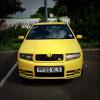
Its ticking a fair few boxes but I am still worried its going to feel very underpowered to mine and after about 9 years of ownership i'm very attached to the (bright yellow ha!) beast!


Please help, thanks!

Having owned a Mk1 vRS, in standard trim, and a MkIII 1.2 TSi 110 SE L DSG,  just more toys than a Monte, but same output,  I quite enjoyed the Mk III to start with. Interior trim plastics were cheaper than the vRS and the lovely torque of the TDi PD was missing, but it was OK. However, the love affair was short-lived. It never let me down, but it was always compared to the vRS and found just a bit wanting.  Then there was the DSG 'box which was OK but.......I ended up waiting for it to expire in some way. 


For me, the quality to cost ratio just wasn't there in the MkIII and it began to niggle me.  All personal stuff, of course. But it drove to change at 3 years and buy a Toyota which has been a revelation. I really cannot see me returning to Skoda, ever.  Certainly not given their current pricing strategy vs reducing materials quality. 


Hope you end up,happy, whatever decision you come to. 


Likewise for me too. Though the 1.2Tsi is surprisingly spritely, it isn't a Vrs! I find performance acceptable with the DSG, but I have taken the smaller DSG possible problems in hand by disabling the start/stop (which I found kept the battery going flat) and tend to flick the selector into neutral if I'm going to be stationary for more than a minute.


My main bugs with the Montecarlo are what has been omitted: no 1-touch front windows, no electric rear windows and no heated mirrors - surely all pretty much standard except on the 'entry level' versions of any car range, but surely standard on the top-of-range. The inclusion of the totally unnecessary panoramic glass roof that simply makes the car too hot in summer and too cold in winter and probably adds weight was a gimmick.


I won't buy another Fabia: there's a huge drop in quality from the 2006 1.9 TDi estate I had, which with a remap was as spritely as the MC.

11 hours ago, TerFar said:

no heated mirrors


With mine you twist the mirror adjustment knob to 9.00 for them to heat up.


Thanks AG Falco

37 minutes ago, AGFalco said:


With mine you twist the mirror adjustment knob to 9.00 for them to heat up.


Thanks AG Falco


Really! I will give that a twirl tomorrow.

On 30/10/2019 at 22:02, TerFar said:


Really! I will give that a twirl tomorrow.


And you are absolutely correct. We have not noticed the 'heated mirror' symbol. It is located the other side of the knob and the knob itself conceals it when you sit in the normal driving position. Sometimes it is a pleasure to be corrected! Thank you.

Edited by TerFar

  • Author

A quick update I did end up going for the Monte Carlo in Quartz grey, so happy I did what a lovely little car! Much nippier than I was expecting, particularly enjoying the pano sun roof! 
 

Thanks for the reply’s guys!

Create an account or sign in to comment

Recently Browsing 0

  • No registered users viewing this page.

Important Information

Welcome to BRISKODA. Please note the following important links Terms of Use. We have a comprehensive Privacy Policy. We have placed cookies on your device to help make this website better. You can adjust your cookie settings, otherwise we'll assume you're okay to continue.

Account

Navigation

Configure browser push notifications

Chrome (Android)
  1. Tap the lock icon next to the address bar.
  2. Tap Permissions → Notifications.
  3. Adjust your preference.
Chrome (Desktop)
  1. Click the padlock icon in the address bar.
  2. Select Site settings.
  3. Find Notifications and adjust your preference.
