





Skip to content

2011 Fabia 1.2TSI, 67,737 miles, AP Coilover conversion *non-running*

Featured Replies

Make & Model: Fabia Mk2 2011 1.2TSI DSG
 

Colour: Blue

Mileage:
67,737 miles
 

Price: £1500
 

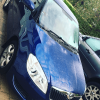
Description: Really well kept 2011 1.2TSI Fabia with the elegance trim. Only 67,737 miles on the clock. Has had a replacement reconditioned engine due to timing chain failure, and has now sadly got the flashing gear indicator, believe the mechatronic has gone. Broke down and has been recovered to my parents driveway. It is in generally good condition, few cosmetic marks to the paint. It has had APR coilovers fitted by Coastal Racing, setup beautifully - sits about 30mm lower than standard, and handles lovely. Currently SORN, valid MOT until November. Would make a really great project for someone, and very sad to see this car go, but have now replaced it with a Kamiq, so at least staying in the Skoda family.
 

Condition: Non Runner

Service History/Receipts/Recent Service work: Some service history, but over the last few years took to servicing myself, doing regular oil change, air/cabin filter. Not long since had a new coil pack installed. HT leads have been swapped out

Extras: Elegance/SE Trim (Records show SE but spec Is elegance I believe)


Mods: AP coilovers done by Coastal Racing, also got a 510 Headunit I can swap in if desired.

Shipping: Must have transport
 

Collection: Yes, transport required, located between Lancaster and Preston


Pictures: IMG_2041.jpegIMG_2039.jpegIMG_2043.jpeg

Edited by TSIspirit

  • TSIspirit changed the title to 2011 Fabia 1.2TSI, 67,737 miles, AP Coilover conversion *non-running*

Create an account or sign in to comment

Recently Browsing 2

Important Information

Welcome to BRISKODA. Please note the following important links Terms of Use. We have a comprehensive Privacy Policy. We have placed cookies on your device to help make this website better. You can adjust your cookie settings, otherwise we'll assume you're okay to continue.

Account

Navigation

Configure browser push notifications

Chrome (Android)
  1. Tap the lock icon next to the address bar.
  2. Tap Permissions → Notifications.
  3. Adjust your preference.
Chrome (Desktop)
  1. Click the padlock icon in the address bar.
  2. Select Site settings.
  3. Find Notifications and adjust your preference.