Leaderboard

.thumb.jpg.9dd3f612ba7f13d10be5c518d3c8d255.jpg)

Popular Content
Showing content with the highest reputation on 18/05/20 in all areas
-
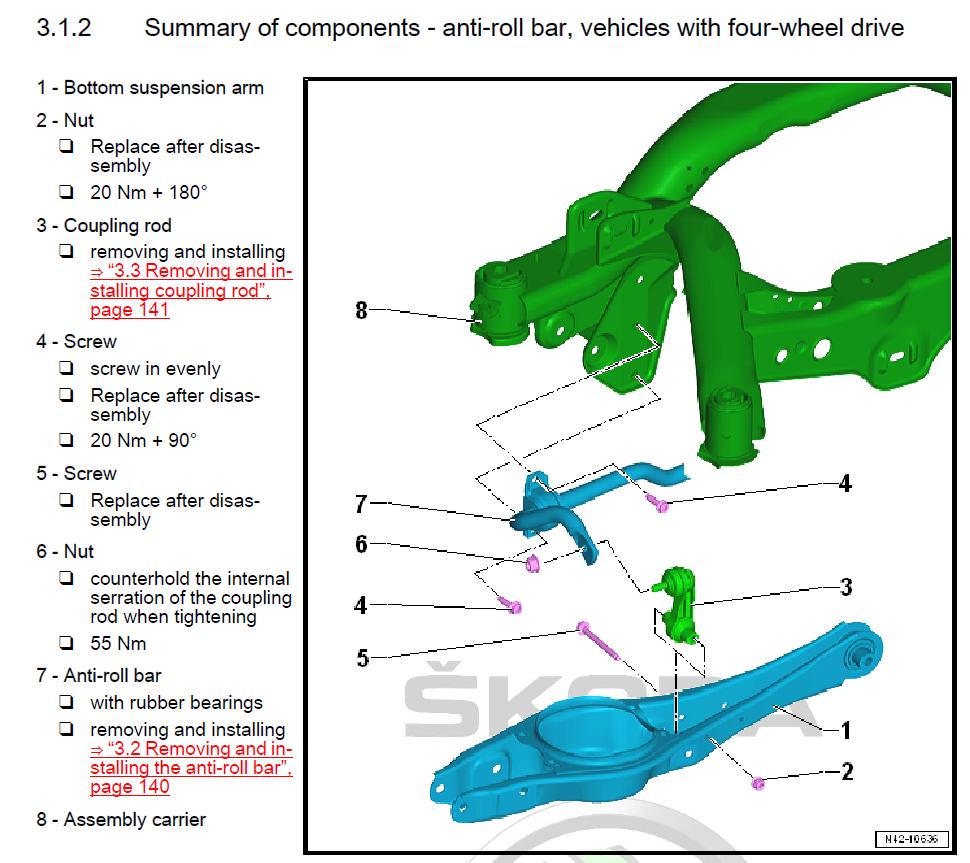
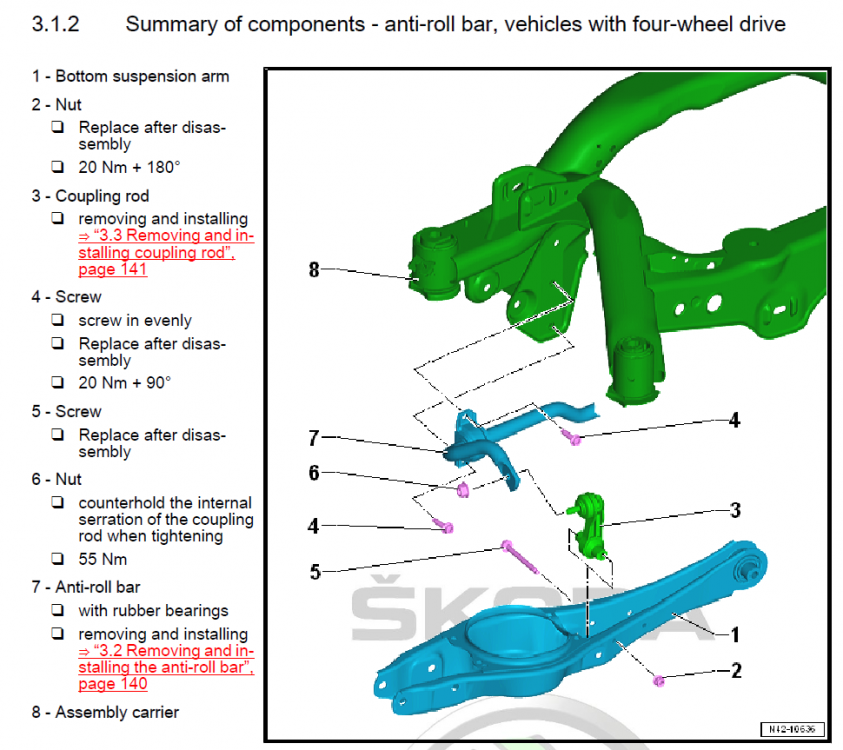
1 pointThis has become a hot topic lately, a few people have ordered or are about to order an upgraded rear arb and many more are asking about it so I reckon it would be helpful to have this information gathered in one thread, instead of scattered in various (sometimes not even related) threads. Information about possible options, installation and reviews of-course. I've went for the H&R 25mm one, the model number for the 2.0T 272/280 AWD cars is: 33581 HA5. The model number for the 2.0T 220 FWD is: 33851 HA for the 24mm one and: 33851 HA2 for the 26mm one (apparently the FWD has two options) The bar already arrived today but I will hold off installation until I get the replacement OEM bolts and nuts on Monday, needed for the job. Below is the illustration of the items from the Skoda manual as well as a small table I made with all the involved fasteners for upgrading the rear arb and end-links (if needed), numbers and torque figures. FASTENERS INVOLVED: # in Skoda manual Title OEM No. Torque Quantity REPLACE Tool #4 Bushing bolts M8x30 N10765801 20Nm+90 4x YES Triple square No.10 #6 ARB to droplink self_locking nut N10286110 55Nm 2x NO 16mm socket + Triple square No.6 for inner screw #5 Hex head bolt M8x85 N10776501 - 2x YES 13mm socket #2 Hex nut N90183804 20Nm+180 2x YES 13mm socket UPDATE: Link of a very clear video of the installation on a Mk7.5 Golf R (identical setup)
 1 point