Leaderboard
-

john999boy
Honorary14Points11,233Posts -
Aspman
Resident Member12Points21,291Posts -
skomaz
FREEDOM11Points11,417Posts -
.jpg.1006585dfe4e2977315b67c3d642e37b.jpg)
Guest_
FREEDOM10Points83,824Posts




Popular Content
Showing content with the highest reputation on 18/06/20 in all areas
-
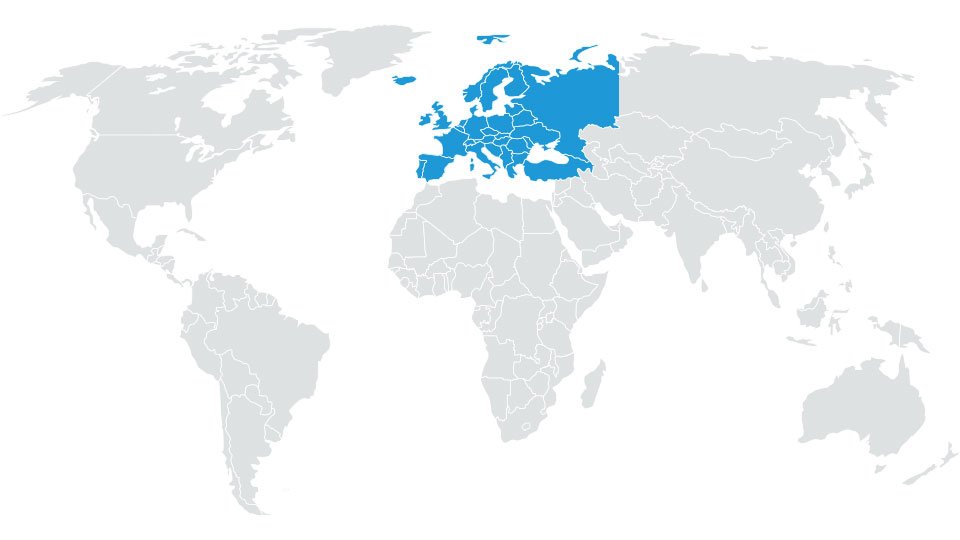
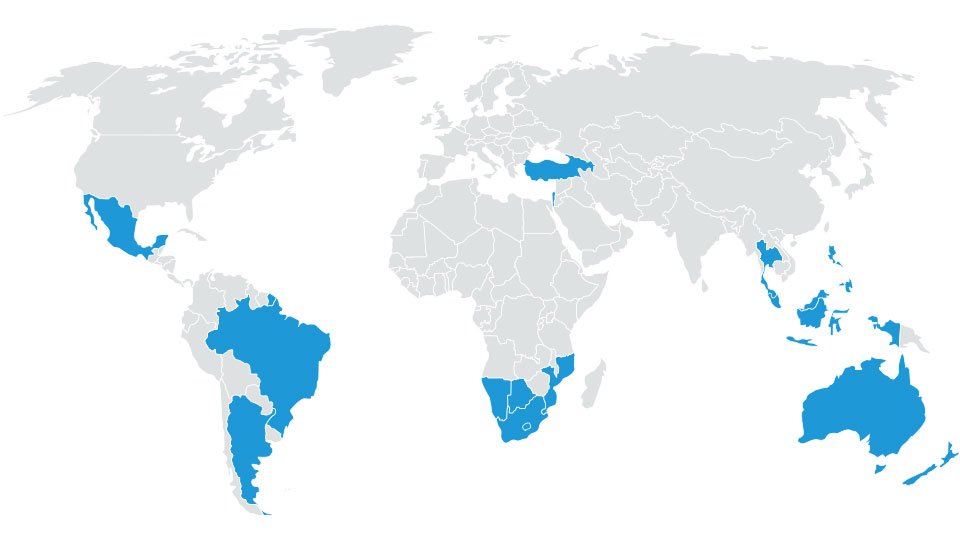
2 pointscan't comment details because i don't have this device, just managed to catch some links for those who have question: -> What Amundsen unit do I have? Mib1 or Mib2 for Mib1 units (2015 and older) Skoda Amundsen Seat Navi ? VW Discover Media Audi MMI Navigation ? # ECE 2020/2021 6.2 GB VW portal: #- #- #- http://vw-mapscdn.tdd.adacorcdn.com/P94_N60S3MIBS2_EU_NT_Q3.19.7z dead: 2020.07.0? VW portal: https://vw-maps-cdn.lighthouselabs.eu/vw-maps/P94_N60S3MIBS2_EU_NT.7z Files inside: 2019.12.19 Downloadable: 2020.05.20 Published: 2020.06.15 Škoda portal: https://infotainment-cdn.skoda-auto.com/base/maps/STD1_P94_EU_202022.zip Downloadable: 2020.05.18 Published: 2020.06.-- # Rest of World 2020 3.3 GB VW portal: #- #- #- http://vw-mapscdn.tdd.adacorcdn.com/P57_N60S3MIBS2_ROW.7z dead: 2020.07.0? VW portal: https://vw-maps-cdn.lighthouselabs.eu/vw-maps/P57_N60S3MIBS2_ROW_NT.7z Downloadable: 2019.11.07 Files inside: 2019.07.10 Škoda portal: https://infotainment-cdn.skoda-auto.com/base/maps/STD1_P57_MRM_2020.zip # Rest of World 2020-2021 VW portal: - - Škoda portal: https://infotainment-cdn.skoda-auto.com/base/maps/STD1_P61_ROW_202022.zip on Škoda's portal yesterday were updated Amundsen Mib2 files, but that are the same as VW portal got in last year November -> https://www.briskoda.net/forums/topic/480367-amundsen-mib2-map-updates/ ======= coverage ======= # EU Albania *, Andorra, Belgium, Bosnia and Herzegovina *, Bulgaria *, Denmark, Germany, Estonia *, Finland, France, Gibraltar, Greece, Ireland, Iceland, Italy, Kosovo *, Croatia, Latvia *, Liechtenstein, Lithuania *, Luxembourg , Malta, Macedonia (Former Yugoslav Republic) *, Moldova *, Monaco, Montenegro *, Netherlands, Norway, Austria, Poland, Portugal, Romania *, Russia(European part) *, San Marino, Sweden, Switzerland, Serbia *, Slovakia, Slovenia *, Spain, Czech Republic , Ukraine *, Hungary, Vatican City, United Kingdom, Belarus *, Cyprus * * partially # ROW Argentina *, Australia, Bahrain, Botswana *, Brazil *, Brunei *, Chile *, Indonesia *, Israel, Jordan, Qatar, Kuwait, Lesotho *, Malaysia, Mexico *, Mozambique *, Namibia *, New Zealand, Oman, Philippines * , Reunion *, Saudi Arabia, Singapore, South Africa, Swaziland *, Thailand *, Turkey *, United Arab Emirates * partially ======= instruction ======= all what i know, files must be extracted to original SD card
 2 points