TheWanderer
Resident Member
-
Joined
-
Last visited
Everything posted by TheWanderer
-
I can foresee what's going to happen. The car will do an automatic download and install it itself via the OTA system. 🙄 My car goes in on July 20th at 0800 - 1600
-
Visited my dealer today to say about the issue and gave them the firmware number and TPI number and they've confirmed that it is outstanding against my car and will be done FOC as it's under warranty, also a couple of other things need to be done, so I'll let them do it because if they screw it up they've got to sort it.
-
I prefer to use Waze, although it still insists on using feet on the approach to junctions & roundabouts etc. But I do have a lot of knowledge in my head so I'm not over reliant on technology.
-
So when & where can we get it from? The reason I ask is that the regular restarts are annoying if I want to use AA, it's fine if I just connect the phone for calls.
-
So you must have a charger attached, but if the car is on then there's no need, unless they mean just ignition on. But if it needs a charger im stuffed as I don't have one.
-
I know how to access the maintenance system, its just getting the formatting of the memory stick etc right so the upgrade goes without a hitch and doesn't brick the system altogether.
-
Depending on how easy it is to install.
-
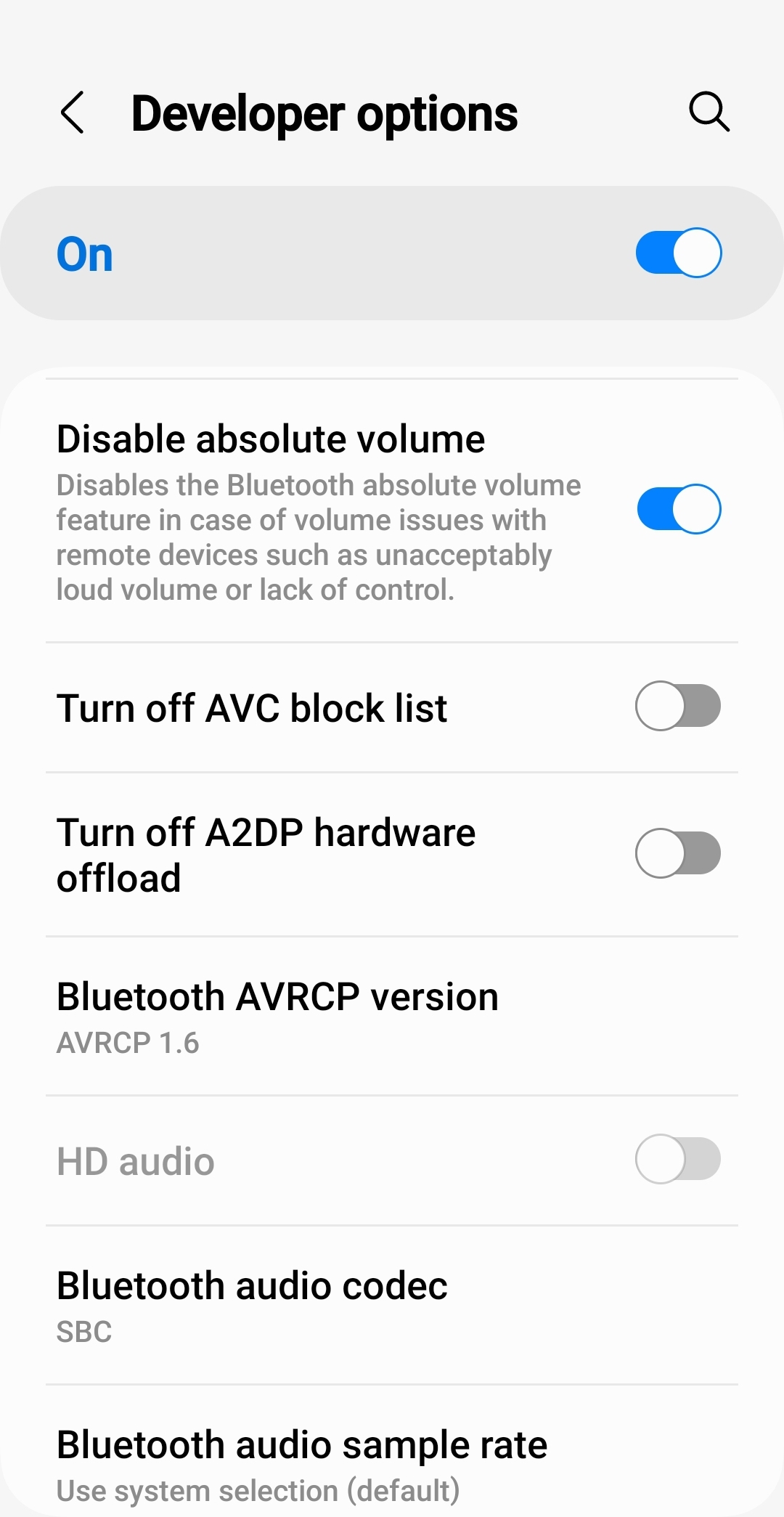
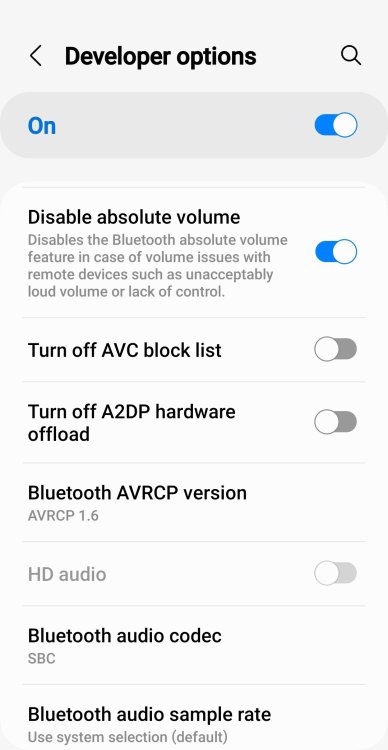
So if yours is like it, mine like it, how many others are like it? Folks if you read this, can you try it? Make sure that your phone's WiFi & Bluetooth is switched OFF before you get into the car and then start your car as normal and see if it reboots at anytime. If you have an Android phone you can get it to change the PBAP settings 1.2 & AVRCP to 1.6 in developer mode. Settings - Software Information - Build Number (tap it approximately 8-10 times) it will release Developer Mode, scroll down through it and you'll find something like BPAP is in one of the other menus. Ive just done it and I will endeavour to test it tomorrow if possible.
-
The one thing that I think is causing it, is the Bluetooth connection as I didn't activate it today and the system didn't reboot at all. I'm going to disable Android Auto next time and just see if I can use Bluetooth for phone use only and see what happens.
-
Had several sets of updates, can't tell you what they are as they're always obscured by something else on the screen, touch the screen and it very conveniently varnishes!
-
Im somewhat surprised that this cannot be downloaded OTA like all of the other updates.
-
I'm thinking that if you have a USB C memory stick you could load it onto that and plug it into the USB ports and enter engineering mode, it should find it in theory.
-
Got a 1ltr bottle for topping up for £8.50 at EuroCarParts. Meets the spec. Why pay more? https://tinyurl.com/ycycvzrx
-
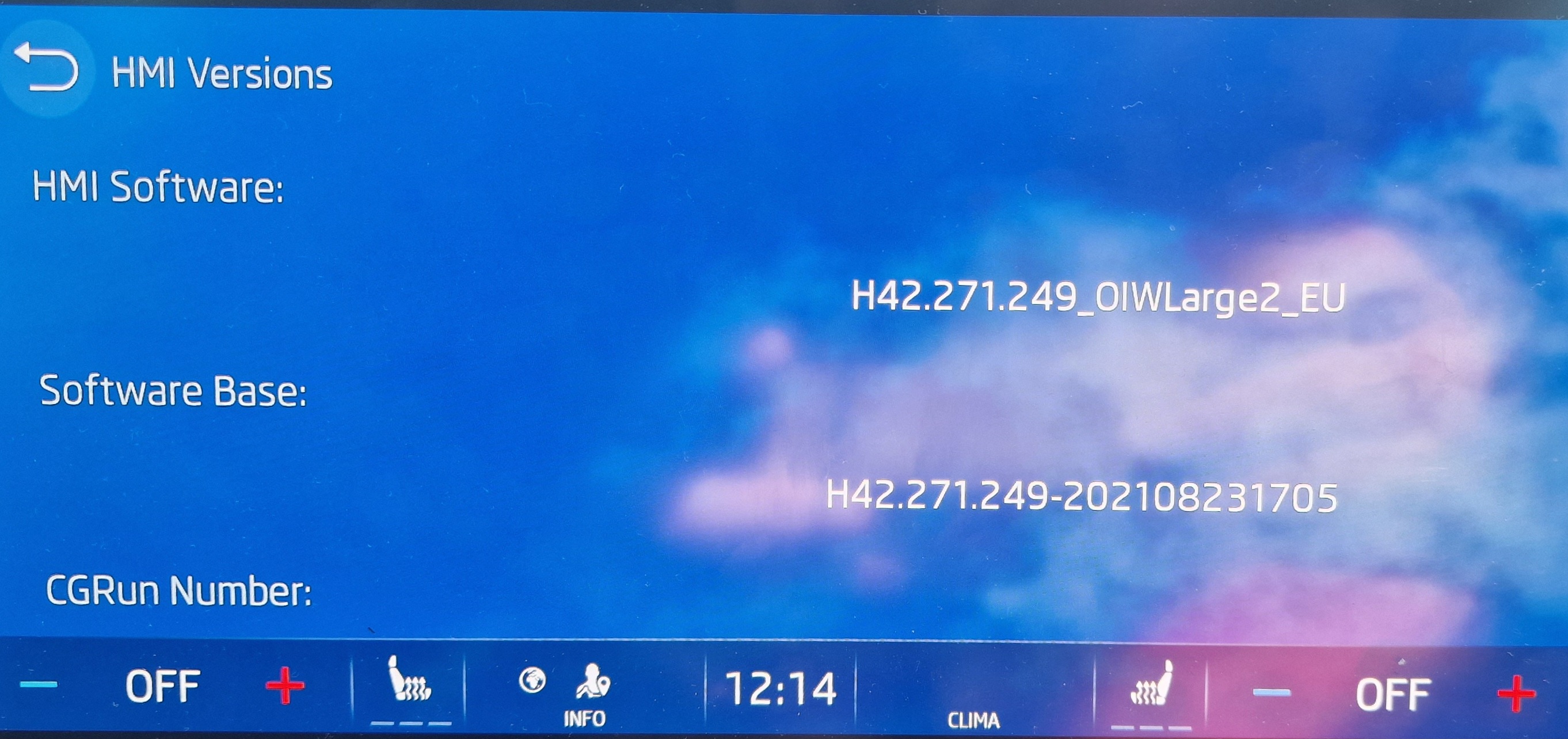
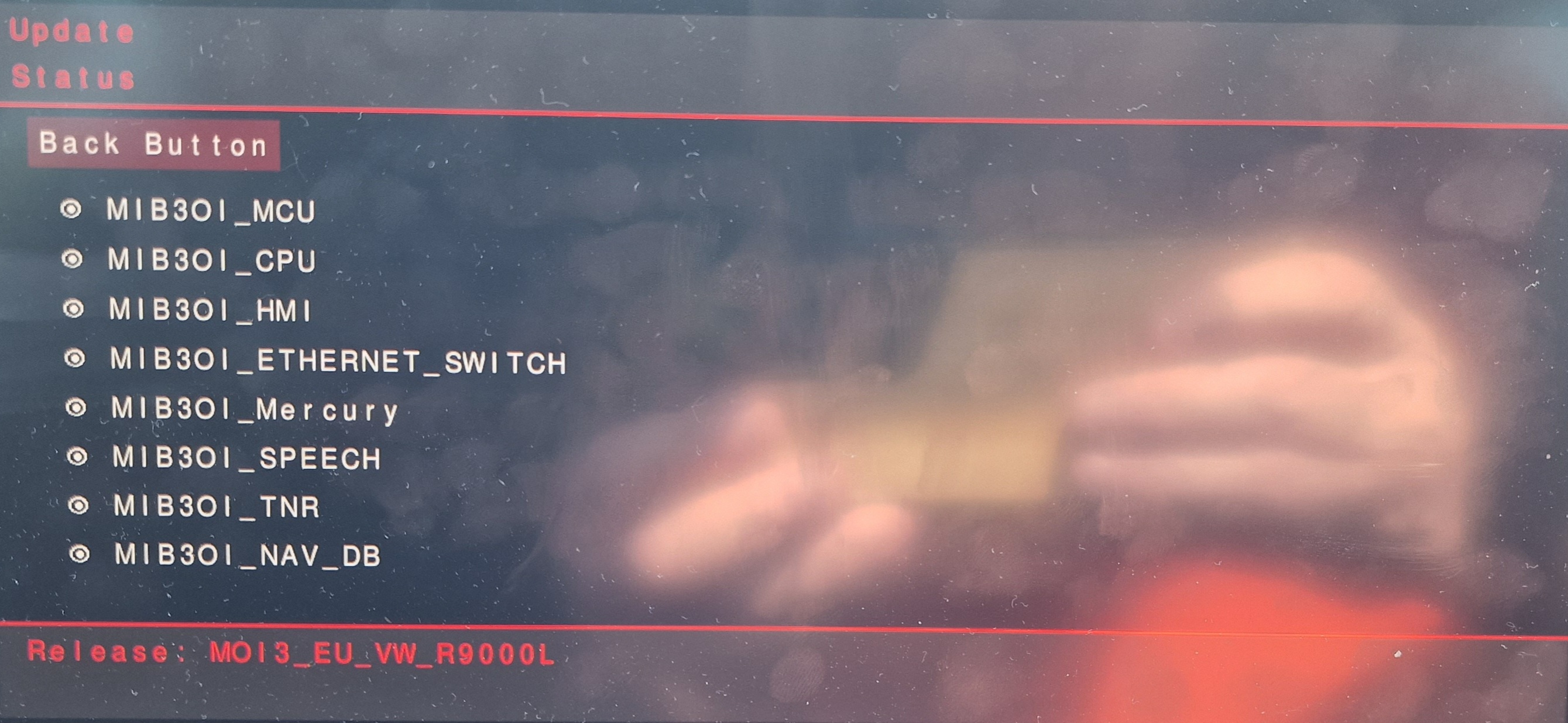
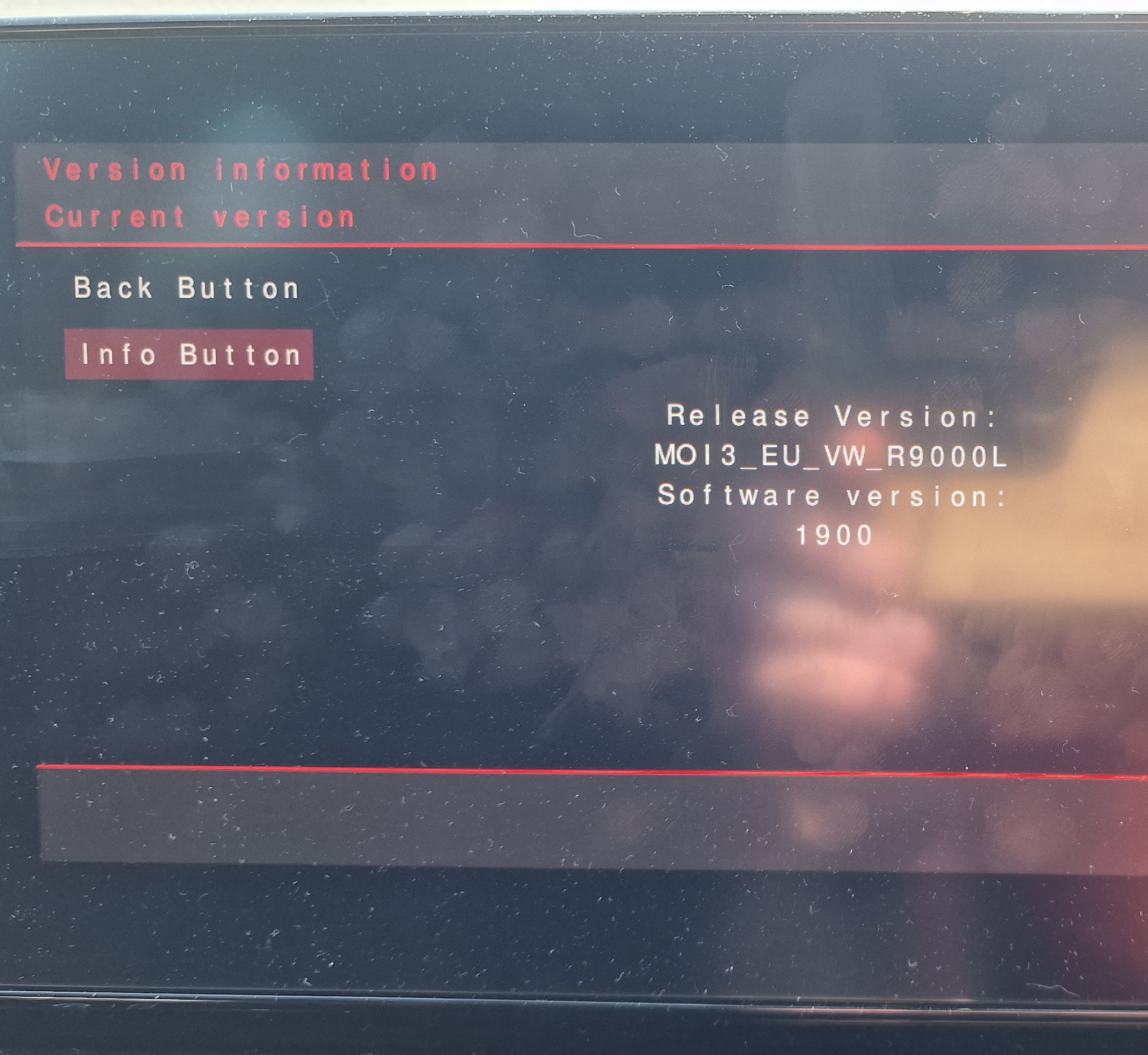
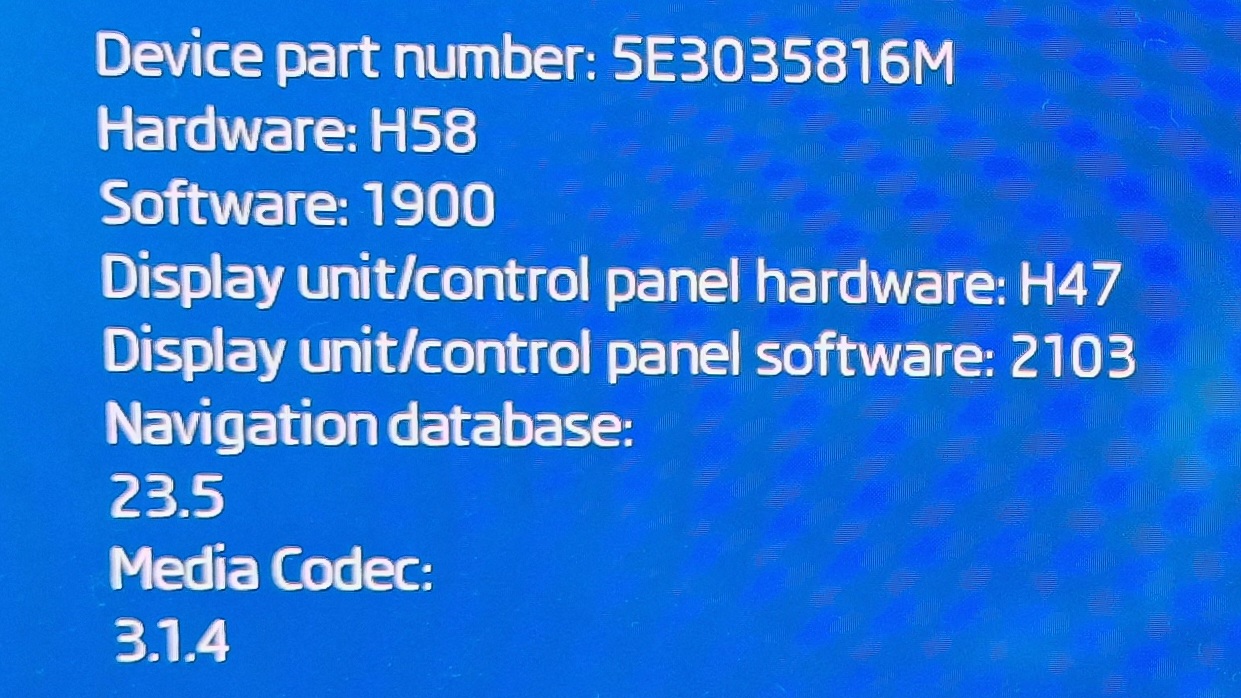
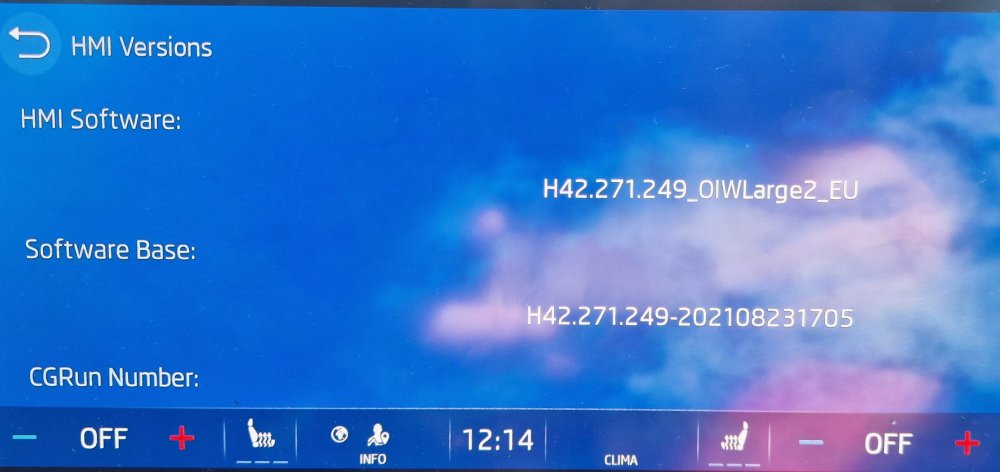
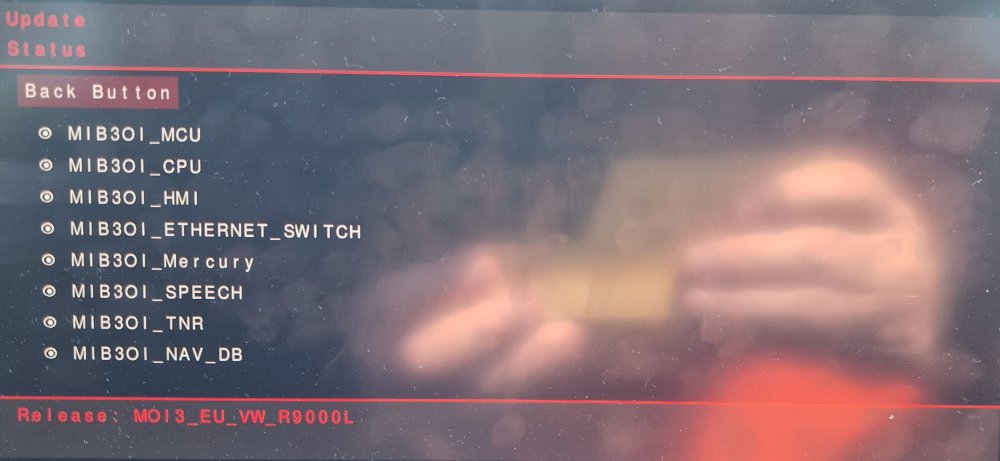
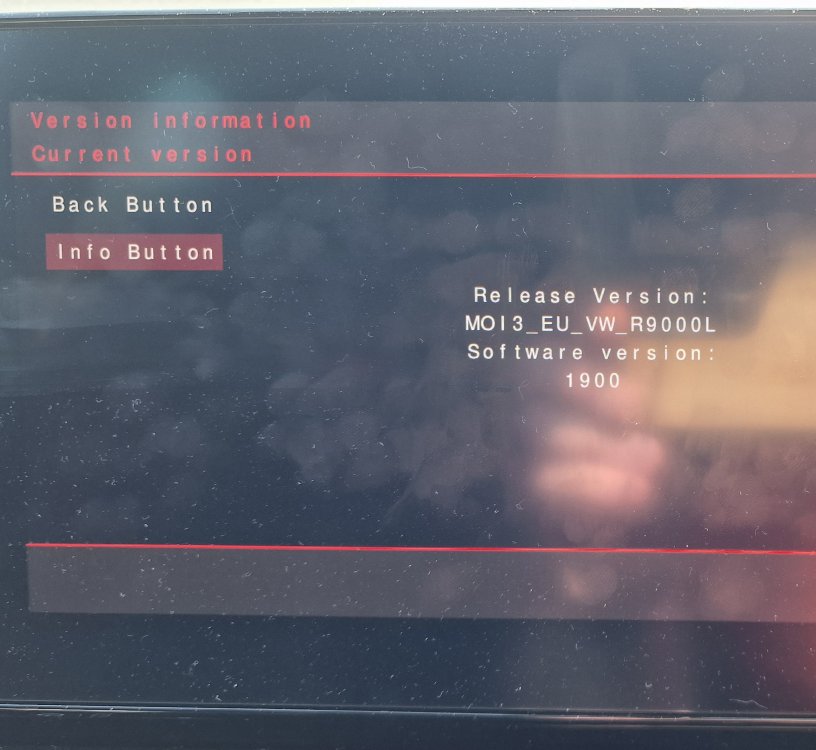
These are what I got from the system
-
I never stream music, I use Waze for maps, my music is on a USB stick, so I could get away with just using Bluetooth. I don't know what version of Bluetooth the car has but my phone and other tech has Bluetooth 5.2 & 5.0 respectively, so more than enough bandwidth for music and data.
-
I've got a Galaxy S22 Ultra and when I try to use Android Auto I get the red screen of death for AA. Connect with Bluetooth only and its fine.
-
Are you thinking that there maybe compatability issues as there may be slight hardware differences between Skoda & VW group car's hardware
-
@varooomWill do in a little while, still in bed as I've just retired by force so I'm having a lay in
-
Just seems a bit odd that the previous car only used Bluetooth and this one seems to have the need for both to be active, weird. TBQH I don't see the need for massive data amounts via Bluetooth
-
Why does it need WiFi? Is it for downloading the updates? I don't see a need for it to be switched on all the time.
-
Haven't had a single reboot today, although an update dropped in, no idea what it did.
-
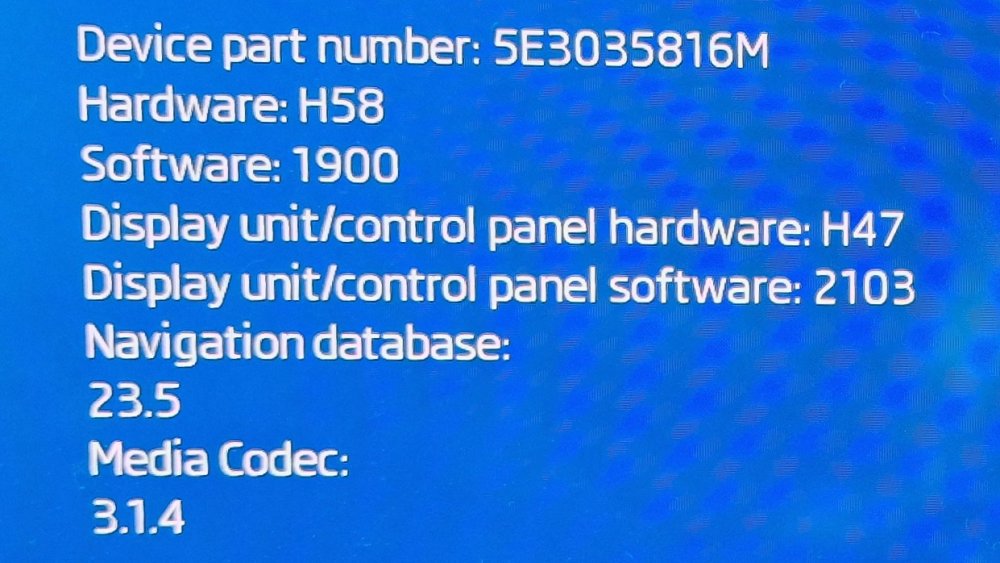
This is what's on my system. And all of a sudden it has started doing random restarts.
-
Mine has started doing it after a "update", so will be interested to see if a upgrade to 1940 or higher resolves the issue.
-
1900
-
Mine did an update a few days ago and has now started doing random restarts, not that it bothers me that much. Just a bit strange why it has started doing it puzzles me. Is there a way to do a system reset, like on the Mk3? Ta.