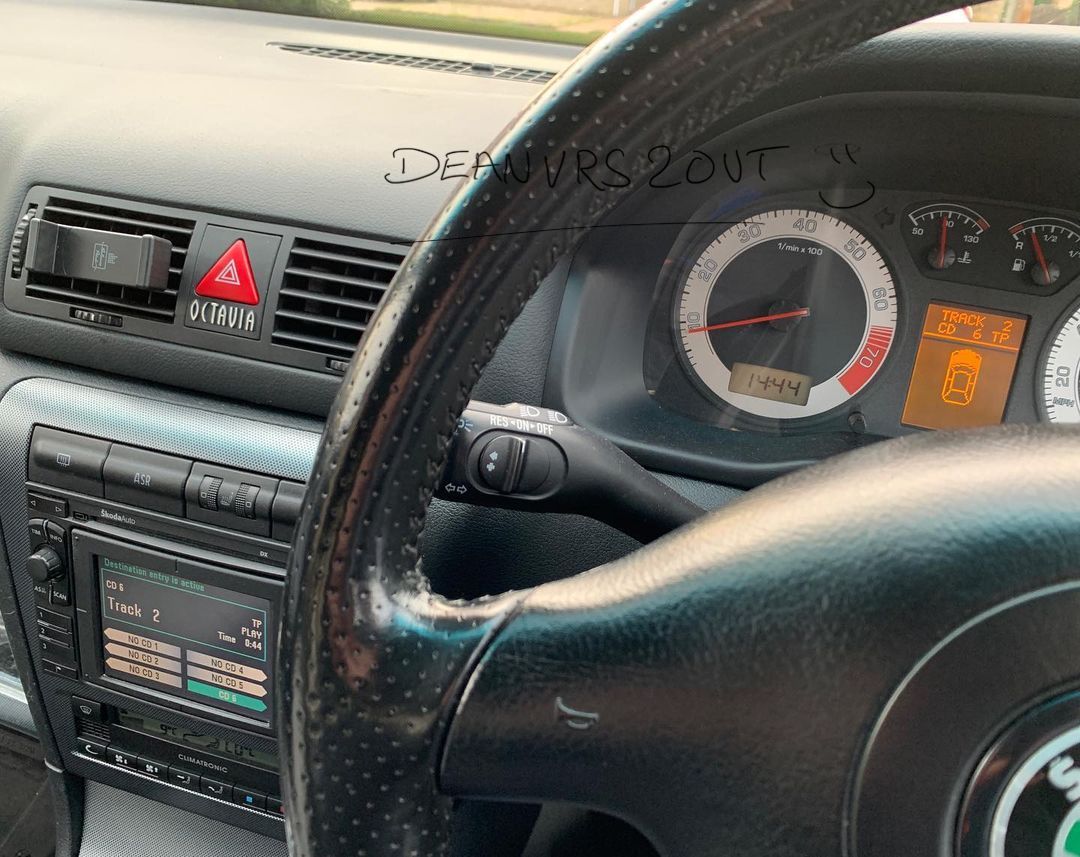
Dean
Administrators
-
Joined
-
Last visited
Everything posted by Dean
-
Let us know how you get on.
-
I've seen many now attempting to install/retro fit Maxidot/Satnav and have the ecu re-coded or have the immob deleted. I believe now you can even adjust all the mileage with relative ease now and have it all coded correctly. | This maybe of some interest.
-
Hi Kev, The best thing to do as a starting base is to plug it in and get it scanned to see if there are any problems/codes stored. It would also be worth trying to find out if it has been remapped. Coil packs are known to go quite regularly with mapped cars if they’re cheap. Also, make sure he isn’t running an actual ‘dump valve’ as our cars are not designed to run with them.
-
Hi @OBH69, In order to advertise your car you need to be a Freedom member and use the classifieds section. https://www.briskoda.net/forums/subscriptions/ https://www.briskoda.net/forums/classifieds/ Thanks.
-
This maybe of some help
-
Well that part only relate to the golf. As there are some differences I would stick to an Octavia. What I would do is ring TPS and quote that part number and ask is there an Octavia version or is it the same (just to be sure).
-
Under trays for the these cars come in 3 parts. Left/right and the whole underbelly part. Part numbers here: https://skoda.7zap.com/en/cz/octavia/oct/2004-252/8/825-825010/#2 Be sure to check for petrol/diesel variants.
-
Usually the body panels, and interior. But as yours is a basic spec I doubt the interior would be anything. You’ve also got to bear in mind the space and time to strip the car yourself. As I said, put the whole car up on eBay or one of the MK1 Octavia’s FB groups to see if it’s gets any interest.
-
The very basic of spec on the Octavia’s do not have the option. I believe it started on the elegance and up. There is a brochure on here somewhere I which you can check the trim levels/optional extras.
-
Bit to far for me or I may have some parts off it. I’d put on eBay and see what it goes for, got to be worth more than scrap value.
-
Don’t out rule tyres and the road just in case.
-
Be sure there are no split pipes for the rear washer. Known problem for these to break and come apart and leak where the CD changer is.
-
Possible that the mech has gone on the boot lock. Open it up and I spec it all and double check the wiring. Boot should unlock with remote locking and with the key in the door and finally with the button on the drivers door.
-
Don't really like recommending FB groups as I can't stand the place, but there are a few MK1 groups, so I'd just recommend joining them all. Haven't seen a WRC for sale for some time. The last two I know of were sold by Manny on here.
-
Need to be on the WRC FB groups.
-
With the above it isn't to bad at all, in this case I think it's just the age of the car and the 'expected' general maintenance. That wouldn't be enough for me to justify getting rid of it.
-
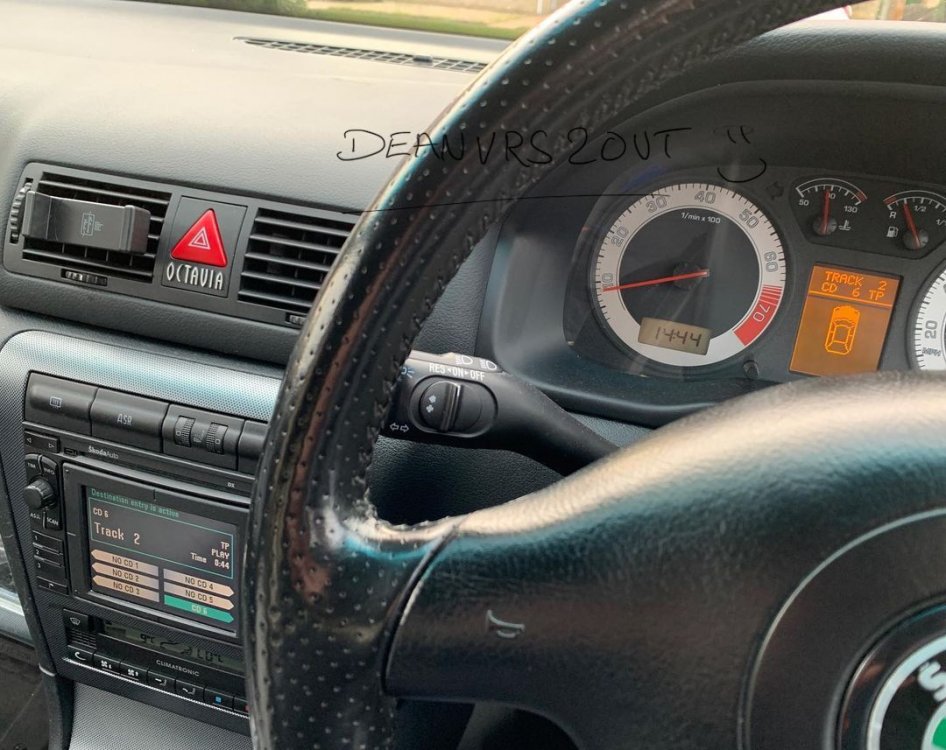
Famously stolen from the MK1 Fabia section, I've decided to compile a list with the help of @softscoop (so thank you very much). An example of mine: If you have Octavia VRS you're welcome to contact me to add yourself to the list (no personal info will be added). This is the current and up to list that we have. I know there are a lot of other Octavia's that have Maxidot & Satnav, but I'm only interested in the VRS models. Corrida Red VRS (**55 ***) (Mine) * Corrida Red VRS (FH05 ***) * Corrida Red VRS (VN55 ***) Black Magic VRS (WF04 ***) Black Magic VRS Estate (J55 ***) Black Magic VRS Estate (LK53 Y**) * Corrida Red vRS (*U55 ***) Black Magic vRS Estate (GY03 ***) Black Magic vRS Hatchback (OU04 ARX) Thanks. Key: Purple = Added
-
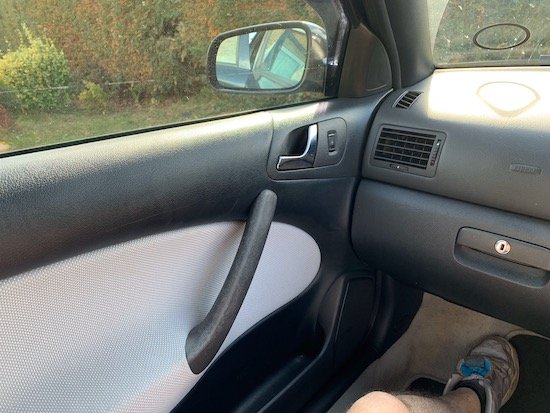
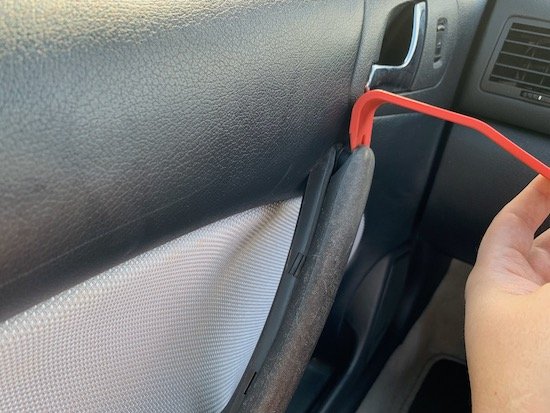
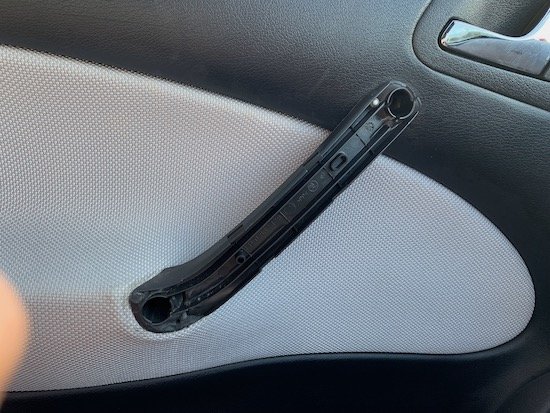
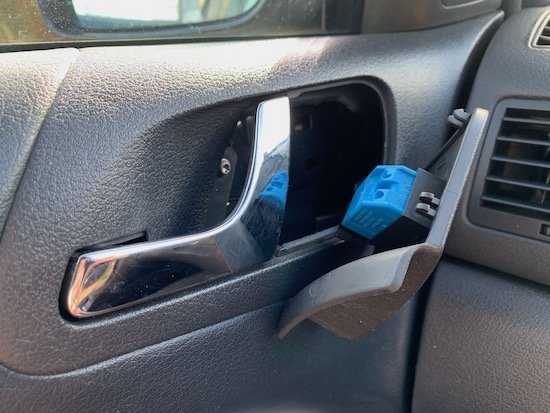
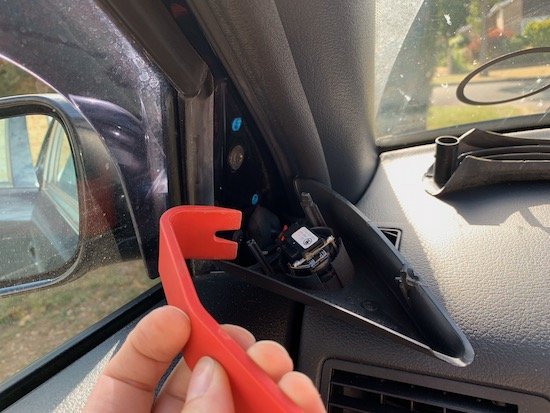
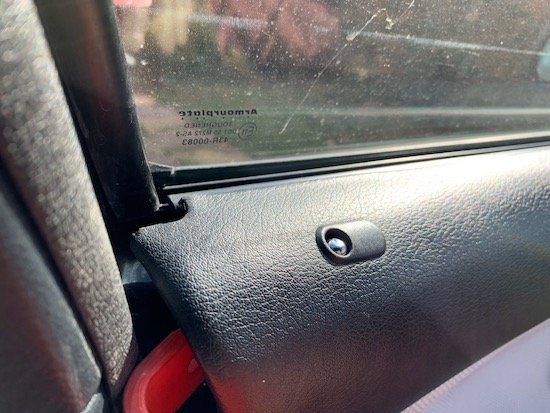
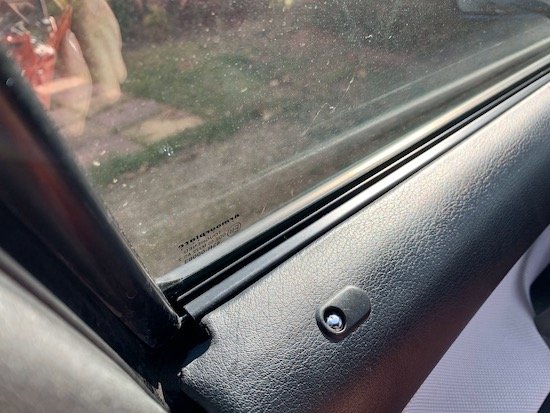
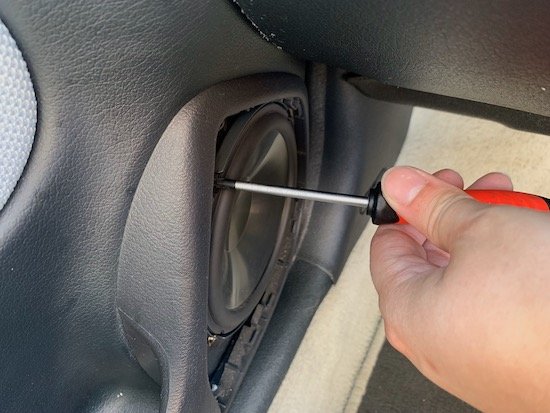
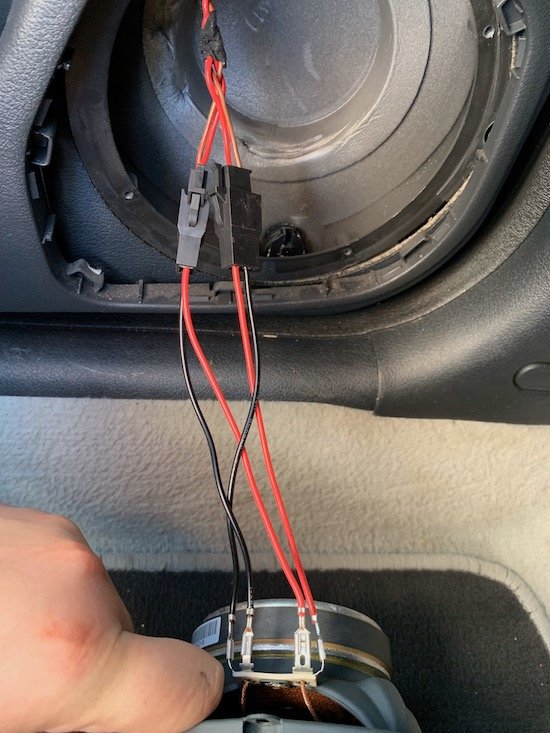
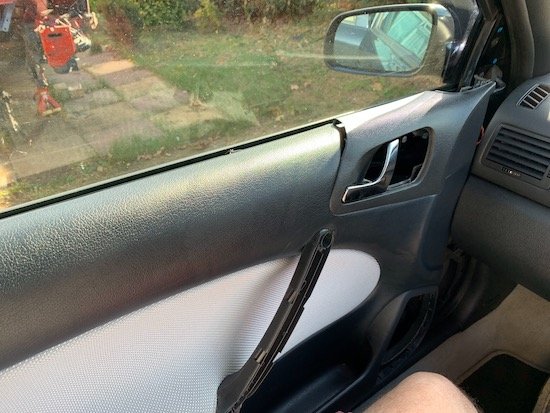
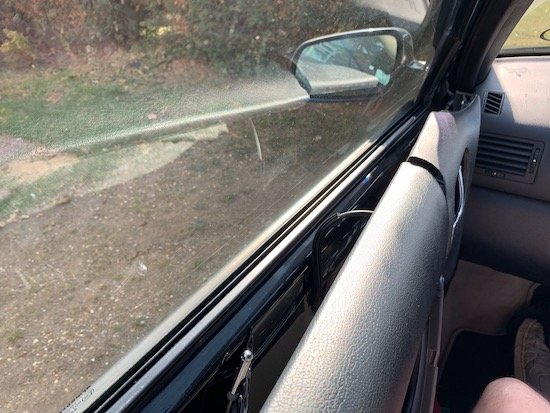
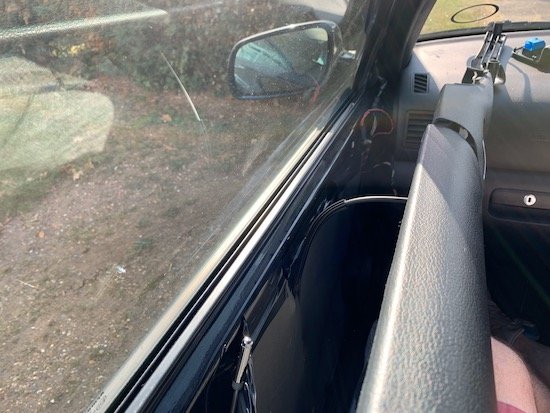
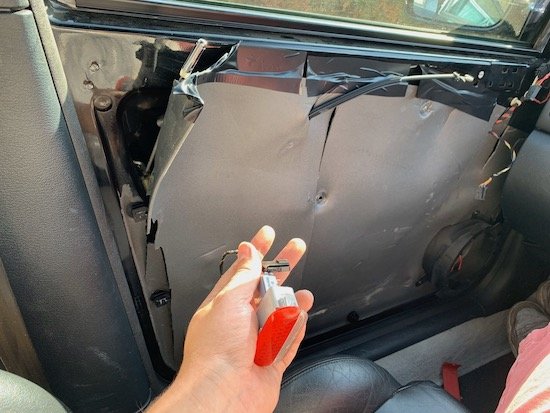
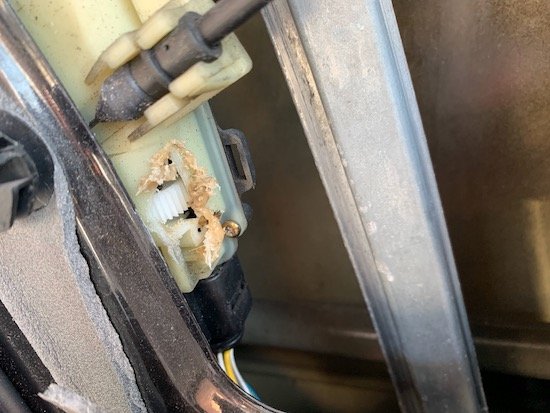
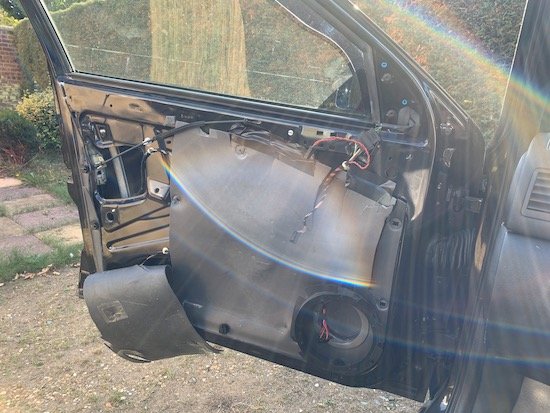
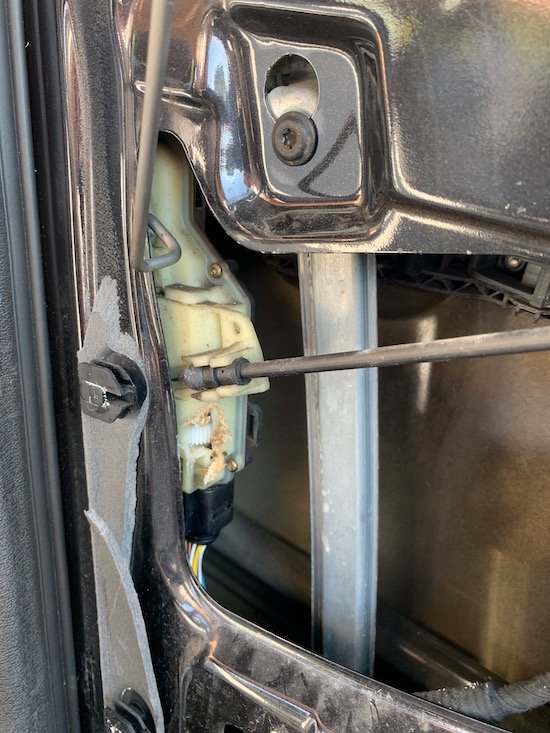
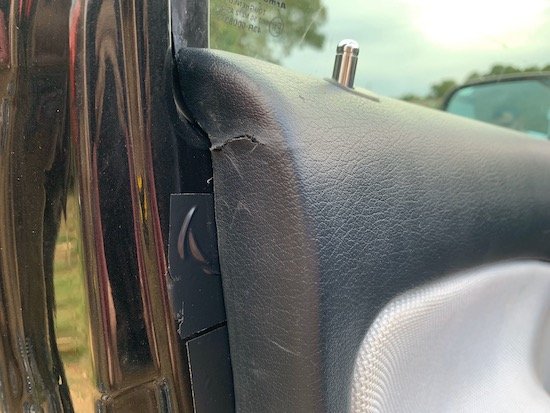
I'm making this guide in hope that it helps other that are in a similar position. Through this guide you'll have a step by step process on how to access your door from inside the car. If you door is locked, deadlocked, or cables have snapped this will help you. Tools you're going to need Philips Screwdriver Trim Removal Tools (as to not damage any plastic parts Drill with drill bits or Dremel Step 1 You want to sit in the site facing the door of your choice Step 2 Remove the A-Pillar tweeter cover Step 3 Remove the inner door handle with the trim removal tool, on each side gently pull up. Step 4 Remove the window switch, I found that the easiest way is to life up the handle and put a trim tool in on the side and lift it out. There will be a tiny hex screw behind there, make sure you unscrew it and take it out! Step 5 There are x2 philips type screws, these need to be removed with a long screwdriver. Step 6 Now the tricky part, getting the door card off with minimal damage if any at all. Grab that trim removal tool once again and place it at the back (as in picture) and try to unhitch the top of the door card over the lip on the door. Step 7 Once you got the corner, you'll see that you can go all the way along to unclip it all. Step 8 Now removal the speaker grille and the speaker with your philips screwdriver. You'll see that I use VW/SKODA speaker adaptors for a neater install, if your's are standard then you'll just have x2 speaker connectors directly on the speaker. Step 9 All around the edge are screws that hold the door card in place, normally the door would be open and you'd unscrew them. But, as we cannot do this, you'll need to literally yank the door card straight off. Be sure to move the seat back to give you more space. Step 10 If you've managed to create a gap, be sure to un-clip any connectors before completely removing it, you don't want to damage the loom. Step 11 If the door is deadlocked and there's no power, no audible click, then you're going to have to cut into the door lock module. Look closely to my picture, you need to cut directly under the cable which is attached to the module. Step 12 Try not to go to deep as you don't want to ruin the cogs/gears. Once you can see the cog, you'll need to start to turn, unwind it until you hear a click or that you can pull the door cable and see if the door opens. Step 13 If you've done it all correctly then your door will open! Step 14 Inspect the door card for any damage, I had very minimal but I wasn't to worried as I have a complete VRS interior in the garage. Step 15 Give your self a pat on the back! If this was helpful and you would like part two of the guide which includes, handle and door lock removal then hit the like button. I'll put the effort in and complete part two and get it posted. If this was helpful, again hit the like button as I can always make more guides on the MK1 platform. I'd love to see pictures and hear your story on how you achieved this, so post your reply below! Thank you!
-
Just wondering if anyone has the older style black plate for the MK1 Octavia VRS? Example here Or maybe a place where I could get them made up as close as possible to the dealer style. If anyone has a couple for sale, let me know!