
VinzClortho
Members
-
Joined
-
Last visited
Everything posted by VinzClortho
-
I could connect to Skoda account fine yesterday and today in the UK
-
My previous cars were a Fabia and an Arona and both of their seats slowly reclined, as does the current Octavia - VAG engineering at its finest!
-
I used to have an Seat Arona, there was a spate of people complaining about the rude quality on brand new ones, it turned out they were coming out of the dealers with wildly overinflated tyres, so it’s worth checking.
-
I don’t have a rear wiper so maybe the option is only on screen if you have no rear wiper/washer. To be honest using the stalk would be easier
-
Thanks Buddy, I’m awaiting the screen coming into the dealers to be fitted. They’re doing it FOC but pretty disappointing that it was missed at all..
-
There’s an option to squirt it when the rear view camera is displayed. It’s not obvious, I think it’s in the brightness settings section if memory serves
-
Mine is a 1.0 e-tec SE-Tec. Had it since January, I haven’t driven as much as usual but a lot of short journeys, and two longer drives. So far the head unit has rebooted a couple of times; once mid-journey and once as I was entering a location in the sat nav before a journey, and that’s it. The parking sensors are a bit slow to activate but that’s not really a fault. My issues have been with missing parts, main one is that I ordered the winter pack and they didn’t fit the heated screen! Im also not sure of build date but can check if someone tells me how
-
I took mine into the local Skoda dealer (not the supplying dealer) and had them check whether the ambient rear LEDs were fitted, along with the heated front windscreen, boot release and dimming mirror which were all missing. This was at the request of Skoda/VAG customer services. Might be worth doing the same as once it’s on a report on Skoda headed invoice it’s hard to deny. Skoda said they’re listed as a pack by the parts section and it took a little while to identify the specific part - I’ve been told they will be retro fitted and they’re awaiting parts... I’ll keep you posted...
-
How is the loaned Octavia?
-
So far I’ve only had one issue. On a drive the head unit rebooted, the screen went black for 2-3 seconds and then a message appeared saying would I like to continue with the guidance, I clicked yes and it was normal again. Other than that the parking sensors are a bit slow to activate but that’s it - To be fair I’ve not driven it as much as I would usually but done a good few journeys. That’s on an SE Tech 1.0 E-Tec
-
‘Cost saving’ like not fitting the boot release button!
-
The LEDs under the stereo and in the front doors can be changed but the rear door ones were missing
-
Why did you not expect lights until the rear doors? The led lights are supposed to follow the line from under the stereo, through the front doors and into the rear doors. It’s supposed to mimic the line that runs down the outside of the car. The door handle lights are listed separately. Skoda have acknowledged it’s missing and are supposed to be retro fitting but I’ll keep you updated... ”LED interior light pack. Includes LED front reading lights, door handle illumination, footwell illumination in front and rear, illuminated vanity mirrors and SKODA welcome logo. Also includes decorative ambient lighting strips on the dashboard and front and rear doors which can be set to ten colours”
-
Hi, that’s right. Raised a complaint as a mis-build as the rear door LED lights, boot release and auto-dimming mirror were missing. They asked for a garage to check it first, the garage also checked the heated front screen as that wasn’t working, found that was missing too and are fitting that along with the lights.
-
I complained to Skoda about that, and it’s apparently being retro fitted. They’re waiting on parts to come in as the heated front screen also hadn’t been fitted so both are being done together
-
Is anyone able to set the temperature/prewarm the car from the app? The website talks about it but I can’t find an option, it would be nice in the winter, especially if you could turn on the heated screens too and let it defrost
-
My previous car was a Seat Arona, there was a spate of these being delivered with wildly overinflated tyres so it worth checking. Even moving from the eco to the standard inflation made a difference, though it was more to road noise.
-
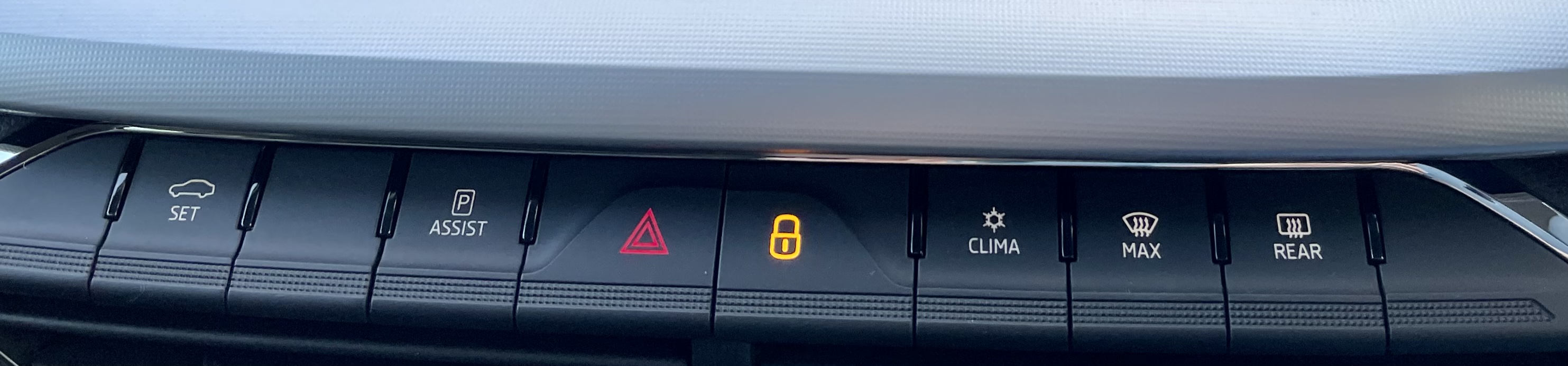
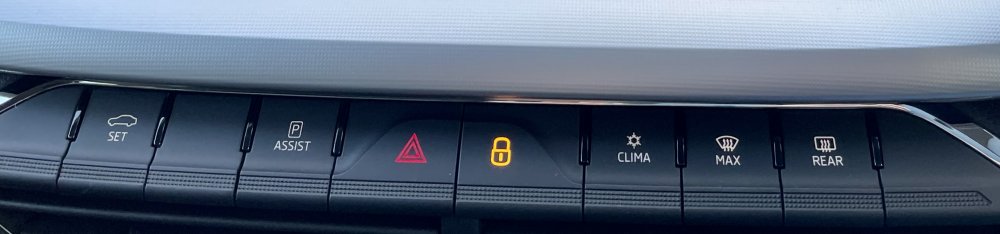
Do you have a physical button? I have a quick clear front screen button, I had wondered if this should be a front heated screen button but the grab from the manual that TheUltraRunner kindly posted doesn’t say anything about a physical button Thanks
-
Could you use the steam from a hot drink to test it? Or maybe set the air con to full cold, then full hot to mist it up, then turn on the heated screen?
-
With my Octavia I had already found that the boot release, auto dimming rear view mirror and rear LED lights were missing; Skoda complaints had asked me to book it in to check these were actually missing and not deactivated - As I couldn’t see any wires or tint, and it didn’t seem to be working, I asked the local Skoda dealer to check that too and was pretty dismayed to find that was missing too. FYI when I ‘turn on’ the heated front screen, despite it being missing I get no errors or warnings
-
That’s great thank you, I missed that. Unusual that there’s no physical button like the mk3 or the Superb but migrating everything to the touchscreen seems to be the way forward from VAG thanks 👍
-
Hi everyone, long story short, I ordered the winter pack but Skoda didn’t fit the heated screen! I have a ‘button’ to turn it on on the infotainment screen, and the option to set it to automatically turn on despite it not being fitted. Skoda are going to retro fit the screen. My question is; should I have a physical heated screen button? I have a button to quick clear the screen by turning the air con to max on the screen, should this be replaced with a physical heated front screen button? thanks