




Dave77
FREEDOM
-
Joined
-
Last visited
Everything posted by Dave77
-
Just to eliminate a screen fault, try setting a preset on your radio by holding down on the screen
-
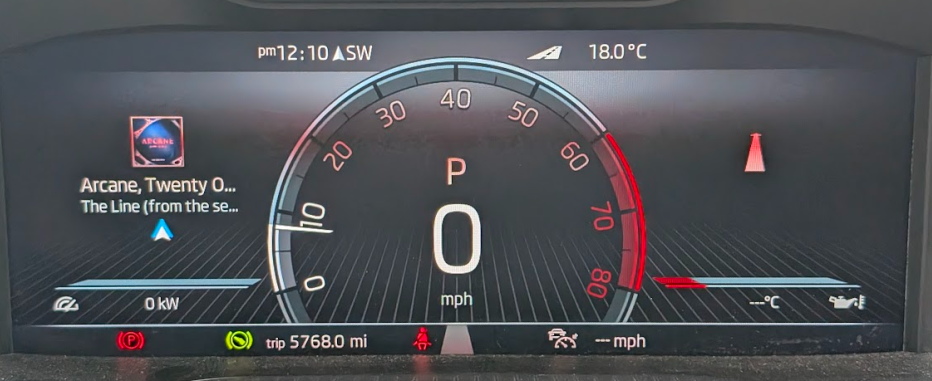
When you save by holding down the preset on the screen you should get a 'ding' sound from the speakers. I use the same VC screen as what you want with the big dial in the middle but mine isn't as fancy as yours. Do you know if yours came from the factory with VC? I'm wondering if someone has fitted it after and not coded it correctly. It looks like some coding has been done to make it looks like that, unless that's standard on the 280. Also, I have no personalisation option in my menu?!
-
Ah, same as this then. I read it earlier but didn't think it was the same issue as yours Rear traffic alert and blind spot monitoring switching off | Skoda Kodiaq SUV Forum https://share.google/jy2vxNJPKp7mTfh11
-
That's odd, it should remember it. The blind spot issue isn't normal either, sounds like it need to be checked by a dealer/specialist.
-
By options do you mean the small sections that appear on the left/right, eg MPG etc. If so you need to choose your desired configuration via the head unit display and save it as 1 of the 3 presets. You can then change the presets via the steering wheel controls. Go to 1:40 on this video for instructions https://youtu.be/W6cM5ROjEBo?si=bYHX2BSHybF9nKRX&t=100
-
Yeah, the AAWireless 2 has been in our Leon for a couple of weeks now and has been faultless. Whilst the Ottocast is tiny and appealing with no wires, you have to wonder what it's missing being about a tenth the size of the AAWireless unit.
-
I sent the Ottocast back. Random drop outs in calls and slow reconnections, often going back to the initial onscreen prompts. I'm not convinced that the Ottocast creates a WiFi connection to the phone like AAWireless does. I went with an AAWireless V2, seems much better.
-
Hi, my phone is connected to Android Auto> If I give my phone to my kid to play games then the sound plays over the car speakers. Does anyone know how to stop this happening?
-
Got mine today. Here's the Engish instructions in case, like me, you don't get them in the box https://manuals.plus/m/e88807f6e06c617162b4e732dcff26cf885bd9d2e3ca3397118bc838e1b845cd
-
Wireless AA in my MIB3 has been great. I have the Ottocast arriving on Monday/Tuesday from Amazon so will see how it performs in our Leon.
-
Does your car not have wireless AA built-in? I thought all IV's had the MIB3 unit. I might try the Otto mini out in our Leon. It has had the original AAWireless since its early crowd-funding days but it's starting to play up a bit. The issue with them is the cable the majority of the time so no cable would be great. Just not sure it will fit as I can't find a picture of the Otto's USB-A orientation, there's not much room above the USB socket in the Leon. They're on Amazon too https://www.amazon.co.uk/OTTOCAST-Upgraded-Wireless-CarPlay-Auto-Connect-Black/dp/B0FQN2VBT7/
-
-
A main dealer told you that? They're talking rubbish. The main dealer I bought my '72 Superb Estate with a power tailgate offered to fit one but they were miles from me so got these to do it at home https://www.autologics.co.uk/Skoda-Retrofit-Specialist/Skoda-Reverse-Camera/%C5%A0koda-Superb-Estate-Reversing There's independent places in Yorkshire where you can take it to, such as https://eastyorkshireretrofits.co.uk/ https://www.yorkshirevwagretrofits.co.uk/ If you want to do it yourself you can get the kit here https://www.carcommunications.co.uk/genuine-skoda-superb-iii-3v0-reversing-rear-view-camera-kit
-
Late 2022, I've checked with normal indicators
-
Does it need enabling in VCDS? I have a facelift Sportline and mine just flash
-
-
Can anyone recommend a dog guard/divider for the Superb estate with pan roof. I see Travall and Guardsman come up a lot when searching but the Travall shows as not fitting with a pan roof. Any others to look at?
-
Ah, I thought there was a different one with VCDS/ODBEleven that i hadn't tried
-
Is that a different procedure than what is done by holding the AC + front vent button for a few seconds? I'm wondering if it will fix my noisy fans
-
Mine went in the the dealers a couple of weeks back for this issue specifically. I dropped off at 9am, they looked at it at 2pm then called to say they couldn't hear anything. I picked it up later and could hear it clearly so they got an engineer to have a look, he seemed to think the noise was coming from the heater controls in the centre console, I'm not sure I agree on that one. They were meant to call back the next day to book it in again but they didn't 🤷♂️
-
I see Costco have started selling them now in 18's, no 19's yet unfortunately https://www.hotukdeals.com/deals/4-x-fitted-michelin-crossclimate-3-sport-22540-r18-92y-xl-tl-tyres-discount-at-checkout-fitted-price-4679067
-
No, the map on the dashboard is the Skoda map, it just overlays Google Maps wording, eg what turn to make next
-
Very odd, are you on the Android Auto beta programme? Maybe it's worth asking on the Google AA/Maps support pages to see if they can help
-
-
Odd, mine works currently with a Pixel 9 and worked with a Pixel 6 last year. Hopefully the dealer can sort it out


