Dave77
FREEDOM
-
Joined
-
Last visited
Everything posted by Dave77
-
They do! £90 for the re-gas is good though. I ended up paying way more than that for the convenience of getting it done quick at my local VAG specialist.
-
Have a look on Groupon, they often have good deals for re-gassing at local garages https://www.groupon.co.uk/deals/protyre-2-1
-
I had my '22 done last week, it seems better but in the heatwave I could barely feel the difference between a/c and no a/c. I tested mine with a meat thermometer, highly scientific, if you put a meat thermometer into a vent on full power a/c then after a few minutes it should be 6-10 degrees. Mine was 7 degrees, I did the same test with a/c off and it was about 19.
-
The boot floor will fit the estate too I would think. I bet that would be gone quick if you change the title
-
I had it re-flashed, that was a long time ago!
-
That is exactly what I got when taking it to the dealer, "we can take the dash out to investigate but you may have more noise after". I just live with it now https://www.briskoda.net/forums/topic/532730-interior-fan-motor-noise/#findComment-5945954 They did give me an extended warranty of 2 years in that area though so I can go back if it gets worse
-
Guardsman fit with the pan roof. I'm considering them for mine or a Thule crate when he outgrows his 4pets crate https://www.guardsmandogguards.co.uk/product-category/skoda/skoda-superb-estate-mk3-2015-2023-onwards/ This is the Thule crate that fits, need the threshold version due to the boot drop https://www.travellingwithpets.co.uk/products/tu770014 I wanted the Travall one too as it has the door add-on. I'm not sure if anyone has tried fitting one as they look adjustable
-
I got mine from autologics, all genuine parts. They came and fitted in < 2 hrs. They didn't calibrate it though with the ground sheet but it all works fine, had it for 2 yrs now https://www.autologics.co.uk/Skoda-Reverse-Camera
-
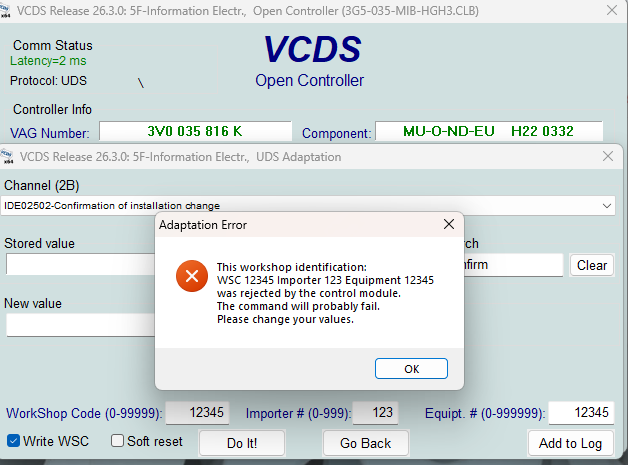
I tried this today with VCDS and I got errors. Firstly it said it was an uninitialised module and suggested adding the default workshop codes, then with those i got this error. My initial values for those 3 bottom fields were 00000/000/00000. Has anyone come across this before? I got the correct new code from the mib-helper site
-
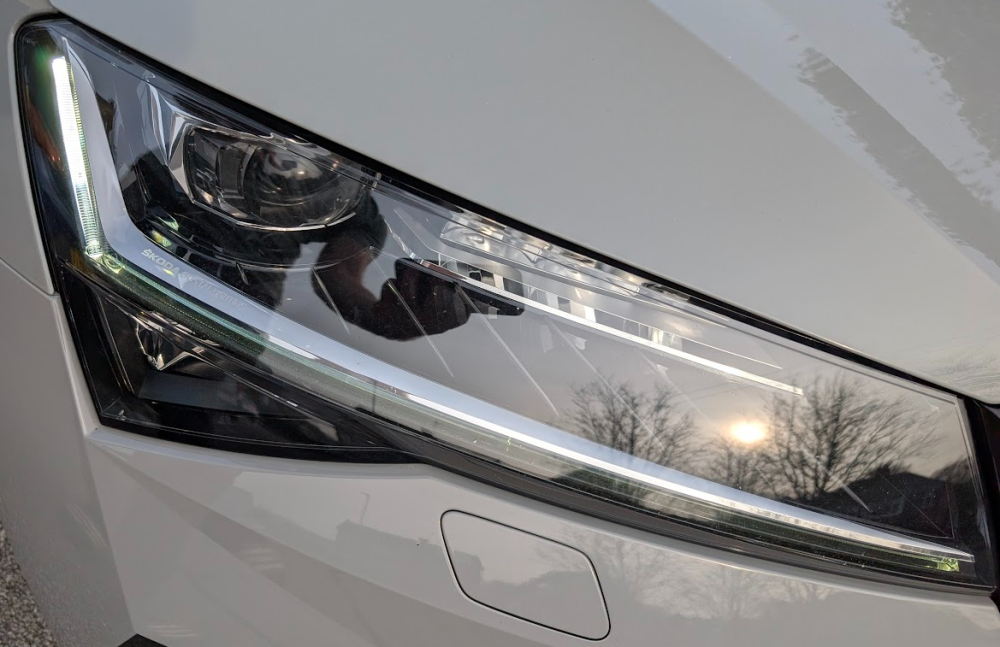
Ah, just checked and it does have them at night. Maybe not permanently on though
-
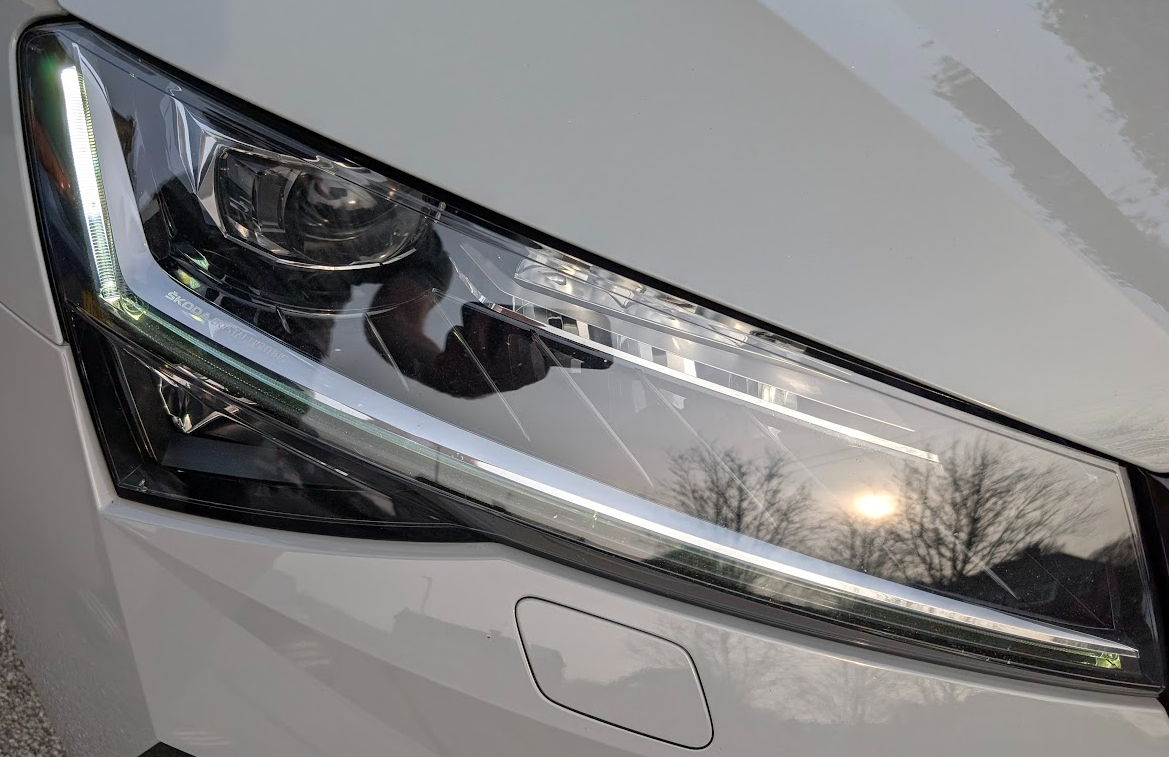
Yeah, permanently on the the bottom and left strip here
-
Mine is a facelift 2022 Sportline, I would have thought it would work with my front indicators
-
Just checked mine with VCDS, I had Richtungs_blinken_links and Richtungs_blinken_rechts active already. Setting ZV_Blinken_auf and ZV_Blinken_zu enables sweeping indicators when unlocking and locking. It only does it on my rear lights though.
-
Found this. There's a video showing sweeping front indicators when arming/disarming the alarm. https://www.vwvortex.com/threads/iq-lights-enable-dynamic-turn-signals-via-obdeleven-drl-on-off-via-menu.9494777/
-
I'm not sure, it translates as directional indicator. I'll try it tomorrow, what could go wrong 🤣
-
Just enabled it on mine using VCDS (Rollenblinken), no idea why it wasn't enabled by default. I can barely notice it though, it seems only the outer lights sweep whilst the lights on the boot lid still flash. Does anyone know what Richtungsblinken actually does?
-
Odd, I wonder why mine didn't alert me. I'm keeping spare batteries in the car now!
-
Was that on the virtual cockpit display?
-
My key fob battery recently died with no dashboard warning, luckily I was at home when it happened. I know the older maxidot displays show the warning, I had it on my Octavia, is there no warning now on the virtual cockpit display?
-
It's the same one that's used for the Skoda nav, 'Route guidance'. It also overlays the next turn info from Google Maps over the Skoda map on the VC.
-
Is that via an iPhone? You do get turn signals from Google Maps via Android Auto on the virtual cockpit with the MIB3
-
My battery died today with no warning! have they removed the warning on the facelift Superb, or maybe not show it on the virtual cockpit?
-
You could always try a software update, it's fairly straight-forward. Sometimes you need a couple of updates to get to the latest version but given that yours it at the very end of the pre-facelift models I would think there would be just 1 https://www.briskoda.net/forums/topic/506090-software-update/
-
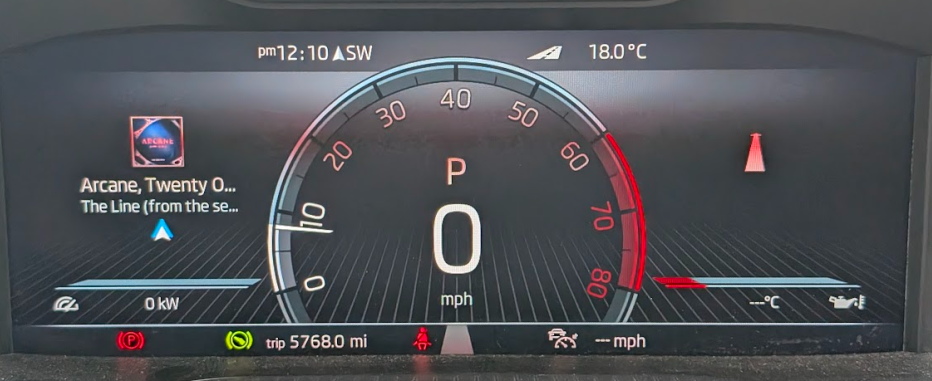
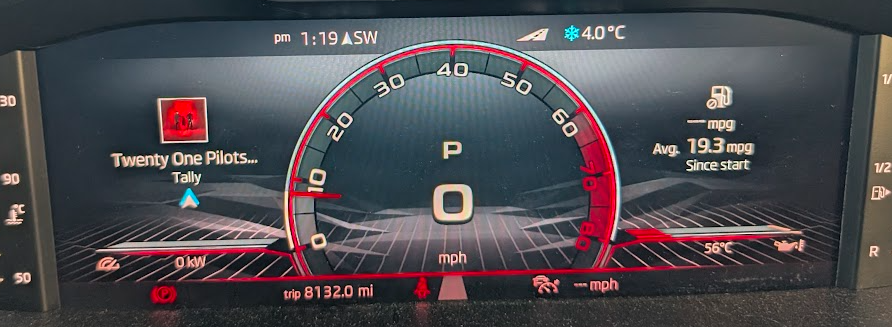
This is the virtual console theme. 0 is standard on mine.... if I switch to 4 I get this....
-
Just had a tinker with VCDS and you can change the display theme from standard in 17 - Adaptions. This must be the facelift version, I prefer the old one 🤣 I guess this may show that the last owner of your car has done some VCDS changes. Whilst trying to find out how to do the above I found this post which suggests the behaviour you have is normal, or at least a known issue. https://www.briskoda.net/forums/topic/517512-virtual-cockpit-view/#findComment-5798319