TheUltraRunner
Members
-
Joined
-
Last visited
Everything posted by TheUltraRunner
-
Unfortunately nickname didn't change. Could be SW issue as @sdolenec mentioned.
-
Sounds like something is not right. I don't even notice the fans. I have AC on Auto all the time and temp set to 22 or 21°C (depending on how hot is outside).
-
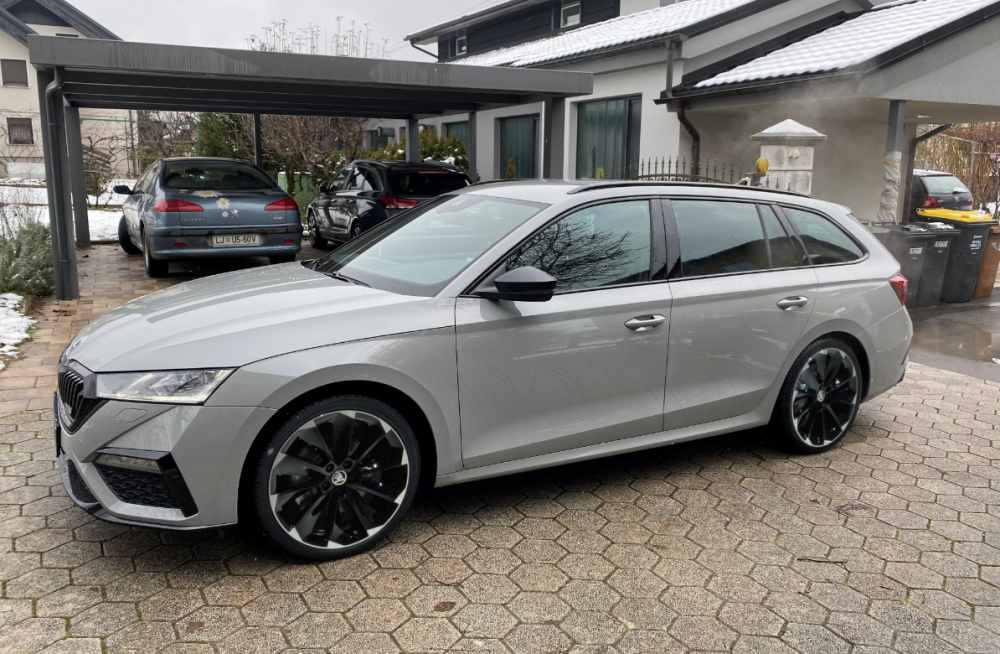
What do you guys think?
-
Haha! No problem.
-
What do you mean?
-
Regarding the goodbye screen. I tried with the edit icon but as you said, nothing happens when you click it. The icon just turns green and that's it. Also it looks like the nickname change is not reflected in the car. It still shows the old one. Although the car was synced with skoda connect.
-
Unfortunately you are right.
-
According to other people who were in direct contact with Skoda, there should be a new major update in few weeks. A lot of people are relaying on this one to fix majority of the issues.
-
You are right about the sw revisions since each car module has it's own sw version/firmeware regardles of the sw version of the Infotainment. But since we don't see anything else beside the main version, we only discuss about this one. I would assume that if your car gets the new main sw version, also all other modules are updated with the latest sw.
-
Thanks for the tip. Just changed my nickname.
-
I'll check mine next time. I'm not sure what exactly says mine.
-
Which screen do you mean? Virtual cockpit ar the main screen? I have never paid any attention to this so I really don't know what's written on mine.
-
Thanks for the feedback and nice words @Greezy56 I totally get your frustration, guys. I'm really not sure what would I have done if my car would have so many issues. No hard feelings @MadPete
-
I'm sorry. Except my apology. Looks like I didn't choose my words right. It can happen since English is not my mother language. No need to be rude right away. All I wanted to say is that it is very possible that 1803 is not yet available for his car.
-
Why would a dealer lie about the update? 1803 is not generally available for all the cars yet as far as I know. They can request it in special occasions when cars have a lot of issues.
-
I'm actually afraid of the start/stop system since I don't even here it whether engine is running or not. This is why I always turn it off as soon I start driving.
-
Could be an Aussie special. But again....would be really nice to know how these things correlates. I also thought (till now) that device part numbers are unique. The above pictures clearly disapprove that.
-
We are all different. I like the sound generator in the normal mode. I bought the TSI RS because of it's sportiness. And until I get a proper sport exhaust, I kinda like the fake sound. Because without it it would be the same as I would drive a 1.0 Octavia. What I agree with you is that car should memorize the driving mode. But since everything is focused on ecology and consumption, this won't happen. At least not by default. The same goes with start/stop system.
-
@DropBear next time smth like this happens try to press and hold the infotainment power button for 15 to 20 s for the system to reboot. It usually helps.
-
You were on a shopping spree. I have the same all weather mats with red letters. They really fit perfectly. But I don't like the rubber. It's not enough grippy for me. Every time when I get in our out of the car, my right leg slips.
-
I remember pressing the sync button a few days ago. And I just checked. It's still synced.
-
Now when you asked again...I'm not sure anymore about the sync option. Let me check.
-
Thanks for sharing. Thinking about my car and not having such issues...maybe the reason is I'm not using all the functions much...or not at all. I have never used auto hold function for example, I have used apple car play only twice, I don't use lane assist,...
-
This really works? Need to try that. But I guess it's not usable by us, ordinary people.
-
1803 is the latest version. But I think it's not yet available for everyone.